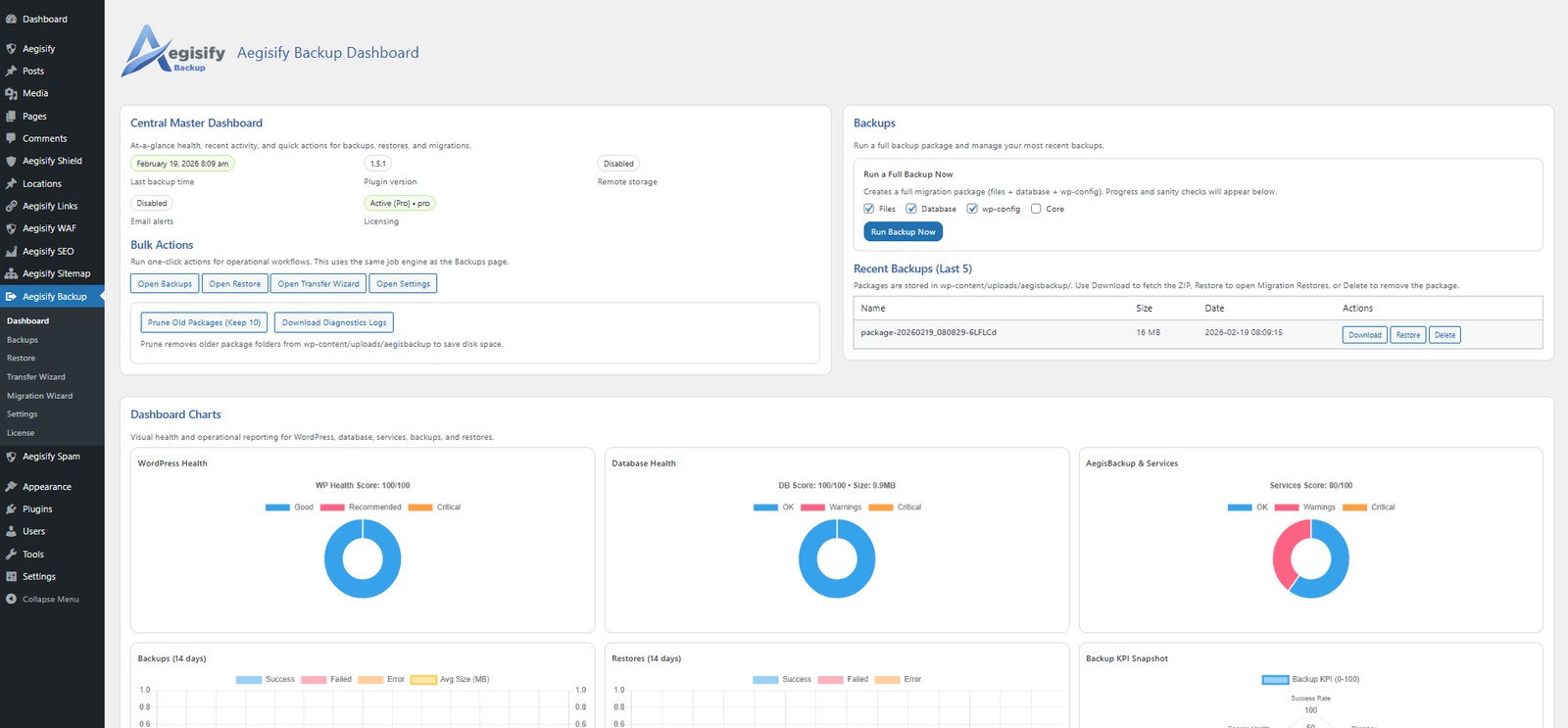
We’re offering a 30 day challenge!








- Click on “Plugins” from the left menu
- Click on “Add Plugins” at the top
- Click on “Upload Plugins”
- Click on “Choose File”
- Select the Aegisify Core file you downloaded.
- Install Now and Activate
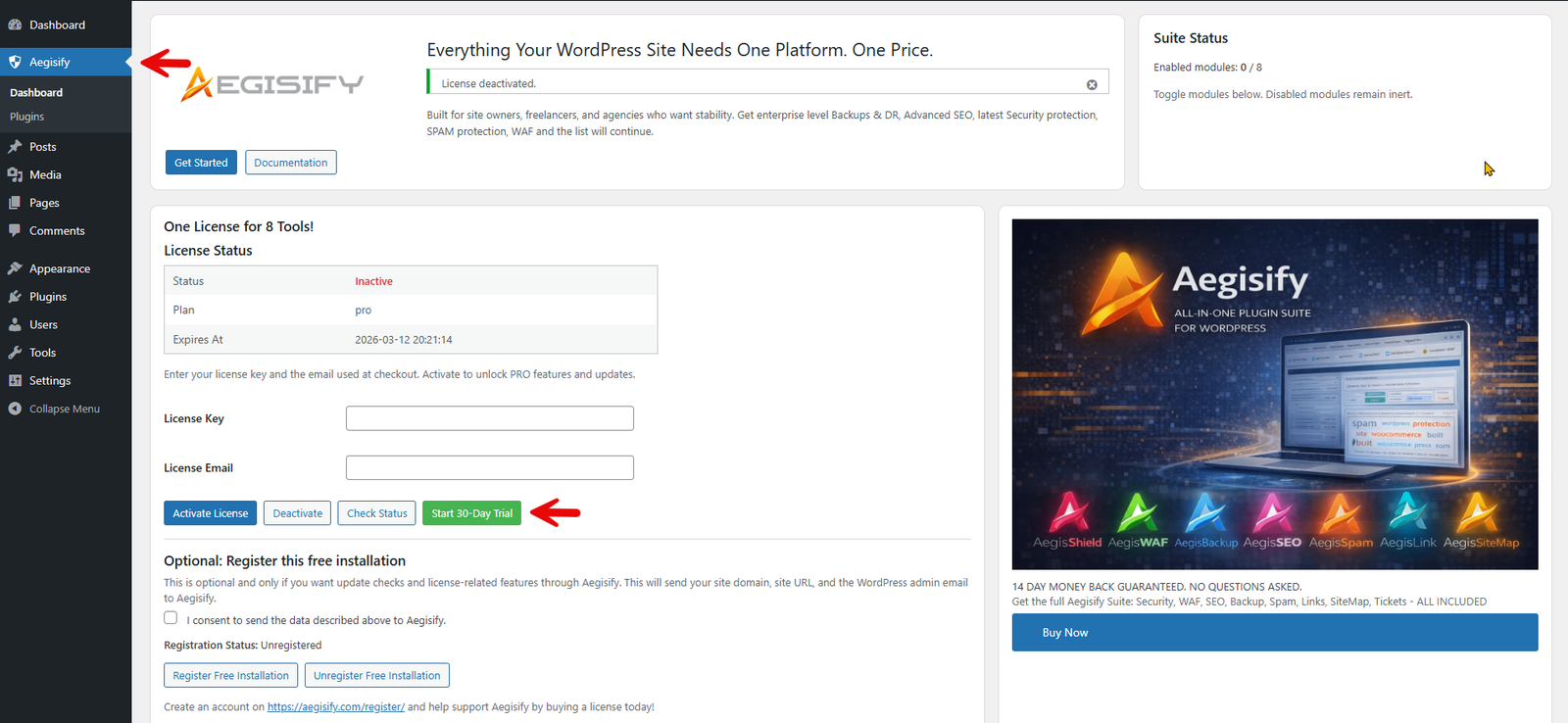
Click on the “Start 30-Day Trial” to fully activate the entire Aegisify Suite of Plugins.
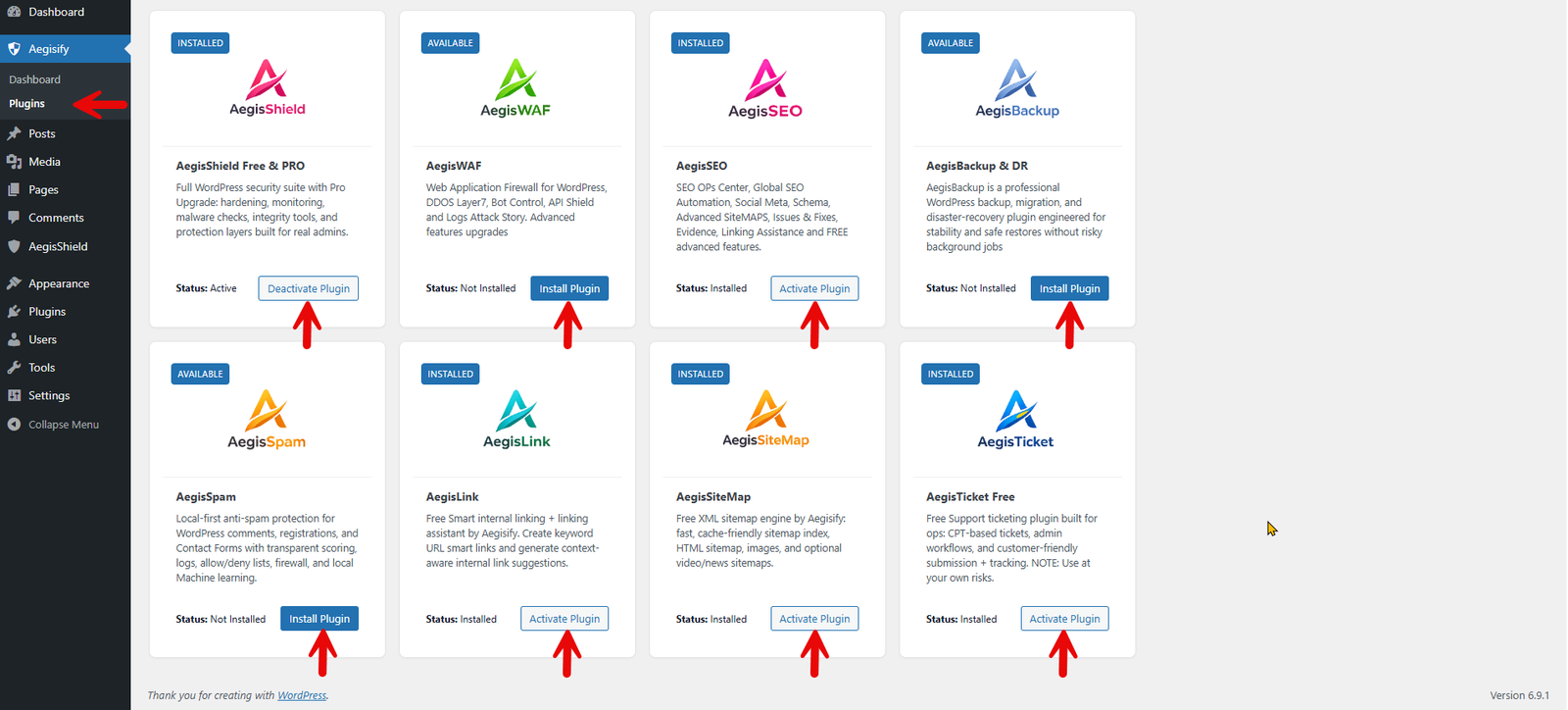
From the left menu, go to Aegisify -> Plugins
- Click on “Install Plugin”
- Then “Activate Plugin”
- Or “Deactivate Plugin”
Once installed, the plugin will be listed on the left menu