
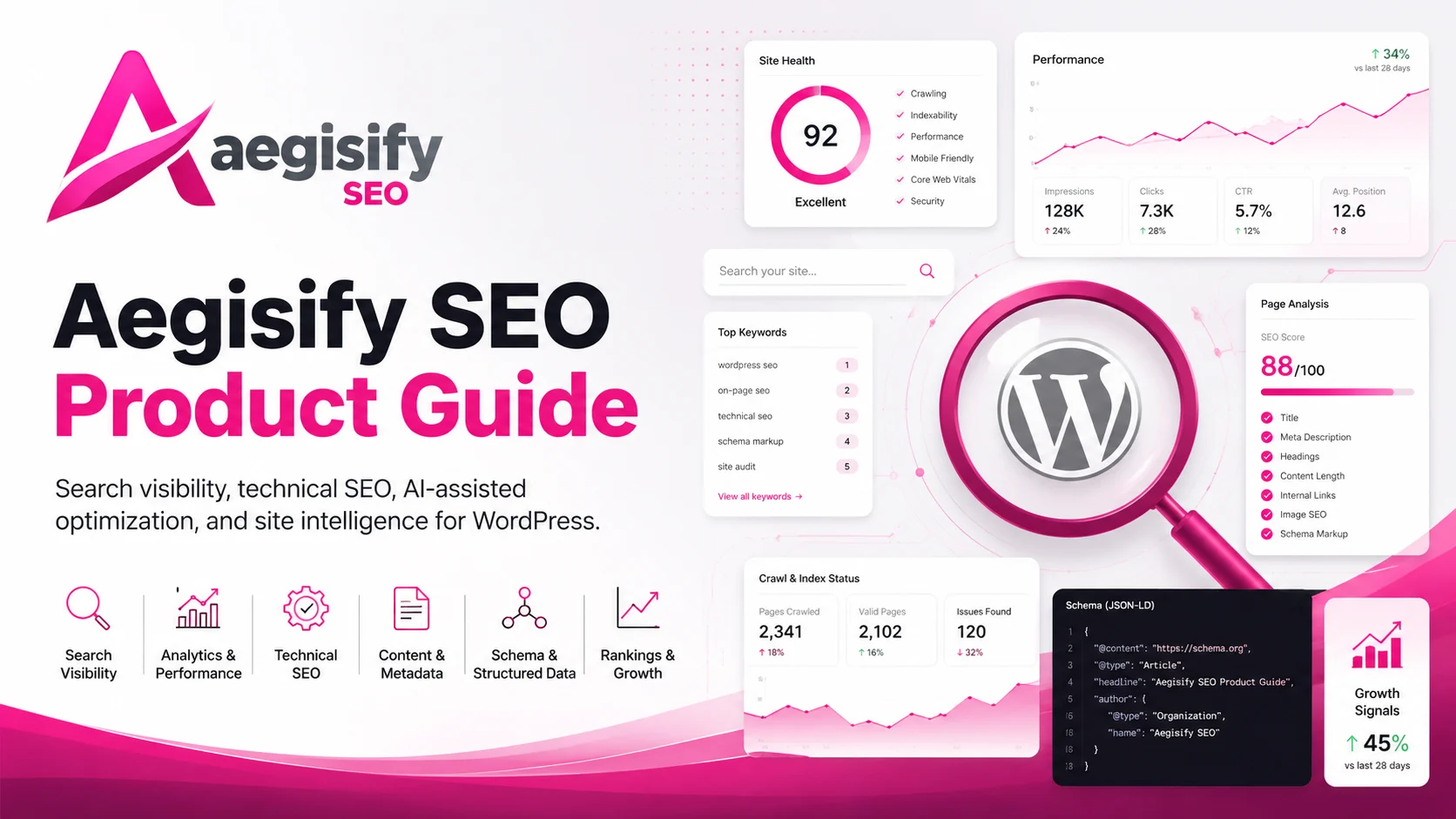
Stop managing SEO as scattered settings and start running it as a measurable WordPress operation.
Aegisify SEO combines sitewide scanning, AI-assisted recommendations and reviewable remediation, Google Search Console intelligence, Bing and IndexNow controls, metadata, schema, canonicals, WooCommerce SEO, sitemaps, crawler governance, AI-discovery files, internal linking, local SEO, evidence and rollback workflows in one WordPress SEO operating system.

How can Aegisify AI help?
Ask about Aegisify or WordPress: errors, plugins, security, SEO, compatibility, troubleshooting, comparisons, or launch a free website scan.
Aegisify Product Guide
Aegisify SEO Product Guide and Administrator Documentation
Version 2.8.2
Updated July 10, 2026
Applies to: Aegisify SEO 2.8.2 for WordPress 6.8 or
later and PHP 8.2 or later
Aegisify SEO is an evidence-driven SEO operations plugin for WordPress. It brings sitewide analysis, metadata, structured data, search performance, technical discovery, internal linking, controlled remediation, WooCommerce SEO, and AI-oriented discovery resources into one operational workflow.
Table of Contents
- About This Guide
- What Changed in Version 2.8.2
- Product Operating Model
- Requirements and Pre-Installation Checklist
- Current Administration Navigation
- Recommended Setup Paths
- Installation, Activation, and Licensing
- Setup Wizard
- Website Scan & SEO
- Search Console, Bing Diagnostics, and IndexNow
- SEO Ops Center
- Meta & Schema
- WooCommerce SEO
- Sitemaps and Indexing Policy
- AI SEO and Machine-Readable Discovery
- Issues & Fixes
- Linking Assistant
- Evidence
- Local SEO
- Tools, Sensitive Data Protection, and License
- Custom Injections
- Page and Post SEO Controls
- Advanced and Administrative Utilities
- Operational Workflows
- Verification and Quality Assurance
- Troubleshooting
- Frequently Asked Questions
- Glossary
- Release Summary
- Official Platform References
About This Guide
This guide is the administrator and product-operations reference for Aegisify SEO 2.8.2. It is written for:
- WordPress site owners and administrators.
- Marketing and SEO teams responsible for organic visibility.
- Agencies managing client WordPress sites.
- WooCommerce operators managing product discovery and catalog SEO.
- Developers and technical teams responsible for metadata, schema, crawl controls, redirects, and site releases.
- Security-conscious organizations that need reviewable changes, restrained automation, and clear handling of public versus private content.
What this guide covers
This guide explains:
- The current Aegisify SEO administration interface.
- A safe setup order for new and existing sites.
- Sitewide scanning and AI-assisted recommendations.
- Google Search Console reporting and Bing/IndexNow controls.
- Metadata, social previews, canonical URLs, and structured data.
- WooCommerce product, variation, catalog, schema, feed, and indexing controls.
- XML sitemaps, central noindex policy, and crawler access.
- AI-oriented discovery files and crawler governance.
- Controlled issue remediation, rollback, and evidence workflows.
- Internal linking, local SEO, diagnostics, and operational maintenance.
Important limitations
Aegisify SEO helps organize, validate, and improve SEO operations. It does not guarantee rankings, indexing, traffic, rich results, citations in AI answers, or revenue outcomes.
Search engines and AI systems make their own decisions about crawling, indexing, ranking, presentation, citation, and inclusion. Use Aegisify SEO to improve technical consistency, discovery, clarity, governance, and measurement—not as a promise of placement.
Documentation status
This guide was rebuilt against the Aegisify SEO 2.8.2 plugin package and the current product pages available on July 10, 2026. Interface labels may vary slightly if a later build, licensing state, WordPress configuration, or another Aegisify suite component changes the available tabs.
What Changed in Version 2.8.2
Version 2.8.2 strengthens Aegisify SEO as an operating workflow rather than a simple metadata editor.
Canonical ownership
Aegisify SEO now removes the WordPress core canonical output and publishes its own canonical URL while active. This reduces one common source of duplicate canonical tags.
Administrator responsibility: another SEO plugin, theme, or custom integration may still publish a separate canonical. After activation or migration, inspect representative page source and confirm that each indexable page contains one intended canonical URL.
Licensed AI remediation
Aegisify SEO adds licensed AI-assisted remediation for:
- Titles that exceed the configured quality range.
- Missing or invalid meta descriptions.
- Missing Media Library image alternative text.
The remediation process is designed as a background job with:
- Processing locks.
- Resumable work.
- Stale-worker recovery.
- Progress reporting.
- Activity logging.
- Rollback support.
- A no-progress timeout for stalled jobs.
AI-generated values remain subject to validation. Aegisify SEO rejects outputs that do not meet the configured title, description, or alt-text requirements.
Rendered public-page checks
The current issue workflow can inspect rendered public pages for:
- HTTP response status.
- Bing crawler access and robots behavior.
- Page title presence, count, and length.
- Meta description presence, count, and length.
- Canonical presence and duplication.
- H1 presence and duplication.
- Images missing alt attributes.
- Images with intentionally empty alt values.
H1 findings are notices. Aegisify SEO does not rewrite theme or page-builder heading markup automatically.
Central robots.txt management
Aegisify SEO can synchronize its managed crawler and sitemap sections
into a physical robots.txt file while preserving custom
site-owner rules outside the Aegisify-managed blocks.
This is intended to prevent multiple Aegisify modules from competing over crawler rules. A custom physical file can still contain rules that conflict with the plugin’s desired policy, so administrators must review diagnostics and the final public file.
Safer image-alt handling
Version 2.8.2 distinguishes missing alt text from intentionally decorative images. An intentionally empty alt value can be preserved for accessibility rather than being automatically replaced.
The plugin also avoids database writes during public front-end image rendering. Changes are made through explicit administrative workflows instead of during a visitor request.
Product Operating Model
Aegisify SEO is organized around a controlled improvement loop:
- Establish a baseline. Configure identity, templates, schema, social settings, and content scope.
- Discover issues. Run sitewide scans, rendered-page checks, Search Console review, and schema analysis.
- Prioritize work. Use the Website Scan, SEO Ops Center, Issues & Fixes, and GSC opportunity views.
- Apply controlled changes. Review recommendations, use fix packs where appropriate, and avoid overwriting intentional editorial decisions.
- Verify output. Inspect the public page, response headers, sitemap, schema, canonical, robots directives, and crawler files.
- Measure results. Use Evidence and Search Console data to compare before-and-after performance.
- Repeat deliberately. Improve a manageable group of pages, measure, then expand.
Core product areas
| Area | Purpose |
|---|---|
| Baseline | Setup Wizard, site identity, publisher identity, templates, social profiles |
| Site intelligence | Website Scan & SEO, Issues & Fixes, SEO Ops Center |
| Page signals | Titles, descriptions, canonical URLs, robots directives, Open Graph, Twitter Cards |
| Structured data | Organization/Person defaults, post-type mappings, local and WooCommerce schema |
| Discovery | XML sitemaps, IndexNow, AI-oriented discovery files, merchant feed |
| Governance | Central noindex policy, crawler access controls, sensitive-data protections |
| Controlled action | AI remediation, fix packs, rollback, internal-link suggestions |
| Measurement | Search Console, winners/losers, CTR opportunities, Evidence timelines |
Requirements and Pre-Installation Checklist
Technical requirements
- WordPress 6.8 or later.
- PHP 8.2 or later.
- WordPress cron or a reliable server cron for background work.
- Permission to save plugin settings and, where enabled, write managed public discovery files.
- Outbound HTTPS access for licensed AI services, Google Search Console, and IndexNow operations.
Before installing or migrating
- Create a current site and database backup.
- Record the current SEO plugin and its active settings.
- Export metadata and redirects when the existing plugin supports export.
- List any custom canonical, robots, schema, sitemap, or header logic in the theme or custom code.
- Identify private application paths such as account, login, checkout, billing, dashboard, membership, or portal pages.
- Identify business-critical pages and representative content types for validation.
- For WooCommerce, select representative simple, variable, sale, out-of-stock, hidden, and discontinued products.
- Confirm the production site is not using WordPress’s “Discourage search engines” setting.
Avoid overlapping ownership
Running multiple SEO plugins at the same time can produce duplicate:
- Titles and descriptions.
- Canonical tags.
- Robots meta tags.
- Open Graph and Twitter metadata.
- JSON-LD structured data.
- XML sitemaps.
- Redirect rules.
Use a staged migration, validate Aegisify SEO output, and then deactivate overlapping output in the previous plugin. Do not leave two plugins competing for the same public signals.
Current Administration Navigation
In WordPress administration, open Aegisify SEO. Version 2.8.2 exposes the following primary tabs:
| Tab | Primary purpose | Typical cadence | Access note |
|---|---|---|---|
| Setup Wizard | Establish site identity and baseline settings | Initial setup or rebrand | Available |
| Website Scan & SEO | Run a stored, staged sitewide review | Monthly, after major releases, or as needed | Licensed AI service required for AI analysis |
| Search Console | Connect GSC, review basic performance, and manage Bing/IndexNow checks | Weekly | GSC connection optional |
| SEO Ops Center | Prioritize opportunities, schema intelligence, and performance actions | Weekly or monthly | Licensed feature |
| Meta & Schema | Configure global, social, schema, and WooCommerce output | Initial setup and strategy changes | Available |
| Sitemap | Manage XML/HTML sitemap scope, crawler access, and central index policy | Initial setup and after content-model changes | Available |
| AI SEO | Generate AI-oriented discovery resources and review bot intelligence | Initial setup, then scheduled maintenance | Licensed feature |
| Issues & Fixes | Detect issues and run guarded remediation workflows | Weekly | Licensed feature |
| Linking Assistant | Review and apply internal-link suggestions | During content optimization | Available |
| Evidence | Review event timelines and before/after outcomes | After material changes | Licensed feature |
| Local SEO | Configure location-oriented business data and schema | Initial setup and location changes | Available |
| Tools | Maintenance, safe defaults, sensitive-data controls, and license | As needed | Mixed |
| Custom Injections | Add approved verification, JSON-LD, head, or footer content | As needed | Administrator-only |
Navigation accuracy note
Version 2.8.2 contains administrative components for migration, bulk management, redirects, a 404 monitor, Google indexing, rank tracking, and advanced technical tools. These are not all presented as primary top-level tabs in the current settings navigation. Availability and discoverability can depend on the build, license, internal links, or direct administrative route.
For user-facing documentation, describe the visible primary tabs first. Treat hidden or direct-route utilities as advanced capabilities and verify that the administrator can reach them before relying on them operationally.
Recommended Setup Paths
Path A — New WordPress site
- Install and activate Aegisify SEO.
- Complete the Setup Wizard.
- Configure Meta & Schema → Global, Social, and Schema.
- Review the central private-path and noindex policy in Sitemap.
- Enable and validate the XML sitemap.
- Connect Google Search Console if available.
- Configure Bing verification and IndexNow.
- Run Website Scan & SEO.
- Review Issues & Fixes and correct indexing blockers first.
- Configure Linking Assistant.
- Enable AI SEO only after reviewing public-content scope and crawler policy.
- Use Evidence to measure material changes.
Path B — Migration from another SEO plugin
- Back up the site and export existing SEO data.
- Install Aegisify SEO without immediately removing the existing plugin.
- Complete the baseline identity and templates.
- Use the Migration utility when available in the installed build.
- Validate the homepage, a standard page, a post, an archive, and any custom post type.
- Confirm exactly one title, description, canonical, robots directive set, and intended schema graph.
- Confirm the Aegisify sitemap is correct.
- Disable or deactivate overlapping output from the previous SEO plugin.
- Purge page, object, CDN, and edge caches.
- Revalidate source and structured data.
- Run Issues & Fixes and Website Scan & SEO.
- Monitor Search Console and 404 activity after the migration.
Path C — WooCommerce store
- Complete the standard baseline setup.
- Open Meta & Schema → Schema and review WooCommerce SEO status.
- Select the schema ownership mode.
- Configure product and taxonomy title/description templates.
- Map brand and MPN sources where used.
- Configure shipping and return-policy values only when they match visible store policies.
- Review noindex controls for hidden, discontinued, out-of-stock, no-price, and non-purchasable products.
- Validate product, category, tag, brand, and attribute sitemap coverage.
- Validate one simple and one variable product’s metadata and JSON-LD.
- Validate the merchant feed and public AI commerce catalog if enabled.
- Confirm IndexNow submissions occur only for meaningful product or taxonomy changes.
- Monitor Search Console, merchant systems, and product-page output after releases.
Path D — AI-search and crawler governance
- Review the central indexability policy before generating discovery files.
- Keep Privacy Mode and Public URL Sanitization Mode enabled unless an approved use case requires otherwise.
- Decide separately whether to allow search crawlers and training crawlers.
- Select only public content intended for external discovery.
- Generate the root discovery files.
- Enable optional documentation folders only when their contents are appropriate for public access.
- Review the files as an unauthenticated visitor.
- Confirm private paths, customer records, unpublished content, query strings, and sensitive technical details are absent.
- Track bot activity and referrals as directional operational data, not proof of citation or inclusion.
Installation, Activation, and Licensing
Install the plugin
- Sign in to WordPress as an administrator.
- Go to Plugins → Add New Plugin → Upload Plugin.
- Select the Aegisify SEO ZIP file.
- Choose Install Now.
- Activate the plugin.
- Open Aegisify SEO → Setup Wizard.
Confirm activation
Verify that:
- Aegisify SEO appears in the WordPress admin menu.
- The Setup Wizard loads without a fatal error.
- The plugin reports version 2.8.2.
- WordPress recognizes the required PHP and WordPress versions.
- No overlapping SEO plugin is unexpectedly outputting competing public signals.
Licensing
Aegisify SEO licensing is managed through the Aegisify suite. Licensed features can include:
- SEO Ops Center.
- AI SEO.
- Issues & Fixes.
- Evidence.
- Migration workflows.
- Licensed AI generation and remediation.
- Website Scan & SEO AI service access.
Open Tools → License to review license status. A licensed AI request may require both a valid suite license key and the associated license email.
Background processing requirements
Website scans, AI remediation, scheduled refreshes, evidence collection, and maintenance workflows depend on WordPress background processing.
For reliable operation:
- Confirm WP-Cron is enabled or replaced by a server cron.
- Avoid blocking WordPress loopback requests.
- Confirm outbound HTTPS requests are permitted.
- Review hosting execution limits for large sites.
- Do not repeatedly start the same fix pack while one is active.
Setup Wizard
The Setup Wizard establishes a consistent baseline for brand identity and structured data.
Configure site identity
| Setting | Purpose | Guidance |
|---|---|---|
| Publisher type | Identifies the site as an Organization or Person | Use Organization for a company, nonprofit, agency, or product brand; use Person for a personal brand or individual publisher |
| Publisher name | Establishes the primary entity name | Match the name used on the site and official profiles |
| Logo | Supports publisher and organization schema | Use the approved brand asset and verify the public image URL is accessible |
| Social profiles | Connects official external profiles | Include only profiles controlled by the organization or publisher |
After completing the wizard
Review the saved values under Meta & Schema. The wizard establishes a baseline, but it does not replace the need to review:
- Homepage title and description.
- Post and page templates.
- Content scope.
- Schema mappings.
- Social preview defaults.
- WooCommerce settings when WooCommerce is active.
- Private-path and noindex policies.
Website Scan & SEO
Website Scan & SEO runs a staged background review and stores each run under a dated Scan ID.
What the scan reviews
The scan can evaluate broader WordPress SEO context across:
- Published pages.
- Published posts.
- FAQ-style content.
- Public custom post types.
- Active plugin context.
- Meta & Schema configuration.
- Sitemap and indexing configuration.
- AI SEO configuration.
- Issues & Fixes.
- Linking Assistant.
- Evidence.
- Custom Injections.
- SEO Ops Center.
Public content coverage excludes attachments and password-protected content from item-level URL analysis unless a specific feature intentionally handles those objects.
Data-handling model
For item-level AI analysis, the plugin is designed to send the public URL for publicly viewable content rather than packaging the complete rendered page body, local score payload, or local SEO metadata payload into the request.
This reduces unnecessary data transfer, but administrators must still confirm that the public URL does not expose confidential information.
Start a scan
- Open Aegisify SEO → Website Scan & SEO.
- Review license and service status.
- Start a new scan.
- Record the generated Scan ID.
- Allow the background process to complete.
- Review progress and error details rather than starting duplicate scans.
- Open the saved report when complete.
Report structure
A completed report can include:
- Site summary.
- Recommendations by Aegisify SEO feature area.
- Pages requiring attention and the reason.
- Posts requiring improvement and the reason.
- FAQ-content recommendations.
- Content and blog opportunities.
- A prioritized Top 10 action list.
- Severity or priority groupings.
Rendered-page validation
Version 2.8.2 adds checks against the public response and rendered HTML. Review findings for:
- Non-200 or unexpected HTTP responses.
- Robots restrictions affecting Bing or public crawling.
- Missing, duplicate, or excessive title tags.
- Missing, duplicate, or invalid meta descriptions.
- Missing or duplicate canonical tags.
- Missing or duplicate H1 headings.
- Images missing alt attributes.
- Decorative images with intentionally empty alt values.
Interpreting findings
A scan recommendation is a starting point for review, not an automatic business decision.
Prioritize in this order:
- Accidental noindex or crawl blockers on important pages.
- Wrong canonical URLs or duplicate canonical output.
- Broken public pages and unexpected HTTP responses.
- Missing or conflicting metadata on revenue and conversion pages.
- Product and category discovery problems.
- Thin or unclear content on priority landing pages.
- Internal-link and content-cluster opportunities.
- Lower-value formatting and completeness improvements.
Stalled scans
The background architecture includes stale-job handling. If a scan stops making progress:
- Confirm WordPress cron is running.
- Review the displayed error and logs.
- Confirm the suite license and service access.
- Confirm the site can make outbound HTTPS requests.
- Check host or WAF restrictions.
- Do not delete stored scan data until the failure is understood.
Search Console, Bing Diagnostics, and IndexNow
The Search Console area combines Google Search Console reporting with Bing verification, crawl diagnostics, and IndexNow controls.
Google Search Console connection
Aegisify SEO can display basic Search Console metrics inside WordPress when OAuth and a property are configured.
Typical metrics include:
- Clicks.
- Impressions.
- Click-through rate.
- Average position.
Connect GSC
- Open Aegisify SEO → Search Console.
- Enter the required OAuth client configuration.
- Authorize the Google account.
- Select the exact site property.
- Confirm data loads for the expected date range.
Property matching
Google treats URL-prefix and domain properties differently. Match the property to the production site, including protocol and hostname where applicable.
Examples that may represent different properties:
https://example.com/https://www.example.com/sc-domain:example.com
Use GSC data responsibly
- High impressions with low CTR may indicate a title/snippet opportunity.
- Position changes require context; do not treat one-day movement as proof of a fix.
- Search Console data is delayed and sampled differently across reports.
- A page can lose clicks because demand changed, not because the page broke.
- Compare time windows and annotate significant site changes.
Bing verification and crawl sanity checks
The current Search Console screen can review:
- Bing verification output.
- WordPress search-engine visibility.
- Global robots settings.
- Physical
robots.txtconflicts. - XML sitemap availability.
- Whether Bingbot is fully blocked.
- IndexNow status.
Bing verification output is independent of the general Custom Injections enable/disable switch.
IndexNow
IndexNow notifies participating search engines when a URL is added, updated, or deleted. It does not guarantee immediate crawling or indexing.
Version 2.8.2 can expose:
- An IndexNow master control.
- A key URL.
- Recent-URL submission.
- Submission status and useful request errors.
- Automatic submissions on supported content changes.
- WooCommerce-aware submissions for product, variation-parent, and public taxonomy changes.
IndexNow operating guidance
Submit URLs when content materially changes. Avoid repetitive submissions for cosmetic changes.
Validate:
- IndexNow is enabled.
- The key file is publicly accessible.
- The submitted URL belongs to the verified host.
- The response is successful.
- Bing Webmaster Tools receives the submission.
- The URL itself is indexable and returns the expected response.
Google Indexing API limitation
Google’s official Indexing API is limited to pages containing
JobPosting or BroadcastEvent embedded in a
VideoObject. Do not use or document it as a general-purpose
fast-indexing mechanism for ordinary pages, posts, products, or
marketing content.
For general Google discovery, use:
- Crawlable internal links.
- Accurate XML sitemaps.
- Google Search Console.
- Correct canonical and robots behavior.
- Helpful, indexable content.
SEO Ops Center
The SEO Ops Center is a licensed command view for turning SEO signals into prioritized work.
Primary areas
The current build includes operational views for:
- Overview and actions.
- Schema Intelligence.
- Search Stats using Google Search Console data.
Overview and actions
Use the Overview to review:
- Search-performance summaries.
- Winner and loser pages.
- Query clusters and possible content gaps.
- Core Web Vitals guidance.
- Pending redirect or schema work.
- Links into Issues & Fixes.
Winner and loser analysis
A winner or loser label is based on movement across the selected comparison windows. It is not proof of causation.
Review:
- Click change.
- Impression change.
- CTR change.
- Average-position change.
- Query mix.
- Seasonality.
- Recent releases, migrations, template changes, or indexing events.
CTR opportunity workflow
A common high-value review is a page with meaningful impressions, a stable position, and weaker-than-expected CTR.
- Review the actual queries.
- Confirm the page matches search intent.
- Inspect the current title and description.
- Check whether the title is truncated, generic, duplicated, or misaligned.
- Review rich-result eligibility and schema accuracy.
- Make one controlled change.
- Record the change in Evidence.
- Compare a suitable before/after window.
Schema Intelligence
Schema Intelligence can evaluate:
- Entity coverage.
- Graph connectivity.
- Missing properties.
- Broken references.
- Strong entity hubs.
- Weak pages.
- Knowledge-graph readiness indicators.
- Page-level drilldown.
- Graph preview and validation support.
Treat a readiness score as an internal diagnostic, not a search-engine score or guarantee.
Meta & Schema
Meta & Schema contains three primary subtabs: Global, Social, and Schema.
Global
Global settings control content scope and default metadata patterns.
Content scope
Use Smart mode for typical public WordPress sites. Use explicit include/exclude lists when a site has custom post types, private application objects, or special publishing requirements.
Do not add private objects merely because they are public post types in WordPress. Public registration does not necessarily mean the content belongs in search results.
Template settings
The current build supports templates for:
- Homepage title and description.
- Posts.
- Pages.
- Archives.
- WooCommerce products.
- WooCommerce taxonomies.
Templates provide fallbacks and consistency. Priority landing pages should normally receive intentional, page-specific metadata.
Title guidance
- Describe the page clearly.
- Keep the primary topic understandable without keyword repetition.
- Use the brand where it adds value.
- Avoid identical titles across multiple URLs.
- Review rendered output, because variables and theme behavior can change the final length.
Description guidance
- Summarize the actual page.
- Help the searcher understand the page’s value.
- Avoid invented claims, guarantees, and keyword lists.
- Keep descriptions unique on important pages.
- Treat descriptions as eligible snippet suggestions, not guaranteed display text.
Social
Social controls can include:
- Open Graph output.
- X/Twitter Card output.
- Card type.
- Site and creator accounts.
- Facebook application or administrator values.
- Default social image.
- Official profile URLs.
- Article-related metadata.
- AI-assisted social/discovery brief fields.
Validate social previews after changing:
- The site logo.
- Default image.
- CDN host.
- canonical domain.
- image dimensions.
- page-level social overrides.
Schema
Schema settings can include:
- Default schema type by post type.
- Publisher type.
- Organization or person name.
- Publisher logo.
- Entity and schema brief fields.
- WooCommerce schema ownership and commerce settings.
Schema operating rules
- Structured data must match visible content.
- Do not publish fake reviews, ratings, FAQs, prices, availability, shipping, or return policies.
- Do not enable two competing owners for the same primary Product graph without reviewing the final output.
- Validate representative pages after a theme, WooCommerce, or plugin update.
- Rich-result eligibility does not guarantee a rich result.
WooCommerce SEO
Version 2.8.0 introduced a major native WooCommerce SEO layer, and versions 2.8.2 and 2.7.3 strengthen its integration with sitemaps, indexing, discovery, and remediation.
Source-of-truth model
Aegisify SEO reads public product facts from WooCommerce product objects so the same source can support:
- Product metadata.
- Social metadata.
- Product and variation structured data.
- XML sitemap entries.
- Merchant feed records.
- IndexNow notifications.
- Public AI commerce catalog records.
This reduces manual duplication, but the result is only as accurate as the WooCommerce product data and configured policies.
Product and variation schema
Supported structured-data concepts can include:
Product.ProductGroupfor variable-product relationships.Offer.- Product and variation identifiers.
- SKU, GTIN, MPN, and brand.
- Price and sale price.
- Currency.
- Availability.
- Condition.
- Product images and gallery images.
- Approved rating and review information.
- Shipping details when configured.
- Merchant return policy when configured.
- Variation attributes and group relationships.
Schema ownership modes
The WooCommerce schema ownership control is intended to reduce conflicts with WooCommerce, themes, or another SEO plugin.
Use the mode that matches the site’s actual ownership plan:
- Auto: allow Aegisify SEO to detect an existing provider and reduce duplication.
- Replace: use Aegisify SEO as the intended owner after validating output.
- Enhance: extend an existing graph only when the combined result is valid.
- Off: disable Aegisify WooCommerce schema when another system is the approved owner.
Always inspect final JSON-LD. Detection cannot account for every theme or custom integration.
Product metadata variables
WooCommerce-aware templates can use product facts such as:
- Product name.
- SKU.
- GTIN.
- MPN.
- Brand.
- Price and sale price.
- Currency.
- Stock status.
- Product category.
- Public product attributes.
Do not include unstable or misleading values in titles. For example, a price in the title can become outdated in search results after a price change.
Catalog indexing controls
Aegisify SEO can apply noindex decisions to selected product and archive conditions, including:
- Hidden products.
- Discontinued products.
- Out-of-stock products.
- Products without a price.
- Non-purchasable products.
- Empty product taxonomies.
- Product-attribute archives.
- Layered-navigation and filter parameters.
- Price-filter parameters.
- Rating-filter parameters.
- Sorting and product-count parameters.
Recommended approach
- Noindex hidden and discontinued products when they do not serve a public search purpose.
- Decide out-of-stock policy based on whether the product will return, has backlinks, or has a valuable replacement path.
- Avoid indexing large sets of faceted URLs that reproduce similar product lists.
- Keep useful category and brand pages indexable only when they contain products and meaningful customer-facing content.
WooCommerce sitemap coverage
Aegisify SEO can automatically include eligible public commerce content while preserving explicit administrator exclusions.
Coverage can include:
- Published products.
- Product categories.
- Product tags.
- Public brands.
- Public product attributes and taxonomies.
- Shop archive.
- Featured images.
- Product gallery images.
- Product-category thumbnail images.
Private products, drafts, password-protected products, noindex products, customer records, orders, cart, checkout, and private WooCommerce operations should remain excluded.
Merchant product feed
When enabled, Aegisify SEO generates a public merchant feed at:
/aegisify-merchant-feed.xml
The feed can include eligible public product and variation data such as:
- Identifier.
- Title and description.
- Product URL.
- Main and additional images.
- Price and sale price.
- Currency.
- Availability.
- Condition.
- Brand, GTIN, MPN, and SKU.
- Product category path.
- Variation grouping.
- Public attributes.
- Configured shipping information.
Validate the feed against the destination platform’s current requirements. A generated feed is not automatically approved by a merchant platform.
Public AI commerce catalog
When enabled, Aegisify SEO can publish:
/aegisify-commerce-index.json/aegisify-commerce-products-{page}.json
The catalog is paginated and built from public product data. It is designed to exclude customer records, orders, payment data, private notes, and other private store operations.
Review the output before enabling it on a production site. Machine-readable public data can be easier to collect at scale.
WooCommerce change handling
Aegisify SEO can invalidate relevant caches and submit supported public URLs through IndexNow when meaningful product or taxonomy data changes, including:
- Product updates.
- Variation updates.
- Price or stock changes.
- Category, tag, brand, or attribute changes.
- Product deletion or unpublishing.
IndexNow is notification, not a ranking or indexing guarantee.
WooCommerce release checklist
Before releasing a major store update:
- Validate simple and variable product metadata.
- Validate product JSON-LD.
- Confirm one approved Product schema owner.
- Confirm public prices and availability match the page.
- Confirm shipping and return policy data match visible policies.
- Confirm product and category sitemap coverage.
- Confirm filtered and sorted URLs follow the intended policy.
- Validate the merchant feed.
- Validate the AI commerce catalog if enabled.
- Review noindex and canonical behavior for pagination and filtered archives.
Sitemaps and Indexing Policy
The Sitemap tab manages traditional XML discovery, optional HTML sitemap behavior, crawler access, and the central noindex/private-application policy.
Sitemap capabilities
The current build can support:
- XML sitemap index.
- Child sitemaps by post type or taxonomy.
- Configurable page size.
- Image inclusion.
- Attached-image inclusion.
- Video and news sitemap options where configured.
- HTML sitemap support.
- Automatic public-content inclusion.
- WooCommerce content detection.
- Sitemap references in
robots.txt. - Truthful
lastmodhandling when WordPress has reliable timestamps.
Aegisify SEO skips empty or noindex-only child sitemap references after central policy filtering.
Retired sitemap pings
Legacy Google/Bing sitemap ping requests were removed. Do not describe the Sitemap tab as automatically “pinging all search engines.”
Use:
- XML sitemaps and webmaster-console submission.
- IndexNow for participating engines.
- Normal internal links and crawlable navigation.
Central noindex/private application policy
The central policy is shared across:
- Front-end robots meta output.
X-Robots-Tagbehavior.- XML sitemaps.
- HTML sitemap.
- AI discovery files.
- Optional
robots.txtguidance. - Website Scan & SEO.
This creates one policy decision rather than separate, inconsistent lists.
Default private-path concepts
The editable default list can include paths associated with:
- Accounts and profiles.
- Login, logout, registration, and sign-up.
- Dashboards, portals, member areas, and client areas.
- Cart, checkout, payment, billing, invoice, and order-received pages.
- Subscription and partner portals.
Review the list for the actual site. A path that sounds private may host public marketing content, while a custom application path may need to be added.
Shortcode-app detection
The central policy can identify private application pages through configurable shortcode keywords. Review the keyword list carefully to avoid noindexing legitimate public content.
Low-value archives
Use low-value archive noindex controls selectively. Author, date, tag, or other archives may be useful on one site and thin duplicates on another.
Robots.txt versus noindex
robots.txt controls crawling guidance. A robots meta tag
or X-Robots-Tag controls indexing instructions after a
crawler can access the resource.
Do not block a URL in robots.txt when the crawler must
see its noindex instruction. A blocked crawler may be
unable to discover the page-level noindex rule.
Physical robots.txt synchronization
If a physical root robots.txt exists, Aegisify SEO can
maintain its own marked sections while preserving custom content outside
those blocks.
After saving crawler settings:
- Open the public
robots.txtURL. - Confirm the intended Aegisify-managed blocks appear.
- Confirm custom owner rules remain intact.
- Confirm no custom rule blocks public assets or important content.
- Confirm sitemap references use the correct production host.
- Review Bing crawl diagnostics for conflicts.
Sitemap validation
- Open the sitemap index as an unauthenticated visitor.
- Confirm it returns HTTP 200 and valid XML.
- Open every child sitemap type.
- Confirm private, password-protected, draft, and noindex URLs are absent.
- Confirm canonical public URLs use the correct protocol and hostname.
- Confirm WooCommerce products and taxonomies follow the configured policy.
- Submit the sitemap in Google Search Console and Bing Webmaster Tools.
AI SEO and Machine-Readable Discovery
AI SEO generates public, machine-readable discovery resources. These resources can make public site and product information easier to inventory, but they do not guarantee crawling, citation, recommendation, traffic, or inclusion in an AI answer.
Root discovery files
Version 2.8.2 generates:
/llms.txt— markdown-oriented public index./llm.txt— legacy compatibility file./ai.txt— AI crawler and discovery guidance./ai-index.json— machine-readable public inventory./sitemap-ai.xml— AI-oriented URL inventory.
The current code labels /llm.txt as legacy. Use
/llms.txt as the primary documented markdown index while
retaining the legacy file for compatibility.
Optional public folders
Optional outputs can include:
/docs/{slug}/index.html/specs/{slug}/aegisify.json/ai-docs/{slug}/documentation.md
These folders are created only when the corresponding sources are selected and enabled.
Content coverage
Pages and posts are supported. Public custom post types can be selected. WooCommerce products and eligible public product taxonomies can be included automatically when their sitemap and discovery settings allow it.
Attachments and password-protected content are excluded from broad public-content coverage unless an explicit workflow requires them.
Privacy Mode
Keep Privacy Mode enabled unless a reviewed public-documentation use case requires more detail.
Privacy Mode is designed to reduce exposure of:
- Version numbers.
- Plugin paths.
- Internal routes.
- Cron hooks.
- Known internal paths.
- Other unnecessary implementation details.
Public URL Sanitization Mode
Keep Public URL Sanitization Mode enabled for most sites. It is designed to:
- Remove query strings.
- Limit inventory to published public content.
- Exclude media attachments unless selected.
- Reduce accidental exposure of internal or parameterized URLs.
Search crawler versus training crawler policy
Aegisify SEO separates crawler purposes so administrators can make different decisions.
- OAI-SearchBot supports OpenAI search discovery.
- GPTBot is associated with potential model-training use.
OpenAI documents these controls as independent. A site can allow OAI-SearchBot for search discovery while disallowing GPTBot for training policy.
Aegisify SEO also exposes a broader distinction between search/AI
crawler access and AI training crawler access. Review the final
robots.txt output rather than relying only on the toggle
label.
AI bot intelligence
When tracking is enabled, the plugin can count AI-crawler requests sitewide without storing IP addresses. It can also maintain anonymous human totals for directional comparison.
Advanced views can include:
- AI bot visits.
- LLM referrals.
- Unique crawler types.
- Period-over-period movement.
- AI versus human traffic ratios.
- Access-policy observations.
- Extraction or crawl-impact indicators.
These metrics are operational signals. A crawler visit does not prove that content was indexed, used, cited, or recommended.
Update schedule
Root discovery resources can be generated manually and refreshed on a scheduled nightly process. Product and content changes can also invalidate relevant data for regeneration.
AI SEO verification checklist
- Open every generated file publicly.
- Confirm the content type is appropriate.
- Confirm links use the production canonical host.
- Confirm private paths and query strings are absent.
- Confirm drafts, customer records, account pages, and checkout flows are absent.
- Confirm product prices and availability are current.
- Confirm optional folders contain only approved public documentation.
- Confirm crawler policy matches the organization’s search and training choices.
Issues & Fixes
Issues & Fixes is a licensed workflow for detecting problems, explaining impact, applying guarded fixes, and retaining evidence and rollback data.
Common issue categories
- Indexing blockers.
- Robots conflicts.
- Canonical problems.
- Missing or invalid titles.
- Missing or invalid descriptions.
- H1 notices.
- Image-alt findings.
- Thin or weak content signals.
- Redirect opportunities.
- Broken or missing internal-link opportunities.
- Schema completeness or consistency findings.
Fix packs
A fix pack groups a controlled set of changes. Before running a pack:
- Review the issue definition.
- Review the affected URLs or objects.
- Confirm the scope is appropriate.
- Back up the site.
- Run a small batch first when possible.
- Review generated values before expanding.
- Validate public output.
- Keep rollback data until the change is accepted.
AI title and description remediation
The licensed worker is designed to generate production metadata from a public URL and validate the result before saving.
Current guardrails include:
- No invented facts.
- No keyword stuffing.
- Title length validation.
- Description length validation.
- JSON response validation.
- Save only requested fields.
- Logging and event creation.
- Rollback support.
Human review remains necessary, especially on legal, medical, financial, regulated, high-conversion, or brand-sensitive pages.
AI image-alt remediation
The image-alt worker can inspect a public image URL and propose concise alt text. It can mark a purely decorative image so the empty alt value is preserved.
Review alt text for:
- Accuracy.
- Accessibility purpose.
- Context on the page.
- Unnecessary repetition.
- Keyword stuffing.
- Images that could not be reliably interpreted.
Alt text should communicate the image’s function or meaningful content in context. It is not a keyword field.
H1 findings
Aegisify SEO reports H1 issues but does not rewrite theme or page-builder markup. Correct headings in the template, page builder, or content editor that owns them.
Stalled remediation jobs
The worker can recover from stale processing and marks a job failed after an extended no-progress condition when it cannot restore a healthy follow-up worker.
When a job stalls:
- Check WordPress cron.
- Confirm the license key and email.
- Confirm outbound HTTPS access.
- Review host execution limits.
- Review the job log and last saved progress.
- Do not start overlapping remediation packs.
Linking Assistant
The Linking Assistant reviews content and suggests contextually relevant internal links.
Why internal links matter
Internal links help users and crawlers:
- Discover related pages.
- Understand topic relationships.
- Navigate between supporting and primary content.
- Reduce orphaned pages.
- Distribute internal authority.
Safe workflow
- Select a priority page or content cluster.
- Review suggested source and destination pages.
- Confirm the destination genuinely helps the reader.
- Use natural, descriptive anchor text.
- Avoid repeated exact-match anchors at scale.
- Apply a conservative number of links.
- Review the published paragraph for readability.
- Verify the destination returns the expected response.
Guardrails
Use link limits and other built-in controls. Do not auto-insert links into:
- Legal text without review.
- Checkout, account, or transactional interfaces.
- Code samples.
- Headings where the link creates poor usability.
- Existing anchors.
- Content where the destination is only loosely related.
Evidence
Evidence connects SEO events with performance data so teams can understand what changed and whether results moved afterward.
Evidence can include
- Title changes.
- Description changes.
- Schema changes.
- Linking actions.
- Automation events.
- Fix-pack actions.
- Annotated timelines.
- Before-and-after Search Console metrics.
- Query-level movement.
Evidence is not automatic proof of causation
A performance change can also be affected by:
- Seasonality.
- Search demand.
- competitor changes.
- Search-engine updates.
- site speed or uptime.
- content releases.
- link acquisition or loss.
- changes outside Aegisify SEO.
Use Evidence to build a disciplined record, then interpret results with context.
Recommended evidence workflow
- Define the issue and expected outcome.
- Capture a baseline window.
- Make a limited, documented change.
- Validate the public result.
- Wait for a meaningful comparison period.
- Compare clicks, impressions, CTR, position, and query mix.
- Record the interpretation and next action.
Local SEO
Local SEO manages location-oriented business data and structured data for organizations serving specific geographic areas.
Configure only factual public information
Use:
- Official business name.
- Customer-facing address when appropriate.
- Phone number.
- business category.
- opening hours.
- service area.
- location URLs.
- approved logo and images.
Do not publish a private residential address or internal operating detail merely to complete a schema field.
Multi-location guidance
For multiple locations:
- Create a useful public page for each real location.
- Keep name, address, and phone data consistent.
- Provide location-specific content.
- Avoid creating thin doorway pages.
- Validate each location’s canonical and schema identity.
Tools, Sensitive Data Protection, and License
The Tools area contains maintenance and governance utilities. It includes Tools and License subtabs in the current build.
Safe defaults and focus settings
Use safe defaults to establish restrained baseline behavior. Review a focus phrase as an editorial aid, not a requirement to repeat the same phrase throughout the page.
Sensitive Data Protection
Aegisify SEO includes controls intended to reduce processing or exposure of sensitive data categories such as:
- Personally identifiable information.
- Payment-card information.
- Protected health information.
- Controlled unclassified information.
Optional metadata redaction can provide another safeguard.
These controls support risk reduction but do not replace a data inventory, access control, privacy review, security testing, or legal compliance program.
Tool safety
Before running cleanup, import/export, database, or rewrite-related utilities:
- Back up the site.
- Verify the target environment.
- Avoid production changes during peak traffic.
- Record the operation.
- Validate front-end output afterward.
License subtab
Use Tools → License to confirm:
- Suite-managed license status.
- Plan or feature access.
- License email association.
- Activation state.
- Whether locked tabs should be available.
Custom Injections
Custom Injections supports approved sitewide code and verification values.
Supported use cases
- Google site verification.
- Bing site verification.
- Approved sitewide JSON-LD.
- Trusted head markup.
- Trusted footer markup or scripts.
Security and quality rules
- Restrict access to administrators.
- Prefer dedicated verification fields over generic head injection.
- Paste only code from a trusted source.
- Avoid duplicating schema already generated by Aegisify SEO.
- Test JavaScript for performance and consent requirements.
- Confirm quotes and JSON syntax.
- Purge caches after changes.
- Review the published source.
Bing verification output is handled independently from the general custom-injection enable switch in the current build.
Page and Post SEO Controls
Aegisify SEO provides page-level controls through the WordPress editor and metabox workflow.
Depending on content type and configuration, controls can include:
- SEO title.
- Meta description.
- Canonical URL.
- Noindex and nofollow.
- Social title, description, and image.
- Schema type and data.
- Focus phrase and page score.
- AI or template-based recommendations.
Override hierarchy
A page-specific value should normally override the global template for that field. Review the final rendered output, not only the saved editor value.
Aegis Score
Aegis Score is a practical internal page score based on signals such as title quality, content depth, focus usage, and internal linking.
Use it to identify missing fundamentals. Do not treat it as a Google score, a ranking factor, or a guarantee that a higher number will increase traffic.
Publishing checklist
Before publishing an important page:
- Confirm the page has one clear purpose.
- Review the title and description.
- Confirm the canonical URL.
- Confirm index/follow intent.
- Confirm one meaningful H1.
- Review internal links.
- Add accurate image alt text where images convey information.
- Validate schema against visible content.
- Review social preview fields.
- Confirm the URL appears in the intended sitemap after publication.
Advanced and Administrative Utilities
The package includes advanced components that may be accessible through internal navigation, licensed routes, or build-specific links.
Migration
The Migration workflow is intended to import supported SEO data from another plugin while avoiding unnecessary overwrites. Validate the exact supported source and fields in the installed screen before beginning.
Bulk SEO Manager
Bulk management can help identify or edit metadata across many objects. Use filters and small batches. Bulk changes can quickly create duplicate or low-quality metadata when applied without page context.
Redirect Manager
Redirects support URL changes and consolidation. Use permanent redirects only when the move is intended to be permanent. Avoid long chains and loops.
404 Monitor
The 404 monitor helps identify requested URLs that do not exist. Prioritize:
- URLs with meaningful traffic.
- URLs with external links.
- URLs created by a migration or release error.
- broken internal links.
Do not redirect every 404 to the homepage. Redirect only when a relevant replacement exists.
Google Indexing component
A Google indexing component exists in the package. Administrators must follow Google’s current eligibility rules. The official Indexing API is not a general indexing accelerator for ordinary WordPress content.
Rank tracking
Rank and query analysis is tied to available Search Console data and operational views. Treat position as a directional aggregate and use query/page context.
Advanced robots and server helpers
Advanced tools can include robots and .htaccess support.
Server configuration can affect availability, security, and site
routing. Use a backup and have a recovery path before changing
production server rules.
Operational Workflows
Weekly SEO operations
- Review Website Scan or current priority reports.
- Review Issues & Fixes for indexing blockers.
- Review Search Console anomalies and CTR opportunities.
- Review high-frequency 404s if the monitor is enabled.
- Review internal-link opportunities for priority pages.
- Apply a small, deliberate set of changes.
- Validate public output.
- Record material changes in Evidence.
Monthly governance review
- Review private-path and shortcode noindex rules.
- Review
robots.txtand crawler policy. - Validate sitemap coverage.
- Review AI discovery files and optional public documentation.
- Review AI crawler and referral activity.
- Review schema health and WooCommerce structured data.
- Review license and background-job health.
- Review Search Console winners, losers, and query shifts.
After a theme or page-builder update
- Confirm title, description, and canonical output.
- Confirm one intended H1.
- Confirm schema remains valid.
- Confirm image alt attributes are preserved.
- Confirm no duplicate Open Graph output.
- Purge caches and rerun representative rendered-page checks.
After a domain, protocol, or permalink change
- Update WordPress URLs and canonical host configuration.
- Regenerate sitemaps and AI discovery files.
- Review redirects.
- Verify Google and Bing properties.
- Verify the IndexNow key URL.
- Inspect canonical URLs and public feeds.
- Monitor 404s and Search Console coverage.
After a WooCommerce release
- Validate product and variation schema.
- Validate price, currency, and availability.
- Validate merchant feed records.
- Validate product sitemap entries.
- Validate noindex and canonical rules for filters and archives.
- Confirm IndexNow reports successful change notifications.
- Confirm public AI catalog data contains no private records.
Controlled remediation cycle
- Select one issue category.
- Review affected objects.
- Create a backup.
- Run a limited fix pack.
- Review output and logs.
- Correct unacceptable generated values.
- Validate public pages.
- Preserve rollback until acceptance.
- Expand only after the pilot passes.
Verification and Quality Assurance
Source-code verification completed for 2.8.2
The reviewed package declares:
- Plugin version 2.8.2.
- WordPress requirement 6.8 or later.
- PHP requirement 8.2 or later.
- Tested up to WordPress 6.9 in the package readme.
Static syntax validation found no PHP syntax errors across the 73 PHP files in the reviewed package.
Static review scope
The package review verified the presence and registration of major components, including:
- Website Scan & SEO.
- WooCommerce SEO.
- AI SEO discovery files.
- IndexNow.
- Search Console integration.
- Central indexing policy.
- Sitemaps and robots management.
- AI remediation.
- Image-alt processing.
- Issues, Ops, Evidence, Linking, Local SEO, redirects, and 404 components.
What static review does not prove
A static package review does not prove:
- Successful behavior on every host, theme, page builder, or plugin combination.
- Runtime behavior with a live database and real cron system.
- Successful external API authentication.
- Search-engine crawling, indexing, ranking, or rich-result display.
- AI-platform citation or inclusion.
- Compatibility with undocumented third-party metadata output.
Run functional acceptance tests in staging before production rollout.
Production acceptance test
Test at least:
- Homepage.
- Standard page.
- Blog post.
- Category or archive.
- Private account or login page.
- One custom post type.
- WooCommerce simple product.
- WooCommerce variable product.
- Product category and filtered shop URL.
- Sitemap index and child sitemap.
robots.txt.- AI discovery files.
- Merchant feed and commerce index when enabled.
For each public page, verify:
- HTTP status.
- title.
- description.
- canonical.
- robots directives.
- H1.
- structured data.
- social metadata.
- sitemap eligibility.
Troubleshooting
Duplicate canonical tags
- Inspect page source.
- Identify each canonical owner.
- Confirm Aegisify SEO removed the WordPress core canonical.
- Disable canonical output from another SEO plugin, theme option, or custom code.
- Purge all caches.
- Recheck representative page types.
Sitemap returns 404
- Confirm the sitemap is enabled.
- Save WordPress permalinks to refresh rewrite rules.
- Confirm another plugin is not claiming the same route.
- Purge cache and CDN rules.
- Confirm the web server sends requests to WordPress.
Sitemap contains private or noindex URLs
- Review the central private-path list.
- Review shortcode keywords.
- Review page-level noindex settings.
- Review post-type and taxonomy inclusion.
- Clear sitemap cache after changing policy.
Physical robots.txt conflict
- Open the public file.
- Identify custom rules outside Aegisify-managed markers.
- Remove or correct owner-controlled conflicts.
- Confirm the file is writable if synchronization is expected.
- Review Bing crawl diagnostics.
Bing verification is missing
- Confirm the Bing verification value is saved.
- Do not rely on the general Custom Injections toggle; Bing verification is independent.
- Purge page and edge caches.
- inspect the homepage source.
IndexNow submission fails
- Confirm IndexNow is enabled.
- Confirm the public key file.
- Confirm the submitted URL belongs to the same host.
- Review the HTTP response and stored error.
- Confirm outbound HTTPS is allowed.
- Avoid sending duplicate or excessive requests.
Search Console returns permission errors
- Confirm the exact property.
- Confirm the connected identity has permission.
- Refresh OAuth authorization after access changes.
- Confirm the production protocol and hostname.
Search Console shows no data
- Confirm the property receives search data.
- Confirm the selected date range.
- Allow for reporting delay.
- Confirm the OAuth token is valid.
- Confirm the property is not a different hostname or protocol.
Website scan or AI job is stuck
- Check WordPress cron.
- Check suite license status and license email.
- Confirm outbound HTTPS and loopback requests.
- Review progress, last saved activity, and logs.
- Check host timeouts and memory limits.
- Do not launch overlapping jobs.
AI-generated metadata is rejected
Aegisify SEO rejects output that does not pass validation. Review logs for:
- Invalid JSON.
- title outside the accepted range.
- description outside the accepted range.
- empty or unsupported output.
- service or license error.
Correct the page context or write the metadata manually rather than repeatedly forcing an unsuitable generation.
AI SEO files are missing
- Confirm the licensed AI SEO feature is available.
- Run a manual update.
- Review the last error.
- Confirm root write permissions.
- Confirm security software does not block file generation.
- Confirm optional folders were actually selected.
WooCommerce product data is missing from discovery output
- Confirm WooCommerce is active.
- Confirm the product is published and public.
- Confirm it is not password protected or noindex.
- Confirm the product is included in effective sitemap/discovery scope.
- Confirm catalog and feed settings are enabled.
- Clear related cache after configuration changes.
Product schema is duplicated
- Inspect all JSON-LD blocks.
- Identify WooCommerce, theme, and plugin schema owners.
- Select the appropriate Aegisify schema ownership mode.
- Disable duplicate Product output elsewhere.
- Validate a simple and variable product again.
Custom injections do not appear
- Confirm the specific field is enabled and saved.
- Confirm the markup is valid.
- Purge caches.
- Confirm a security plugin or content policy is not stripping the output.
- Use the dedicated verification field when one exists.
Frequently Asked Questions
Does Aegisify SEO guarantee rankings?
No. It improves technical consistency, operational clarity, discovery resources, and measurement. Search engines determine crawling, indexing, ranking, and presentation.
Does IndexNow guarantee indexing?
No. It notifies participating search engines that a URL changed. The engine decides whether and when to crawl or index it.
Can I use Google’s Indexing API for normal pages and products?
Google’s official documentation limits the API to qualifying job-posting and livestream-video pages. Use XML sitemaps, internal links, Search Console, and standard crawlability for ordinary content.
Do AI discovery files guarantee ChatGPT or another AI platform will cite my site?
No. They can make public information easier to inventory, but each platform decides what it crawls, indexes, retrieves, cites, or displays.
Can I allow ChatGPT search while blocking training?
OpenAI documents OAI-SearchBot and GPTBot as independent controls.
Review and publish the robots.txt policy that matches your
organization’s decision.
Should I enable every WooCommerce noindex option?
No. Choose policies based on the store. A temporarily out-of-stock product with demand and backlinks may remain useful, while a hidden or discontinued product may not belong in search.
Does Aegisify SEO expose customer or order data in the AI commerce catalog?
The catalog implementation is designed around public product data and excludes customer records, orders, payment data, and private notes. Administrators must still inspect the actual output before enabling it publicly.
Will AI remediation overwrite all metadata?
The current workflow targets requested, eligible fields and validates output. Use limited batches, review changes, and retain rollback data.
Why is an empty image alt value not always an error?
A decorative image should often use an intentionally empty alt attribute so assistive technology can ignore it. Missing alt and intentionally empty alt are different conditions.
Can Aegisify SEO automatically fix H1 headings?
Version 2.8.2 reports rendered-page H1 findings but does not rewrite theme or page-builder markup. Correct the heading in the system that owns the page layout.
Should I keep another SEO plugin active?
Only during a controlled migration if necessary. Two active output owners can create conflicting metadata, schema, canonicals, robots rules, and sitemaps.
Glossary
| Term | Meaning |
|---|---|
| Canonical URL | The preferred URL for a page when duplicate or similar URLs exist |
| Crawl | A bot requests and reads a URL |
| Index | A search or retrieval system stores a URL or its information for possible use |
| Noindex | An instruction requesting that a page not be indexed |
| Robots.txt | A site-root file providing crawler access guidance |
| X-Robots-Tag | An HTTP response header used for indexing and serving directives |
| XML sitemap | A structured inventory of eligible public URLs |
| IndexNow | A protocol that notifies participating search engines of changed URLs |
| Google Search Console | Google’s site-verification and search-performance platform |
| CTR | Clicks divided by impressions |
| Structured data | Machine-readable markup describing entities and page content |
| JSON-LD | A common format for publishing structured data in a page |
| ProductGroup | Structured-data representation connecting a variable product with its variants |
| Merchant feed | A machine-readable catalog intended for a merchant platform or product system |
| AI discovery file | A public machine-readable resource intended to help automated systems inventory approved content |
| OAI-SearchBot | OpenAI crawler associated with ChatGPT search discovery |
| GPTBot | OpenAI crawler associated with potential model-training use |
| Fix pack | A grouped, reviewable remediation workflow |
| Evidence | Logged changes and performance context used for before/after review |
| Aegis Score | Aegisify SEO’s internal page-quality diagnostic, not a search-engine score |
| Decorative image | An image that adds no meaningful information and can appropriately use empty alt text |
Release Summary
Version 2.8.2
- Aegisify canonical ownership replaces the WordPress core canonical while active.
- Licensed AI remediation for titles, descriptions, and Media Library alt text.
- Resumable, cron-safe workers with locking, recovery, progress, logging, and rollback.
- Rendered-page checks for response, robots, metadata, canonical, H1, and image-alt conditions.
- Managed physical
robots.txtsynchronization while preserving owner-controlled rules. - Decorative alt preservation and no front-end database writes for image rendering.
- H1 notices without automatic page-builder or theme rewriting.
Version 2.8.0
- Native WooCommerce product and variation data mapping.
- Product, ProductGroup, Offer, shipping, return, rating, review, identifier, and variation JSON-LD.
- Schema ownership controls.
- WooCommerce metadata, social, canonical, and catalog-indexing controls.
- Public AI commerce catalog and merchant feed.
- WooCommerce cache invalidation and IndexNow handling.
- Stronger public-content filtering.
Version 2.7.3
- Automatic eligible WooCommerce sitemap inclusion.
- Product gallery and taxonomy images in sitemap output.
- WooCommerce integration with AI discovery.
- Product and taxonomy IndexNow submission.
- Retirement of legacy Google/Bing sitemap ping requests.
Version 2.7.2
- Independent Bing verification output.
- IndexNow master control, key URL, recent submission, and status.
- Improved physical/virtual robots handling and migration.
- Bing crawl diagnostics.
- More accurate sitemap
lastmodbehavior.
Version 2.7
- Central noindex/private application policy.
- Shared policy across front-end robots, headers, sitemaps, AI files, optional robots guidance, and site scan.
- Search-crawler and training-crawler separation.
- Public URL-based AI item scans.
- Broader public custom-post-type coverage with private-content exclusions.
Official Platform References
Use the current official documentation when external platform behavior changes:
- Google Indexing API: https://developers.google.com/search/apis/indexing-api/v3/quickstart
- Google robots meta and X-Robots-Tag guidance: https://developers.google.com/search/docs/crawling-indexing/robots-meta-tag
- IndexNow documentation and FAQ: https://www.indexnow.org/documentation and https://www.indexnow.org/faq
- OpenAI crawler controls: https://developers.openai.com/api/docs/bots
Documentation owner: Aegisify
Guide version: 2.8.2
Last verified: July 10, 2026