Choose the plan that meets your Security Requirements.

7 Days Money Back Guarantee. No questions asked.

starter

$79.00 mo.

Included

  • 1 Target / Domain
  • 1 Root Account
  • 1 Admin Account
  • Artificial Intelligence

what you’ll get

  • HTTPS / TLS security review
  • HTTP → HTTPS redirect enforcement
  • Security headers and browser hardening
  • Public exposure of risky files
  • Cookie security attribute review
  • Authentication surface inventory
  • Admin boundary exposure review
  • Web route attack-surface discovery
  • REST API route harvesting
  • Reflected XSS indicator probing

And more…

Best Value Deal

Professional

$149.00 mo.

Included
  • 3 Target / Domains
  • 1 Root Account
  • 2 Admin Accounts
  • Artificial Intelligence

what you’ll get

  • HTTPS / TLS security review
  • Security headers and browser hardening
  • Public exposure of risky files
  • Authentication surface inventory
  • Web route attack-surface discovery
  • REST API route harvesting
  • GraphQL endpoint discovery
  • OpenAPI / Swagger discovery
  • SQL / NoSQL injection indicators
  • WordPress posture, drift, and recovery visibility

And more…

Business Enterprise

$299.00 mo.

Included

  • 10 Target / Domains
  • 2 Root Accounts
  • 5 Admin Accounts
  • Artificial Intelligence

Starter & Professional + below

  • Multi-role authenticated mapping
  • Cross-role access comparison
  • Session fixation detection
  • Session aging validation
  • Logout invalidation checks
  • Advanced API schema analysis
  • GraphQL relationship mapping
  • Browser-assisted route discovery
  • Token storage lifecycle review
  • IDOR / BOLA replay detection

And more…

Having trouble deciding which package to choose? View a detailed comparison matrix.

Continuous WordPress Security Visibility


Aegisify Audit (WordPress & WebApp Security Scanner)

Find Real WordPress Security Risk Before It Turns Into Downtime, Data Loss, or Exposure.

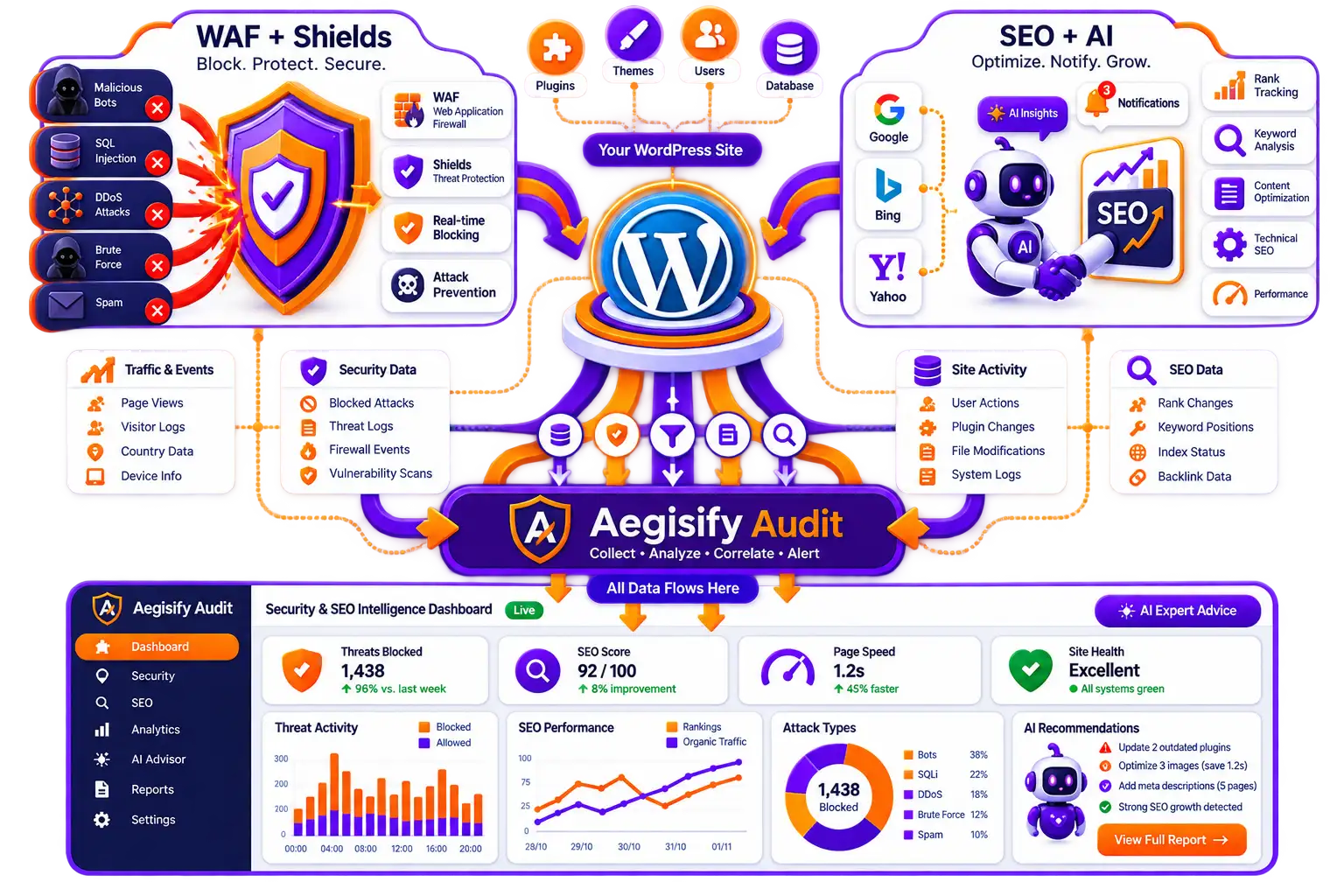
From WordPress hardening and software-risk visibility to OWASP-aligned DAST, API discovery, and static code analysis, Aegisify Audit helps you see what is exposed, what changed, and what to fix next.

01.

Static Code SAST & Defensive Scans

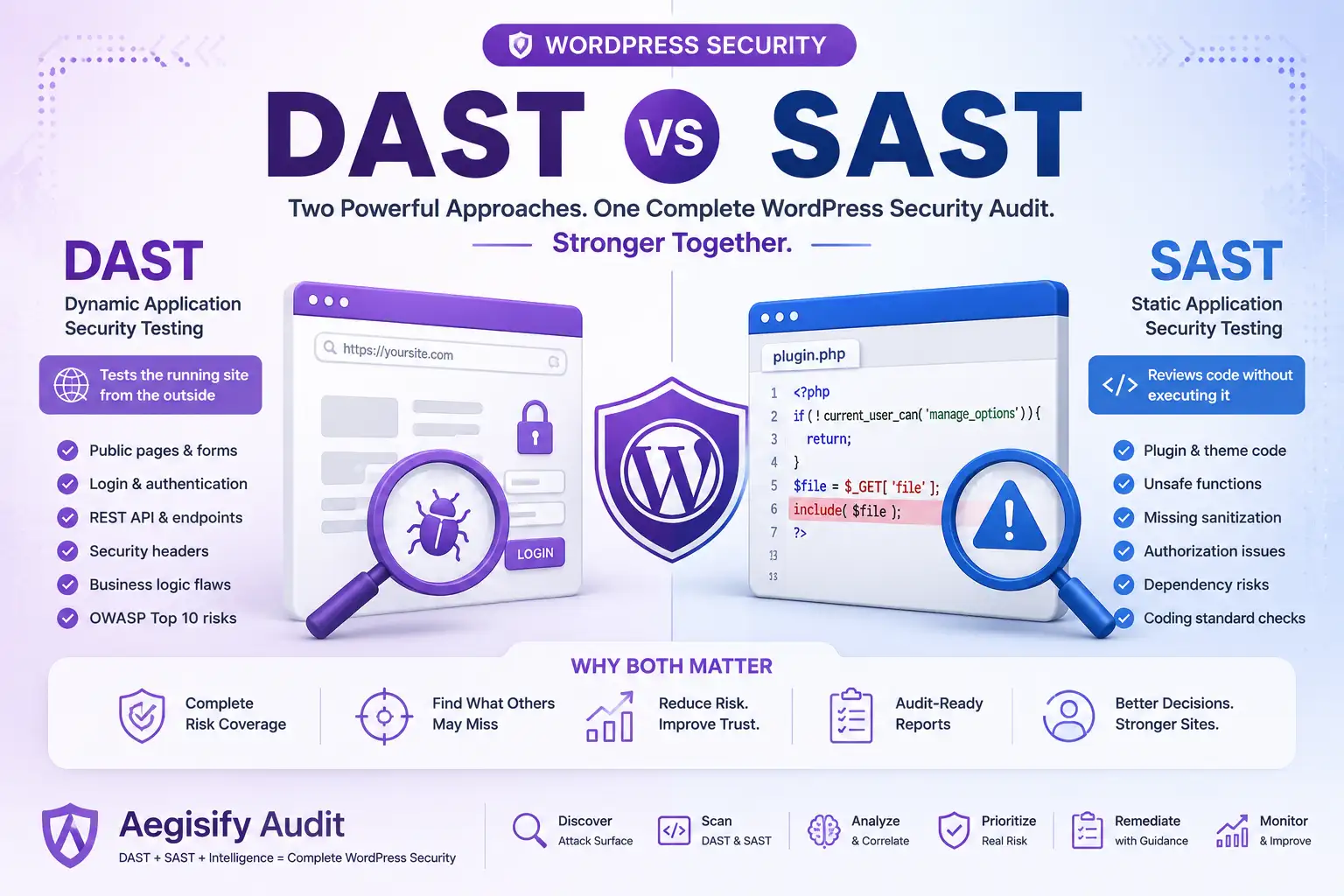
Run internal WordPress security reviews for software risk, hardening posture, version exposure, and code quality across core, plugins, themes, users, and site drift.

02.

DAST Coverage extended Scans

Launch Quick DAST and Standard DAST to inspect public exposure, headers, login surface, REST routes, forms, browser surface, and other high-signal attack paths.

03.

Advanced Scans

Go deeper with Deep Auth DAST, API DAST, and Front-End DAST for authenticated workflow review, multi-role visibility, REST, GraphQL, OpenAPI discovery, and client-side exposure.

04.

Evidence, Reports & Remediation

Review findings with evidence, severity context, recent scan comparisons, downloadable CSV/PDF exports, and guided remediation workflows to move faster.

Offensive DAST Scans

Validate real web exposure with Quick DAST and Standard DAST. Covers OWASP-aligned public-facing checks, route and form discovery, REST surface visibility, browser-facing attack surface review, and high-signal testing for recurring security validation.

Static Scans

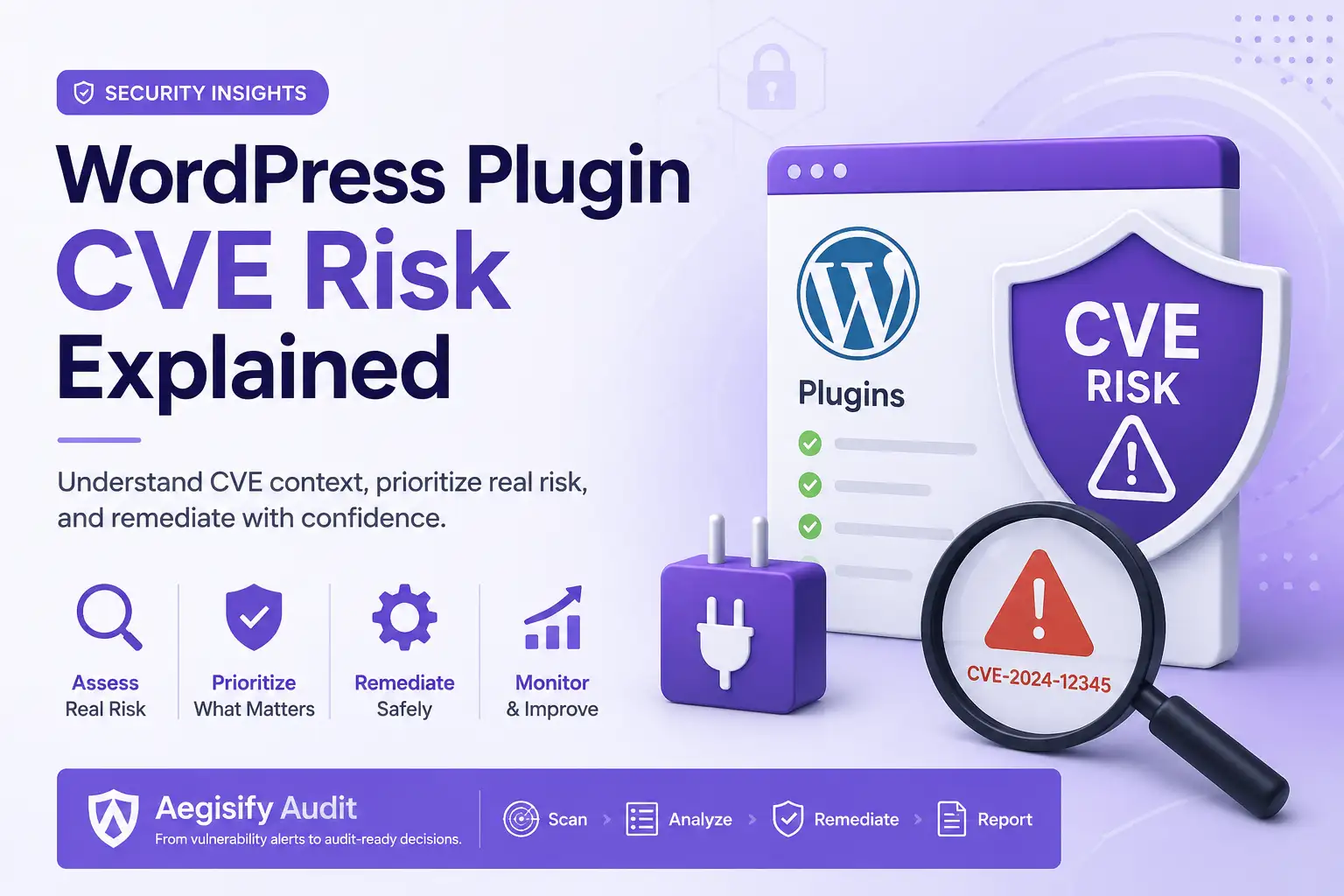
Best for internal WordPress assurance. Includes Vulnerability Scan, Standard Defensive Scan, and Static Code Analysis to review hygiene, software risk, hardening drift, and code-level issues. Static Code Analysis uses bundled PHPCS + WPCS analysis with Aegisify custom rules for deeper WordPress review.

Advanced Deep Scans

Use Deep Auth DAST, API DAST, and Front-End DAST for authenticated route inventory, authorization-focused review, REST/GraphQL/OpenAPI discovery, and front-end exposure analysis. Includes Compliance Baseline support for STIG/SRG-aligned posture checks in advanced workflows.

AI Security Priority Chat for Faster Decision-Making

Empower security executives and site owners with an AI-guided workspace built to turn scan data into immediate action. By selecting a target domain and scan scope, teams can launch a focused security conversation that helps prioritize risk, interpret findings faster, and streamline next-step decisions without digging through fragmented reports.

  • Scan-Aware AI Analysis: Send selected domain and scan data into an AI thread built around your actual security results.

  • Faster Risk Prioritization: Help leadership and operators identify what needs attention first without manual sorting.

  • Domain-Specific Context: Keep analysis focused on the selected target domain for cleaner, more relevant insights.

  • Saved Security Conversations: Preserve AI chats for future review, follow-up, and operational continuity.

Static Code Analysis for WordPress Risk Visibility

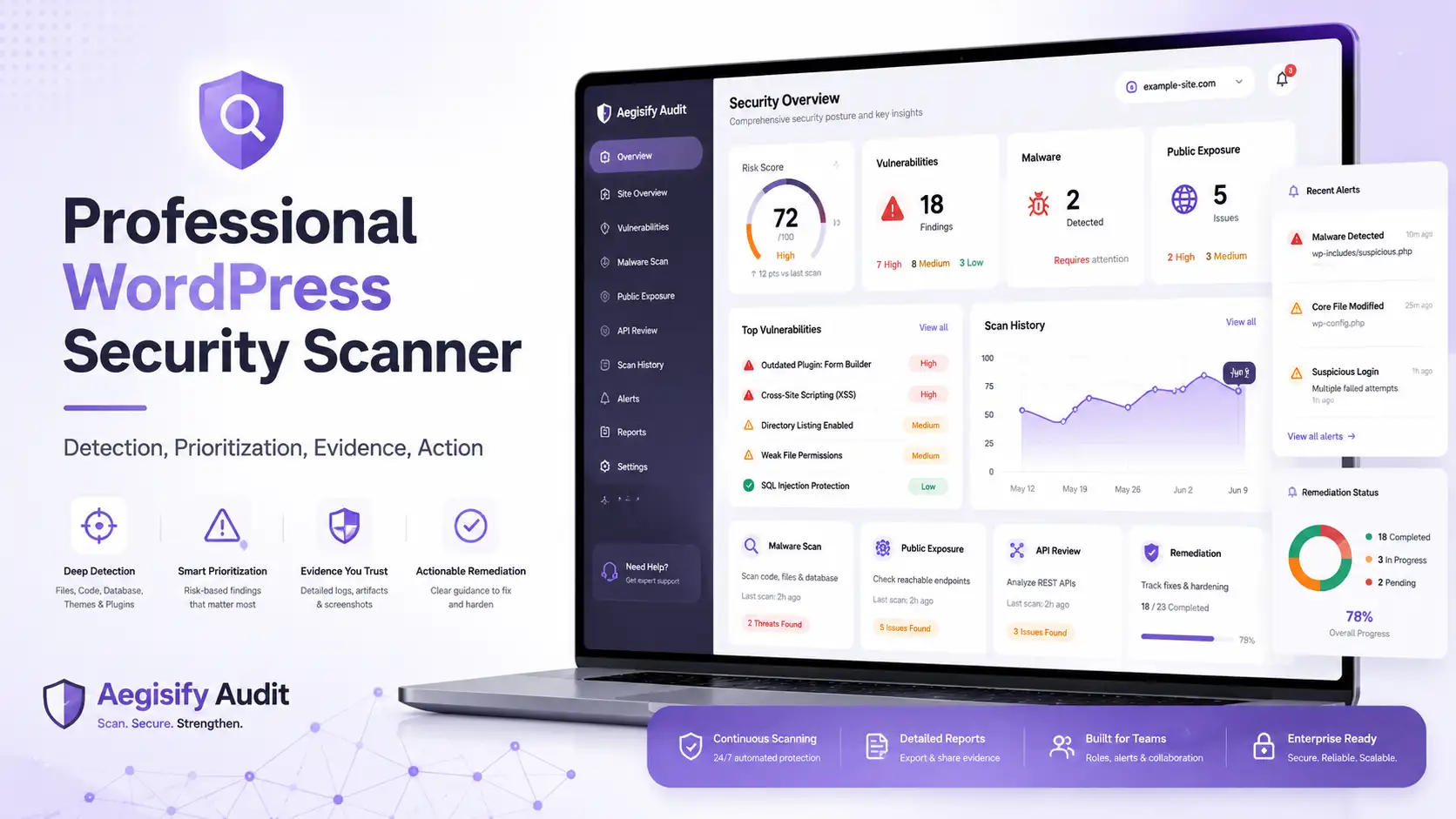
Give security executives and site owners a clear view into code-level risk across the WordPress stack. This dashboard surfaces cached static analysis findings by plugin, file, severity, and rule category, making it easier to spot weak points in site components, prioritize remediation, and maintain a stronger security posture without digging through raw technical output.

  • Plugin-Level Risk Breakdown: See which plugins and site components contribute to your code-security exposure.

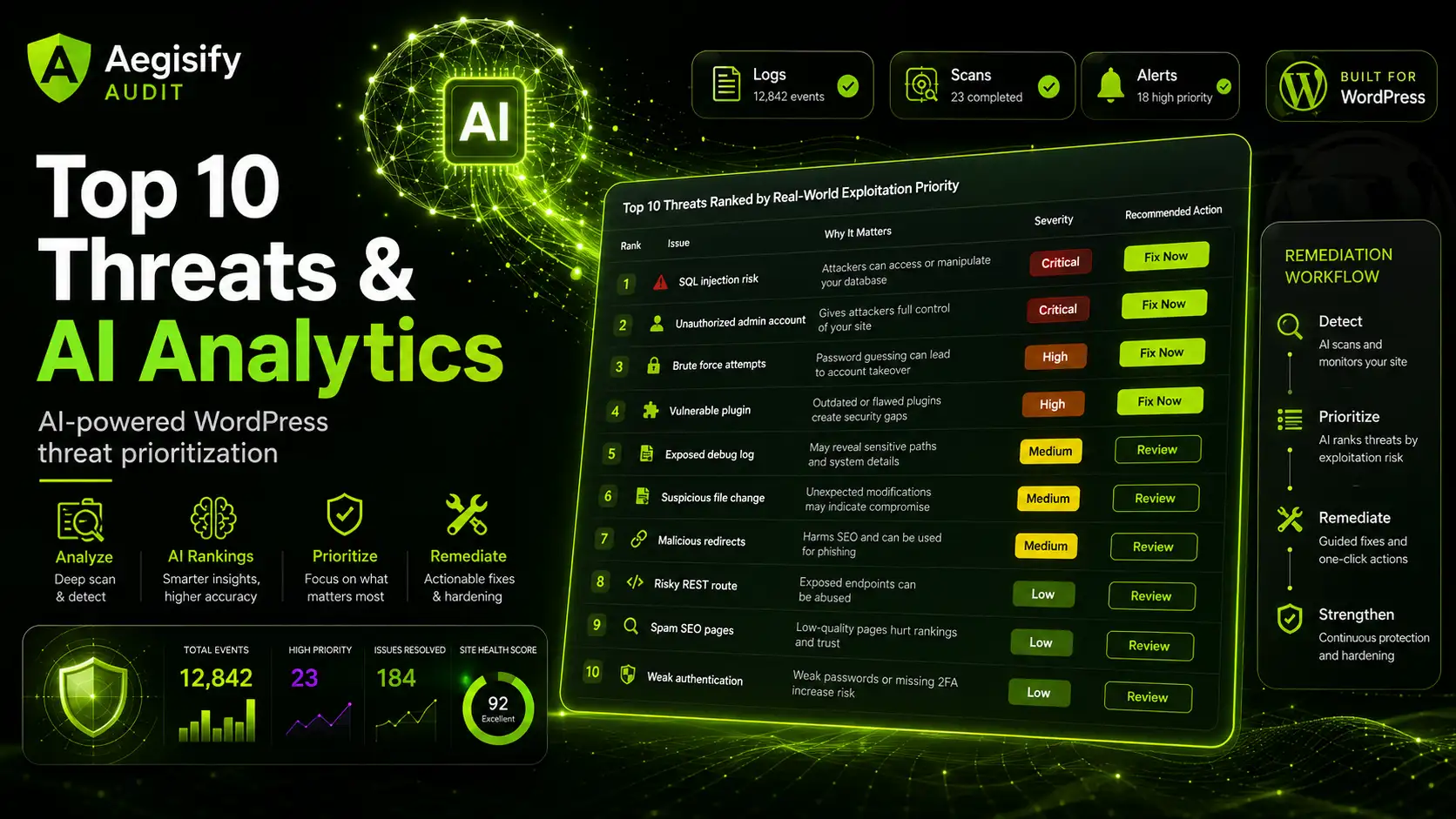
  • Severity-Driven Prioritization: Quickly separate high, medium, and low findings so teams can focus on what matters first.

  • Executive-Friendly Visibility: Turn technical static analysis into a format leadership and site owners can actually review.

  • Faster Remediation Workflow: Filter findings by severity and plugin to help developers fix issues with less noise and more precision.

DAST Scan Reports / Attack Surface Inventory

Give security leaders and site owners an instant, board-ready view of live application exposure. This dashboard turns complex scan data into clear operational insight by showing route coverage, API footprint, auth-context visibility, verification status, and attack surface inventory in one place so teams can quickly understand where risk exists and where validation is still needed.

  • Complete Surface Visibility: See routes, APIs, auth contexts, and graph coverage in one unified view.

  • Verification-Aware Reporting: Distinguish observed, suspected, verified, and safe-validated results for faster triage.

  • Inventory That Matters: Track pages, forms, APIs, scripts, and sensitive unauthenticated endpoints at a glance.

  • Built for Decision Makers: Turn technical scan data into actionable insight for security teams and site owners.

From Detection to Remediation in One Workflow

Move beyond raw findings and into real response. This detailed finding view gives executives and operators the full story behind every issue: severity, rule ID, evidence, trigger logic, reproduction steps, remediation guidance, and validation instructions while built-in AI remediation instructions helps teams accelerate closure without losing context.

  • Deep Finding Context: Review severity, lifecycle, evidence, HTTP method, role context, and response behavior in one place.

  • Faster Remediation: Use AI-powered remediation guidance to shorten the time from discovery to fix.

  • Reproducible Security Testing: Follow exact reproduction steps so engineering teams can validate and resolve issues confidently.

  • Closure Validation Ready: Retest the rule and confirm remediation with evidence-backed verification

Risk Organized by Rule Family, Not Noise

Turn overwhelming scan output into structured, decision-ready intelligence. By organizing findings into rule families like Injection, Auth & Session, Access Control, API Security, Browser/Client-Side, Exposure & Hardening, Workflow/Business Logic, and Discovery & Inventory, this view helps security teams prioritize systemic weaknesses while giving site owners a clearer picture of where their application posture needs attention.

  • Category-Driven Prioritization: Focus on the classes of weakness that create the biggest operational and business risk.

  • Faster Executive Review: Summarized rule-family groupings make it easier to explain exposure to leadership and stakeholders.

  • Clearer Remediation Planning: Identify repeat patterns across the application so fixes can be handled strategically, not one-off.

  • Balanced Visibility: View both active weaknesses and passed checks to understand overall posture, not just failures.

Payload Family Engine for Real-World Attack Simulation

See how your application stands up against the attack patterns that matter most. The Payload Family Engine organizes results by offensive test family such as XSS, SSRF, file upload, JSON/body pollution, GraphQL abuse, IDOR/BOLA, and privilege escalation giving security teams a clearer way to understand coverage, validation mode, and the concentration of risk across modern web applications and APIs.

  • Family-Based Risk Breakdown: Group findings by real attack families instead of forcing teams to hunt through generic logs.

  • Coverage Across Modern Threats: Assess everything from reflected XSS to GraphQL abuse and broken object-level access patterns.

  • Confidence-Driven Prioritization: Surface verified and high-confidence results so teams can focus on what matters first.

  • Safe Validation Modes: Test aggressively while maintaining controlled validation paths for production-friendly security checks.

OWASP-Aligned Reporting with Explorable Security Context

Translate technical findings into recognized security frameworks your leadership team already understands. This view maps results to OWASP Top 10, OWASP API Top 10, and WSTG test areas while also exposing role access matrices, API exploration, route contracts, and auth-context insight helping security executives communicate risk clearly and helping site owners understand where protection needs to improve.

  • Framework-Mapped Findings: Connect scan results directly to OWASP and WSTG categories for easier reporting and prioritization.

  • API and Route Visibility: Explore routes, contracts, and API behavior to understand where business logic and exposure intersect.

  • Role Boundary Insight: Review role access and auth boundaries to spot privilege and authorization weaknesses faster.

  • Executive-Friendly Security Storytelling: Present findings in language leadership can understand without losing technical depth.

Building the Future of Security

Public artifact and exposure checks

Aegisify Free Test performs 59 external website security checks and delivers a clear findings report covering transport security, exposure risk, API discovery, OWASP-style attack indicators, and login/session surface review.

Transport and Header Posture
Public Exposure and Sensitive Artifacts
Web and API Attack Surface Visibility
Login and Session-related Exposure Signals
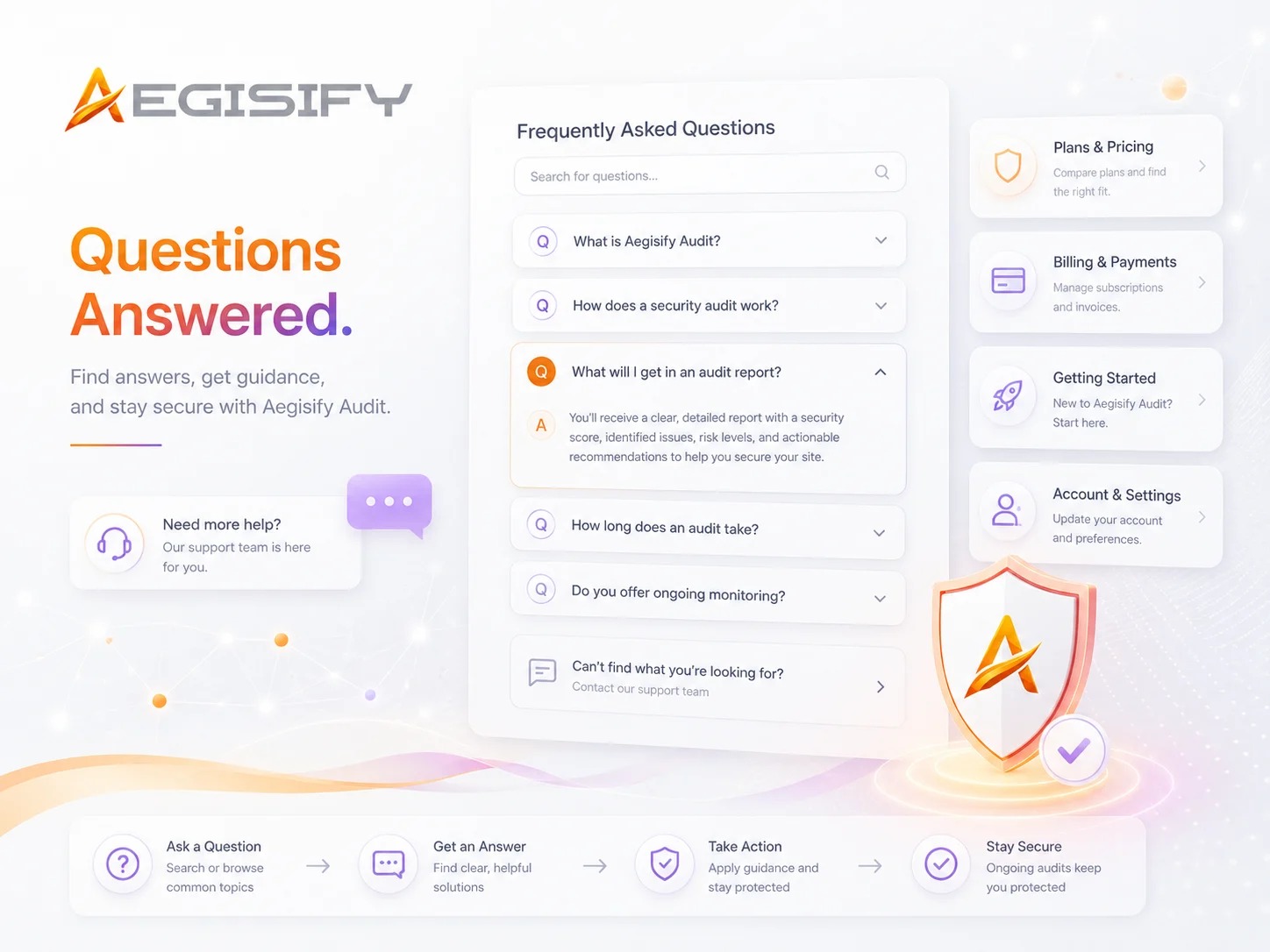
Quick Questions & Answers

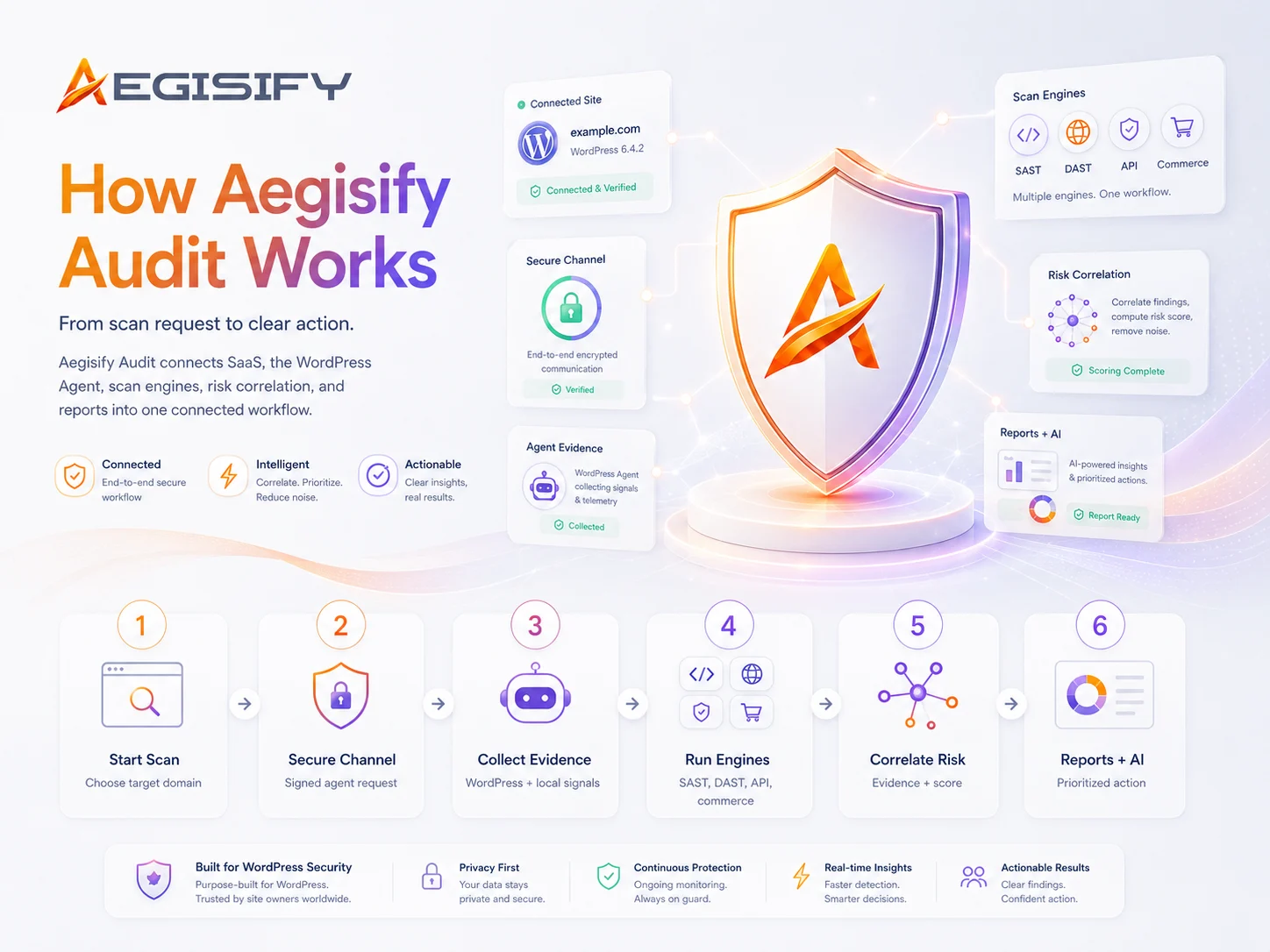
Step 1:  1) Download Agent 2) Login to your WordPress Admin -> Plugins -> Add Plugins -> Upload Plugin -> select the download, install and Activate 3) Once installed, it’ll run a local scan.
Step 2:  Add Domain below -> Create a txt DNS record with the details below -> click Verify Record
Step 3:  Click to expand “Agent Details” below, copy the generated Encryption / Security Key
Step 4:  Go back to WordPress Admin -> Open “Aegisify Audit Agent” from the left menu Open the Agent -> Paste the Encryption / Security Key
Step 5:  Go to “Agent Details” below and click on “Connect Over SSL” and view the connectivity logs. It should say Success -> Agent Verified Succeeded.

Within 5 days, if you’re not completely satisfied, please send an email to support@aegisify.com requesting a refund and we will refund your entire amount.

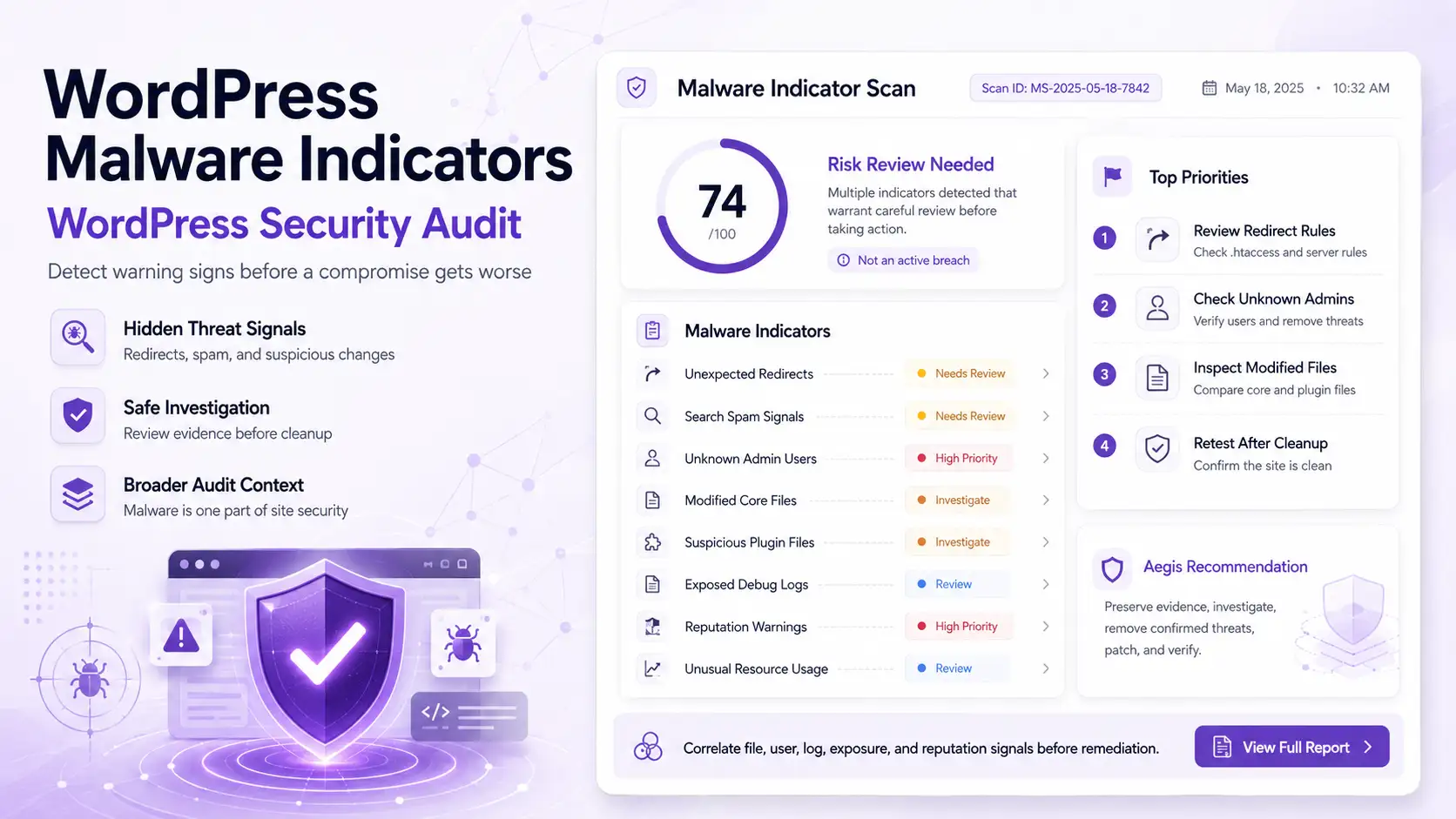
The defensive static scan through the agent is a SaaS-orchestrated internal WordPress assessment that calls signed HTTPS agent endpoints for quick inventory, deeper inventory, correlation, and on the deep profile permissions review. The agent returns structured internal results, and the SaaS merges those into defensive findings covering software inventory, vulnerability matching, integrity drift, privileged account review, hardening posture, backup/recovery readiness, and authenticated assurance.

The Dynamic SaaS-orchestrated DAST-style flow works in stages:

  1. Builds a profile-driven offensive plan
  2. Performs public exposure and hardening discovery
  3. Discovers web routes, forms, parameters, scripts, APIs, and optional auth contexts
  4. Optionally pulls agent inventory/correlation
  5. Runs safe active HTTP probes against discovered pages, parameters, forms, and API endpoints
  6. For advanced profiles, runs an advanced offensive suite
  7. Correlates, scores, and snapshots the findings

What “dynamic” means in this build

In this plugin, “dynamic offensive scan” means:

  1. it makes live HTTP requests to the target
  2. it inspects real responses
  3. it builds findings from observed behavior
  4. it uses safe canary probes, not destructive exploitation
  5. it can include optional browser-assisted inventory
    for Deep Auth, it can include credentialed/session-backed replay

So this is not just a static checklist. It is active external testing against the running application.

The Advanced Scan builds on the standard offensive scan by adding deeper profile-based analysis. After the normal live discovery and safe active testing stages run, Aegisify Audit applies advanced logic based on the selected profile—credentialed auth mapping, API-focused route enrichment, or browser/client-side depth. This creates a more detailed attack-surface model, stronger correlation, and richer findings for higher-risk targets.