
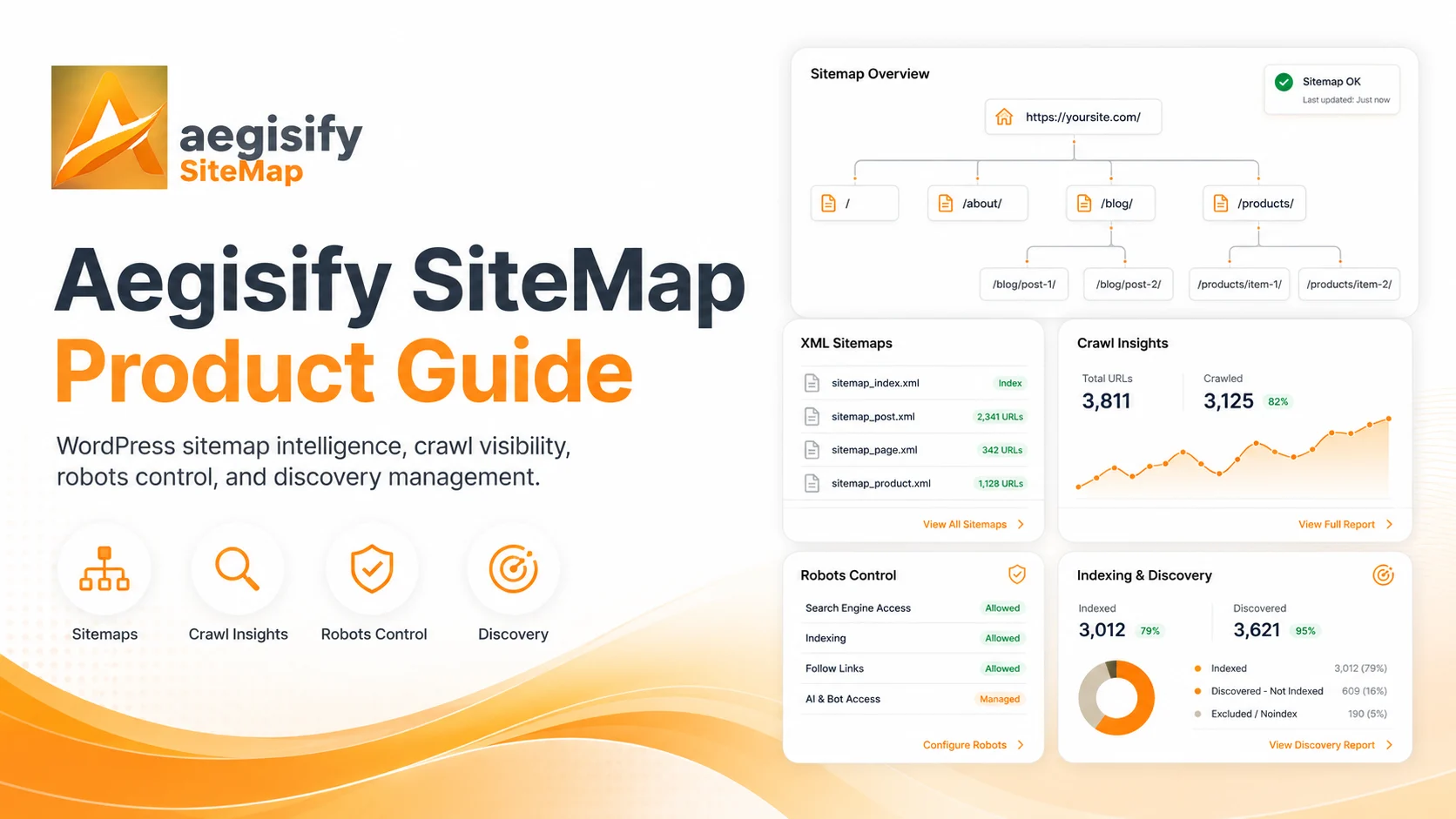
Give search engines and AI crawlers a clearer, controlled map of the public content you want discovered.
Aegisify SiteMap manages XML indexes and child sitemaps, image, video, news and HTML discovery, WooCommerce content, exclusions, robots.txt rules, search and AI crawler policies, crawl-budget diagnostics, IndexNow notifications, machine-readable discovery files, endpoint health, caching and operational logs from one WordPress discovery-control center.
Aegisify Product Guide
Aegisify SiteMap Product Guide
Version 1.3.3
Updated July 10, 2026
Product: Aegisify SiteMap for WordPress
Publication and validation notice: This guide was rebuilt from a static review of the Aegisify SiteMap 1.3.3 package, the current Aegisify product page, the published user guide, and current search-crawler documentation. It describes verified code paths and observed administration controls. Complete live acceptance testing and resolve the release advisories in this guide before making broad performance, indexing, or AI-discovery claims.
Table of Contents
- Product Overview
- What This Guide Covers
- System Requirements
- Important Operating Principles
- Administration Navigation
- What Is New or Materially Expanded in 1.3.3
- Quick Start
- XML Sitemap Endpoints
- Sitemap Index and Child Splitting
- Public Content Discovery
- Folder and URL-Fragment Exclusions
- Images in XML Sitemaps
- Video Sitemap
- News Sitemap
- HTML Sitemap
- Caching and Refresh Behavior
- Robots.txt Management
- AI and Search Crawler Policies
- Crawl Budget Control Center
- Streaming Mode and Priority Signals
- IndexNow
- Legacy Search-Engine Ping
- AI Discovery Pack
- Health Scans and Dashboard Review
- Free and Pro Capability Guide
- Operational Runbooks
- Troubleshooting
- Frequently Asked Questions
- Glossary
- Related Resources
- Final Operational Recommendation
1. Product Overview
Aegisify SiteMap gives WordPress administrators structured control over how public site content is organized for search-engine discovery. It generates an XML sitemap index, child sitemaps for post types and taxonomies, optional image, video, news, and HTML sitemap outputs, robots.txt policies, crawl-budget diagnostics, IndexNow notifications, and experimental machine-readable discovery files.
The product is designed for site owners, agencies, ecommerce operators, content teams, and technical administrators who need more visibility and control than a basic sitemap toggle. Its operational value is the ability to define which public content should be surfaced, review crawler directives, identify common WordPress crawl traps, validate endpoints, and document the resulting configuration.
A sitemap is a discovery signal, not an indexing or ranking guarantee. Search engines decide whether to crawl, index, and rank each URL. Aegisify SiteMap should therefore be positioned as controlled WordPress discovery infrastructure—not as a promise that every submitted page will appear in search or an AI answer.
2. What This Guide Covers
This guide explains the reviewed 1.3.3 administration experience:
- Dashboard and sitemap health
- XML sitemap and sitemap index
- Child sitemaps for post types and taxonomies
- Featured and attached image references
- Video, news, and HTML sitemap outputs
- WooCommerce and public-content awareness
- Folder and URL-fragment exclusions
- Virtual and physical robots.txt management
- Search-crawler and AI-crawler policies
- Crawl Budget Control Center
- Parameter-trap recommendations and quick actions
- Streaming priority signals and IndexNow
- AI Discovery Pack endpoints
- Cache behavior, rewrite fallback, and operational logging
- License state and Free-versus-Pro behavior
- Deployment, testing, troubleshooting, and governance
3. System Requirements
| Requirement | Reviewed value |
|---|---|
| WordPress | 6.8 or later |
| Tested through | WordPress 6.9 |
| PHP | 8.2 or later |
| Plugin version | 1.3.3 |
| XML output | Public WordPress routing and valid permalink handling |
| Physical files | Writable WordPress root or document root |
| IndexNow | Outbound HTTPS access |
| Dashboard scans | WordPress database access and sufficient execution time |
The package includes request-URI fallback behavior for several XML endpoints when custom rewrite rules are not yet active. Even so, administrators should save WordPress permalinks after installation and test every public endpoint through the actual production domain, cache, CDN, and security stack.
4. Important Operating Principles
4.1 Include preferred public URLs only
A sitemap should contain canonical, indexable, customer-facing URLs. Do not use a sitemap to publish private records, duplicate parameter variants, cart and checkout states, internal search results, or low-value archives that the organization does not want discovered.
4.2 Do not use robots.txt as access control
robots.txt communicates crawler preferences. It does not authenticate a visitor, encrypt a resource, or prevent a hostile client from requesting a URL. Sensitive files and endpoints require server, application, identity, and authorization controls.
4.3 Use real modification dates
lastmod is useful only when it reflects a meaningful page change. Replacing an old modification date with the current time on every request can reduce trust in the signal.
4.4 Separate search discovery from model-training policy
Search-oriented crawlers and model-training crawlers can have different purposes. Define policies per documented user agent instead of treating every AI-related bot as the same.
4.5 Validate generated XML
A successful HTTP 200 response does not prove schema validity. Validate XML syntax and sitemap-schema compliance, inspect representative URLs, and use webmaster tools to identify processing errors.
5. Administration Navigation
The reviewed package organizes Aegisify SiteMap into seven tabs.
| Tab | Primary purpose |
|---|---|
| Dashboard | Health snapshot, feature posture, endpoint status, and next actions |
| Sitemap | XML, index, content scope, images, video, news, HTML output, exclusions, and legacy ping control |
| Robots | Virtual or physical robots.txt, exclusions, optimization, AI policies, and preview |
| Crawl Budget | Crawl-waste scan, signals, recommendations, metrics, and quick actions |
| Streaming | Recent-content priority values and IndexNow configuration |
| Discovery | AI-oriented XML outputs and content-selection controls |
| License | Suite entitlement, update status, and optional registration information |
In the reviewed interface, Robots and Streaming are presented as Pro tabs. Some Sitemap controls are also preserved server-side for licensed use, but the interface does not consistently communicate every server-enforced limitation. Confirm the deployed License screen before publishing a commercial feature matrix.
6. What Is New or Materially Expanded in 1.3.3
The published guide still identifies version 1.2.15 and documents only Sitemap, Robots, and License. Version 1.3.3 adds or materially expands the following operating areas.
Unified Dashboard
The Dashboard shows whether sitemap, robots, crawl intelligence, streaming, and discovery features are active. It can run a fresh health scan and direct administrators to the relevant configuration tab.
Crawl Budget Control Center
The crawl scan evaluates WordPress-specific indicators such as:
- Plain permalink structure
- Search-engine visibility setting
- Empty or thin tags and categories
- Internal search URLs
- Reply-to-comment parameters
- Marketing parameters
- Feeds and paged archives
- Author archive patterns
- WooCommerce filter and attribute parameters
- Large-site sitemap structure
The result includes a crawl-waste score, observed signals, examples, recommendations, checked rules, metrics, and next steps.
Quick Actions
The Crawl Budget tab can apply selected configuration changes, such as enabling robots optimization and parameter-trap rules, disabling tag sitemap output, disabling thin category output, or enabling sitemap-index splitting.
Quick actions change production settings. Review the proposed action and its business impact before applying it.
Search and AI Crawler Governance
The Robots tab includes policies for named search and AI-related user agents, including GPTBot, OAI-SearchBot, ChatGPT-User, Google-Extended, CCBot, ClaudeBot, anthropic-ai, and PerplexityBot.
Streaming and IndexNow
Streaming can increase the XML priority value assigned to recently modified content and can send updated URLs to IndexNow. The key can be served from a root-level text endpoint, and recent submission status is stored for administration review.
AI Discovery Pack
The Discovery tab can generate:
/ai-sitemap.xml/llm-index.xml
These outputs are supplemental and experimental. /ai-sitemap.xml uses the standard sitemap URL-set structure. /llm-index.xml uses an Aegisify-defined XML namespace and should not be described as an industry standard or as guaranteeing citation by an AI system.
Physical Discovery Files
In addition to virtual endpoints, the package attempts to write AI discovery files to the WordPress home path and document root when the filesystem permits.
7. Quick Start
7.1 Establish a safe baseline
- Install and activate Aegisify SiteMap 1.3.3.
- Save Settings → Permalinks once.
- Open Aegisify SiteMap → Dashboard.
- Run the Dashboard Scan.
- Open
/sitemap_index.xml. - Open at least one post-type and taxonomy child sitemap.
- Review the included URLs.
- Keep the Robots manager disabled until the existing
/robots.txthas been copied and reviewed. - Submit the canonical sitemap index through the relevant webmaster console.
- Re-test after enabling optional video, news, streaming, or discovery outputs.
7.2 Recommended initial configuration
| Area | Conservative starting point |
|---|---|
| XML sitemap | Enabled |
| Sitemap index | Enabled |
| URLs per child sitemap | 2,000 |
| Auto-include public types | Review before relying on it |
| Featured images | Enabled where relevant |
| Attached images | Disabled unless needed |
| Video sitemap | Enable only after output validation |
| News sitemap | Disabled unless the site operates a qualifying news workflow |
| HTML sitemap | Enabled if useful to visitors |
| Legacy ping | Disable |
| Robots manager | Enable only after preview and backup |
| Physical robots.txt | Use only when ownership and write behavior are understood |
| Crawl intelligence | Enabled |
| Streaming | Enable for appropriate frequently changing content |
| IndexNow | Enable after key and endpoint validation |
| AI Discovery Pack | Treat as experimental and supplemental |
8. XML Sitemap Endpoints
The reviewed package registers these public endpoints.
| Endpoint | Purpose |
|---|---|
/sitemap_index.xml |
Canonical sitemap index |
/sitemap.xml |
Legacy combined sitemap or index response |
/sitemap-pt-{post-type}.xml |
First post-type child sitemap |
/sitemap-pt-{post-type}-{page}.xml |
Additional post-type child sitemap |
/sitemap-tax-{taxonomy}.xml |
First taxonomy child sitemap |
/sitemap-tax-{taxonomy}-{page}.xml |
Additional taxonomy child sitemap |
/video-sitemap.xml |
Optional video sitemap |
/news-sitemap.xml |
Optional recent-news sitemap |
/sitemap/ |
Optional human-readable HTML sitemap |
/ai-sitemap.xml |
Supplemental discovery URL set |
/llm-index.xml |
Aegisify-defined machine-readable content index |
/{indexnow-key}.txt |
IndexNow key verification endpoint |
Endpoint validation
For each enabled endpoint:
- Confirm HTTP 200
- Confirm the expected content type
- Confirm UTF-8 XML where applicable
- Confirm only the intended host appears
- Confirm canonical public URLs
- Confirm representative modification dates
- Confirm no private or noindex content
- Confirm schema validity
- Confirm cache and CDN behavior
9. Sitemap Index and Child Splitting
The sitemap index separates content by public post type and taxonomy. Child files are split using the configured page size, constrained in the reviewed code to 500 through 5,000 records.
Search engines support much larger protocol limits, but smaller child files can make diagnostics and processing easier on constrained WordPress hosts.
Index behavior
The index counts published posts and taxonomy terms to decide how many child files to list. Each index entry currently receives the generation time as its lastmod value.
Operational caution
Because the count used for index splitting can differ from the final filtered child output, an index can reference a sparse or empty page when exclusions or other filters remove records. Validate the last page of large child sets.
10. Public Content Discovery
Automatic inclusion
When automatic public-content inclusion is enabled, the package can add newly detected public, publicly queryable post types and public taxonomies unless they are explicitly disabled.
This reduces setup work but can also expose archives created by themes, page builders, event systems, portfolios, learning platforms, or custom plugins. Review newly installed plugins and theme changes.
Manual post-type control
Use the post-type selection to include:
- Posts
- Pages
- Products
- Public custom post types that represent customer-facing content
Exclude:
- Attachments as standalone records unless deliberately required
- Internal templates
- Private application records
- Orders, subscriptions, customers, or support records
- Duplicate presentation types
Taxonomy control
Include a taxonomy only when its archive provides useful, indexable content. Empty and thin archives can create low-value discovery paths.
WooCommerce awareness
The package includes a WooCommerce mapping for:
productproduct_catproduct_tag
WooCommerce stores should review product brands, attributes, filters, variation URLs, paginated archives, and query parameters separately. Sitemap inclusion does not by itself solve canonical, duplicate-content, faceted-navigation, or product-availability issues.
11. Folder and URL-Fragment Exclusions
Folder exclusions remove sitemap URLs containing configured fragments.
Appropriate examples can include:
- Internal portal paths
- Temporary campaign areas
- Duplicate content directories
- Application-only paths
- Staging or preview paths accidentally exposed on production
Exclusion by string fragment can be broad. Test short fragments carefully because they can match unintended URLs. Removing a URL from a sitemap does not automatically remove it from a search index; use appropriate canonical, noindex, redirect, deletion, or access-control behavior for the actual objective.
12. Images in XML Sitemaps
Featured images
When enabled, the post-type child sitemap can include the featured image URL for each entry.
Attached images
When enabled, the package can include up to ten image attachments associated with a post in addition to the featured image.
Operational guidance
- Use absolute, accessible HTTPS URLs.
- Ensure images are not blocked by robots rules.
- Confirm the image actually belongs to the page.
- Avoid attachment records that are private or obsolete.
- Review CDN URLs after a migration.
- Validate a representative XML entry.
The package includes image locations, not a full media-SEO workflow. Descriptive filenames, alt text, page context, image quality, and crawl accessibility remain separate responsibilities.
13. Video Sitemap
The package scans raw post content for selected media patterns and builds /video-sitemap.xml when enabled.
The reviewed implementation detects a limited set of embedded or direct media patterns. It does not establish that every supported video platform, block, shortcode, player, or page builder is covered.
Before enabling
- Publish a controlled test video page.
- Open the video sitemap.
- Confirm the page URL and media URL.
- Validate against current video-sitemap requirements.
- Confirm required metadata for the intended search feature.
- Use Search Console video reports where applicable.
Release advisory
The reviewed generator provides a simplified record and may not publish all metadata expected for strong Google video processing. Do not describe it as fully Google Video–compatible until live schema validation passes.
14. News Sitemap
The news sitemap includes recently published WordPress posts from approximately the prior 48 hours, up to the package’s query limit.
Enable it only when:
- The site operates a real news-publishing workflow
- Included posts are appropriate for the news endpoint
- Publisher and publication settings are correct
- Output has been validated
- Editorial and legal owners approve the configuration
The plugin does not determine Google News eligibility. A news sitemap does not make a site eligible or guarantee appearance in a news surface.
15. HTML Sitemap
The optional /sitemap/ endpoint creates a human-readable list of enabled post types and taxonomies.
Use it as:
- A visitor navigation aid
- A high-level content directory
- A troubleshooting view
- An internal-linking support page
The reviewed HTML output limits each enabled post type and taxonomy to 200 displayed records and does not paginate the results. Large sites should not treat it as a complete inventory without confirming the visible count.
16. Caching and Refresh Behavior
Generated XML is cached in WordPress transients for six hours. A sitemap cache version is incremented when posts, terms, or the Aegisify SiteMap settings change.
Expected behavior
- Saving or deleting content invalidates the current sitemap-cache namespace.
- Term changes invalidate it.
- Settings changes invalidate it.
- The next request regenerates the relevant endpoint.
- Generated XML is then cached.
Troubleshooting stale output
- Confirm the content was actually saved.
- Purge page, object, CDN, and reverse-proxy caches.
- Open the child sitemap directly.
- Verify that a security layer is not serving an old response.
- Confirm WordPress transients are functioning.
- Save the SiteMap settings to force a new cache version.
17. Robots.txt Management
Aegisify SiteMap can replace the WordPress virtual robots.txt output and can attempt to write a physical file.
Virtual robots.txt
Virtual mode uses the WordPress robots_txt filter. It works only when the web server routes /robots.txt through WordPress and no physical file takes precedence.
Physical robots.txt
Physical mode attempts to write robots.txt in:
- The WordPress home path
- The web server document root when different
This can help on hosts where WordPress virtual output is bypassed. It can also overwrite an existing file. Back up the current file, review the preview, define ownership, and confirm the actual file served by the web server.
Default generated directives
The reviewed generator adds directives for:
- WordPress administration and includes paths
- Login and XML-RPC
- REST API path
- Git, SVN, environment, and configuration paths
- Common cache, backup, archive, and log patterns
- Internal search and tracking parameters
- Optional feeds and attachment pages
- WooCommerce filter and price parameters
- Public themes, uploads, JavaScript, CSS, and AJAX allowances
- Named search and AI-related user agents
- Sitemap declarations
Important cautions
- Blocking
/wp-json/can interfere with public API discovery, headless integrations, and tools that use WordPress REST routes. - robots.txt does not protect sensitive files.
- Repeating the same large policy for every named bot can make the file unusually long.
- Listing the sitemap index is generally sufficient; listing every child sitemap is optional and can add significant size.
- Some directives, including
Crawl-delay, are not supported consistently across search engines. - A physical file can remain active even after the plugin’s manager is disabled unless it is removed or replaced.
18. AI and Search Crawler Policies
The package provides these policy modes:
| Policy | Intended behavior |
|---|---|
| Allow all | Apply the public-content policy to named AI-related bots |
| Block training | Block bots classified by the package as training crawlers |
| Block all AI | Disallow the listed AI-related bots |
| Custom | Use per-bot overrides |
Separate user-agent decisions
Review each provider’s current documentation before choosing a policy. For example, search discovery and model-training controls can be independent.
1.3.3 policy advisory
The package’s built-in “training bot” classification should not be treated as authoritative for every named crawler. Provider roles can differ and can change. The current list also groups PerplexityBot with training crawlers, which requires validation against current provider documentation.
Change-management procedure
- Record the business objective.
- Identify the exact user agent.
- Confirm the provider’s current documentation.
- Preview the generated robots.txt.
- Save the policy.
- Verify the physical file, if used.
- Fetch
/robots.txtexternally. - Recheck logs and discovery after the provider’s adjustment period.
19. Crawl Budget Control Center
The Crawl Budget scan is a heuristic assessment, not a search-engine crawl-log analysis.
What it checks
The reviewed scan can identify or report:
- Plain permalinks
- WordPress “discourage search engines” state
- Empty tags
- Large numbers of thin tags or categories
- WooCommerce filter risk
- Author-archive patterns
- Common query parameters
- Search URLs, feeds, and paged archive patterns
- Sitemap size and configuration context
Crawl-waste score
The score summarizes package-defined signals. It should be used as a prioritization aid, not a Google metric or a measured percentage of actual crawler waste.
Quick actions
Quick actions can change robots settings or sitemap taxonomy inclusion. They are useful for a controlled baseline but can remove legitimate archives or block useful crawl paths. Review the sample URLs and business purpose before applying a fix.
Better evidence
For important decisions, combine the scan with:
- Search Console crawl and indexing reports
- Bing Webmaster Tools
- Server access logs
- CDN bot logs
- Internal-link reports
- Canonical and noindex checks
- Crawl simulations
- Conversion and content-owner input
20. Streaming Mode and Priority Signals
Streaming Mode can assign a higher XML
Important limitation
Search engines may ignore sitemap priority and changefreq values. Do not describe Streaming Mode as a ranking boost or guaranteed faster crawl.
Use it as an internal content-signaling preference and pair it with accurate lastmod, internal linking, IndexNow where supported, and webmaster-console monitoring.
21. IndexNow
When enabled, the package can:
- Generate or store an IndexNow key
- Serve the key from
/{key}.txt - Send updated URLs after a post save
- Rate-limit repeat submission for a post
- Push a batch of recently modified URLs
- Store the most recent HTTP response code and sent count
IndexNow workflow
- Enable Streaming Mode.
- Enable IndexNow.
- Save and verify the key.
- Open the key-file URL.
- Push a controlled URL.
- Review the saved HTTP status.
- Confirm the public URL is canonical and indexable.
- Monitor Bing or another participating engine.
IndexNow is a change-notification protocol. Acceptance of a request does not guarantee crawling, indexing, ranking, or immediate search visibility.
22. Legacy Search-Engine Ping
The Sitemap tab retains a “Ping Search Engines on Publish” control that sends legacy unauthenticated sitemap-ping requests to Google and Bing.
Recommended setting
Disable this control.
Google deprecated its sitemap ping endpoint and returns 404 responses. Sitemap discovery should instead use:
- The canonical sitemap index in robots.txt
- Google Search Console
- The Search Console API where appropriate
- IndexNow for participating engines
- Accurate internal links and
lastmod
The code’s ping user agent also uses the older AegisSEO name rather than the SiteMap product name.
23. AI Discovery Pack
/ai-sitemap.xml
This endpoint is a standard sitemap URL set filtered by selected post types, minimum word count, and a configured maximum.
/llm-index.xml
This endpoint publishes page URL, title, type, updated time, and a summary in an Aegisify-defined XML format.
Appropriate positioning
Safe description:
The AI Discovery Pack publishes supplemental machine-readable content inventories that site owners can expose alongside conventional sitemaps and crawler policies.
Avoid:
- “Supported by every AI engine”
- “Makes ChatGPT cite your site”
- “AI search sitemap standard”
- “Guaranteed AI visibility”
- “Training opt-in or opt-out enforcement”
1.3.3 implementation limitations
- The configured taxonomy selection is present in the interface but is not used by the reviewed discovery builders.
- Each selected post type is queried for at most 200 records, so a configured maximum above 200 per type may not be filled as expected.
- The homepage receives the current generation time as
lastmod, even when the homepage was not meaningfully modified. /llm-index.xmluses an Aegisify-specific namespace rather than an established industry protocol.- Physical-file writing depends on host permissions and can create files in more than one root.
24. Health Scans and Dashboard Review
The Dashboard health scan checks enabled outputs and records an operational snapshot.
Use it after:
- Installation
- A SiteMap setting change
- A theme or plugin deployment
- A permalink change
- A migration
- A domain or HTTPS change
- A CDN or WAF policy change
- A robots.txt policy change
A dashboard “healthy” state is an application-level observation. It does not replace external HTTP testing, XML validation, Search Console processing status, or crawler-log evidence.
25. Free and Pro Capability Guide
The reviewed interface clearly locks Robots and Streaming tabs for Free installations. Additional sitemap controls can also be preserved or reverted server-side based on entitlement, even when the interface does not visually explain the restriction.
| Capability | Reviewed interface behavior |
|---|---|
| Dashboard | Available |
| Core sitemap output | Available |
| Crawl Budget tab | Available |
| Discovery tab | Available |
| Robots tab | Pro view lock |
| Streaming tab | Pro view lock |
| Sitemap page size and scope controls | Entitlement behavior requires production confirmation |
| License and suite status | Available |
Use the deployed License tab and current pricing page as the source of truth. The interface and server-side sanitation should be aligned before publishing a detailed Free-versus-Pro comparison.
26. Operational Runbooks
Daily during rollout
- Open the sitemap index
- Inspect one child sitemap
- Check the Dashboard
- Review unexpected endpoint errors
- Confirm critical public content is present
- Confirm private content is absent
Weekly
- Run the Dashboard Scan
- Review Crawl Budget signals
- Check the last IndexNow status
- Review recent plugin, theme, and content-type changes
- Fetch the public robots.txt externally
- Check Search Console sitemap processing
Monthly
- Validate XML schemas
- Review post-type and taxonomy scope
- Review folder exclusions
- Review crawler policies against current provider documentation
- Review physical files and ownership
- Review logs and stale endpoints
- Test a newly published URL
- Export or document the approved configuration
After a plugin or theme installation
- Identify new public post types and taxonomies
- Confirm automatic inclusion behavior
- Exclude internal template or application types
- Re-run the sitemap and crawl scans
- Review robots and parameter patterns
- Check sitemap-index child count
After a migration or domain change
- Save permalinks
- Verify canonical host and HTTPS
- Purge every cache layer
- Verify every public endpoint
- Confirm no old domain remains in XML
- Check robots.txt
- Re-submit the sitemap index
- Verify IndexNow key location
- Confirm physical files are in the actual served root
27. Troubleshooting
Sitemap endpoint returns 404
- Confirm sitemap output is enabled.
- Save WordPress permalinks.
- Purge caches.
- Check the actual endpoint path.
- Review WAF and redirect rules.
- Test the request-URI fallback endpoint.
- Confirm no competing sitemap plugin owns the path.
XML loads but a validator reports an unexpected text node
Version 1.3.3 inserts a “powered by” string directly inside generated XML rather than as a valid XML comment. This can violate sitemap schema expectations. Use a corrected build before production publication.
A post type is missing
- Confirm the type is public and publicly queryable.
- Check the explicit selection.
- Check automatic inclusion.
- Check plugin mapping.
- Confirm published records exist.
- Review exclusions.
- Purge the sitemap cache.
A noindex page appears in a child sitemap
The reviewed child-sitemap builder does not consistently check the plugin-specific noindex post metadata, although the legacy combined sitemap does. Treat XML inclusion and noindex policy as separate controls and correct the inconsistency before relying on it.
robots.txt did not change
- Confirm the Robots tab is licensed and enabled.
- Confirm physical writing is enabled.
- Check path and permissions.
- Inspect both WordPress home path and document root.
- Fetch
/robots.txtexternally. - Review stale cache.
- Use a manual rewrite after AI-policy or parameter-trap changes because those keys are not all watched by the automatic physical-file writer.
Disabling Robots did not remove the physical file
The reviewed package stops generating new content but does not automatically delete a previously written physical robots.txt. Remove or replace the file through an approved process.
AI taxonomy choices have no effect
The reviewed discovery builder does not consume the taxonomy-selection setting. Use a corrected build or document the feature as unavailable.
Google ping reports failure
The Google sitemap-ping endpoint is deprecated. Disable legacy ping and use robots.txt, Search Console, and supported submission methods.
HTML sitemap is incomplete
The reviewed HTML view caps each content group at 200 records. Use XML child sitemaps or another complete inventory method for larger sites.
28. Frequently Asked Questions
Does a sitemap guarantee indexing?
No. It helps discovery and communicates preferred URLs. Search engines decide whether to crawl, index, and rank them.
Should I submit every child sitemap separately?
Usually the canonical sitemap index is sufficient. Separate submission can be useful for diagnostics, but it is not required merely because child files exist.
Should every public taxonomy be included?
No. Include an archive only when it has useful, differentiated content and belongs in the indexing strategy.
Can robots.txt remove a page from search?
Not reliably. A disallow can prevent crawling of the page content and can also prevent a crawler from seeing a noindex directive. Use the control that matches the objective.
Should I block all AI bots?
That is a business and policy decision. Search, user-triggered retrieval, and model training can use different user agents. Review current provider documentation before deciding.
Is /llm-index.xml an official AI-search standard?
No. It is an Aegisify-defined supplemental format.
Does IndexNow guarantee indexing?
No. It notifies participating engines that a URL changed.
Should I enable the news sitemap?
Only for a real news operation with validated output and appropriate publisher practices.
Why does the sitemap index show the current time for every child?
The reviewed generator sets index-entry lastmod to generation time. This should be corrected to reflect meaningful content modification if the signal is retained.
Is physical robots.txt better than virtual robots.txt?
Not inherently. Physical files can be more predictable on some hosts, but they require file ownership, change control, and a plan for stale or conflicting content.
29. Glossary
| Term | Meaning |
|---|---|
| Sitemap | Machine-readable list of preferred discoverable URLs |
| Sitemap index | XML file that references multiple sitemap files |
| Child sitemap | Sitemap for one post type, taxonomy, or page of records |
| Canonical URL | Preferred URL for a piece of content |
lastmod |
Date of meaningful last modification |
| Image sitemap extension | XML elements associating images with a page |
| Video sitemap | Sitemap with video-specific metadata |
| News sitemap | Sitemap for recent qualifying news content |
| robots.txt | Crawler-directive file at the site root |
| Virtual robots.txt | WordPress-generated response without a physical file |
| Physical robots.txt | File served directly by the web server |
| Crawl budget | Search-engine resources allocated to crawling a site |
| Parameter trap | Large set of low-value URL variants created by query parameters |
| IndexNow | Protocol for notifying participating engines of URL changes |
| Search crawler | Bot used to discover or retrieve content for search functions |
| Training crawler | Bot identified by a provider for model-training collection |
| Discovery Pack | Aegisify’s supplemental AI-oriented XML outputs |
| XML schema validation | Check that XML conforms to the expected protocol structure |
| Transient | Time-limited WordPress cache record |
30. Related Resources
- Aegisify SiteMap product page
- Aegisify SiteMap User Guide
- Aegisify Help Center
- Aegisify SiteMap and AI-ready indexing article
- Google: Build and submit a sitemap
- Google: Sitemap ping endpoint deprecation
- Google: Robots meta and X-Robots-Tag
- IndexNow documentation
- OpenAI crawler documentation
- Sitemaps protocol
31. Final Operational Recommendation
Publish one canonical, validated sitemap index; include only preferred public URLs; disable legacy sitemap pings; treat robots.txt as crawler guidance rather than security; review AI crawler policies per provider; and use IndexNow, Search Console, Bing Webmaster Tools, server logs, and periodic XML validation as complementary evidence. Resolve the 1.3.3 XML, robots-file, discovery-setting, and entitlement inconsistencies before presenting every feature as production-complete.