
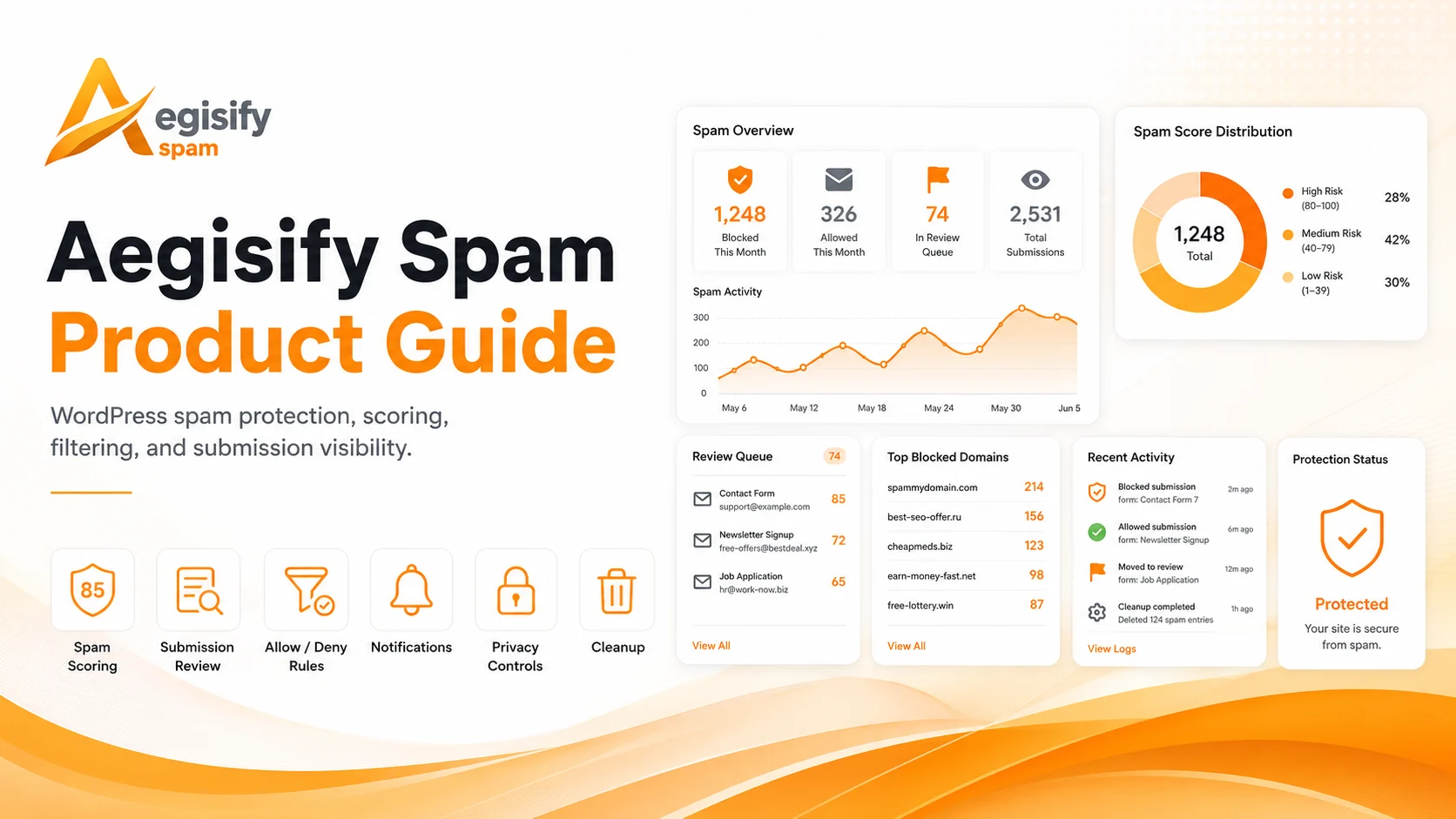
The Aegisify Spam Product Guide provides a practical overview of the platform’s local-first WordPress spam protection capabilities, including submission scoring, behavior and content analysis, fingerprinting, review queues, allow and deny rules, privacy controls, notifications, cleanup tools, and transparent event logs. It is designed to help site owners, agencies, and technical teams reduce unwanted submissions, review uncertain activity safely, tune protection without disrupting legitimate users, and maintain clearer control over how spam decisions are made and recorded.
Aegisify Spam Product Guide
Version 1.1.19
Updated July 10, 2026
Product: Aegisify Spam Protection & Security for WordPress
Also referenced as: AegisSpam Guard
Publication and deployment notice: This guide was rebuilt from a static review of the Aegisify Spam 1.1.19 package and current Aegisify public pages. The package contains meaningful anti-spam, logging, tuning, privacy, cleanup, and notification capabilities, but the static review also identified integration and configuration paths that require correction or live validation. Complete the acceptance checklist in this guide before broad production enforcement.
1. Product Overview
Aegisify Spam helps WordPress administrators evaluate suspicious submissions with local, explainable signals instead of sending every visitor message to a remote anti-spam service. It combines score-based decisions, form and WordPress-event adapters, request fingerprinting, behavior analysis, content signals, identity checks, local learning, deterministic allow and deny rules, event logs, privacy controls, cleanup tools, and operational notifications.
The product is intended for WordPress owners, agencies, ecommerce operators, developers, and operations teams that need more visibility than a simple “spam” or “not spam” result. Each scored event can include the resulting action, score, reasons, fingerprint, and supporting context so an administrator can understand why a submission was allowed, challenged, held, or blocked.
Aegisify Spam should be positioned as a local-first, operator-controlled anti-spam layer for WordPress—not as guaranteed protection, a network firewall, or a replacement for secure form development, authentication, rate limiting, a web application firewall, and human review.
2. What This Guide Covers
This guide explains the reviewed 1.1.19 administration experience:
- Dashboard and activity visibility
- Spam Log investigation and local training
- Allow, Challenge, Hold, and Block decision bands
- Fingerprinting, behavior, content, identity, Geo/ASN, and challenge signals
- WordPress comments, registration, REST, form-builder, WooCommerce, search, and generic POST adapters
- Allow and deny rules
- Basic Firewall request-velocity controls
- Privacy and retention options
- SMTP and operational notifications
- Existing-content cleanup
- JSON configuration export and import
- WordPress multisite defaults
- License, optional free-install registration, and Free-versus-Pro packaging
- Validation, troubleshooting, and operational runbooks
3. System Requirements
| Requirement | Reviewed value |
|---|---|
| WordPress | 6.8 or later |
| Tested through | WordPress 6.9 |
| PHP | 8.2 or later |
| Plugin version | 1.1.19 |
| Database access | Permission to create and maintain Aegisify Spam tables |
| Email alerts | Working WordPress mail, Aegisify Core SMTP, or configured local SMTP |
| Geo/ASN by MaxMind | Local compatible .mmdb files and the required reader support |
| Optional external lists | Outbound HTTPS access when enabled |
Before deployment, confirm database permissions, object caching behavior, reverse-proxy headers, SMTP delivery, form-plugin versions, checkout behavior, REST routes, WordPress multisite requirements, and legal or privacy obligations.
4. Administration Navigation
The reviewed package places the product under Aegisify Spam in WordPress administration.
| Tab | Primary purpose |
|---|---|
| Dashboard | Activity counters, protection posture, trends, and shortcuts |
| Spam Log | Review scored events, reasons, actions, fingerprints, and training controls |
| Basic Firewall | Request-velocity and early request-handling visibility |
| Allow/Deny | Deterministic rules for known-safe or known-abusive sources |
| Settings | Thresholds, modules, signals, privacy, identity, Geo/ASN, and local learning |
| SMTP & Notifications | Shared or local SMTP, recipients, alert categories, and throttling |
| License | License state, optional free registration, privacy information, and feature matrix |
| Cleanup | Scan existing comments or users in controlled batches |
The package also includes a Network Administration page for WordPress multisite defaults and site-level overrides.
5. What Is New or Materially Expanded in 1.1.19
The published guide still reflects version 1.1.10. The reviewed 1.1.19 package contains a broader operational interface and additional configuration paths that should be reflected in current documentation.
Current administration model
Version 1.1.19 exposes dedicated tabs for Basic Firewall, SMTP & Notifications, License, and Cleanup in addition to the Dashboard, Spam Log, Allow/Deny, and Settings workflows.
SMTP and notification controls
The package can use centralized Aegisify Core SMTP when available or a local provider configuration. Local provider choices include Custom SMTP, Amazon SES, SendGrid, Mailgun, Postmark, SMTP2GO, and Other. Notification categories cover selected spam-log decisions, firewall events, allow/deny matches, and settings changes.
Local-first scoring and learning
The engine combines weighted signals with an optional local Naive Bayes model trained from administrator decisions. Training controls in the Spam Log allow an operator to mark examples as Spam or Not Spam.
Site-wide and adapter-based coverage
The codebase contains adapters or scoring paths for WordPress comments, user registration, REST requests, WPForms, Gravity Forms, Contact Form 7, WooCommerce checkout, site search, and generic front-end POST requests. These paths are not interchangeable: each integration must be validated with the installed plugin version and the site’s customizations.
Privacy and retention settings
Administrators can select raw, anonymized, hashed, or disabled IP handling; set log retention; disable optional external-list behavior; and choose local Geo/ASN files or trusted edge headers.
Cleanup and hygiene tools
The Cleanup tab can scan existing comments and users in batches, first in report-only mode and then with controlled actions such as moving comments to spam or deleting selected records.
Optional installation registration
The License tab includes an optional free-install registration workflow that requires administrator consent and can send the site domain, site URL, and WordPress administrator email to Aegisify for license-related functionality.
6. Version 1.1.19 Validation Advisory
Static review identified release-quality issues in several integration and configuration paths. Until Engineering confirms a corrected build, use the following operating position:
- Start in conservative, review-oriented settings.
- Keep uncertain traffic in Hold rather than broad hard blocking.
- Test WordPress comments, user registration, Contact Form 7, WooCommerce checkout, search, REST, and every installed form builder in staging.
- Do not enable Generic POST protection on a production site until its scoring path has been corrected and tested.
- Validate CIDR rules with real test addresses before relying on them.
- Confirm that trust policies actually change scoring before documenting them as active.
- Confirm firewall alert delivery separately from spam-log alerts.
- Review stored event payloads when privacy claims require raw email values not to be retained.
- Use edge-provided Geo/ASN headers only behind a trusted proxy or CDN that removes client-supplied versions of those headers.
- Complete the acceptance plan in Section 29 before publication or broad rollout.
This advisory does not mean every product workflow is unusable. It means the release should be deployed as a controlled, tested security and operations change rather than assumed to cover every form automatically.
7. Quick Start
7.1 Install and establish a baseline
- Install and activate the approved Aegisify Spam 1.1.19 package.
- Open Aegisify Spam → Dashboard.
- Confirm the plugin version, license state, and database-table creation.
- Open Settings and record the current thresholds and active modules.
- Keep false-positive protection enabled while establishing a baseline.
- Select an appropriate IP-handling mode and retention period.
- Configure a monitored notification recipient.
- Submit controlled test entries through every protected surface.
- Confirm that each event appears in the Spam Log with the expected type, action, score, and reasons.
- Do not increase enforcement until legitimate and abusive test cases behave as expected.
7.2 Recommended initial policy
| Policy area | Conservative starting point |
|---|---|
| Allow band | Keep the reviewed default unless testing supports a change |
| Challenge band | Use for uncertain automated behavior |
| Hold band | Prefer for borderline form, comment, and checkout activity |
| Block band | Reserve for high-confidence, repeat, or deterministic abuse |
| Local ML | Train with confirmed examples before increasing its weight |
| Allow/Deny | Add narrow rules with notes and an owner |
| Retention | Keep only what is operationally and legally required |
| Basic Firewall | Validate in staging before production enforcement |
| Generic POST | Keep disabled pending corrected and tested scoring behavior |
8. How Scoring and Decisions Work
Aegisify Spam normalizes supported events into a common structure and evaluates local signals. The final score maps to one of four actions.
| Action | Intended use |
|---|---|
| Allow | Low-risk event proceeds normally |
| Challenge | Apply soft friction or a challenge workflow where supported |
| Hold | Preserve or defer the event for review rather than hard blocking |
| Block | Reject high-confidence abuse or a deterministic deny match |
The reviewed defaults use an Allow maximum of 29, a Challenge maximum of 59, and a Hold maximum of 79. Scores above the Hold range move toward Block. Administrators should treat these values as starting points, not universal thresholds.
False-positive protection
The reviewed defaults include a setting that converts would-be blocks into Hold decisions. Comments are also softened from Block to Hold below a high-confidence score. This is useful during deployment because it preserves evidence and reduces the chance that an aggressive initial configuration silently rejects legitimate users.
Deterministic rule precedence
Allow and deny rules can override heuristic ambiguity. Use narrow, documented rules for sources that are repeatedly confirmed safe or abusive. Avoid broad IP ranges and shared email domains unless the business impact has been reviewed.
9. Signal Groups
9.1 Request fingerprinting
Fingerprinting can combine request and client characteristics into a repeatable identifier used for velocity, reputation, logging, and list decisions. Fingerprints should be treated as operational indicators rather than verified human identities.
9.2 Behavior and velocity
Behavior signals can consider submission timing, repeated requests, burst activity, and similar automation patterns. These signals are useful against scripted spam but can affect legitimate high-volume workflows, integrations, accessibility tools, or testing systems.
9.3 Content intelligence
Content analysis can consider:
- Link count
- Link markup
- URL shorteners
- Spam phrases
- Obfuscation patterns
- Suspicious top-level domains
- Similarity to previously blocked content
Content signals should support a decision, not replace context. Legitimate support, ecommerce, recruiting, and security messages can contain links or technical terms that resemble spam.
9.4 Identity signals
Identity checks can include:
- Email-format validation
- Built-in disposable-domain checks
- Optional external disposable-domain list
- Optional MX lookup
- Name and email consistency
- Repeated identity or fingerprint behavior
MX and disposable-domain checks are not proof that a person is legitimate or abusive. Temporary, privacy-preserving, corporate, and newly configured domains can produce unexpected results.
9.5 Geo and ASN context
Geo/ASN data can come from trusted edge headers or local MaxMind databases. Country and network context should be used carefully because VPNs, mobile carriers, shared infrastructure, and global customers can make location-based rules inaccurate.
9.6 Challenge signals
Challenge-related signals can include:
- Honeypot fields
- JavaScript proof
- Minimum time-to-submit
- Progressive delay
- An optional Contact Form 7 math challenge
A challenge should create proportional friction. It should not become an inaccessible or undocumented barrier for legitimate users.
10. Supported WordPress Surfaces and Validation Matrix
The reviewed code contains the following integration paths. “Present in package” means a code path exists; it does not mean compatibility with every plugin release or site customization has been proven.
| Surface | Code path present | Required release action |
|---|---|---|
| WordPress comments | Yes | Correct and test the post-insert event path; validate moderation behavior |
| WordPress registration | Yes | Correct and test the post-registration event path |
| REST API | Yes | Test intended routes, authentication, and false positives |
| WPForms | Yes | Test each form and AJAX mode |
| Gravity Forms | Yes | Test validation, AJAX, payment, and multi-page forms |
| Contact Form 7 | Yes | Correct nonce and submission-callback handling before production enforcement |
| WooCommerce checkout | Yes | Correct and test checkout event handling, guest checkout, and payment flows |
| WordPress search | Yes | Confirm search protection is saved and enabled in the deployed build |
| Generic front-end POST | Present | Keep disabled until the scoring call and admin/AJAX routing are corrected |
| Existing comments/users cleanup | Yes | Run report-only first and verify field mapping |
Integration testing standard
For each surface, test:
- A normal legitimate submission
- A high-confidence spam example
- A borderline example expected to Hold or Challenge
- Logged-in and logged-out behavior
- AJAX and non-AJAX behavior where applicable
- Validation errors unrelated to spam
- Email or payment side effects
- Spam Log evidence
- Notification behavior
- Rollback or disable procedure
11. Dashboard
The Dashboard provides a quick operational view of recent scoring and available controls.
Reviewed dashboard concepts include:
- Recent event totals
- Allowed, challenged, held, and blocked outcomes
- Last-24-hour and last-7-day activity
- Basic Firewall counters
- Cleanup status
- Protection and license shortcuts
Daily review during rollout
During the first week:
- Compare activity totals with expected site traffic.
- Review Held and Challenged events.
- Confirm that legitimate forms, checkout, comments, and registration are not being interrupted.
- Investigate sudden increases by event type and fingerprint.
- Record configuration changes.
- Avoid tuning multiple major signal groups at once.
Long-term review
After the baseline stabilizes, review weekly or when a spam spike, conversion drop, form complaint, plugin update, or infrastructure change occurs.
12. Spam Log
The Spam Log is the primary investigation and tuning workspace.
A reviewed event can include:
- Event type
- Timestamp
- Final action
- Score
- Reasons
- Fingerprint
- IP representation based on the configured mode
- Email hash
- Selected request or submission context
- Score breakdown
- Administrative training actions
Recommended investigation workflow
- Filter to Held, Challenged, or Blocked.
- Open the event details.
- Review the score breakdown and reasons.
- Determine whether the event was legitimate, abusive, or uncertain.
- Correct the decision with the narrowest safe action.
- Train Spam or Not Spam only when the label is reliable.
- Add an allow or deny rule only for repeatable, well-understood cases.
- Record why a threshold or weight was changed.
Training the local model
The optional local model uses administrator-labeled examples. Training quality matters more than training volume. Incorrect labels can make later decisions less reliable.
Use the following approach:
- Train confirmed spam as Spam.
- Train confirmed legitimate events as Not Spam.
- Avoid training uncertain examples.
- Review model weight after enough representative examples exist.
- Re-test after major content, audience, or form changes.
13. Allow and Deny Rules
The reviewed backend supports rule types for:
- Exact IP
- CIDR range
- Email domain
- Fingerprint
- Country
- ASN
The current administration interface does not expose every backend rule type consistently, and CIDR behavior requires correction and validation in 1.1.19.
Rule governance
Every rule should include:
- Purpose
- Source of evidence
- Owner
- Date added
- Review or expiration date
- Expected business impact
Rule priority guidance
- Use a fingerprint rule for a repeat automation pattern when appropriate.
- Use a domain rule only when the whole domain is known to be safe or abusive.
- Use an exact IP for controlled infrastructure.
- Use CIDR only after corrected behavior is verified.
- Use country or ASN rules only when the site’s audience and proxy architecture support them.
- Avoid broad permanent denies for mobile, cloud, or shared networks.
Email-rule terminology
In the reviewed 1.1.19 interface, the email rule is labeled as a hash, but the rule workflow stores and compares the normalized email value rather than a precomputed hash. Do not document this control as a hashed-email rule until the implementation and label are aligned.
14. Basic Firewall
The Basic Firewall is a WordPress-level request pre-check centered on allow/deny decisions, fingerprints, and request velocity. It is not a network firewall and should not be described as running before WordPress core or plugins initialize.
Appropriate positioning
Safe description:
The Basic Firewall evaluates selected requests early in the WordPress request lifecycle, before normal template rendering and some heavier downstream work.
Avoid:
- “Before WordPress loads”
- “At the network edge”
- “Stops all bots before PHP”
- “Replaces a WAF or CDN firewall”
Reviewed controls
The codebase contains settings for:
- Enabling the pre-check
- A blank blocked response
- A rolling ten-minute velocity threshold
- Firewall event logging
- Challenge and block outcomes
The 1.1.19 Settings interface does not reliably expose and save all site-wide controls, and firewall alert dispatch requires correction. Validate the feature in staging before using it as a production dependency.
15. Settings
15.1 Policy thresholds
Thresholds define how a score maps to Allow, Challenge, Hold, and Block. Change one threshold at a time and compare results against representative legitimate and abusive examples.
15.2 Module groups
The package defines module groups for:
- Fingerprinting
- Behavior
- Content
- Identity
- Geo/ASN
- Challenges
Disable a module temporarily when troubleshooting, but document the impact and restore the intended state after testing.
15.3 Timing and velocity
Minimum submit time, velocity window, and velocity limit can help identify automation. Sites with rapid multi-step forms, kiosks, APIs, QA tools, or high-volume customer workflows may need different values.
15.4 Disposable email and MX checks
The built-in list can operate locally. An optional external disposable-domain list can be enabled when policy permits. MX checks can add context but may introduce DNS latency and false positives.
15.5 Similarity
Similarity compares new content against recently blocked examples. Keep the threshold conservative and verify that repeated legitimate templates, support messages, or imported content are not penalized.
15.6 Local learning
Local learning uses the on-site model and Spam Log labels. Increase its weight slowly and only after representative training data exists.
15.7 Signal weights
Each signal can use a low, medium, or high multiplier. A high weight should be reserved for signals that are strongly predictive on the specific site.
15.8 Trust policies
The interface describes trust for logged-in users, established users, and WooCommerce customers. Static review found that the trust-evaluation helper is not connected to the main scoring path in 1.1.19. Treat these settings as unverified until corrected and tested.
15.9 Site-wide protection controls
The package contains site-wide settings for the Basic Firewall, Generic POST, AJAX/admin-post inclusion, path and action allowlists, and search protection. A malformed settings structure and an incomplete save allowlist prevent these controls from operating as a dependable customer-facing configuration block in 1.1.19.
16. Privacy and Data Handling
Aegisify Spam provides privacy-oriented controls, but administrators must verify actual stored data against their policy.
Reviewed database tables
| Table suffix | Purpose |
|---|---|
asg_events |
Scored events, decisions, reasons, context, and identifiers |
asg_fingerprints |
Fingerprint and velocity state |
asg_lists |
Allow and deny rules |
asg_ml_tokens |
Local model token statistics |
asg_firewall_events |
Basic Firewall activity |
IP modes
| Mode | Intended behavior |
|---|---|
| Store | Retain normalized raw IP |
| Anonymize | Retain a reduced IP representation |
| Hash | Retain a salted hash for matching |
| Off | Avoid retaining the IP value |
The selected IP mode can affect troubleshooting, list matching, fingerprinting, and abuse correlation. Test those dependent workflows after changing the mode.
Email handling
The event table includes a hashed email field. Static review also found that a sanitized raw email can be retained inside the event payload when it is present. Therefore, do not claim that raw email is never stored in 1.1.19.
No external calls
The spam-scoring engine can operate locally, and the no-external-calls setting disables selected optional lookup behavior. It does not automatically disable every possible outbound connection, including license/update checks, optional free registration, configured SMTP, or administrator-selected external services.
Retention
The default log retention is 90 days. Set retention based on operational need, privacy policy, incident requirements, and local law. Confirm that scheduled cleanup covers every table and data class that the organization expects to purge.
17. SMTP and Notifications
Aegisify Spam can use:
- Centralized Aegisify Core SMTP, when available
- Local Custom SMTP
- Amazon SES
- SendGrid
- Mailgun
- Postmark
- SMTP2GO
- Other SMTP-compatible delivery
Reviewed notification categories include:
- Selected spam-log actions
- Basic Firewall challenge or block events
- Allow or deny rule matches
- Settings updates
Notification setup
- Choose centralized or local SMTP.
- Configure a monitored recipient or distribution list.
- Set an alert throttle.
- Enable only actionable categories.
- Submit controlled test events.
- Confirm sender, subject, body, delivery, and escalation.
- Re-test after SMTP, DNS, firewall, or hosting changes.
Security considerations
SMTP credentials are sensitive configuration data. Limit administrator access, use provider-scoped credentials, rotate them, and avoid exposing them in screenshots or support tickets.
1.1.19 notification caveat
Spam-log and settings notifications have active call paths. The Basic Firewall notification call is not connected to the active firewall logging path in the reviewed package. Test each category rather than assuming a successful SMTP setup proves every alert type.
18. Cleanup
Cleanup can scan existing WordPress comments and users in batches.
Safe workflow
- Create a database backup.
- Run Report-only.
- Review a representative sample.
- Correct thresholds or exclusions.
- Move suspicious comments to Spam before deleting.
- Use deletion only after approval.
- Preserve a report of the scope and result.
Cleanup limitations
Static review found that cleanup payload fields are not normalized in the same way as live event fields. Some identity checks described in the interface may not receive the expected name and email values during cleanup. Validate cleanup results before destructive actions.
19. JSON Export and Import
The Settings workflow can export and import configuration and list data in JSON.
Use export/import for:
- Staging-to-production configuration transfer
- Agency baselines
- Change backup
- Disaster recovery
- Multisite standardization
Before importing:
- Review the file
- Confirm it came from a trusted source
- Remove environment-specific IPs, domains, paths, recipients, or credentials
- Back up the current configuration
- Test in staging
- Compare the imported values after completion
Do not treat configuration export as a substitute for a complete WordPress backup.
20. WordPress Multisite
The package includes a Network Administration page for defaults and site-level behavior.
Network defaults can cover thresholds, module groups, privacy, Geo/ASN, trust, local learning, and retention. Each site can then use the resulting configuration according to the implementation.
Multisite governance
- Define which settings are mandatory across the network.
- Assign a network owner.
- Document allowed site-level overrides.
- Test one staging site before broad rollout.
- Confirm that network fields render and save correctly.
- Verify Pro locking and license behavior at both network and site scope.
- Review data retention and privacy separately for each site or business unit.
The reviewed 1.1.19 network form contains field-definition inconsistencies that require live validation before network-wide use.
21. License and Optional Registration
The product can recognize an Aegisify Suite license or use a local license email and key.
The optional free-install registration workflow requires administrator consent and can send:
- Site domain
- Site URL
- WordPress administrator email
Registration is not required for the local scoring engine. It should be enabled only when the administrator understands the purpose and data transfer.
Free and Pro packaging in the reviewed interface
| Capability | Free | Pro |
|---|---|---|
| Core scoring framework | Yes | Yes |
| Spam Log and event actions | Yes | Yes |
| WordPress comment protection path | Yes | Yes |
| Selected adapters where available | Yes | Yes |
| Managed Allow/Deny interface | — | Yes |
| Basic Firewall tab | — | Yes |
| Cleanup tools | — | Yes |
| Content Intelligence settings block | — | Yes |
| Challenges settings block | — | Yes |
| Local Learning settings block | — | Yes |
| Signal Weight controls | — | Yes |
| Pro update eligibility | — | Yes |
Packaging can change. Confirm the current subscription page and deployed License tab before publishing commercial comparisons.
22. Operating Runbooks
Daily during initial deployment
- Review Held and Challenged events
- Confirm important forms and checkout still convert
- Investigate high-scoring legitimate submissions
- Check notifications
- Record configuration changes
Weekly
- Review blocked trends by type and reason
- Review Allow/Deny rules
- Check local-model training quality
- Review retention and stored payloads
- Test one representative protected surface
- Confirm SMTP delivery
Monthly
- Export configuration
- Review administrator access
- Review privacy disclosures and retention
- Validate a CIDR, domain, and fingerprint test rule
- Review integration versions
- Run cleanup in report-only mode when needed
- Confirm current plugin and documentation versions
After a form, theme, WooCommerce, or security update
- Re-test nonce handling
- Re-test AJAX and non-AJAX submissions
- Re-test checkout and payment behavior
- Re-test registration and comments
- Compare Spam Log evidence before and after
- Roll back aggressive settings if conversion or errors change
During a spam surge
- Preserve logs.
- Identify the dominant event type and reason.
- Check whether one fingerprint, domain, IP, country, or phrase is responsible.
- Add the narrowest temporary rule.
- Prefer Hold when confidence is incomplete.
- Increase one signal or threshold at a time.
- Monitor conversion and support complaints.
- Remove temporary rules after the surge and document the outcome.
23. Troubleshooting
Events do not appear in the Spam Log
- Confirm the integration path is enabled and supported.
- Test a known adapter.
- Check form AJAX mode.
- Review PHP and WordPress logs.
- Confirm database tables exist.
- Verify that the event does not use a no-log path.
- Confirm that caching or optimization is not bypassing the WordPress callback.
Legitimate submissions are held or blocked
- Review score breakdown and reasons.
- Temporarily enable false-positive Hold behavior.
- Lower the weight of the dominant weak signal.
- Add a narrow allow rule.
- Train Not Spam only when the example is clearly legitimate.
- Re-test after one change.
Contact Form 7 rejects submissions
Version 1.1.19 requires correction and validation of the CF7 nonce and submission callback path. Disable the integration or revert enforcement until a corrected build is available.
Generic forms fail
Keep Generic POST protection disabled in 1.1.19. Its reviewed scoring path calls a method that is not present in the engine.
Comment, registration, or checkout causes a PHP error
Disable the affected integration and review the PHP log. The reviewed post-event callbacks call an internal email-hashing method incorrectly and require Engineering correction.
CIDR rules do not match
The 1.1.19 CIDR helper references the wrong variable. Use exact IP rules temporarily and validate CIDR only after a corrected build is installed.
Firewall alerts are missing
Confirm SMTP with a spam-log or settings alert. Basic Firewall alert dispatch has a separate implementation issue and may not fire in 1.1.19.
Trust settings do not change decisions
The trust helper exists but is not connected to the main evaluation path in the reviewed package. Do not rely on trust exemptions until corrected.
Geo/ASN results look wrong
- Confirm the provider.
- If using headers, confirm the trusted proxy strips client-supplied headers.
- If using MaxMind, confirm file paths and freshness.
- Test known addresses.
- Avoid broad blocking until evidence is reliable.
Privacy mode behaves unexpectedly
Inspect a test event in the database or approved diagnostic output. Confirm both dedicated identifier columns and the JSON payload. Do not rely only on the UI description.
24. Frequently Asked Questions
Does Aegisify Spam send every submission to a third-party anti-spam service?
The core scoring and local-learning workflow can operate on the WordPress site. Optional licensing, registration, SMTP, external lists, and administrator-selected services can make outbound connections.
Does it replace a web application firewall?
No. It evaluates spam and abusive submission patterns inside WordPress. A WAF, CDN security layer, secure form code, authentication, and infrastructure controls address different risks.
Can it protect any WordPress form automatically?
The package includes dedicated adapters and a generic POST concept, but compatibility must be tested. Generic POST protection should remain disabled in 1.1.19 until its scoring path is corrected.
Is CAPTCHA required?
No. The product can use local behavioral and content signals, honeypots, JavaScript proof, timing, progressive delay, and Hold workflows. An optional CF7 math challenge exists but requires corrected integration testing in this release.
What should I do with uncertain traffic?
Use Hold, review the score breakdown, and correct the decision. Hard blocking should be reserved for high-confidence or deterministic abuse.
Does “hash IP” remove all personal data?
Hashing reduces direct readability but can still create a persistent identifier. The event payload may also contain other submitted context. Review the full data model and privacy obligations.
Are email allow and deny rules hashed?
Not in the reviewed 1.1.19 rule workflow. The interface label and implementation are inconsistent. Treat the value as a normalized email until corrected.
Can I trust Geo/ASN headers from any request?
No. Use edge headers only when a trusted proxy or CDN removes client-supplied copies and provides authenticated or controlled values.
Does the Basic Firewall run before WordPress?
It runs through WordPress hooks early in the application request lifecycle. WordPress core and plugins have already initialized.
How should I deploy the plugin safely?
Start in staging, keep uncertain events in Hold, validate every form and event surface, configure privacy and retention, test notifications, and roll out one enforcement change at a time.
25. Glossary
| Term | Meaning |
|---|---|
| Adapter | Integration code that translates a WordPress or plugin event into a scored event |
| Allow | Permit the event |
| Challenge | Apply soft friction or an additional verification step |
| Hold | Preserve or defer the event for review |
| Block | Reject the event |
| Fingerprint | Derived identifier used to correlate repeat request behavior |
| Velocity | Number or frequency of requests within a time window |
| Signal | A factor that contributes to a score |
| Weight | Multiplier that changes a signal’s scoring impact |
| Local learning | On-site model trained from administrator-labeled examples |
| CIDR | Notation for an IP network range |
| ASN | Identifier for an internet network operator |
| MX | DNS record identifying mail-handling servers |
| Honeypot | Hidden field intended to catch automated submissions |
| Nonce | WordPress request token used to reduce cross-site request forgery risk |
| Retention | How long operational data is kept |
| False positive | Legitimate activity incorrectly treated as spam |
| False negative | Spam incorrectly allowed |
26. Related Resources
- Aegisify Spam product page
- AegisSpam User Guide and Documentation
- Aegisify Help Center
- Aegisify WordPress Products
- WordPress Plugin Security: Nonces
- WordPress Plugin Privacy guidance
- WordPress Discussion Settings
- WooCommerce developer documentation
27. Safe Product Positioning
Recommended public description:
Aegisify Spam provides local-first, explainable spam scoring for supported WordPress submission surfaces. It combines behavior, content, identity, fingerprint, and administrator-defined rules with transparent logs and review workflows so teams can reduce unwanted submissions while retaining control over decisions and data handling.
Avoid publishing the following without proof or qualification:
- Guaranteed spam blocking
- Compatibility with every form
- “Before WordPress loads”
- “No raw email is stored”
- “No external calls” as an absolute statement
- Network-edge firewall claims
- Defect-free or zero-false-positive claims
- Unsupported superiority claims against named competitors
28. Production Acceptance Checklist
Package and administration
- Confirm version 1.1.19 or corrected successor
- Confirm PHP and WordPress requirements
- Confirm database tables
- Confirm tabs and license state
- Confirm Settings fields render and save
- Confirm multisite fields render and save when applicable
Core scoring
- Test threshold boundaries
- Test Hold protection
- Test fingerprint consistency
- Test each signal group
- Test raw, anonymized, hashed, and Off IP modes
- Inspect stored payloads
Integrations
- Comments
- Registration
- REST
- WPForms
- Gravity Forms
- Contact Form 7
- WooCommerce checkout
- Search
- Generic POST only after correction
- AJAX and non-AJAX variants
Rules and firewall
- Exact IP allow and deny
- Email and domain rules
- Fingerprint rules
- Corrected CIDR behavior
- Geo/ASN behavior
- Basic Firewall threshold
- Firewall log
- Firewall alert
Operations
- Spam-log filtering
- Training Spam and Not Spam
- Settings notification
- Rule notification
- SMTP delivery
- Retention cleanup
- JSON export and import
- Cleanup report-only
- Cleanup controlled action
- Rollback procedure
29. Final Operational Recommendation
Do not begin with aggressive site-wide blocking. Begin with transparent logging, Hold-oriented enforcement, narrow deterministic rules, controlled test submissions, and a documented review process. Correct or validate the 1.1.19 integration and settings issues before promoting broad form coverage, early-firewall performance, privacy guarantees, or hands-off automation.