Sample WordPress Security Audit Report: What Aegisify Audit Helps You See
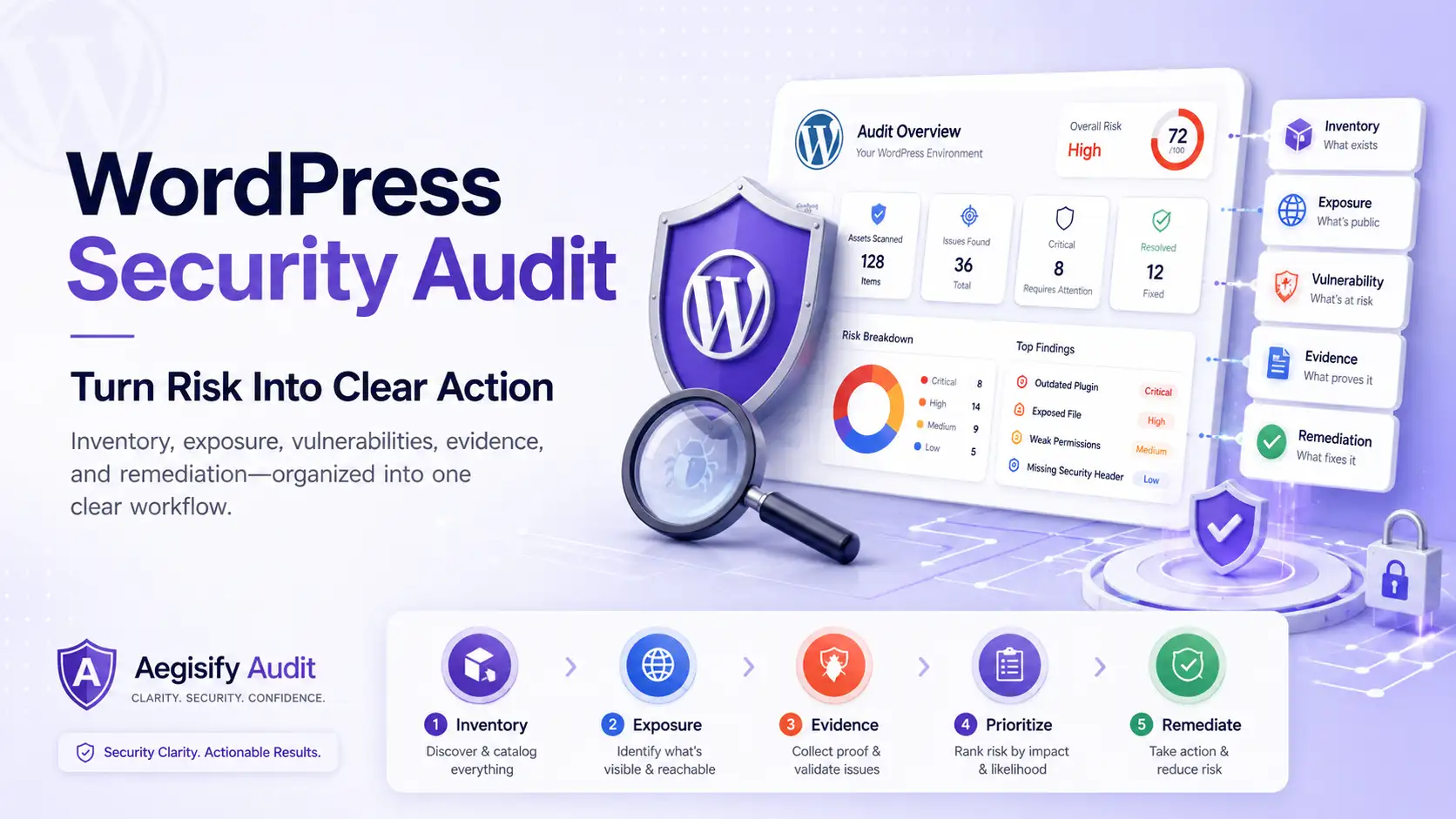
A WordPress Security Audit should turn technical evidence into clear decisions, not another list of noise and alerts. Aegisify Audit helps technical and business teams see what was examined, which risks matter most, and where remediation should begin.
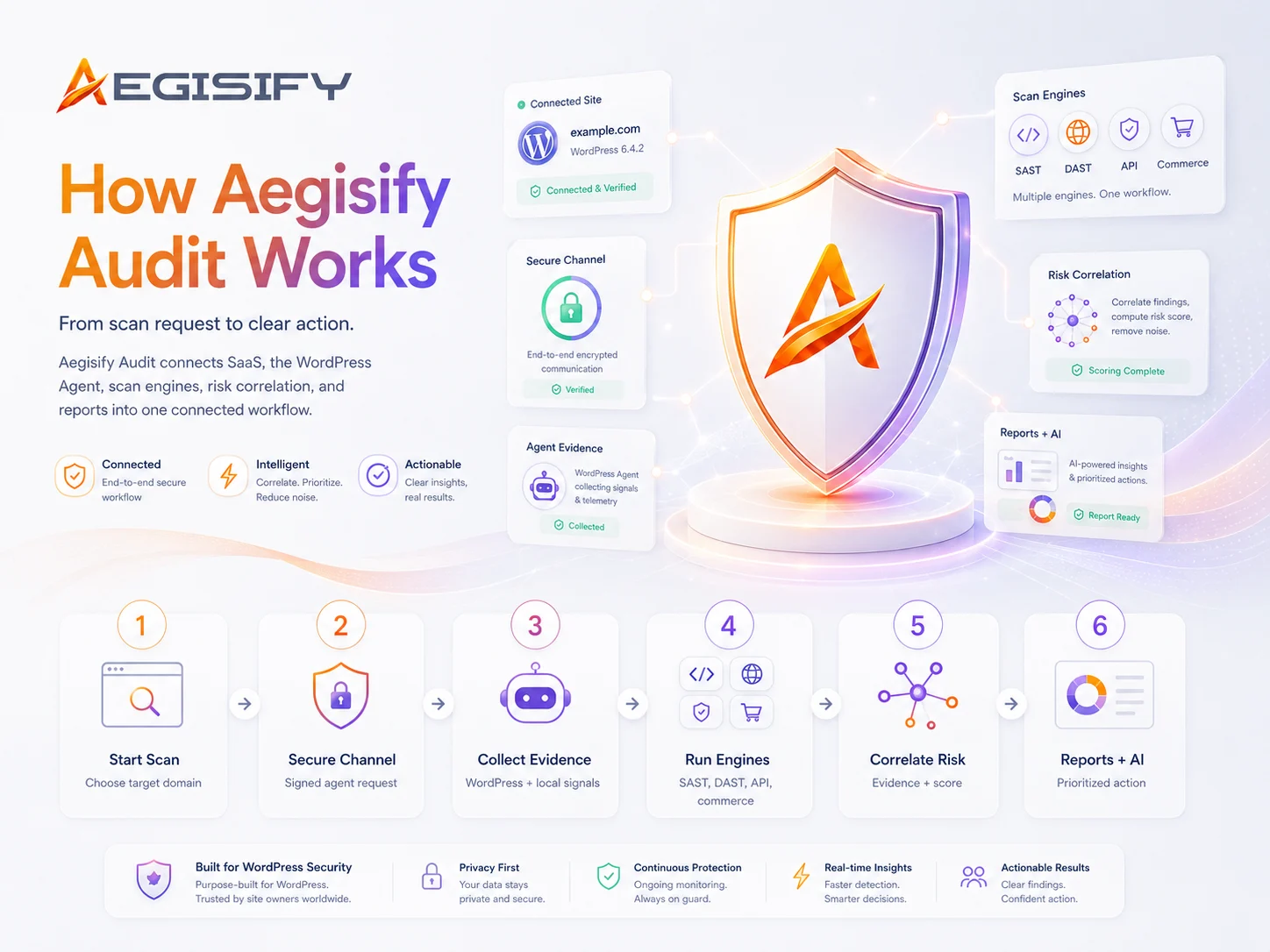
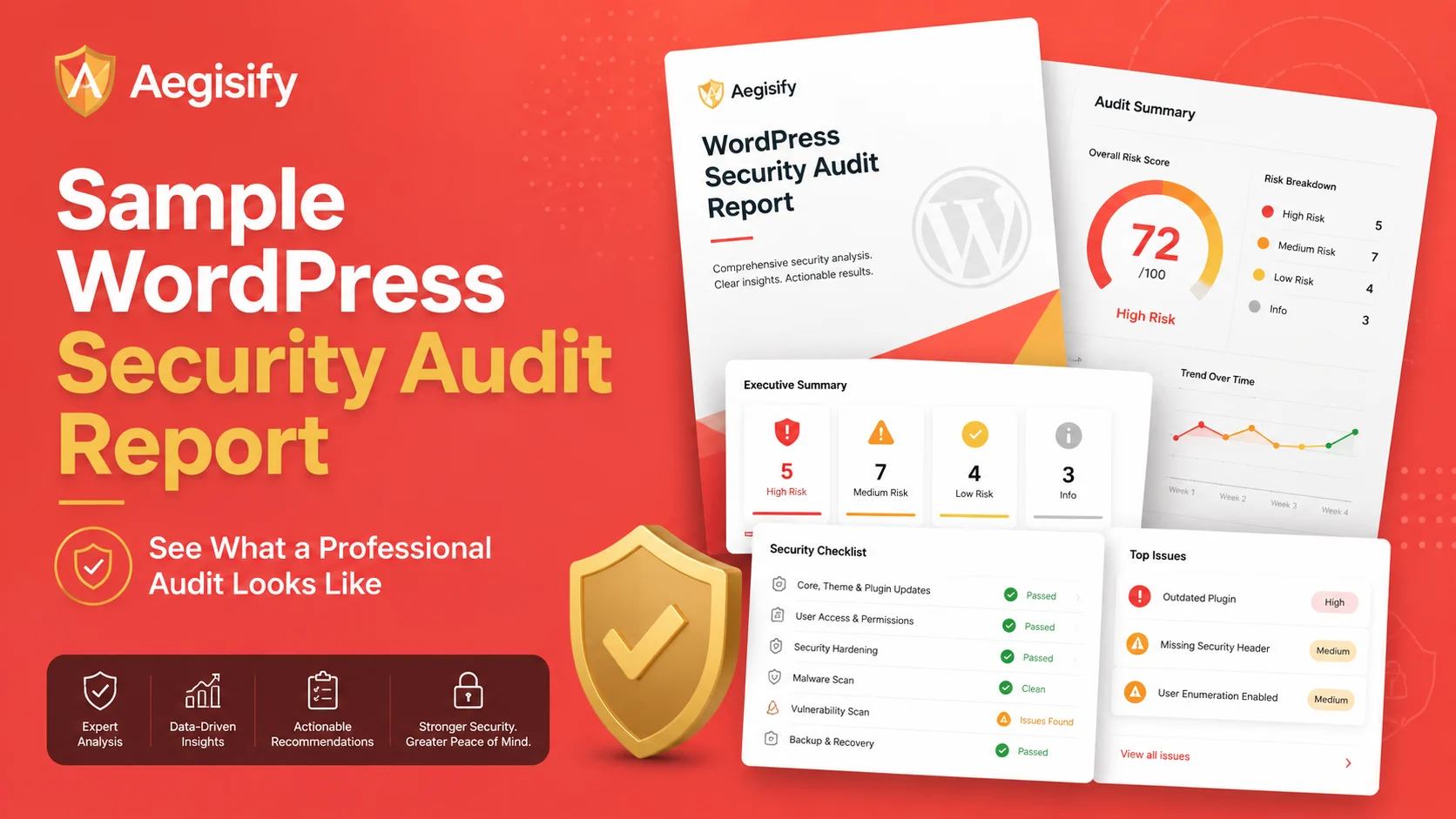
This sanitized sample shows how external checks, Agent telemetry, plugin and theme intelligence, code signals, activity events, optional logs, and AI-assisted prioritization can be organized into one clear report without exposing sensitive customer data.

How can Aegisify AI help?
Ask about Aegisify or WordPress: errors, plugins, security, SEO, compatibility, troubleshooting, comparisons, or launch a free website scan.
Aegisify Facts & Truth
Sample WordPress Security Audit Report
A WordPress Security Audit is most useful when it does more than list technical alerts. Teams need to understand what was examined, what evidence was found, why the findings matter, and which actions deserve attention first.
This sample illustrates how Aegisify Audit can organize WordPress security findings for website owners, agencies, marketing leaders, executives, developers, and security architects. The report connects technical evidence with risk context, potential business impact, remediation priorities, and follow-up validation.
Executive Security Overview
The executive overview gives decision-makers a concise picture of the website, the audit scope, the most significant areas of risk, and the actions that require attention.
| Report Area | Illustrative Summary |
|---|---|
| Website | example.com |
| Assessment Scope | WordPress Security Audit using public exposure analysis and Agent-assisted WordPress review. |
| Primary Risk Areas | Outdated software, plugin security exposure, incomplete hardening controls, suspicious activity patterns, and publicly visible routes requiring further review. |
| Priority Response | Validate high-priority findings, test software updates in staging, strengthen access controls, investigate relevant activity and logs, apply approved remediation, and rerun the audit. |
Illustrative Risk Snapshot
The risk snapshot helps technical and business teams quickly identify which findings may require immediate investigation and which issues should be incorporated into planned remediation work.
| Risk Level | Example Finding | Why It Matters |
|---|---|---|
| High | Installed plugin version associated with a known vulnerability signal | A vulnerable or outdated component can expose website functions, customer data, administrative access, or revenue-producing services if the issue applies to the installed version and configuration. |
| High | Suspicious file modification or code pattern | Unexpected code may result from an unsafe customization, plugin defect, unauthorized modification, or potential compromise and requires validation by a qualified professional. |
| Medium | Missing or incomplete browser security header | Incomplete browser-side protections can increase exposure to common web risks and may weaken the site’s overall defense-in-depth strategy. |
| Medium | Publicly visible WordPress REST API route | Public visibility may be expected, but sensitive routes require appropriate authentication, authorization, rate controls, and business-context review. |
| Review | Unusual activity or repeated authentication events | Repeated failed logins, administrative changes, or plugin activity may be legitimate or suspicious depending on the timing, account, source, and operational context. |
A Report Built for Technical and Business Review
Aegisify Audit brings the assessment scope, technical evidence, risk context, and remediation priorities into one structured report. This helps different stakeholders review the same findings from the perspective most relevant to their responsibilities.
- Assessment scope: Identifies the website, scan date, selected audit profile, Agent connection status, and security capabilities included in the review.
- Security evidence: Brings together public external findings, DAST-style exposure checks, SAST-style code and file signals, plugin and theme intelligence, dependencies, activity events, and optional logs.
- Risk context: Explains the severity of the finding, the supporting evidence, and the conditions that may increase or reduce its importance.
- Business impact: Connects technical exposure to potential effects on availability, customer trust, ecommerce, lead generation, compliance responsibilities, and business operations.
- Priority findings: Highlights the issues that deserve investigation before lower-impact or informational items.
- Remediation guidance: Provides practical, human-reviewable actions for administrators, developers, agencies, and security teams.
- Retest visibility: Helps teams verify whether approved changes reduced the original exposure or whether additional work is required.
How an Individual Finding Is Presented
Each finding is designed to explain the observed condition, the supporting evidence, the potential effect on the website or business, and the actions that can be evaluated by the responsible team.
| Finding Detail | Illustrative Content |
|---|---|
| Finding | Outdated WordPress plugin detected |
| Category | Plugin Security and Software Supply Chain |
| Observed Evidence | The installed version is older than the detected available version and may be associated with security or maintenance concerns. The installed version and applicable vulnerability information require validation against authoritative vendor or repository data. |
| Potential Impact | Outdated software may introduce known vulnerabilities, compatibility problems, failed integrations, degraded functionality, or operational instability. |
| Recommended Response | Confirm the current vendor-supported version, create a verified backup, test the update in a staging environment, review compatibility and logs, apply the approved update, and rerun the relevant security checks. |
| Business Relevance | The affected plugin may support ecommerce, forms, memberships, authentication, marketing campaigns, or other services that contribute directly to customer experience and revenue. |
Clearer Priorities for Every Stakeholder
| Stakeholder | How the Report Supports Them |
|---|---|
| WordPress professionals and developers | Provides technical evidence, affected components, observed behavior, and practical remediation context. |
| Security architects | Connects external exposure, internal telemetry, access controls, software risk, configuration posture, and evidence across security layers. |
| Marketing and ecommerce leaders | Highlights risks that may disrupt campaigns, forms, analytics, checkout experiences, customer accounts, search visibility, and revenue-producing services. |
| Executives and business owners | Summarizes the most important risks, business implications, remediation priorities, and areas requiring investment or management attention. |
| Agencies and managed service providers | Creates a structured way to communicate findings, prioritize client work, document remediation, and demonstrate ongoing security oversight. |
How AI-Assisted Analysis Supports the Report
Large WordPress environments can produce extensive vulnerability data, code signals, plugin findings, activity events, exposure evidence, and logs. Aegisify uses Artificial Intelligence to help organize this information, identify related patterns, reduce repetitive noise, and explain potential priorities in clearer language.
AI-assisted analysis supports decision-making rather than replacing it. Recommendations remain reviewable by the administrators, developers, executives, and security professionals responsible for approving changes to a production WordPress environment.
A Sanitized Example That Protects Customer Information
This sample is designed to demonstrate report structure and communication without exposing customer information or sensitive security details.
It does not contain:
- Real customer domains or identifying account information
- Private activity logs or unredacted diagnostic data
- Security keys, credentials, tokens, or authentication secrets
- Detailed exploit instructions or attack paths
- Claims of guaranteed malware removal or remediation success
- Promises that a website will never be compromised
- Guaranteed SEO, ranking, compliance, or business outcomes
From Security Signals to an Actionable Plan
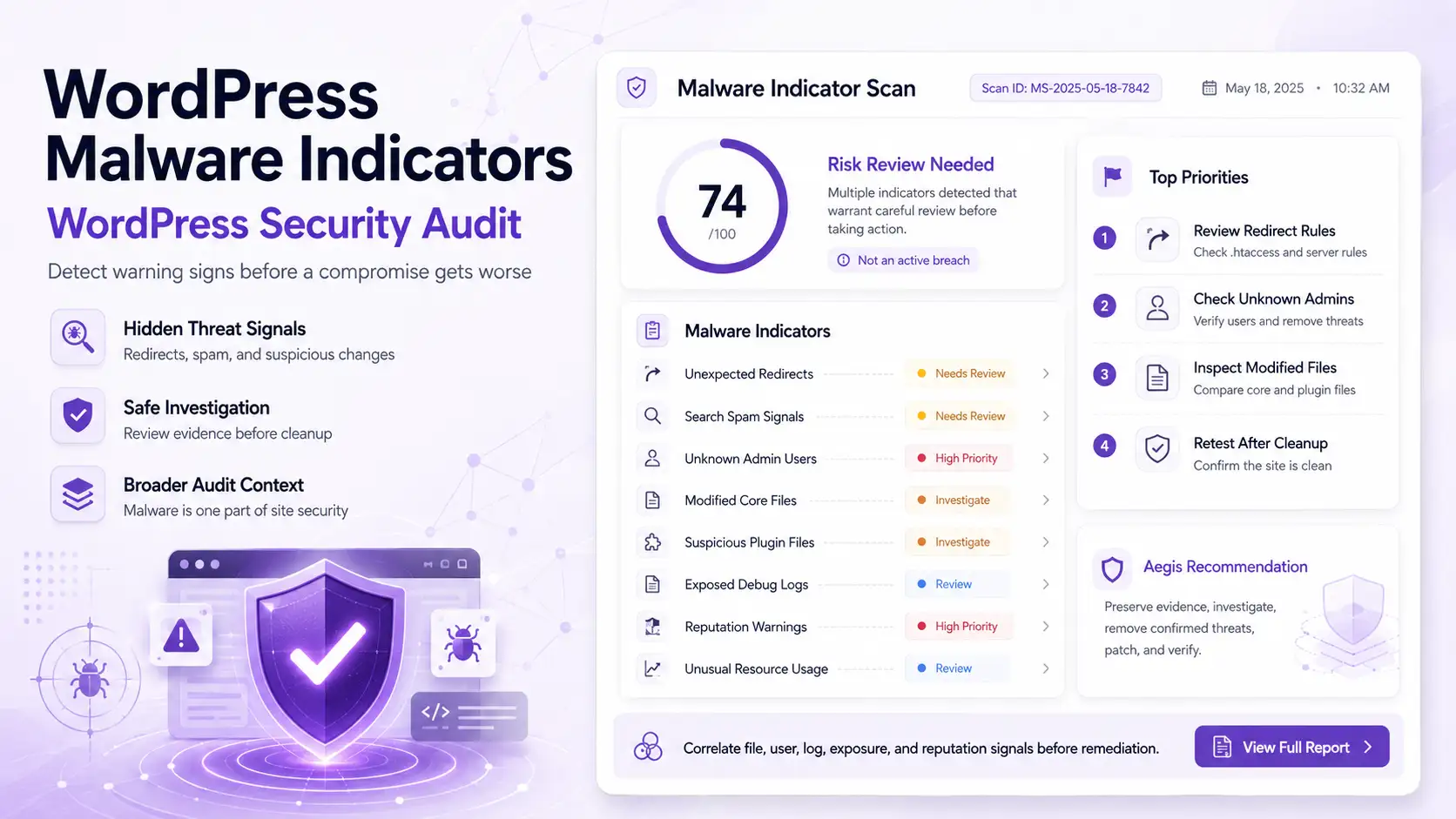
A WordPress website can appear healthy while still carrying outdated components, plugin vulnerabilities, weak configuration, exposed routes, suspicious activity, dependency risk, or unexpected file changes.
Aegisify Audit brings these signals together so teams can understand the evidence, evaluate potential impact, assign responsibility, plan remediation, and verify the results after approved changes are made.
Build a Clearer Picture of Your WordPress Risk
Aegisify Audit combines external exposure analysis, plugin and theme intelligence, configuration posture, code and file signals, WordPress activity, optional logs, and AI-assisted prioritization in one organized security workflow.
Start with a public external scan or connect Aegisify Agent for deeper WordPress-side evidence and a more complete audit report.