What Data Does the Aegisify Agent Collect?
Aegisify makes WordPress security data handling clear by showing what stays local, what technical signals are shared, and which optional telemetry remains under customer control.
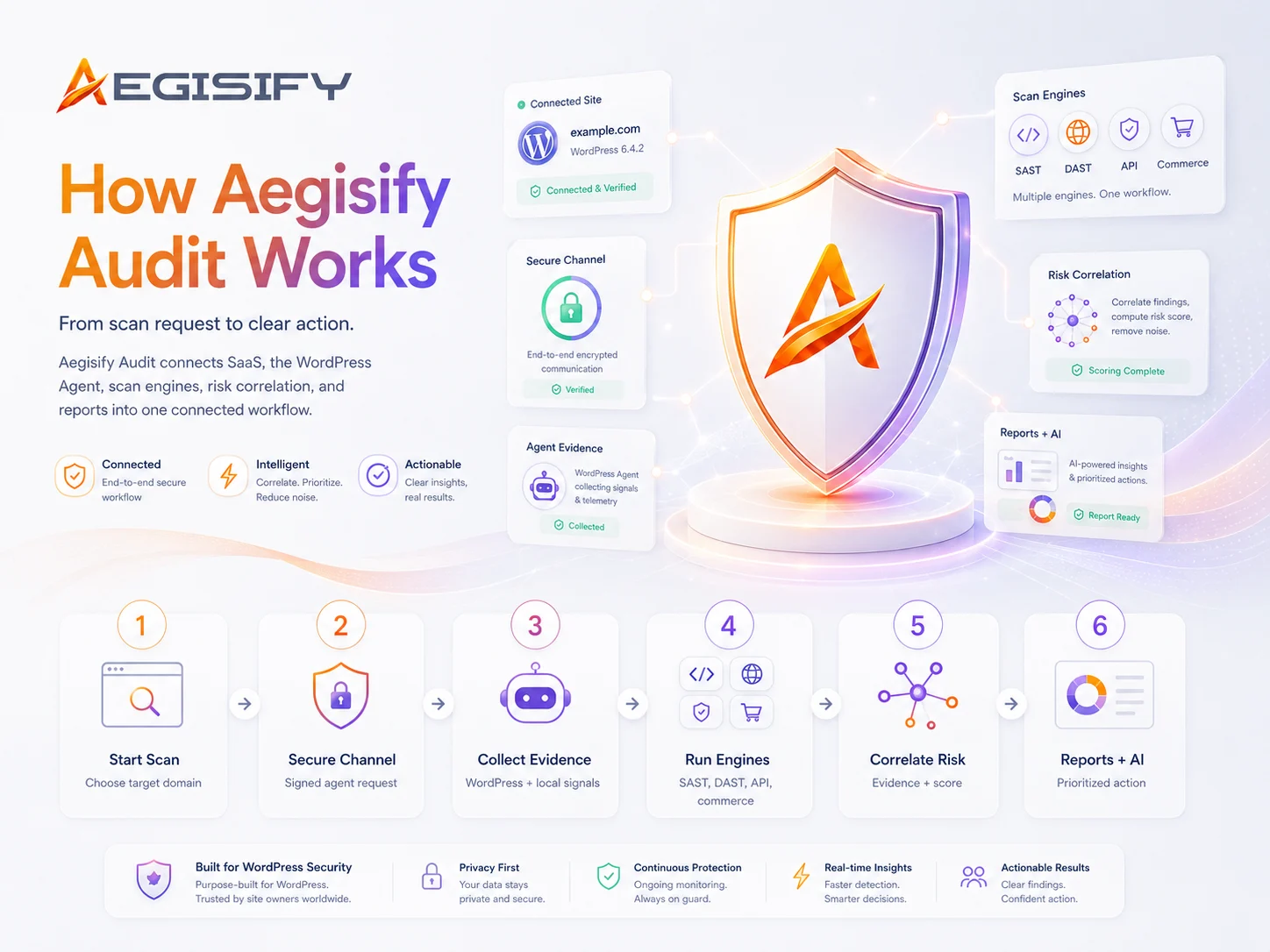
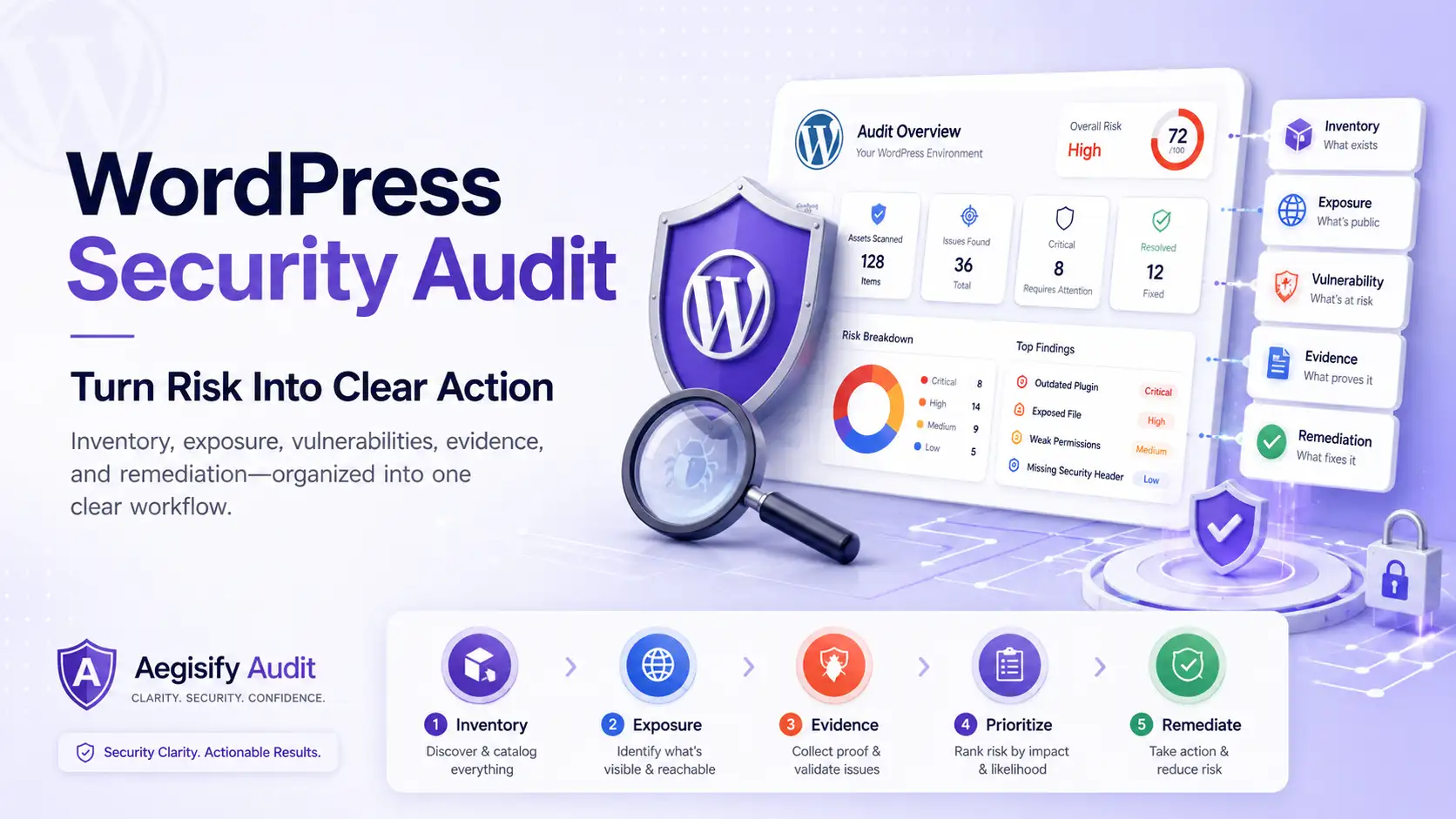
Aegisify Agent adds authorized WordPress-side visibility into software, plugin and theme risk, configuration, code signals, activity events, optional logs, and scan findings. Aegisify Audit organizes this evidence into clear reports, business risk priorities, and human-reviewable AI-assisted analysis.

How can Aegisify AI help?
Ask about Aegisify or WordPress: errors, plugins, security, SEO, compatibility, troubleshooting, comparisons, or launch a free website scan.
Aegisify Facts & Truth
What Data Does the Aegisify Agent Collect?
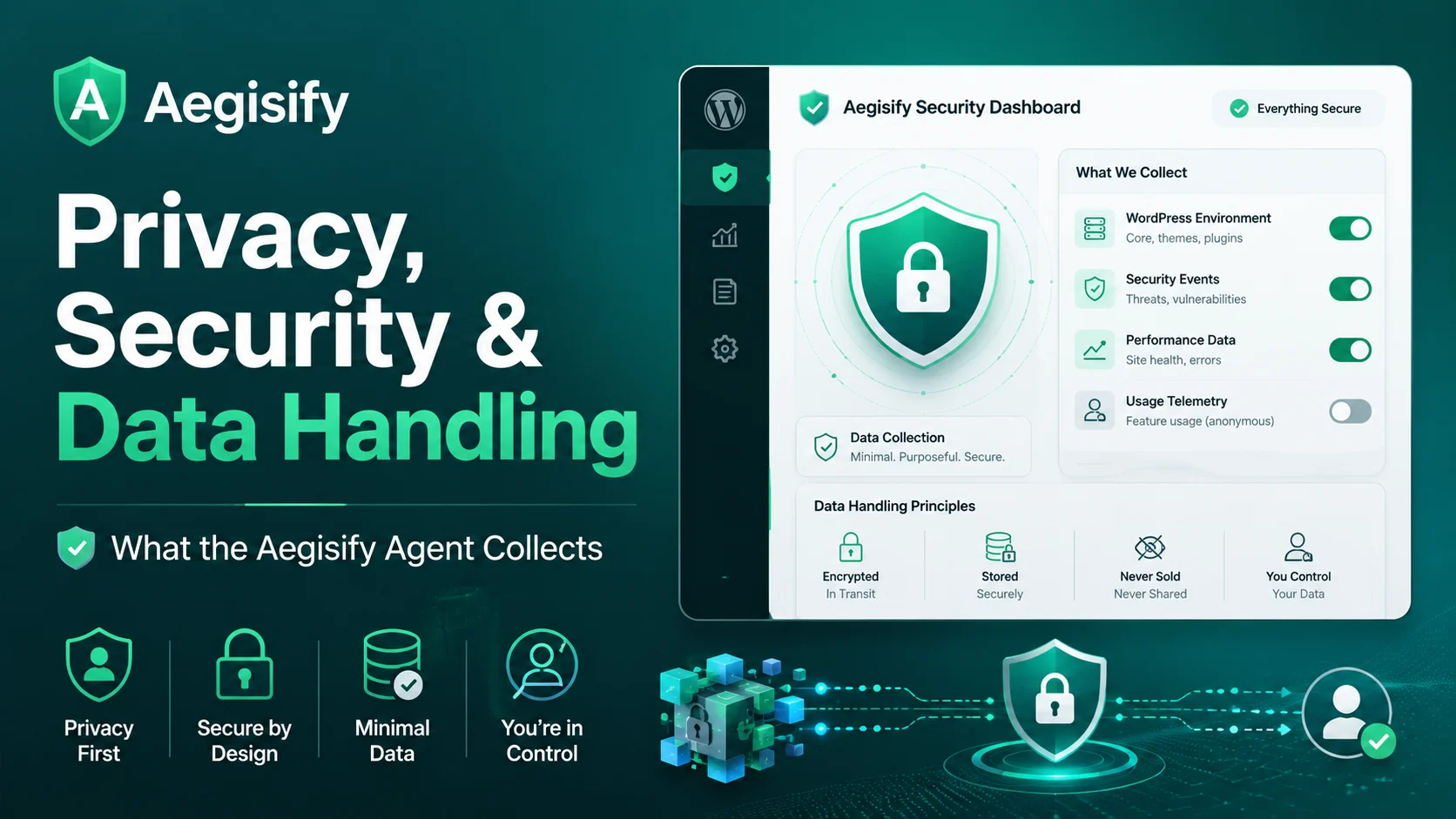
Aegisify Agent collects structured technical security signals that help customers understand the security posture of an authorized WordPress website. Its purpose is to provide deeper visibility into WordPress software, configuration, code, activity, and security findings—not to create a broad copy of customer content or unrelated business data.
For WordPress professionals and security architects, this information provides technical evidence for investigation and remediation. For marketing teams and executives, it creates a clearer view of risks that may affect website availability, customer trust, ecommerce activity, lead generation, and business continuity.
Technical Data the Agent May Collect
The information available to Aegisify Audit depends on the connected website, the enabled scan capabilities, and the telemetry settings selected by an authorized WordPress administrator.
| Technical Data | How It Supports the Audit |
|---|---|
| Domain and site identity | Connects the authorized WordPress website to the correct target within Aegisify Audit. |
| WordPress environment details | Provides context about WordPress core, server conditions, software versions, compatibility, configuration, and security posture. |
| Plugin and theme inventory | Identifies installed components, versions, activation status, available updates, known vulnerability signals, and software-health concerns. |
| Dependency information | Helps identify supporting software packages and dependency risks that may be relevant to the WordPress environment. |
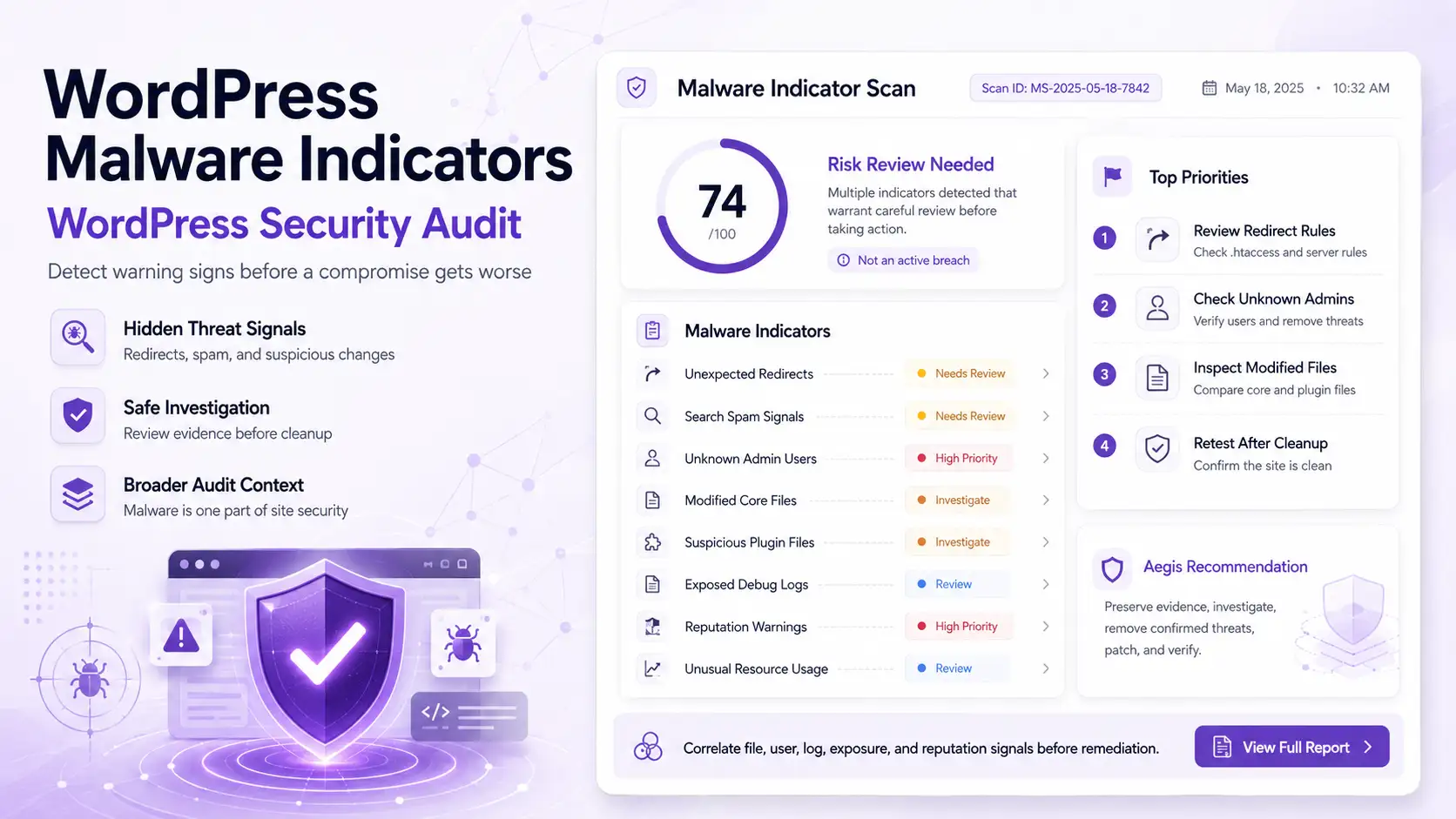
| Code and file signals | Supports SAST-style analysis of suspicious patterns, potentially risky functions, unexpected files, and unusual modifications. |
| External exposure evidence | Connects internal WordPress context with externally observed findings involving routes, APIs, headers, redirects, and authentication surfaces. |
| WordPress activity events | Provides context around supported login events, administrative activity, account changes, plugin or theme changes, file activity, and configuration updates. |
| Optional diagnostic logs | Helps investigate PHP errors, plugin conflicts, failed processes, integration problems, and security-relevant technical events when log access is enabled. |
| Scan findings and report data | Supports dashboards, risk summaries, findings, remediation guidance, audit reports, and AI-assisted analysis. |
What the Agent Is Not Designed to Collect
Routine Aegisify security scanning is focused on technical WordPress telemetry. The Agent is not designed to collect the following information as a normal audit requirement:
- Full WordPress database backups
- Complete customer content libraries
- Payment card information
- WordPress user passwords
- Private messages or communications
- Business documents unrelated to the WordPress security audit
The Agent’s role is to evaluate technical security posture and provide useful audit evidence while maintaining clear boundaries around unrelated customer and business information.
A Customer-Authorized Connection
Aegisify Agent does not connect to a website automatically. An authorized WordPress administrator installs and activates the Agent, adds the website as an Aegisify Audit target, and completes the connection using a unique security key from the SaaS dashboard.
The security key associates the correct WordPress Agent with the correct customer-authorized target. The connection is verified over an encrypted SSL/TLS session before supported scan or telemetry operations are performed.
This connection model gives customers visibility into when the Agent is installed, which website it is connected to, and which supported telemetry sources are available to Aegisify Audit.
Customer-Controlled Telemetry
Telemetry controls allow authorized administrators to manage the supported security signals available for analysis. Depending on the Agent capabilities and website configuration, this may include software inventory, local scan findings, dependency information, activity events, and optional diagnostic logs.
This allows organizations to align the depth of the audit with their technical, operational, privacy, and governance requirements. A security team may enable broader evidence for investigation, while another organization may begin with software inventory, vulnerability intelligence, and configuration posture.
Optional Activity and Diagnostic Logs
Activity and diagnostic logs can provide valuable context that is not available from a public scan alone. They may help explain administrative changes, authentication activity, plugin behavior, PHP warnings, failed background operations, configuration changes, and other security-relevant events.
Log access is optional and controlled by the customer. This distinction matters because plugins, themes, custom applications, and hosting environments can sometimes write sensitive values into log files.
Aegisify treats logs as supporting technical evidence—not as a requirement for every WordPress Security Audit.
How Aegisify Audit Uses Agent Data
The Agent sends supported structured security telemetry to Aegisify Audit so the SaaS platform can bring related findings into one organized workflow.
Aegisify Audit uses this information to:
- Organize security and vulnerability findings
- Connect external exposure with internal WordPress evidence
- Identify relationships between software, configuration, code, and activity signals
- Generate dashboards, risk summaries, and audit reports
- Help teams determine which findings deserve attention first
- Support AI-assisted summaries, explanations, and remediation guidance
AI-Assisted Analysis With Human Review
Artificial Intelligence can help Aegisify Audit summarize technical evidence, reduce repetitive noise, identify related findings, and explain which risks may require attention first.
AI-assisted analysis is provided as decision support. Final decisions about configuration changes, plugin updates, code remediation, production deployments, and risk acceptance remain with the authorized administrators, developers, executives, and security professionals responsible for the WordPress environment.
Protecting the Agent Security Key
The Agent security key is an application secret that helps authenticate the connection between the WordPress website and its Aegisify Audit target.
The key must remain private. It should not appear in public screenshots, source-code repositories, public documentation, support forums, or unsecured communications. If unauthorized exposure is suspected, the associated key can be removed or rotated through the Aegisify Audit target settings.
Data Retention and Deletion
Scan, account, and security information may be retained for the period needed to operate the service, maintain customer reports, support security and troubleshooting activities, meet applicable legal or accounting obligations, and process authorized deletion requests.
Applicable retention periods and data-handling commitments are described in the relevant Aegisify privacy, service, and data-retention terms.
Where deletion controls are available, authorized customers can remove eligible scan results through the Aegisify Audit platform. Account-level, historical, or legally retained information may require review through Aegisify support or the designated privacy contact.
Disconnecting or Removing the Agent
Customers remain in control of the WordPress Agent connection. An authorized administrator can deactivate or delete the Agent through the WordPress Plugins area. The associated security key can also be removed or rotated through the Aegisify Audit target settings.
Deactivating the plugin stops new Agent-side scanning and telemetry activity. Removing or rotating the security key prevents the previous Agent configuration from reconnecting to the SaaS target.
Clear Security Data Boundaries
Aegisify Agent exists to make WordPress security findings more useful. It connects software inventory, plugin and theme risk, vulnerabilities, configuration posture, code-analysis signals, external exposure, activity events, optional logs, and AI-assisted prioritization within one structured audit workflow.
Customers can understand what technical information is collected, why it supports the audit, which optional telemetry sources are enabled, how the data is used, and how the Agent connection can be removed.
Review WordPress Risk With Clear Data Boundaries
Aegisify Audit helps WordPress professionals, marketing teams, executives, and security architects bring public exposure, software risk, configuration, code-analysis signals, activity events, and optional logs into one clearer security workflow.
Start with an external scan or connect Aegisify Agent for deeper WordPress-side security intelligence.