
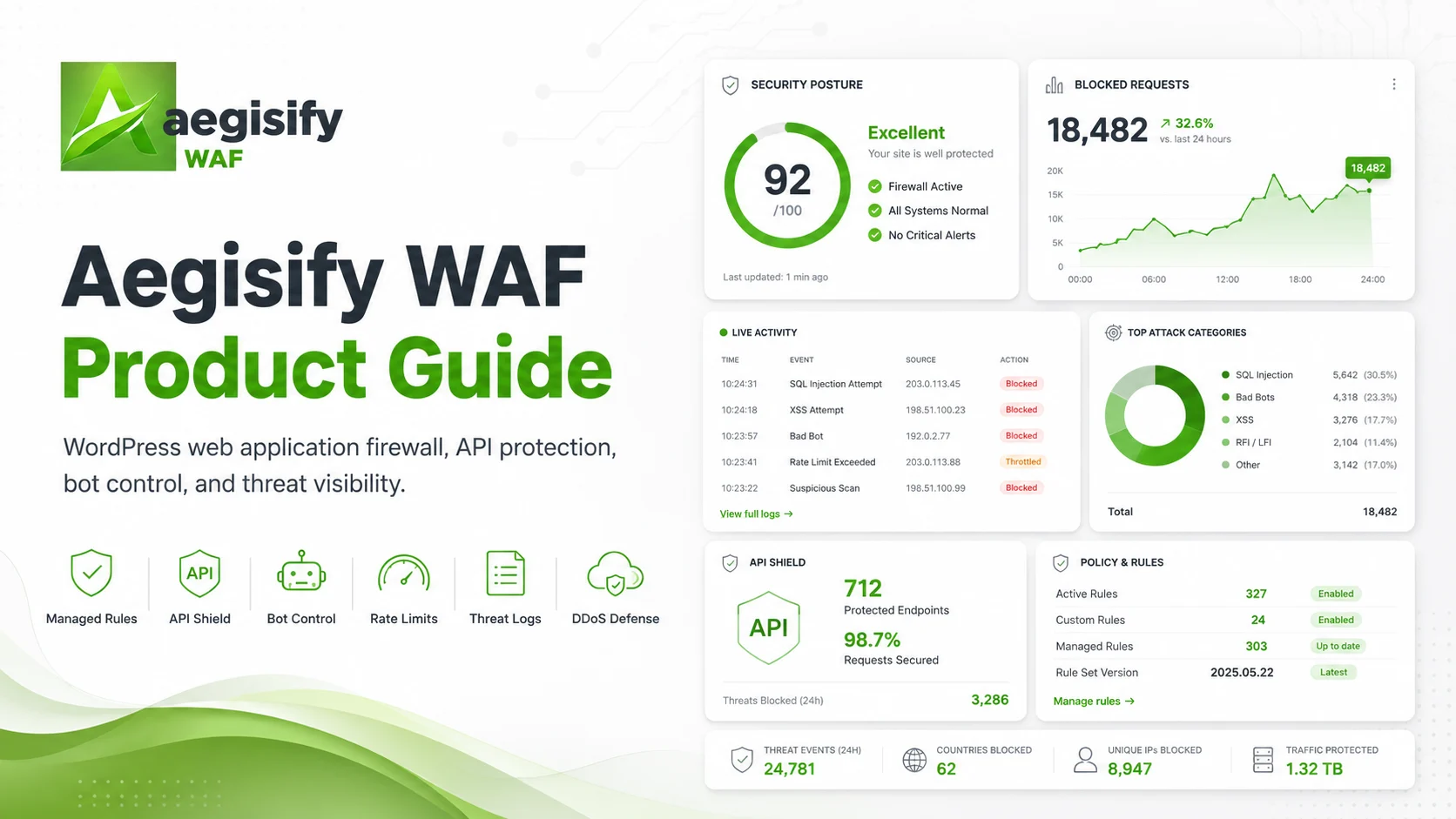
Control abusive WordPress traffic without losing sight of legitimate users, APIs and business-critical routes.
Aegisify WAF combines managed and custom firewall rules, request heuristics, endpoint policies, API protection, bot controls, application-layer flood defenses, access restrictions, trusted-traffic allowances, alerts, detailed logs and Attack Story analysis to help teams understand, tune and respond to suspicious WordPress traffic.

How can Aegisify AI help?
Ask about Aegisify or WordPress: errors, plugins, security, SEO, compatibility, troubleshooting, comparisons, or launch a free website scan.
Aegisify Product Guide
Aegisify WAF Product Guide
Version 1.14
Updated July 10, 2026
Aegisify WAF is a WordPress application-layer firewall and traffic-control plugin designed to help administrators inspect requests, reduce common web-attack exposure, control abusive automation, protect REST endpoints, and turn request activity into evidence that can be reviewed and acted on. This guide explains how to deploy Version 1.14 safely, understand each module, tune controls without breaking legitimate traffic, and use logs, charts, alerts, and Attack Story views to support ongoing security operations.
Table of Contents
- About this guide
- Who should use it
- What Aegisify WAF does
- Security model and boundaries
- System requirements and installation
- Safe deployment workflow
- Administration map
- Overview dashboard
- Access controls
- WAF Settings
- API Shield
- Bot Control
- DDoS Settings
- Logs and Attack Story
- White List and Aegisify integrations
- Licensing and feature availability
- Alerts and SMTP
- Operational runbooks
- Troubleshooting
- Frequently asked questions
- Glossary
- Related resources
About this guide
This is the master product guide for Aegisify WAF 1.14. It is written as an operational reference rather than a feature brochure. The goal is to help an administrator answer four practical questions:
- What traffic is the plugin evaluating?
- Why did a request trigger a rule or policy?
- What action did Aegisify WAF take?
- How can the control be tightened or relaxed safely?
A Web Application Firewall can reduce risk, but it can also interrupt real users, integrations, payment callbacks, search crawlers, monitoring services, or administrators when controls are too broad. Treat every new blocking policy as a production change. Begin with visibility, confirm the baseline, apply the smallest effective control, and keep a recovery path.
Who should use it
This guide is intended for:
- WordPress site owners responsible for availability and security.
- Agencies managing client sites with different traffic patterns and integrations.
- WooCommerce operators who need to protect dynamic routes without disrupting checkout, payment, tax, shipping, inventory, or webhook workflows.
- Developers operating custom REST APIs, headless WordPress applications, portals, membership sites, or web applications built on WordPress.
- Security and operations teams that need logs, event context, trend charts, and repeatable incident-response steps.
- MSPs and hosting providers standardizing application-layer controls across WordPress installations.
What Aegisify WAF does
Aegisify WAF 1.14 combines several related control layers:
| Control area | Primary purpose | Typical outcome |
|---|---|---|
| Core WAF rules | Inspect normalized request data against custom and managed rules | Log, allow, block, challenge, or rate-limit requests according to configuration and license state |
| Heuristics | Score suspicious request characteristics that may not match a single signature | Surface abnormal encoding, token, and payload patterns for controlled enforcement |
| Endpoint Policies | Apply different controls to different paths | Tighten login or API routes while preserving required business integrations |
| API Shield | Protect WordPress REST traffic and custom API-style routes | Reduce enumeration, unauthenticated writes, oversized payloads, invalid content types, and repetitive API abuse |
| Bot Control | Identify and control automated traffic | Limit repeated requests, block known-bad user-agent tokens, and apply path-specific thresholds |
| DDoS Settings | Reduce application-layer request floods | Apply progressive challenge, rate-limit, and block thresholds to high-cost WordPress routes |
| Access | Gate selected WordPress-handled paths by IP, user, or role | Restrict private areas, operational pages, staging routes, or internal applications |
| Logs / Attack Story | Record, filter, summarize, and investigate events | Explain what happened, which routes were targeted, and whether a mitigation changed activity |
| White List | Coordinate trusted routes, origins, IPs, and Aegisify components | Reduce avoidable conflicts between WAF enforcement and known integrations |
The product should be positioned as an application-layer risk-reduction and visibility tool. It is not a replacement for secure hosting, timely updates, strong authentication, least privilege, backups, file-integrity monitoring, malware response, or a network-edge DDoS service.
Security model and boundaries
Where request inspection occurs
Version 1.14 runs inside WordPress and PHP. In the reviewed package:
- Front-end inspection is registered during WordPress request handling before template rendering.
- REST controls are applied before the matching REST callback is dispatched.
- Separate WordPress protection logic covers selected administrative, login, AJAX, XML-RPC, and related paths.
This makes Aegisify WAF an application-layer WordPress control, not an edge firewall and not a pre-PHP network appliance. WordPress core and active plugins have already been loaded by the time normal WordPress hooks execute. Public claims should therefore avoid stating that the plugin blocks every request before WordPress, PHP, core, plugins, or the database are involved.
What it can help reduce
Aegisify WAF can help reduce exposure to:
- Common SQL injection patterns.
- Cross-site scripting payloads.
- Path traversal attempts.
- Selected remote-code-execution, command-injection, SSRF, and risky upload patterns when the relevant licensed categories are enabled.
- Automated scanning and bad user-agent activity.
- REST user enumeration and unauthenticated API misuse.
- Repetitive application-layer requests targeting login, REST, XML-RPC, search, AJAX, cron, and dynamic routes.
- Unauthorized access to selected WordPress-handled paths.
No WAF can guarantee prevention of every attack. Signatures can miss new techniques, heuristics can create false positives, trusted credentials can be abused, vulnerable code can be reached through allowed traffic, and network-layer attacks may never reach WordPress in a form the plugin can control.
Application-layer DDoS only
The DDoS module is designed for Layer 7 request activity that reaches WordPress or PHP. It is not designed to absorb volumetric Layer 3 or Layer 4 floods that saturate bandwidth, connections, or hosting infrastructure before WordPress runs. For broader resilience, combine it with hosting controls, a reverse proxy, CDN, or edge DDoS provider.
Static files and Access rules
Access gating is enforced by WordPress. A real file such as /intranet/manual.pdf or /private/image.png may be served directly by Apache, Nginx, a CDN, or a cache before WordPress receives the request. Use web-server or storage-level access controls for physical static assets that must remain private.
Trusted proxy and source-IP accuracy
IP-based rules depend on correct client-IP detection. When a site is behind Cloudflare, a CDN, a load balancer, or a reverse proxy, validate trusted-proxy handling before blocking traffic. Never trust arbitrary forwarding headers from untrusted clients.
Geo and ASN dependencies
Country and ASN controls are conditional:
- Cloudflare headers may provide country context when requests actually pass through Cloudflare and the headers are trusted.
- MaxMind enrichment requires the expected PHP support and a valid local MMDB database path.
- Country and ASN data can be incomplete or misclassified.
Use these signals as supporting context. Broad geographic or ASN blocking can deny legitimate customers, employees, search crawlers, SaaS callbacks, and monitoring services.
System requirements and installation
Reviewed package requirements
| Requirement | Version 1.14 package |
|---|---|
| WordPress | 6.8 or later |
| Tested through | WordPress 6.9 |
| PHP | 8.2 or later |
| Plugin version | 1.14 |
| License | GPLv2 or later |
Before installation:
- Create a current backup and confirm that it can be restored.
- Confirm administrator access through a second account or hosting control panel.
- Record critical APIs, payment callbacks, webhook paths, monitoring services, and trusted source ranges.
- Confirm the site’s reverse-proxy and cache architecture.
- Choose a low-risk maintenance window for the initial rollout.
Install the plugin
- In WordPress, open Plugins → Add New → Upload Plugin.
- Select the Aegisify WAF 1.14 ZIP package.
- Install and activate the plugin.
- Open AegisWAF → Overview.
- Confirm that the dashboard loads and that no PHP or database errors appear.
- Review the current Free/Pro state under License, Matrix and Settings.
- Keep enforcement conservative until normal traffic has been observed.
Recovery option
If an incorrect rule blocks administrator access and no UI recovery path is available, use the hosting file manager, SSH, or SFTP to rename the plugin directory temporarily. Restore access, correct the policy, and then reactivate the plugin. Document this process before production enforcement.
Safe deployment workflow
A reliable WAF rollout follows observe → classify → control → verify.
Phase 1: Observe
- Confirm the plugin is writing events.
- Keep custom and managed protections in logging-first behavior where possible.
- Observe at least one representative business cycle. A content site may need one day; an ecommerce or membership site may need a full week.
- Exercise login, password reset, checkout, payment callbacks, forms, search, REST integrations, scheduled tasks, and administrator workflows.
Phase 2: Classify
Separate activity into:
- Clearly malicious traffic.
- Expected automation, including search crawlers, uptime checks, CDNs, payment providers, SaaS integrations, and mobile apps.
- Legitimate user traffic that resembles attack patterns.
- Unknown activity requiring investigation.
Phase 3: Control
Apply the smallest effective control:
- A specific path and method before a site-wide action.
- A short-lived source-IP block before a broad network or country block.
- A challenge or rate limit before a permanent block when intent is uncertain.
- A targeted Endpoint Policy before increasing global sensitivity.
- A precise allowlist entry before disabling an entire protection module.
Phase 4: Verify
After every material change:
- Confirm the protected workflow still works.
- Compare new log activity with the earlier baseline.
- Check that the expected action appears in logs.
- Confirm the target volume falls without an unexpected rise in errors or customer complaints.
- Record the reason, date, owner, and rollback step.
/wp-login.php. Applying it can block legitimate logins. The “WP-JSON Throttle” preset creates a Log rule and does not itself throttle requests. Do not deploy these presets as named without validating or correcting the resulting rules.Administration map
Version 1.14 exposes the following primary tabs:
| Tab | Purpose |
|---|---|
| Overview | Security posture, recent activity, module status, top sources, and visual summaries |
| Access | WordPress-level path gating by IP/CIDR, user, or role, plus optional branded login |
| WAF Settings | Custom rules, managed rules, heuristics, challenge behavior, Endpoint Policies, presets, and rule transfer |
| API Shield | WordPress and REST protection, API access requirements, progressive thresholds, route allowlists, and advanced per-route controls |
| Bot Control | User-agent controls, per-path request thresholds, behavioral scoring, and optional Geo/ASN enforcement |
| DDoS Settings | Layer 7 request-window thresholds, endpoint groups, emergency mode, allowlists, and cooldowns |
| Logs / Attack Story | Event search, filters, retention, alerts, summaries, blocked-event actions, and incident analysis |
| White List | Trusted Aegisify components, plugins, routes, paths, origins, IPs/CIDRs, and service-port inventory |
| License, Matrix and Settings | License state, Free/Pro feature matrix, service registration, alert recipients, SMTP, and email logs |
Overview dashboard
The Overview tab is the operating summary for administrators who need to understand current posture without reviewing every event.
What to review
- Whether the WAF, API Shield, Bot Control, and DDoS modules are enabled.
- Recent alert counts and enforcement outcomes.
- Top source addresses associated with alert-level activity.
- Top routes or request categories receiving attention.
- Trends that changed after a deployment, marketing campaign, plugin update, or attack.
- Recent events that require investigation.
Version 1.14 includes visual intelligence across WAF, API, bot, DDoS, and Attack Story data. Charts are decision aids, not proof that every request was malicious. A high event count may reflect an actual attack, a misconfigured integration, an overly broad rule, or normal public traffic that resembles a signature.
Recommended daily review
- Check the last 24 hours for a sudden change in blocks, challenges, or rate limits.
- Review the most-targeted routes.
- Compare top sources against known services and integrations.
- Open representative log events and inspect the matched rule, method, path, action, and available context.
- Escalate only when the evidence supports the action.
Access controls
Where: AegisWAF → Access
Access provides WordPress-level path protection for routes that should not be openly available.
Supported controls
An Access rule can restrict a folder prefix or exact file-style path by:
- IP address or CIDR range.
- Authenticated WordPress username.
- WordPress role.
Rules are evaluated in order, and the first matching rule determines the result. Order specific rules before broad rules. A broad rule near the top can prevent later exceptions from being considered.
Common use cases
- Require login for an internal dashboard.
- Limit a maintenance or administrative route to an office or VPN range.
- Restrict partner content to a defined WordPress role.
- Protect staging or operational paths that are handled by WordPress.
- Create a branded WordPress login experience for protected routes.
Branded login
The Access tab can use a selected Media Library image on the WordPress login screen when a visitor reaches a protected path that requires a user or role. A transparent logo around 320 × 80 pixels is a practical starting point.
Logging
Enable Access logging during rollout so allowed and denied decisions can be reviewed. Once the control is stable, retain enough evidence to investigate complaints or unexpected access attempts.
Critical limitation
Access is not a web-server file-permission system. If a physical file is served directly, WordPress may not be able to redirect the visitor to login. For sensitive static documents, use authenticated storage, server rules, private object storage, or an application download controller.
Safe configuration example
For /operations/*:
- Add a narrow administrator or trusted-IP rule first.
- Add the broader deny requirement after the exception.
- Test while logged in, logged out, and from an untrusted network.
- Test a physical file under the path separately.
- Confirm allow and deny events in logs.
WAF Settings
Where: AegisWAF → WAF Settings
WAF Settings contains the core request-inspection controls. Configure one layer at a time so an administrator can identify which change caused an effect.
Custom Rules
Custom Rules support:
- Path patterns with
*and?wildcards. - Methods: ANY, GET, POST, PUT, PATCH, DELETE, HEAD, and OPTIONS.
- Actions: Log, Block, and Allow.
- “Contains all” tokens, one per line.
- Regular-expression conditions in Pro.
The Free engine evaluates up to the first five enabled custom rules. Order the most important and most specific rules first.
Rule-design principles
- Match the narrowest possible path.
- Specify a method when only one method is risky.
- Use Log before Block.
- Avoid broad Allow rules. An Allow rule can bypass later controls.
- Document what the rule is protecting and how to test it.
- Prefer plain tokens before complex regular expressions.
- Test encoded, case-varied, and legitimate request examples.
Example: observe a sensitive route
| Field | Example |
|---|---|
| Name | Observe admin export endpoint |
| Path | /wp-json/example/v1/export |
| Method | POST |
| Action | Log |
| Contains all | A narrow token that is expected only in the target workflow |
Review matched events before changing the action. Never use a secret value in screenshots or public documentation.
Managed Rules
The managed rules engine provides built-in categories for common request patterns.
| Category | Availability shown in 1.14 | Purpose |
|---|---|---|
| SQL injection | Free and Pro | Detect common SQL-oriented payload patterns |
| Cross-site scripting | Free and Pro | Detect common script and markup injection patterns |
| Path traversal | Free and Pro | Detect attempts to traverse directories or reference sensitive paths |
| Remote code execution | Pro enforcement | Detect selected code-execution patterns |
| Command injection | Pro enforcement | Detect selected shell or command payload patterns |
| Server-side request forgery | Pro enforcement | Detect selected outbound-request manipulation patterns |
| File upload | Pro enforcement | Detect selected risky upload characteristics |
The plugin can inspect headers, cookies, and request bodies. A maximum body size prevents deep inspection of oversized bodies. Deep inspection increases context but can also increase CPU use and false positives.
Sensitivity and action behavior
The managed engine supports balanced and strict signature selection. The feature matrix in the reviewed package indicates that Free behavior is forced to Log for managed-rule action mode, while Pro can use Log, Block, Challenge, or Rate Limit where implemented.
Start with balanced sensitivity. Move to strict only after reviewing representative forms, APIs, searches, checkout traffic, and administrator actions.
Heuristics
The heuristic layer scores suspicious request properties rather than depending on a single named signature. Pro tuning controls include:
- Overall score threshold.
- Encoding threshold.
- Suspicious metadata threshold.
- Token-length threshold.
Heuristics can identify unusual activity, but they can also react to legitimate JSON, base64, encoded search terms, page-builder data, complex forms, or application payloads. Use endpoint-specific tuning rather than making every route globally strict.
JS challenge
Challenge support can issue a token with a configured lifetime. Challenges can be useful when traffic appears automated but a permanent block is premature. They may not be appropriate for APIs, webhooks, non-browser clients, accessibility tools, or integrations that cannot execute browser JavaScript.
Endpoint Policies
Endpoint Policies let administrators override global behavior for a path. In the reviewed package, the policy framework and match logging are present, while per-path action, category, and threshold controls are presented as Pro functionality.
Use Endpoint Policies to:
- Tighten
/wp-login.php,/xmlrpc.php, or a sensitive REST authentication route. - Reduce inspection on a trusted payment webhook after validating its authentication method.
- Apply a lower request threshold to a resource-intensive search route.
- Keep global settings conservative while hardening a small number of high-risk endpoints.
Rule Sets
Pro exposes presets for:
- WP Login Protection.
- XML-RPC Hard Block.
- WP-JSON Throttle.
- Reverting to a stored default snapshot after applying presets.
Presets are configuration starters, not security guarantees. Inspect every generated rule before saving. For Version 1.14 specifically:
- WP Login Protection generates a Block rule for all POST requests to
/wp-login.php. Do not use it unchanged. - XML-RPC Hard Block blocks all methods to
/xmlrpc.php. Confirm that Jetpack, mobile publishing, remote management, integrations, or pingback requirements do not depend on XML-RPC. - WP-JSON Throttle generates a Log rule. Use API Shield or DDoS thresholds when actual throttling is required.
Import and Export
Pro can export and import WAF rules as JSON. This supports agency standardization, but do not blindly copy rules between sites. Paths, APIs, checkout routes, plugins, hosting, and traffic baselines differ. Remove secrets and site-specific identifiers before storing or sharing exports.
API Shield
Where: AegisWAF → API Shield
API Shield focuses on WordPress REST requests and API-style access patterns. It is especially relevant for headless WordPress, mobile applications, custom integrations, ecommerce systems, membership platforms, and plugins exposing REST namespaces.
Core controls
Version 1.14 includes:
- A master WordPress protection switch.
- REST protection.
- Optional enforcement only for unauthenticated REST requests.
- Blocking unauthenticated access to
/wp/v2/users*to reduce user enumeration. - Requiring authentication for non-GET REST methods unless allowlisted.
- Requiring
application/jsonfor REST requests with bodies. - A maximum REST body size, with an HTTP 413 response when exceeded.
- CORS origin allowlisting.
- API-key header name and expected-value enforcement.
- A configurable REST time window.
- Progressive Challenge, Rate Limit, and Block thresholds.
- REST route-prefix allowlisting.
- Logging for observed, allowed, blocked, and override-related events.
Pro adds advanced per-route patterns, categories, profiles, and per-method thresholds, plus saved-rule management.
Safe API rollout
- Inventory every legitimate client and route.
- Record required methods, content types, authentication methods, request sizes, source ranges, and CORS origins.
- Enable REST visibility first.
- Confirm logged-in and public traffic separately.
- Apply a body-size limit above the largest legitimate request.
- Enable user-enumeration protection if no public requirement exists.
- Add exact route or origin exceptions only after validating them.
- Introduce progressive thresholds using normal peak activity as the baseline.
- Test application clients, not just browser requests.
Authentication controls
“Require authentication for non-GET requests” is a strong control, but it can break public forms, webhooks, payment notifications, and plugins that intentionally expose write routes. An allowlist should be limited to the exact route prefix and paired with the integration’s own signature, nonce, API key, or authentication mechanism.
CORS controls
CORS affects browser enforcement and is not a server-to-server authentication system. Allow only required origins, include the correct scheme and host, and test preflight OPTIONS requests. Do not treat CORS as a replacement for authorization.
API-key header
A static header value can reduce unauthorized use of a private endpoint, but it must be transmitted securely, rotated when exposed, and stored outside public client code. Browser JavaScript cannot safely keep a long-term secret.
Progressive thresholds
Challenge, rate-limit, and block thresholds should increase in severity. For example, an address may first receive a challenge, then a temporary rate limit, then a block after repeated activity. Set values from observed traffic rather than arbitrary low numbers.
Bot Control
Where: AegisWAF → Bot Control
Bot Control applies to front-end and REST requests. It helps reduce scraping, repetitive scanning, brute-force-style automation, and resource abuse.
Core controls
- Enable or disable Bot Control.
- Set a default per-minute threshold by IP and path.
- Block user agents containing configured bad-bot tokens.
- Define per-path thresholds with wildcard support.
- Record allow and rate-limit events with matched pattern and scope.
Pro controls
- Behavioral bot scoring and threshold enforcement.
- IP and CIDR blocklists.
- Country blocking when a provider is available.
- ASN blocking when a provider is available.
- Provider configuration for geographic and network enrichment.
Good-bot safety
Search engines, monitoring tools, accessibility services, payment providers, and legitimate SaaS applications may look automated. User-agent text is easy to spoof, so do not allow a client solely because it claims to be a known crawler. Where practical, validate official IP ranges or provider-specific verification methods.
Per-path tuning
Use stricter limits for expensive or frequently abused routes, such as:
/wp-login.php/xmlrpc.php- selected
/wp-json/namespaces - search result routes
- account-recovery endpoints
- dynamic exports or reports
Use more generous limits for checkout, cart fragments, page-builder previews, monitoring, and required APIs after measuring normal traffic.
Bot charts
Version 1.14 includes Bot Control charts for recent trends and source/user-agent patterns. Use them to identify changes and then confirm with event details. Charts alone do not establish malicious intent.
DDoS Settings
Where: AegisWAF → DDoS Settings
The DDoS module tracks application-layer request activity over time windows and applies progressive enforcement.
Endpoint groups
The reviewed package includes controls for:
- Global traffic.
- WordPress login.
- XML-RPC.
- WordPress administration.
- Admin AJAX.
- WP-Cron.
- REST APIs.
- Search.
- Cache-bypass patterns.
Additional controls
- Logged-in-user bypass.
- IP and CIDR allowlists.
- Endpoint allowlists.
- Cooldown periods.
- Emergency mode with a threshold multiplier.
- Search and cache-bypass detection.
- DDoS-specific visual summaries.
Threshold design
A threshold should reflect normal peak traffic for the endpoint, not the site-wide average. Ten requests in a minute might be suspicious on password reset but normal for AJAX, REST, or ecommerce fragments.
Recommended sequence:
- Record normal traffic during peak periods.
- Configure a window that matches the attack pattern you are trying to control.
- Set Challenge above normal peak activity.
- Set Rate Limit above the challenge threshold.
- Set Block above the rate-limit threshold.
- Use a cooldown long enough to reduce repeated abuse but short enough to recover from a false positive.
- Monitor customer errors and logs after rollout.
Emergency mode
Emergency mode is a temporary incident control. Enable it only when evidence shows widespread or high-rate abuse. Record the start time, owner, multiplier, and rollback condition. Disable or relax it after the incident so legitimate traffic is not indefinitely constrained.
Edge-layer pairing
When the hosting network is saturated, WordPress cannot reliably defend itself. Pair application thresholds with CDN caching, rate limits, managed bot controls, hosting firewall rules, and network DDoS protection.
Logs and Attack Story
Where: AegisWAF → Logs / Attack Story
This is the primary investigation workspace.
Log sources and storage
Version 1.14 supports local database and flat-file logging. The interface provides rows-per-page controls, filtering, date ranges, and cleanup options. Pro includes configurable database retention. Flat-file retention is handled separately.
Retention is a balance:
- Too little retention removes evidence before an incident is investigated.
- Too much retention increases database and storage use and may retain IP addresses or request context longer than necessary.
- Security logs can contain personal data or sensitive request details. Align retention and access with the organization’s privacy, legal, and operational requirements.
Filters
The log viewer supports filters such as:
- Route/path text.
- HTTP method.
- Category or event type.
- Action.
- IP address.
- Date range.
- Alerts-only state.
Start with a time window and route, then narrow by action or source. Avoid assuming every block from one IP is part of the same actor; shared gateways, mobile carriers, and proxies can represent many users.
Event interpretation
Review:
- Timestamp and source address.
- Route and method.
- Module or category.
- Matched rule or policy.
- Severity or alert level.
- Action taken.
- Request details that explain the match.
- Repeated behavior before and after the event.
Sanitize logs before sharing them. Do not publish tokens, cookies, credentials, personal data, private routes, or customer identifiers.
Attack Story
The last-24-hours Attack Story summarizes:
- Inspected request and event counts.
- Unique sources and routes.
- Top detected types and rules.
- Timeline activity.
- Top IPs and routes.
Free includes the summary. Pro includes deeper reports and narrative-style incident analysis. Narrative output is an interpretation of recorded events; an administrator should verify it against raw evidence before making a final incident determination.
Blocked-event actions
The reviewed interface includes a blocked queue with actions to:
- Unblock by creating or applying an allow override.
- Delete an event from the queue or record set.
- Escalate an event for further handling.
Unblocking should be narrow and evidence-based. Do not create a permanent broad allowance because one user reported a problem. Confirm the exact path, method, source, and business requirement.
Alerts
Pro can create, edit, and delete keyword-based alerts with recipients. Free can filter alerts-only entries. Good alert keywords are specific enough to require attention, such as a critical rule name plus a sensitive path. Broad terms like “block” may generate excessive email.
Visual intelligence
The interface includes charts across WAF, API Shield, Bot Control, DDoS, and Attack Story. Use charts to answer:
- Did activity increase suddenly?
- Which routes changed?
- Which action is most common?
- Did a control reduce the target event volume?
- Did the same source move to a different endpoint?
White List and Aegisify integrations
Where: AegisWAF → White List
The White List module is designed to reduce conflicts with trusted plugins, routes, origins, and Aegisify components.
Capabilities
- Aegisify Audit and Agent integration-aware allowances.
- Plugin templates.
- Scanning installed plugins for REST namespaces.
- Managed REST routes.
- Front-end paths.
- Allowed origins.
- IP and CIDR values.
- Service-port inventory.
- An Effective White List view showing the combined result.
Runtime synchronization can feed applicable entries into REST route allowances, CORS origins, DDoS IP allowances, and DDoS endpoint allowances.
A whitelist is not trust without validation
A whitelist tells the WAF not to interfere with selected traffic. It does not authenticate the traffic itself. Aegisify Audit and Agent signed routes remain responsible for their own request validation. Third-party integrations should continue using signatures, nonces, API keys, OAuth, mutual TLS, or another appropriate control.
Plugin discovery
REST namespace discovery can help inventory routes, but an installed plugin should not automatically receive broad access. Review what is added, remove unused entries, and verify paths after plugin updates.
Service ports
Port entries are inventory and coordination data inside this WordPress plugin. They do not open, close, or enforce network firewall ports. Make port changes at the hosting, operating-system, cloud, or network layer.
Licensing and feature availability
Where: AegisWAF → License, Matrix and Settings
The in-product matrix is the most direct reference for the current build. Feature packaging can change, so verify the deployed version and license state before publishing a permanent comparison.
High-level Free and Pro model in Version 1.14
| Area | Free | Pro |
|---|---|---|
| Core event logs, filters, date ranges, rows per page | Included | Included |
| Attack Story 24-hour summary | Included | Included |
| Alert creation/editing, database retention, deep dive, narrative | Not included | Included |
| Custom path/method/token rules | First five enabled rules evaluated | Unlimited/advanced use according to license |
| Regex conditions | Not enforced | Included |
| SQLi, XSS, path traversal categories | Included | Included |
| RCE, command injection, SSRF, upload categories | Not enforced | Included |
| Managed-rule action | Logging behavior | Log, Block, Challenge, or Rate Limit where supported |
| Heuristic evaluation | Present | Advanced tuning controls |
| Endpoint policy framework | Present | Per-path action/category/threshold overrides |
| Rule Sets and JSON import/export | Not included | Included |
| Basic bot rate and user-agent controls | Included | Included |
| Behavioral bot, IP/CIDR, country, ASN enforcement | Not included | Included, subject to provider availability |
| Core API Shield controls | Included | Included |
| Advanced per-route API controls | Not included | Included |
Licensing operations
- Activate a license only over HTTPS.
- Restrict license management to trusted administrators.
- Recheck the feature matrix after activation or deactivation.
- Test enforcement after a license-state change because some controls may fall back to logging behavior.
- Keep proof of entitlement separate from public screenshots.
Service communication and privacy note
The plugin contains Aegisify service endpoints for free-install registration and update/license-related functions. The reviewed package can send the administrator email, site URL, domain, plugin version, WordPress version, and PHP version to an Aegisify endpoint.
Alerts and SMTP
Where: AegisWAF → License, Matrix and Settings → Mail Delivery Settings
Version 1.14 supports:
- Global alert recipients, one email per line.
- A centralized Aegisify SMTP option through Aegisify Core.
- Local SMTP configuration.
- SMTP host and port.
- Encryption selection.
- Optional authentication.
- Username and password.
- From email and name.
- Reply-to address.
- Test email.
- Recent email-delivery logs.
Recommended configuration
- Prefer the centralized Aegisify SMTP configuration when the suite is installed and managed together.
- Use a dedicated sender identity authorized by the domain’s SPF, DKIM, and DMARC configuration.
- Use encrypted transport supported by the mail provider.
- Store SMTP credentials in a restricted administrator context.
- Send a test message.
- Confirm delivery, spam placement, and email log status.
- Use a monitored security or operations mailbox rather than a single employee address.
Email delivery is not guaranteed by the plugin alone. Hosting egress restrictions, DNS authentication, provider policy, rate limits, and mailbox filtering affect delivery.
Operational runbooks
New installation runbook
- Back up the site and document recovery.
- Activate the plugin and confirm the Overview loads.
- Verify client-IP accuracy behind any proxy.
- Keep managed rules and custom rules in logging-first behavior.
- Exercise login, forms, checkout, APIs, webhooks, search, cron, and administrator actions.
- Build the White List only from verified requirements.
- Enable API Shield visibility and inventory REST routes.
- Configure Bot and DDoS thresholds from observed traffic.
- Apply one enforcement change at a time.
- Review logs after each change.
- Configure retention, recipients, and SMTP.
- Record the baseline and approval date.
Active attack runbook
- Confirm the activity is current and not a reporting delay.
- Filter by route, action, category, and source.
- Review Attack Story and representative raw events.
- Identify the smallest useful control:
- narrow custom block;
- endpoint threshold;
- bot challenge;
- temporary IP/CIDR block;
- DDoS emergency mode;
- upstream CDN or hosting control.
- Preserve evidence before deleting logs.
- Apply the control and monitor the result.
- Check legitimate workflows.
- Escalate to the host or edge provider for volumetric activity.
- Patch or disable vulnerable components if exploitation is suspected.
- Document the incident, duration, evidence, control, and rollback.
False-positive runbook
- Obtain the exact time, user workflow, route, and error.
- Find the matching event.
- Confirm which module, rule, category, or threshold acted.
- Reproduce safely.
- Prefer a narrow Endpoint Policy or route allowance over global disablement.
- Verify the integration’s own authentication before allowlisting.
- Retest the legitimate workflow and a representative malicious pattern.
- Record the exception owner and review date.
WooCommerce runbook
Test at minimum:
- Product and category browsing.
- Search and filtering.
- Cart and cart fragments.
- Checkout and account creation.
- Payment provider redirects and callbacks.
- Tax, shipping, inventory, and fraud integrations.
- Webhooks and REST operations.
- Refund and order-management workflows.
- Logged-in and guest customers.
Do not broadly allow /wp-json/ or all POST requests to solve one callback issue. Identify the exact namespace and authentication method.
Agency and multi-site runbook
- Maintain a baseline template but review every site-specific integration.
- Use JSON export/import only as a starting point.
- Keep a change record per domain.
- Standardize naming for rules, policies, alerts, and exceptions.
- Store client-approved source ranges and contacts.
- Review inherited broad allowances quarterly.
- Confirm multisite network and subsite behavior in a staging environment.
Monthly review
- Review top routes, sources, categories, and actions.
- Remove expired temporary blocks.
- Revalidate trusted IPs, origins, namespaces, and webhook paths.
- Review log retention and database growth.
- Confirm SMTP test delivery.
- Confirm license state and feature matrix.
- Review WordPress, plugin, theme, PHP, hosting, and CDN changes.
- Test administrator recovery.
Troubleshooting
I was locked out of WordPress administration
- Use a trusted network or known allowance when available.
- Temporarily reduce the relevant module to Log.
- Disable the specific Access, API, bot, DDoS, or custom rule causing the event.
- If the dashboard is unavailable, rename the plugin directory through hosting access.
- Correct the rule before reactivation.
Legitimate form submissions are blocked
- Filter logs by the page path and POST method.
- Identify the exact category or custom rule.
- Check body-inspection size and strict sensitivity.
- Create a narrow Endpoint Policy or tune the rule.
- Do not disable all body inspection unless the performance or compatibility requirement is global.
A webhook or API integration fails
- Identify the exact REST namespace and method.
- Review authentication, content type, body size, CORS, API-key, route allowlist, and progressive thresholds.
- Confirm the client’s source range only when the provider publishes stable ranges.
- Add the smallest exception and keep the integration’s own signature validation.
Search engines or monitors are rate-limited
- Confirm identity using the provider’s documented verification process.
- Review user-agent token rules and per-path limits.
- Add a narrow allowance where reliable verification is available.
- Avoid trusting user-agent text alone.
CPU or response time increased
- Compare before/after hosting metrics.
- Reduce request-body inspection size.
- Move deep inspection to selected endpoints.
- Reduce excessive event logging.
- Review Bot and DDoS thresholds that may create repeated writes.
- Confirm object cache and database health.
- Use edge caching and rate limiting for traffic that does not need PHP.
Logs are empty
- Confirm plugin activation and date range.
- Generate a controlled test request.
- Verify database permissions and log table creation.
- Review flat-file path permissions.
- Confirm retention has not deleted the time period.
- Check whether the request bypassed WordPress through a cache or static file.
IP addresses are incorrect
- Review proxy/CDN architecture.
- Confirm which header contains the validated client address.
- Ensure only trusted proxy ranges can influence that header.
- Test direct and proxied requests.
- Do not enable IP blocking until attribution is correct.
Country or ASN controls do not work
- Confirm the selected provider.
- For Cloudflare, confirm traffic passes through Cloudflare and the country header is available.
- For MaxMind, confirm required extension/support and the local MMDB path.
- Verify enrichment in logs before enforcement.
Too many alert emails
- Narrow the keyword.
- Add a path, rule name, category, or action to the alert logic where supported.
- Send high-volume informational events to dashboards rather than email.
- Use a monitored distribution mailbox and provider rate limits.
Frequently asked questions
Does Aegisify WAF run before WordPress loads?
Version 1.14 runs as a WordPress plugin. Front-end controls execute during WordPress request handling before template rendering, and REST controls execute before REST callbacks. It is not a network-edge or pre-PHP firewall, and public documentation should not describe it as preventing WordPress core or plugins from loading.
Does it protect every WordPress request?
No. Coverage depends on the WordPress hooks and module involved. Front-end WAF inspection excludes normal wp-admin and AJAX paths in the core front engine, while separate WordPress protection, API, Access, and DDoS logic covers selected routes. Static files, edge-cached responses, and traffic stopped upstream may not pass through WordPress.
Can it stop DDoS attacks?
It can help reduce Layer 7 request floods that reach the application. It cannot absorb all network-layer or bandwidth-saturation attacks. Use edge and hosting protections for volumetric threats.
Should I block an entire country or ASN?
Only after confirming business impact and data quality. Geographic and ASN information can be incomplete, and broad blocks can affect customers, staff, search engines, payment providers, and integrations.
Should I enable strict mode immediately?
No. Begin with logging and balanced controls, test normal workflows, and tighten high-risk endpoints gradually.
Can I allowlist a webhook and consider it secure?
No. A WAF allowance only prevents the WAF from interfering. The webhook must still verify a signature, secret, nonce, token, certificate, or another suitable authentication method.
What does Attack Story prove?
It summarizes recorded WAF events into a timeline and top indicators. It supports investigation but does not by itself prove attribution, compromise, or malicious intent. Verify conclusions against raw logs and other evidence.
Are logs sent to Aegisify?
WAF event logs are implemented as local database and flat-file records in the reviewed package. Separate license, update, and registration functions may communicate site metadata with Aegisify endpoints. Review the privacy note and confirm the deployed registration behavior.
Is the Free version only a trial?
The in-product matrix defines Free and Pro behavior. Core logging, selected managed categories, basic custom rules, API controls, bot thresholds, and the Attack Story summary are represented as Free capabilities, while advanced enforcement and analysis are licensed. Verify current commercial terms on the official product and pricing pages.
Does Aegisify WAF replace Aegisify Shield?
No. WAF focuses on request inspection, API/bot controls, Layer 7 traffic management, and event evidence. Shield focuses on WordPress hardening, login protections, file integrity, malware-related workflows, security headers, and other inside-the-application controls. They address different layers.
Glossary
Access rule
A WordPress-handled path restriction based on IP/CIDR, authenticated user, or role.
Allow override
A narrow exception that prevents selected traffic from being blocked by the relevant WAF logic.
Application-layer DDoS
High-volume or repetitive HTTP activity targeting application routes and server-side processing, commonly called Layer 7 activity.
Attack Story
A last-24-hours summary of events, sources, routes, rule types, and timeline activity, with deeper analysis in licensed features.
Challenge
A verification step intended to distinguish browser-like human traffic from simple automation.
CIDR
A notation for an IP network range, such as ***********/24.
CORS
Browser-enforced cross-origin resource sharing rules. CORS is not authentication.
Custom Rule
A user-defined path, method, token, or regex condition paired with an action.
Endpoint Policy
A path-specific override for action, categories, or thresholds.
Heuristic
A score derived from suspicious request characteristics rather than a single signature.
Managed Rule
A built-in detection pattern maintained as part of the plugin.
Rate limit
A control that restricts the number of requests within a time window.
REST namespace
The identifying prefix for a WordPress REST API family, such as /wp-json/example/v1/.
Reverse proxy
An intermediary such as a CDN or load balancer that receives requests before the origin server.
SSRF
Server-side request forgery, in which input is used to influence server-initiated requests.
WAF
A Web Application Firewall that evaluates application request characteristics and applies configured actions.
White List
A set of trusted routes, origins, IPs, or integration values that are exempted from selected controls. Prefer the more precise term “allowlist” in policy discussions.
Related resources
Aegisify product and support pages
- Aegisify WAF product page
- Application Firewall Protection
- API Shield and Endpoint Policy Control
- Application-Layer DDoS Protection
- Real-Time WAF Logging and Evidence
- Aegisify Help Center
- Attack Story: Top Detected Types and Rules
- Attack Story 24-hour summary FAQ
- WordPress API Shield, DDoS, Bot Control, Logs and Attack Story
- Current Aegisify WAF user-guide page
WordPress reference
Publication note: Replace the current live guide only after confirming that the deployed production package matches Version 1.14, resolving or accepting the release-validation findings in the accompanying documentation audit, testing all links, and adding current interface screenshots with sensitive data removed.