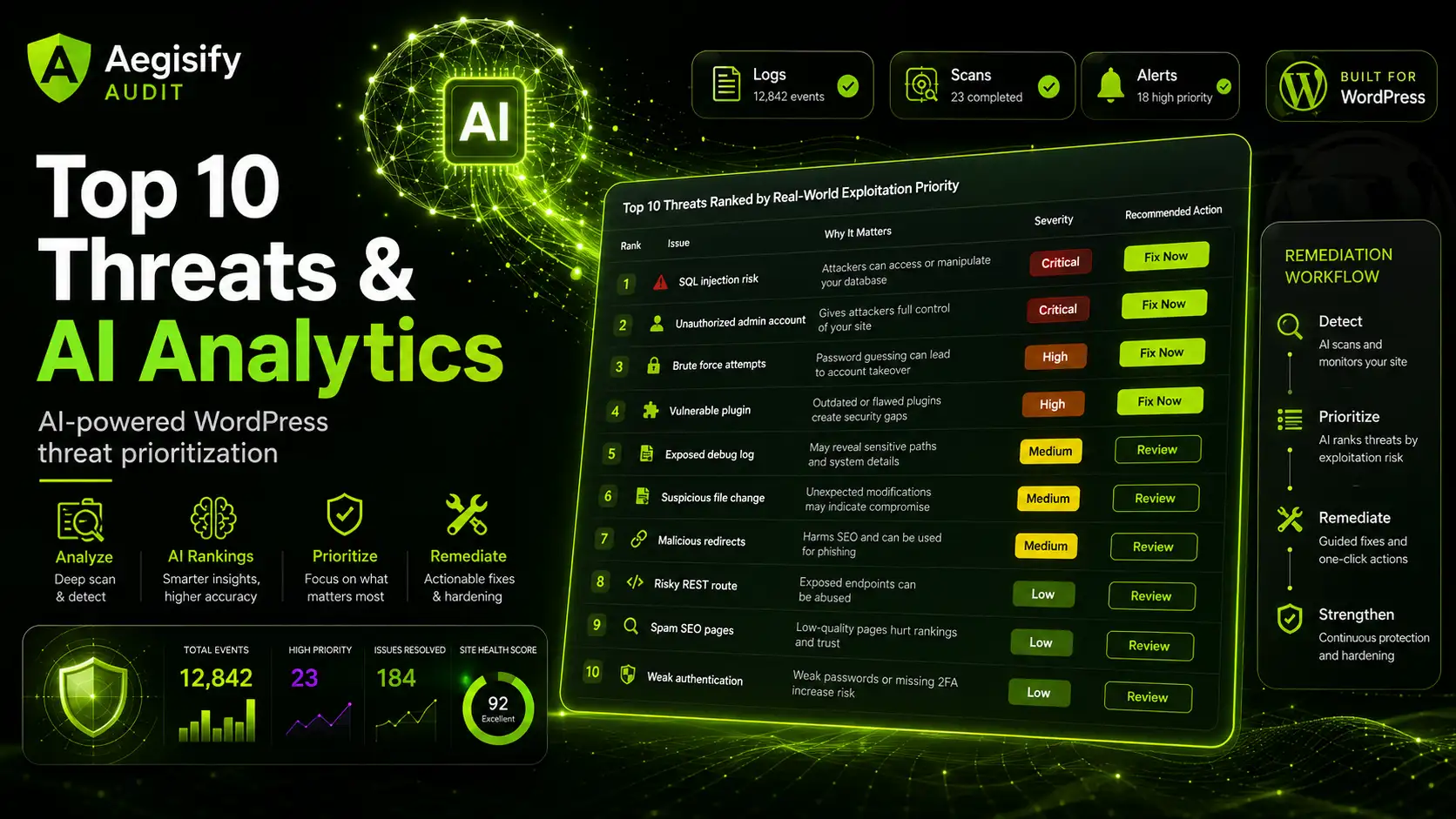
How Aegisify Audit Uses AI to Turn WordPress Security Logs, Vulnerability Scans, and Events Into the Top 10 Threats That Matter Most

Audit your WebApp

Starting At $ 79 / Month

7 Days Money Back!

No Questions Asked

Experience the power of AI

Analyze Noise with AI

Start With a Clear Security Picture

Use Aegisify Audit to turn WordPress scan data, logs, vulnerability findings, DAST-style evidence, risk score, alerts, and remediation planning into one professional workflow.

WordPress security teams do not need more noise. They need clarity. A site can generate vulnerability findings, static code scan results, dynamic scan results, WordPress activity logs, debug.log errors, and threat-intelligence signals at the same time. The hard part is not collecting data. The hard part is deciding what truly matters first.

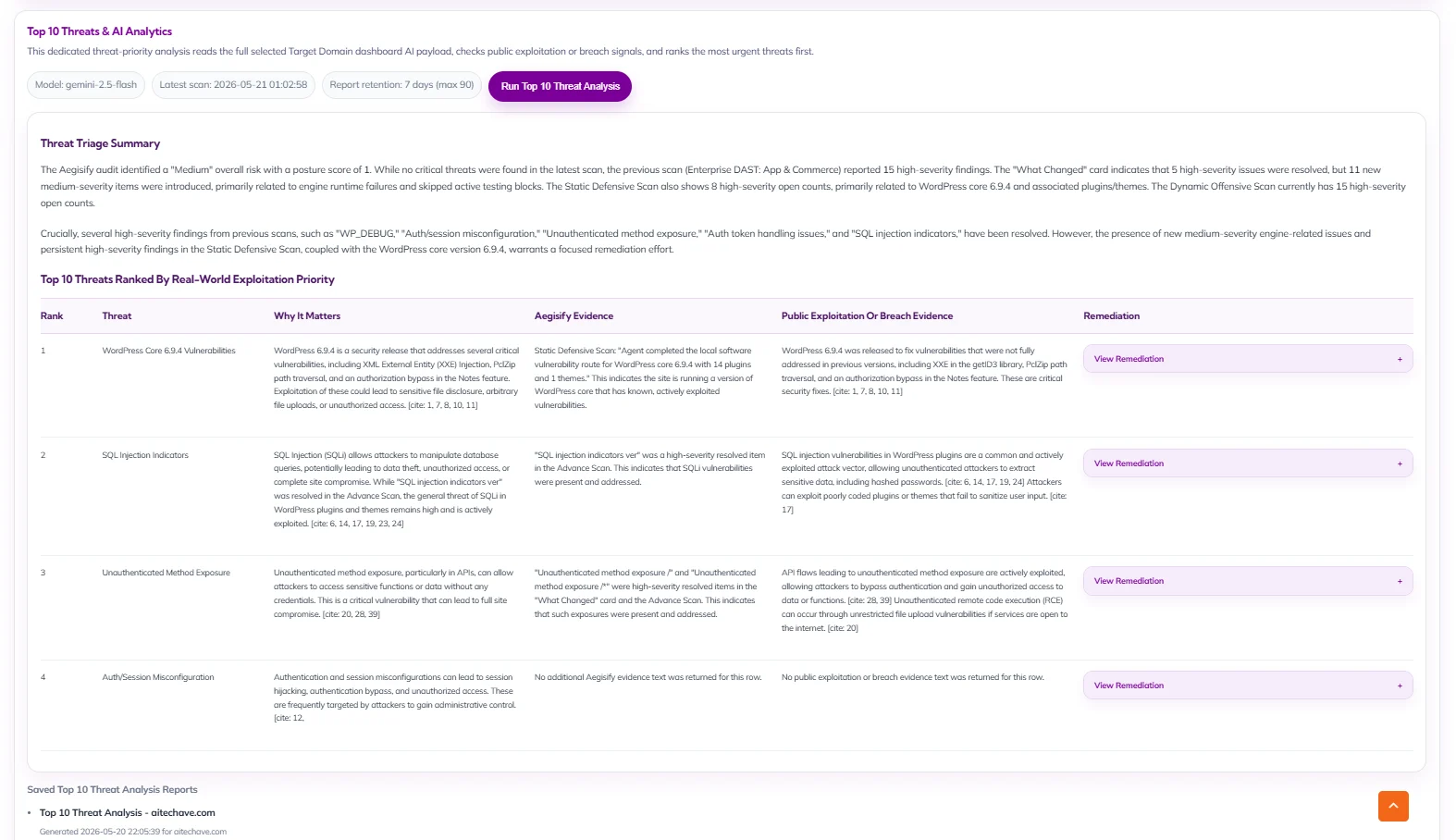
Aegisify Audit is built to solve that problem. Its Top 10 Threats & AI Analytics workflow is designed to collect meaningful WordPress security evidence, analyze the full payload with AI, research whether serious threats have already been tied to breach, compromise, infiltration, exploitation, or penetration activity elsewhere, and return a focused threat list with practical remediation guidance. Instead of treating every alert as equal, Aegisify Audit helps site owners, agencies, and security-minded operators see the most important risks first.

Why WordPress Security Teams Need Threat Prioritization

Modern WordPress sites create a large trail of evidence. A plugin update can change behavior. A failed login pattern can signal pressure on an admin account. A deleted theme or modified plugin file can be routine maintenance, or it can deserve a closer look. A debug.log entry can reveal a broken process, a risky misconfiguration, or a warning that connects to a larger security issue.

Traditional dashboards often show these items in separate boxes. Aegisify Audit takes a different approach. It brings logs, scan results, activity events, and intelligence signals into one security context. Then Aegisify AI helps convert that context into a ranked Top 10 Threats analysis focused on business risk, exploitability, and remediation priority.

What Aegisify Audit Collects Before AI Analysis

Aegisify Audit uses a SaaS + Agent workflow for deeper WordPress security visibility. The Agent can gather local evidence from the WordPress environment and send structured results back to the Aegisify Audit SaaS dashboard for review and analysis.

The Top 10 Threats workflow can draw from security evidence such as:

  • WordPress vulnerability scan findings
  • Static code analysis results
  • Dynamic and advanced offensive scan observations
  • WordPress Activity Log events collected through sensors
  • debug.log errors and runtime warnings
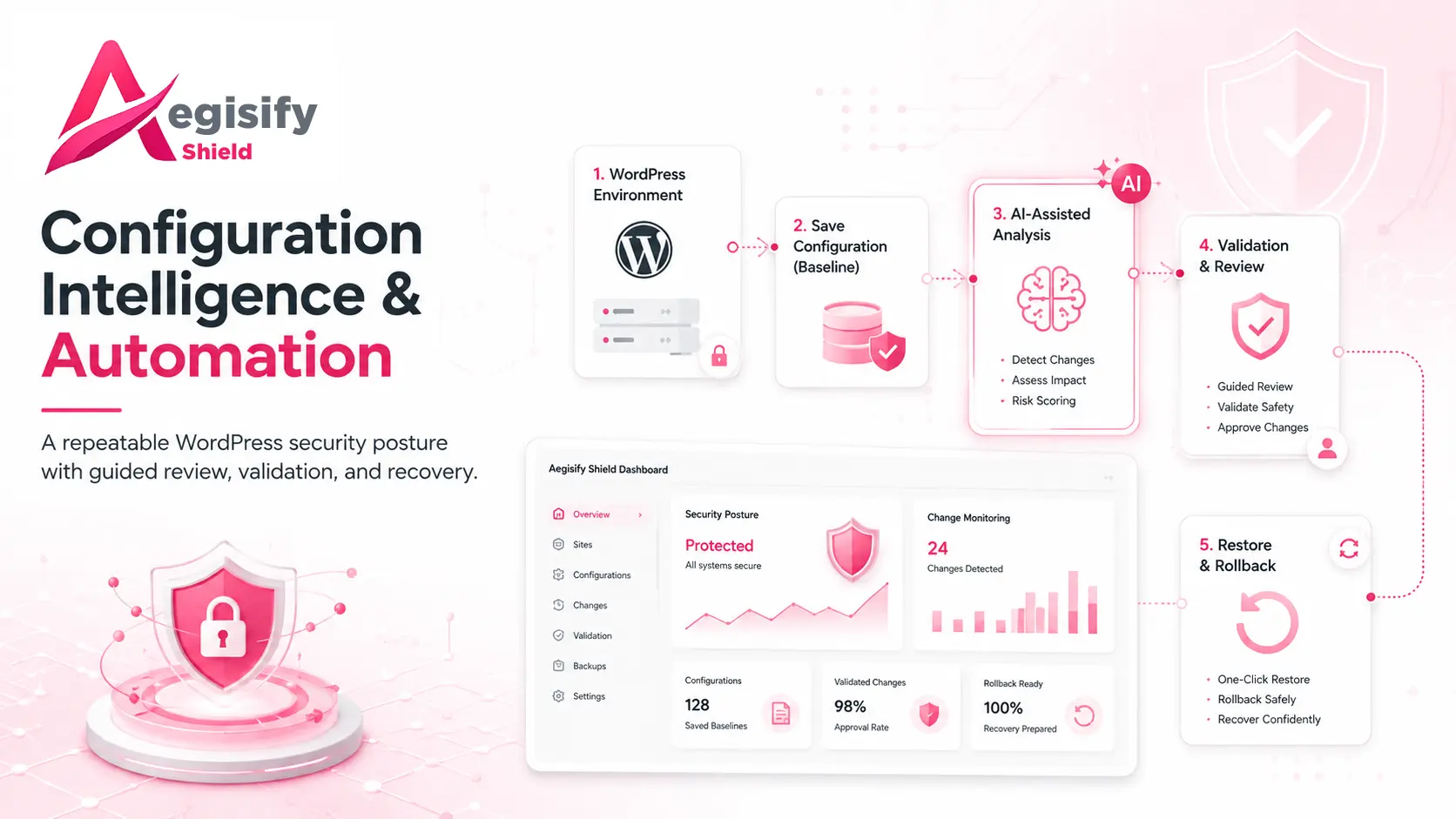
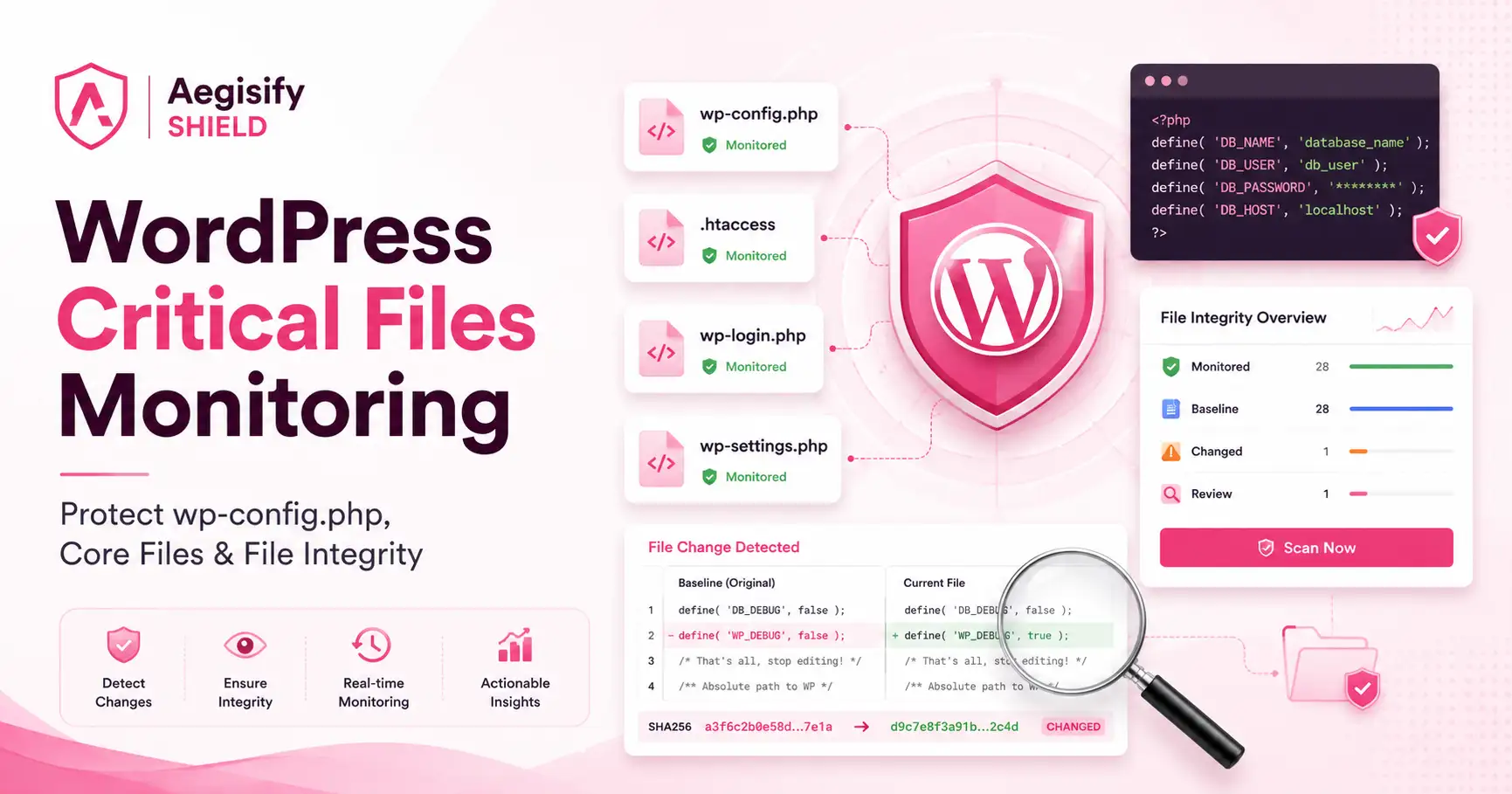
  • Site drift, configuration, and change signals
  • Threat-intelligence, blacklist, and domain-risk context when available

This matters because a threat is often clearer when multiple signals line up. A high-risk vulnerability becomes more urgent when related activity events, configuration changes, or runtime errors appear around the same period. Aegisify Audit is designed to give AI enough context to find those relationships.

That wider view also helps prevent shallow prioritization. A threat should not rise to the top simply because it sounds severe in isolation. A more useful ranking considers the finding itself, the surrounding site behavior, whether the condition appears repeated or recent, and whether credible public reporting shows that similar weaknesses have already been abused in the real world.

WordPress Activity Log Sensors: The Events Aegisify Audit Can Watch

Aegisify Audit Agent includes WordPress Activity Log sensors that record important changes and actions across the site. These events help build a timeline of activity that AI can review beside scans and debug evidence.

Why debug.log Matters in AI Threat Analysis

WordPress debug logs often contain the technical clues that dashboards miss. A PHP warning may show that an important process is failing. A repeated error may reveal plugin instability, a broken integration, or code behavior that deserves review. In some cases, a debug pattern can support a larger threat story when it appears beside scan findings or suspicious activity-log events.

Aegisify Audit can use debug.log data as part of the analysis payload so AI is not reviewing isolated scan findings alone. It can compare runtime errors with site events and security findings, then surface issues that may deserve faster attention. The goal is not to treat every log line like a crisis. The goal is to identify which errors may connect to actual security, reliability, or remediation priorities.

How Aegisify AI Ingests the Full Security Payload

The Top 10 Threats & AI Analytics process is designed around full-context analysis. Instead of feeding AI one alert at a time, Aegisify Audit prepares a larger security payload that can include scan data, vulnerability findings, activity-log events, debug.log evidence, site changes, and related intelligence signals.

Aegisify AI can then analyze the data in stages:

  1. Ingest the entire payload: Review the available scan, log, event, and intelligence data for the selected target domain.
  2. Correlate related signals: Connect Critical and High findings with changes, errors, suspicious behavior, or repeated patterns.
  3. Prioritize real threats: Focus on the issues most likely to create security exposure, operational impact, or business risk.
  4. Research public evidence: Look for whether serious threats have already been associated with breaches, exploitation, compromise, infiltration, or penetration activity elsewhere.
  5. Rank the Top 10: Put threats with public real-world abuse or compromise evidence first, then list high-potential threats that still deserve attention.
  6. Recommend next actions: Return practical remediation guidance, verification steps, and a clearer order of operations.
From Raw Findings to a Real Top 10 Threat List

This approach matters because not every Critical or High finding carries the same urgency. Some risks may be technically severe but not tied to strong real-world abuse evidence. Other risks may be actively exploited, frequently associated with compromise, or closely connected to common WordPress intrusion paths.

Aegisify Audit’s Top 10 Threats workflow is meant to reduce false urgency while increasing real focus. It helps answer questions like:

  • Which threats should be investigated first?
  • Which issues have a history of real-world compromise or exploitation?
  • Which findings are supported by multiple data sources inside the site?
  • Which remediation steps could reduce the most risk quickly?
  • Which areas still need human verification before action is taken?

That makes the report more useful for founders, agencies, security reviewers, and technical operators who need an executive-ready view of risk instead of another alert dump.

What the Top 10 Threats & AI Analytics Report Can Help Show

A focused Aegisify Audit analysis can help organize the most important items into a clearer threat report, including:

  • Top threats ranked by severity, context, and public exploitation signals
  • Evidence from scans, logs, and activity events that supports the concern
  • Internet-researched context when a risk has been tied to breach or exploitation elsewhere
  • Practical remediation recommendations
  • Follow-up checks to confirm whether the issue applies to the current site
  • A more useful starting point for security review, triage, and executive reporting

This is not about using AI as a magic security button. It is about using AI to review a deeper WordPress security dataset faster, reduce noise, and present a stronger human-reviewable threat summary.

Why This Matters for WordPress Site Owners, Agencies, and Ecommerce Teams

For a single business website, the benefit is focus. The team can spend less time sorting through scattered findings and more time fixing the issues most likely to matter.

For agencies managing many WordPress sites, the benefit is consistency. A shared analysis model can help compare sites, identify repeating risk patterns, and produce clearer client-facing security conversations.

For WooCommerce and revenue-critical sites, the benefit is urgency with context. Security findings that touch authentication, plugin exposure, changes to critical settings, or suspicious site activity deserve a review path that is clearer than a generic severity badge.

A Better Way to Move From Detection to Action

Aegisify Audit is built around the idea that security visibility should lead to usable action. Collecting logs is not enough. Running scans is not enough. Storing events is not enough. The real value comes from connecting the evidence, understanding what deserves attention now, and giving teams a more practical path toward remediation.

The Top 10 Threats & AI Analytics experience brings that idea into one focused workflow. It combines WordPress logs, security scans, debug evidence, activity sensors, and AI-assisted public-risk research to help answer a simple but important question:

What are the ten threats that matter most right now, and what should we do next?

Because the analysis is built from the selected target domain’s own evidence, the output can stay specific to that site instead of turning into a generic cybersecurity article. The result is a stronger operating view: what was detected, what public risk context exists, what should be handled first, and what deserves a second human review before remediation work begins.

Turn WordPress Security Noise Into Clear Threat Priorities

Start With a Clear Security Picture

Use Aegisify Audit to turn WordPress scan data, logs, vulnerability findings, DAST-style evidence, risk score, alerts, and remediation planning into one professional workflow.

See what matters. Aegisify Audit helps turn WordPress activity logs, debug.log evidence, vulnerability scans, offensive security findings, and AI threat analysis into a clearer security story. Use it to identify serious risks, understand why they matter, and move toward human-reviewable remediation with better confidence.

Explore Aegisify Audit and start building a more focused WordPress security review workflow.

Leave A Comment

Try Aegisify Audit today!

Why security scan data becomes noisy so quickly

Every serious security expert knows the problem. A full audit can surface:

  • configuration weaknesses
  • exposed paths and endpoints
  • risky behaviors
  • repeated findings across similar routes
  • medium and high severity items mixed with informational noise
  • findings that sound technical but lack business context

Even when the scan engine is doing its job well, the output can still overwhelm the person reading it. That is not because the data is bad. It is because the data is dense.

WordPress Short Links, Smart Linking, SEO, Word Cloud, Bulk Linking, WooCommerce, Analytics & Link Tracking : The Executive Guide to Modern WordPress Growth
2026 #1 WordPress SEO: AI SEO + Google Search Console (GSC Overview, GSC Schema Intelligence & GSC Search Stats) : Easy to Deploy, Advanced Intelligence Powered by Google Cloud
Go to Top