
Aegisify Audit in Real-World WordPress Situations
These examples show how Aegisify Audit may help a WordPress team connect external exposure, internal evidence, changes, vulnerabilities, application behavior, and remediation status.
Important: These are fictional, illustrative scenarios—not customer claims, guaranteed results, or incident-response promises. Actual findings depend on the site, enabled services, permissions, scan profile, and available evidence.
A Vulnerable Plugin Is Connected to a Public API Route
A version alert becomes more useful when exposure and application context are added.
A business site has an outdated plugin with a documented vulnerability. The public site appears normal, but the affected component also exposes a reachable REST route used by a customer-facing integration.
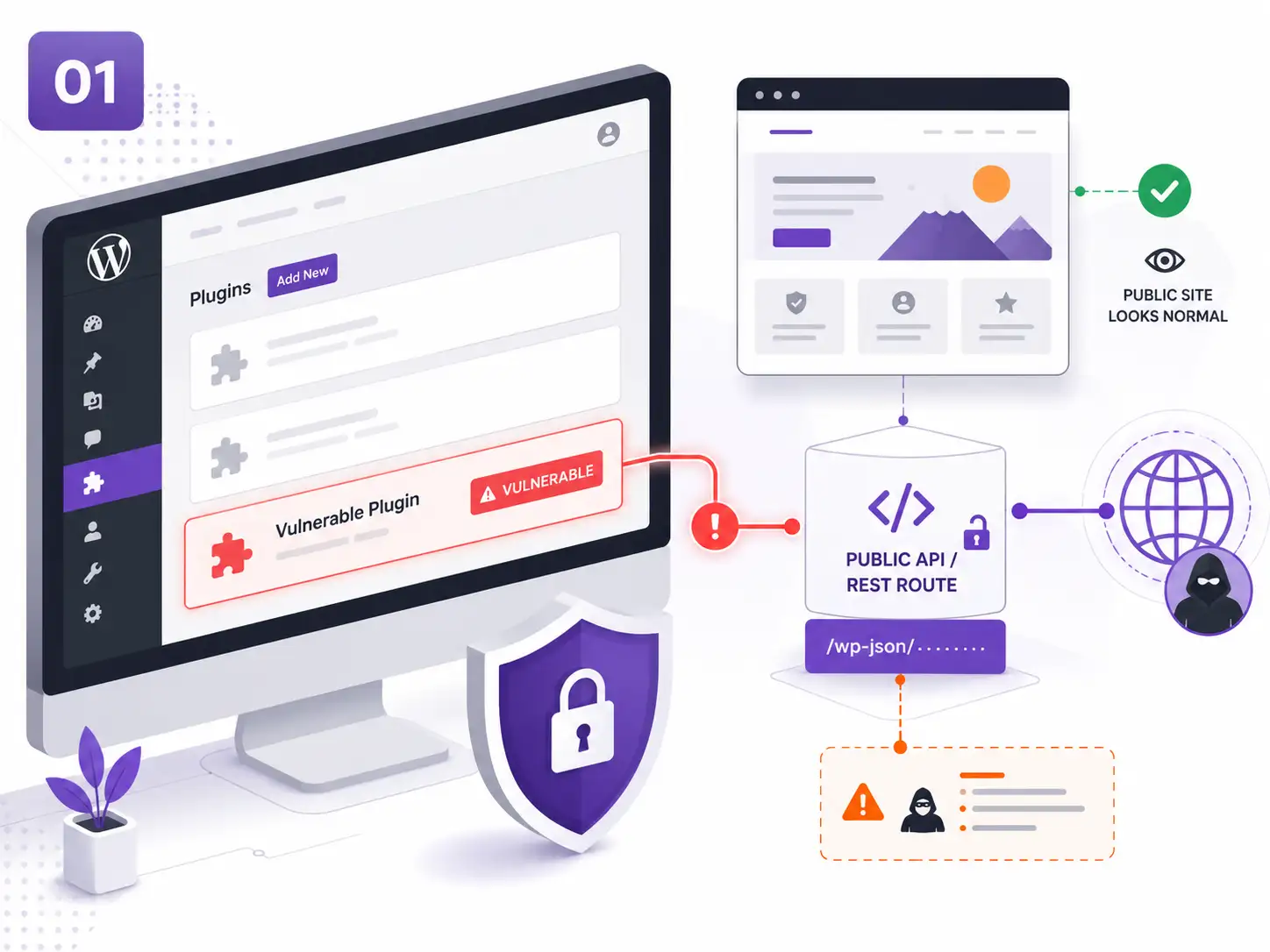
The Agent identifies the exact component and version. Vulnerability intelligence adds severity and available fixed-version evidence.
External and API-focused checks identify the related public route and authentication boundary.
The team reviews the vulnerability beside route exposure, business use, and available remediation.
After the approved update, inventory is refreshed and the relevant scan is repeated.
The team moves beyond “plugin outdated” and reviews the issue as an application risk tied to a real public function.
An Unexpected PHP File Appears After an Administrator Change
File drift, activity evidence, and suspicious-code checks provide investigation context.
A scheduled scan identifies a recently added PHP file in an unexpected location. Around the same period, a privileged account and plugin setting were changed.
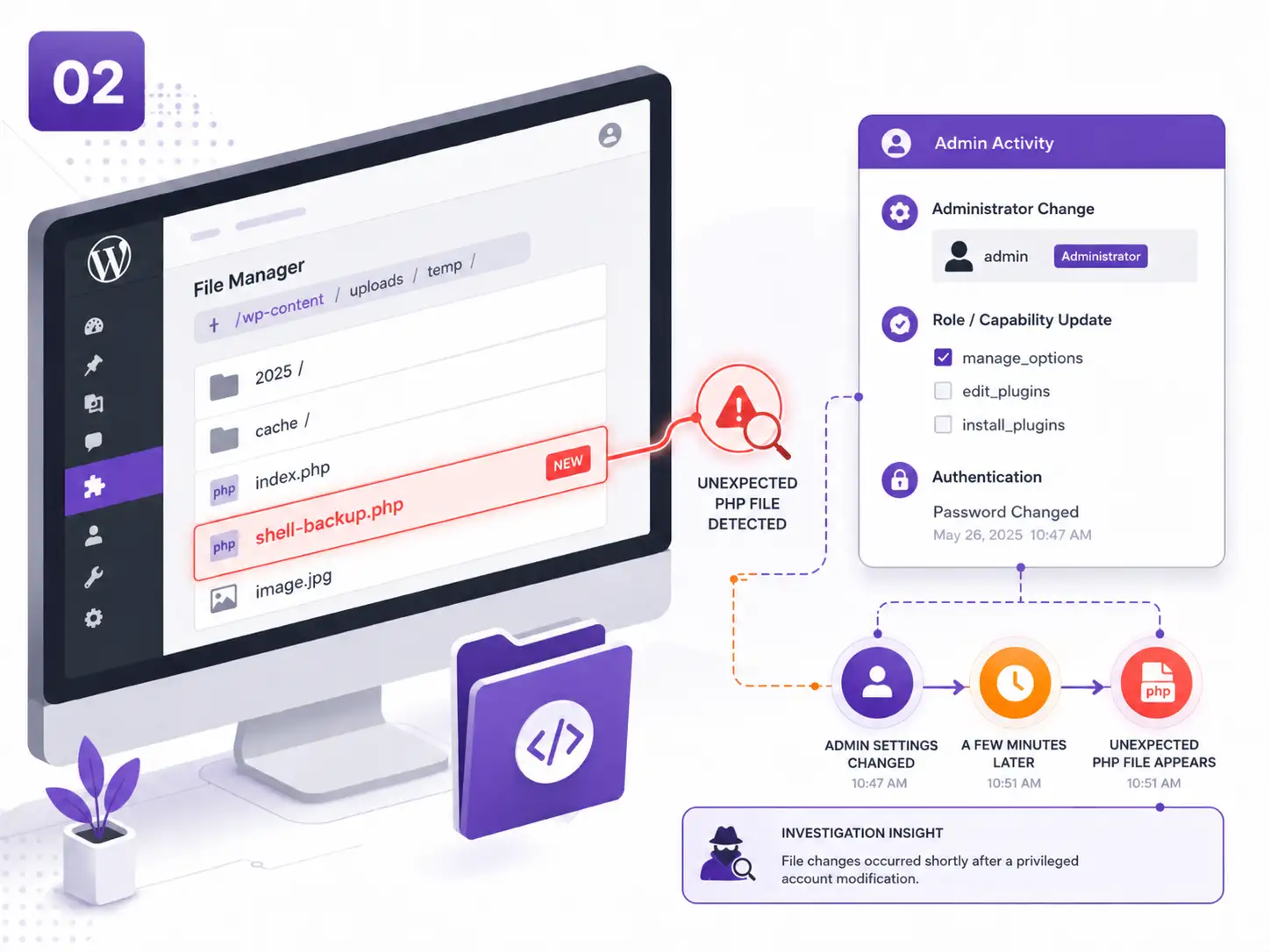
File-integrity and drift evidence identify what was added or modified since the earlier scan.
Suspicious-code heuristics flag patterns that require manual inspection without declaring compromise automatically.
Supported activity and application logs show privileged changes occurring near the same time.
The security team reviews the file, account, source of change, and any related WAF or login evidence.
The finding becomes an evidence package for investigation rather than an isolated “suspicious file” alert.
A WooCommerce Update Changes a Revenue-Critical Workflow
Commerce risk is reviewed through checkout, APIs, webhooks, background jobs, and supporting evidence.
A WooCommerce extension is updated before a major campaign. Checkout still loads, but the store relies on Store API requests, payment webhooks, HPOS, and Action Scheduler jobs that are not visible from the homepage.
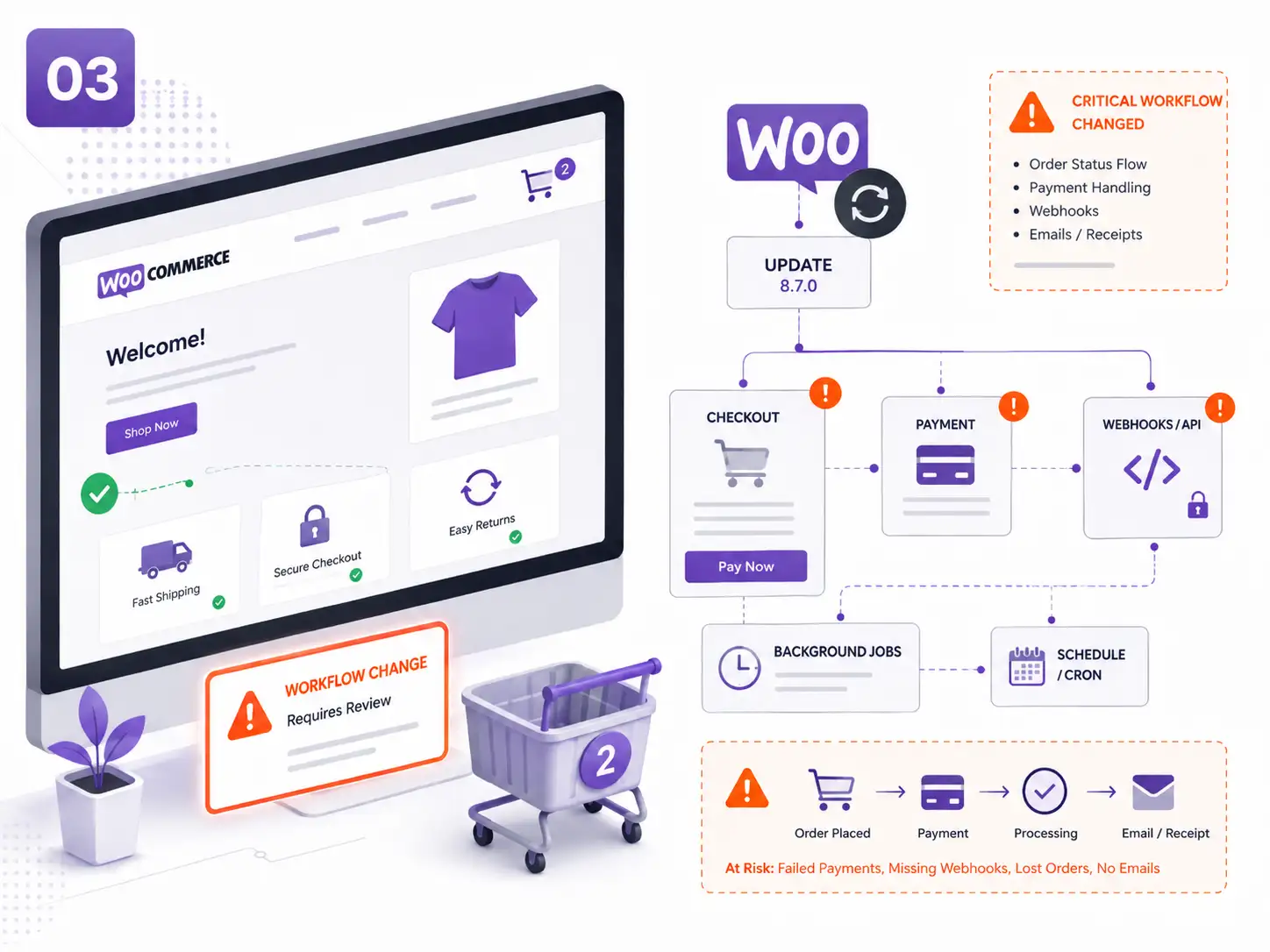
Aegisify records the affected WooCommerce components, versions, templates, and relevant configuration.
Supported checks review checkout exposure, APIs, webhook behavior, payment signals, and background processing.
The completed scan is compared with the previous baseline to identify new risks or drift.
After corrective action, the relevant workflows and evidence are reviewed again.
The team evaluates the update against the store’s revenue workflow instead of assuming a successful page load proves operational safety.
A Plugin Update Breaks WordPress Administration
Security review is connected to recovery readiness and post-recovery verification.
An approved update causes a fatal error that blocks access to wp-admin. The immediate business problem is not only the vulnerable component—it is restoring site administration safely.
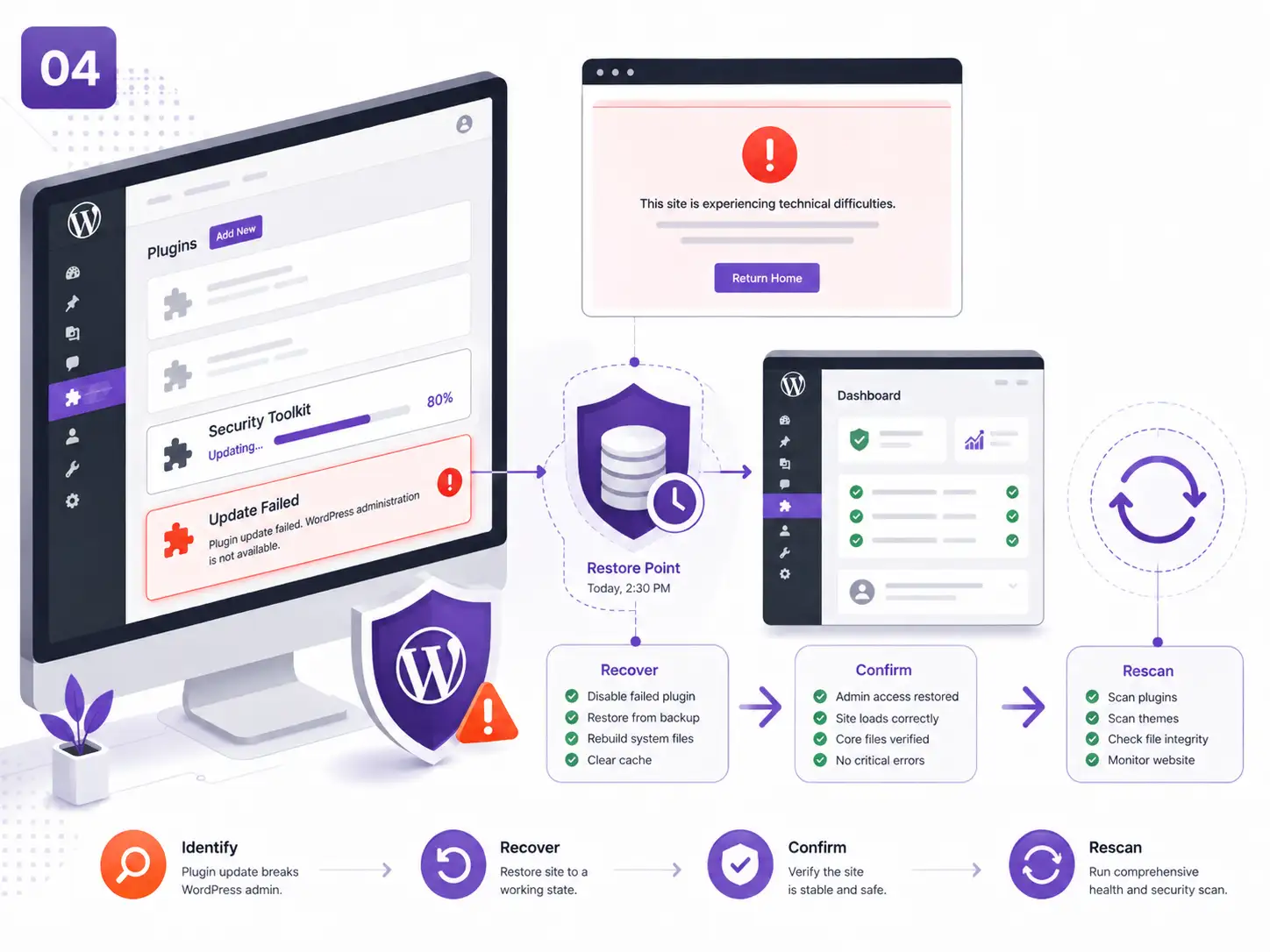
Recent inventory and change evidence help narrow the component and timing associated with the failure.
The team follows the configured recovery path using an available, validated restore point or component rollback process.
WordPress availability, critical workflows, permissions, and configuration are reviewed after recovery.
A refreshed inventory and targeted scan confirm the resulting version, posture, and remaining risk.
The recovery process produces evidence showing what failed, what was restored, and what still requires remediation.
An Agency Must Prioritize Risk Across Multiple Client Sites
A shared workflow helps limited staff focus on the sites and findings that matter most.
An agency manages several WordPress and WooCommerce environments. Each site has different plugins, integrations, exposure, scan schedules, and business importance.
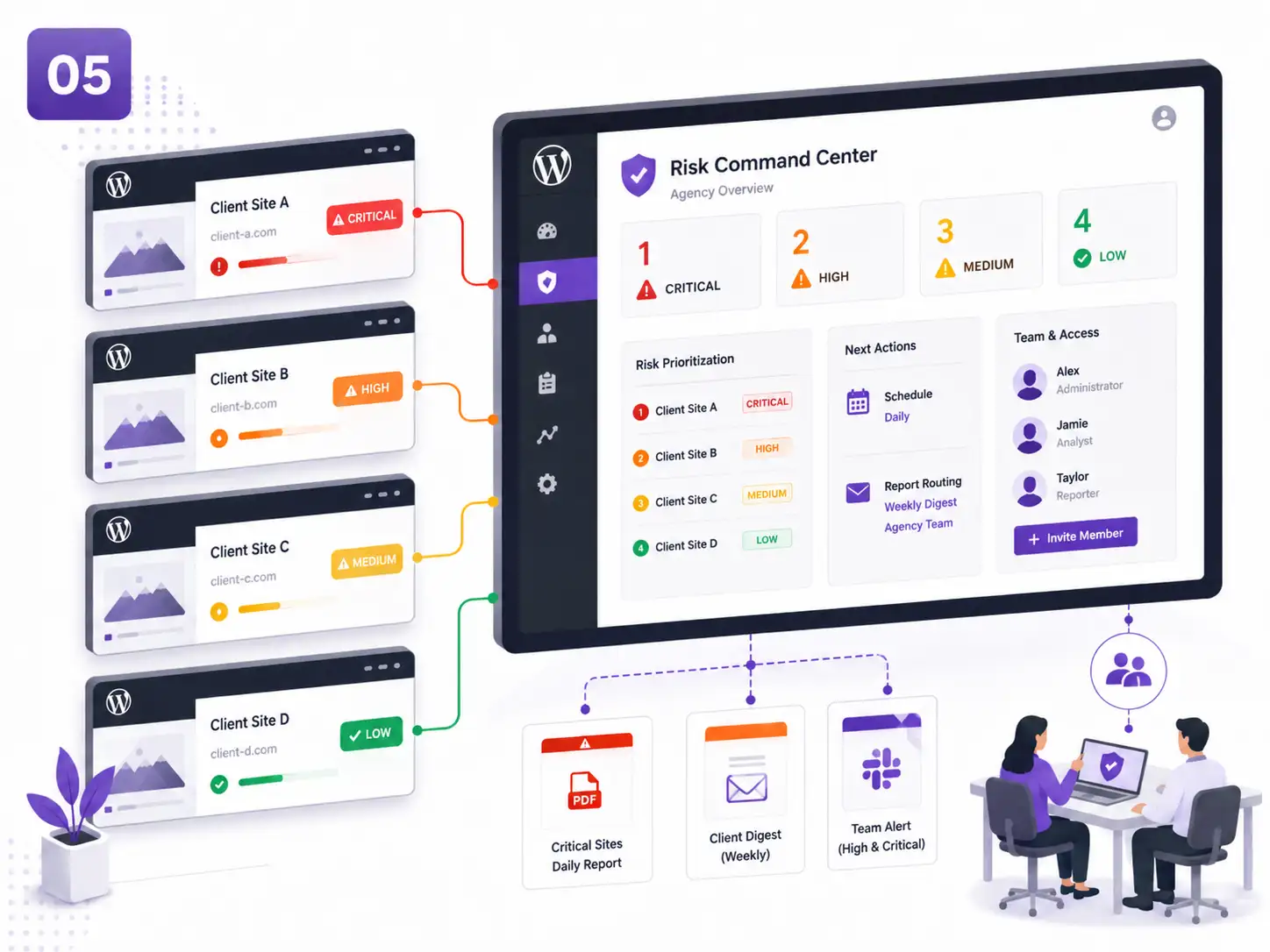
Users receive access to the domains and reports appropriate to their role.
Domain-specific profiles run recurring scans based on site type and required depth.
Findings are reviewed by severity, exposure, business workflow, evidence freshness, and remediation status.
Technical details and customer-facing summaries are prepared using approved report naming.
The agency replaces manual dashboard correlation with a repeatable review and reporting process across managed domains.
Executives Need Proof That Remediation Improved the Site
Technical findings are translated into progress, remaining exposure, and verified results.
After several updates and configuration changes, leadership wants more than a statement that “security work was completed.” They need evidence of what changed and whether risk was reduced.
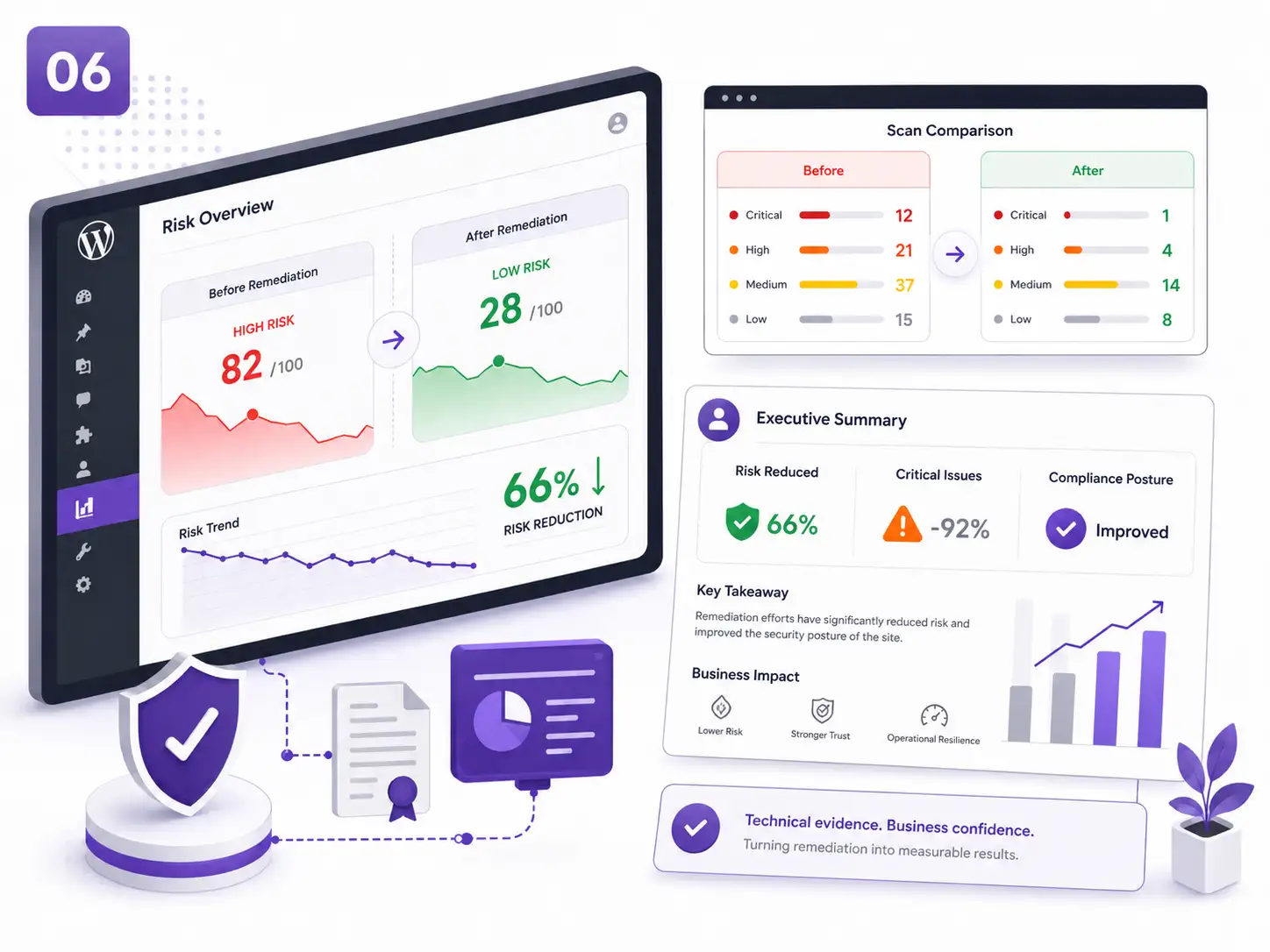
The earlier scan provides severity, exposure, inventory, drift, and operational evidence.
The team records approved updates, configuration changes, recovery actions, and open exceptions.
New and persistent findings, severity movement, and attack-surface changes are reviewed.
Human-reviewed reports summarize completed actions, remaining unknowns, and the next priorities.
Leadership receives a defensible progress view instead of raw scanner output or an unsupported assurance.
assa

How can Aegisify AI help?
Ask about Aegisify or WordPress: errors, plugins, security, SEO, compatibility, troubleshooting, comparisons, or launch a free website scan.