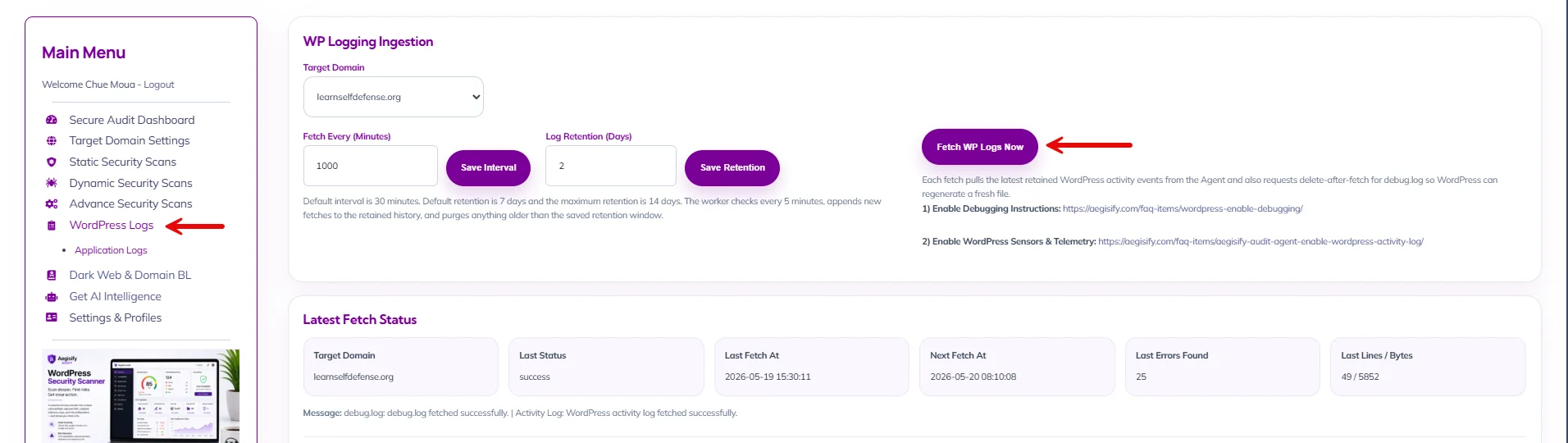
You will need to turn on WordPress Sensors for Aegisify Audit to be able to fetch, ingest and analyze your site for you.
1st Step
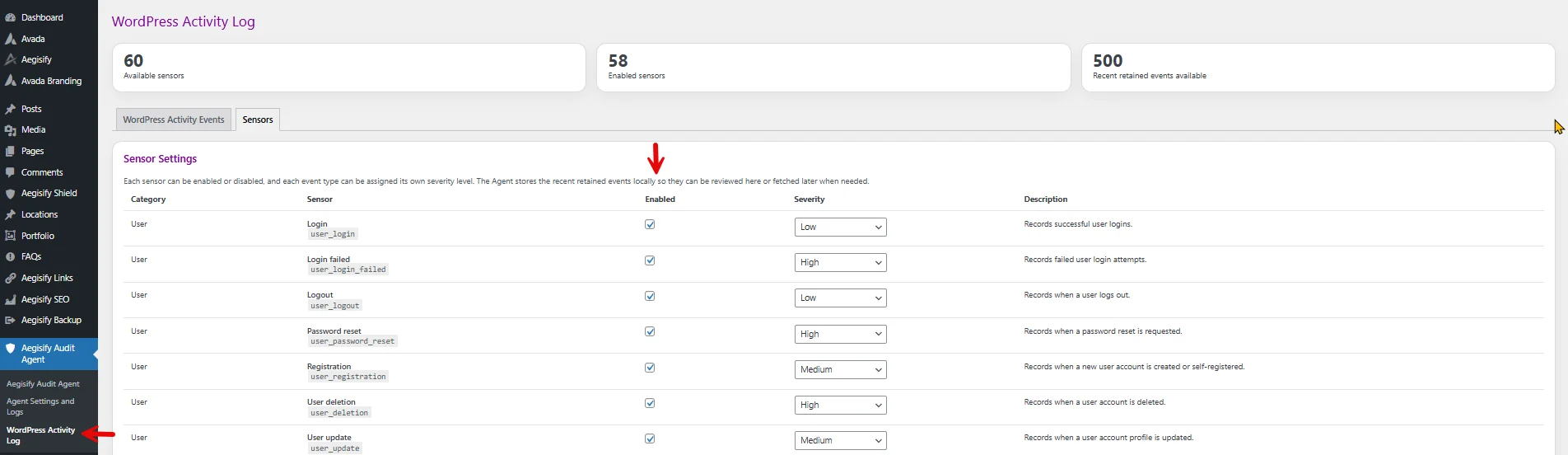
Go to your wordpress wp-admin -> Aegisify Audit Agent -> WordPress Activity Log
– Enable all the sensors you want from your wordpress application and website.
– You can specify the Severity or keep it default
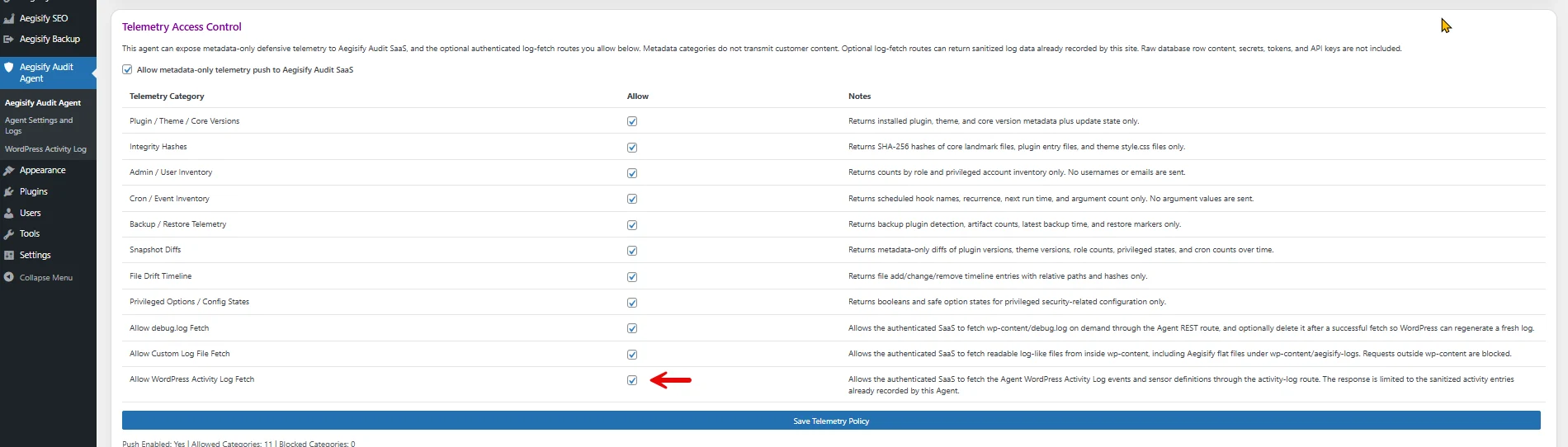
2nd Step
You will need to allow Aegisify Audit access to fetch the logs.
From Aegisify Audit Dashboard: how to access and fetch the logs
Log into the Aegisify Dashboard and click Fetch WP Logs Now to fetch all logs.