WordPress Malware Indicators: 8 Warning Signs That Deserve Investigation
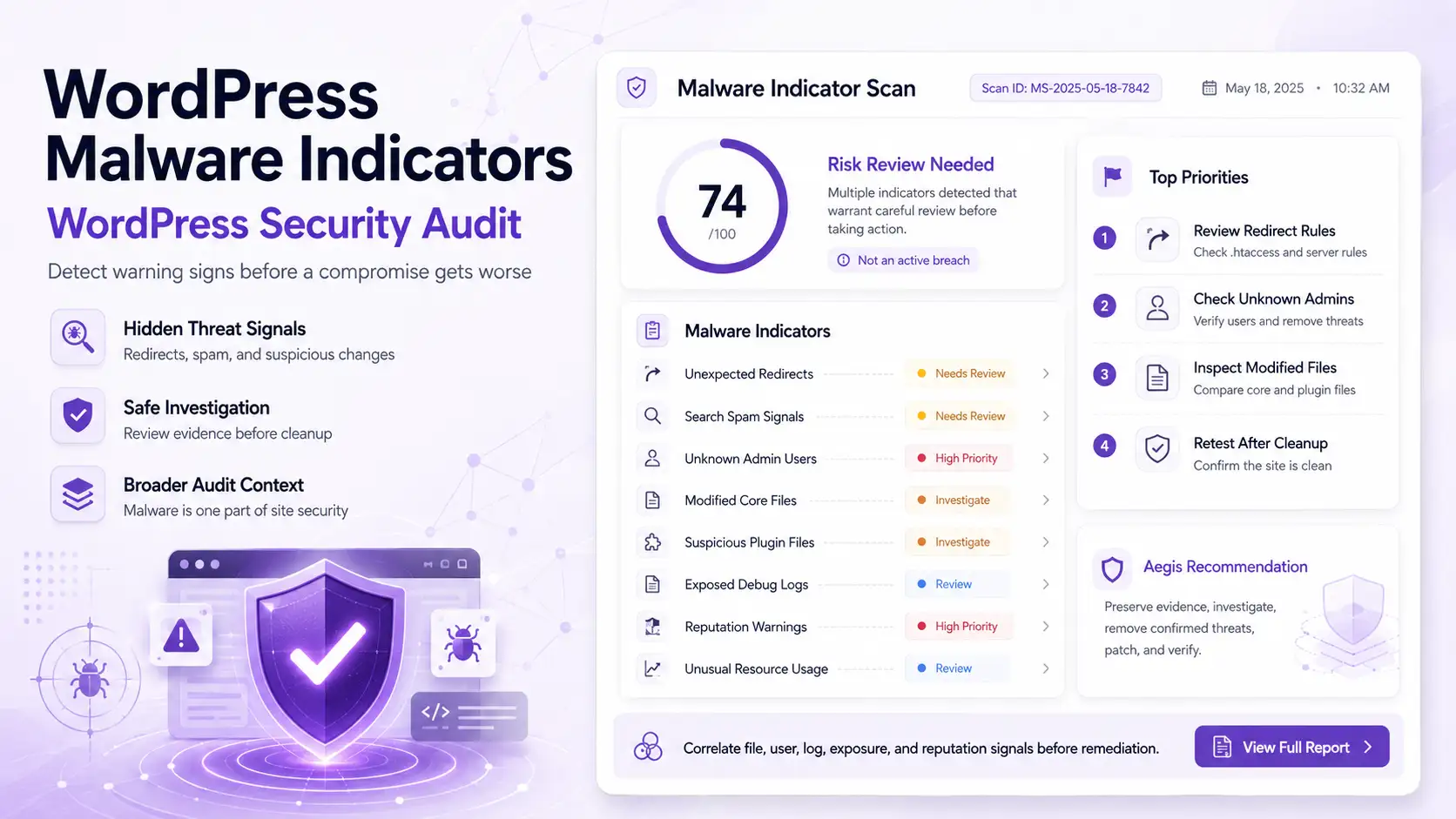
WordPress malware indicators are suspicious changes or behaviors that may signal a compromised website: unexpected redirects, spam pages in search results, unknown administrator accounts, modified core files, obfuscated PHP, exposed logs, reputation warnings, or abnormal server activity. A reliable WordPress malware scan and WordPress security audit should connect these signals instead of treating one alert as proof that the site is hacked.
Some compromised sites display obvious spam. Others look normal while attackers inject redirects, create hidden users, modify files, publish SEO spam, schedule tasks, or collect data. An indicator deserves review but is not automatic confirmation.
Why WordPress Malware Can Be Difficult to Detect
Attackers benefit from remaining unnoticed. Redirects may appear only for mobile users, search visitors, or specific referrers. Crawlers may receive spam while administrators see the expected page. Backdoors can use ordinary-looking PHP filenames.
A sound investigation compares file integrity, code patterns, users, database content, activity, logs, scheduled tasks, public responses, reputation reports, and search findings.
Redirects, downloads, popups, and injected scripts can reveal visitor-facing compromise.
Spam titles, unwanted URLs, cloaked text, or warnings may expose hidden SEO abuse.
Unknown users, altered files, new plugins, scheduled jobs, or settings changes require context.
CPU spikes, outbound traffic, blacklist notices, and unusual logs can indicate continuing abuse.
One Indicator Is Not Always Proof
A modified file may be a legitimate update. High CPU may come from traffic or poor optimization. A new administrator may be authorized. Verify timestamps, ownership, deployments, and related events before declaring a compromise.
| Malware Indicator | Evidence to Review | Investigation Priority |
|---|---|---|
| Unexpected Redirects | Inspect .htaccess, wp-config.php, theme and plugin files, JavaScript, database options, header or footer injections, must-use plugins, redirect tools, and CDN rules. | Urgent Reproduce across devices, referrers, and user states. Record the destination and affected route before changing files. |
| Search and SEO Spam | Review Google and Bing results, indexed URLs, page source, database content, sitemaps, strange titles, Japanese keyword spam, pharma pages, gambling pages, and cloaked content. | Urgent Compare what visitors, crawlers, and logged-in administrators receive. Check Search Console Security Issues. |
| Unknown Administrators | Review account creation time, email, role changes, authentication activity, password resets, plugin changes, theme edits, and actions after the account appeared. | Urgent Disable unauthorized access safely, preserve the activity trail, and investigate how privilege was obtained. |
| Modified Core Files | Compare WordPress core files with official checksums. Review missing files, changed hashes, unexpected files, modification times, ownership, and permissions. | High Do not assume every difference is malicious. Investigate files that should not exist or fail integrity verification. |
| Suspicious Plugin or Theme Code | Look for random filenames, recent PHP changes, obfuscation, encoded payloads, dynamic execution, hidden includes, files in uploads, unknown folders, and changed theme functions. | High Compare with trusted packages and review call paths before removal. |
| Exposed Debug Logs | Check whether debug.log or other logs are publicly reachable and whether they expose paths, errors, plugins, database details, tokens, or stack traces. | Review Restrict exposure, preserve useful evidence, and correct logging configuration. |
| Reputation Warnings | Review Search Console, browser warnings, Safe Browsing notices, domain reputation, email deliverability, suspicious outbound links, and unwanted indexed pages. | Urgent Confirm the affected URLs, remediate the cause, and use the provider’s review process after cleanup. |
| Abnormal Resource Use | Inspect CPU, memory, traffic, PHP errors, cron events, scheduled tasks, outbound requests, mail volume, access logs, and unfamiliar processes. | High Correlate spikes with file, user, traffic, and scheduled-task changes. |
Investigate What Different Visitors and Crawlers Receive
Redirect malware and SEO spam are often conditional. Test direct visits, search referrals, mobile requests, logged-out sessions, and representative browser agents. Compare rendered pages with source responses and database content. Unwanted URLs, strange titles, hidden links, or different crawler content may indicate injection or cloaking.
Search Console can report hacked content and other security issues. After remediation, follow the review process and keep monitoring while search and reputation systems update.
Verify Integrity Without Assuming Every Change Is Malware
WordPress provides official core checksums, and WP-CLI can verify core and eligible plugin packages. Integrity failures identify differences but not their cause. Compare suspicious files with trusted packages, deployment records, timestamps, ownership, and logs.
Malware may hide in plugin, theme, must-use plugin, or upload directories. Static analysis can surface obfuscation, unusual includes, encoded strings, dynamic execution, and unexpected PHP. Human review must distinguish malicious code from legitimate software.
Connect Account Changes With the Actions That Followed
An unknown administrator can provide durable control. Review creation time, authentication events, role changes, password resets, and later plugin or theme changes. Deleting the account is not enough; determine how access was obtained.
Logs can reveal repeated login activity, unusual REST requests, cron changes, outbound connections, mass email, PHP errors, or traffic spikes. Public logs may also expose paths, software details, stack traces, or sensitive values.
What to Do When You See Malware Indicators
Use a controlled response rather than an improvised cleanup.
Reduce visitor and business risk without destroying the evidence needed to understand the incident.
Create an investigation backup and record files, users, logs, timestamps, URLs, and active findings.
Run security and vulnerability scans, review integrity, inspect code, users, logs, database content, and exposure.
Eliminate confirmed malicious files, users, tasks, database injections, redirects, and persistence mechanisms.
Patch the entry point, update components, rotate passwords and keys, and correct permissions or configuration.
Rescan, test public behavior, review search warnings, monitor activity, and confirm the site remains clean.
How Aegisify Audit Helps Connect the Evidence
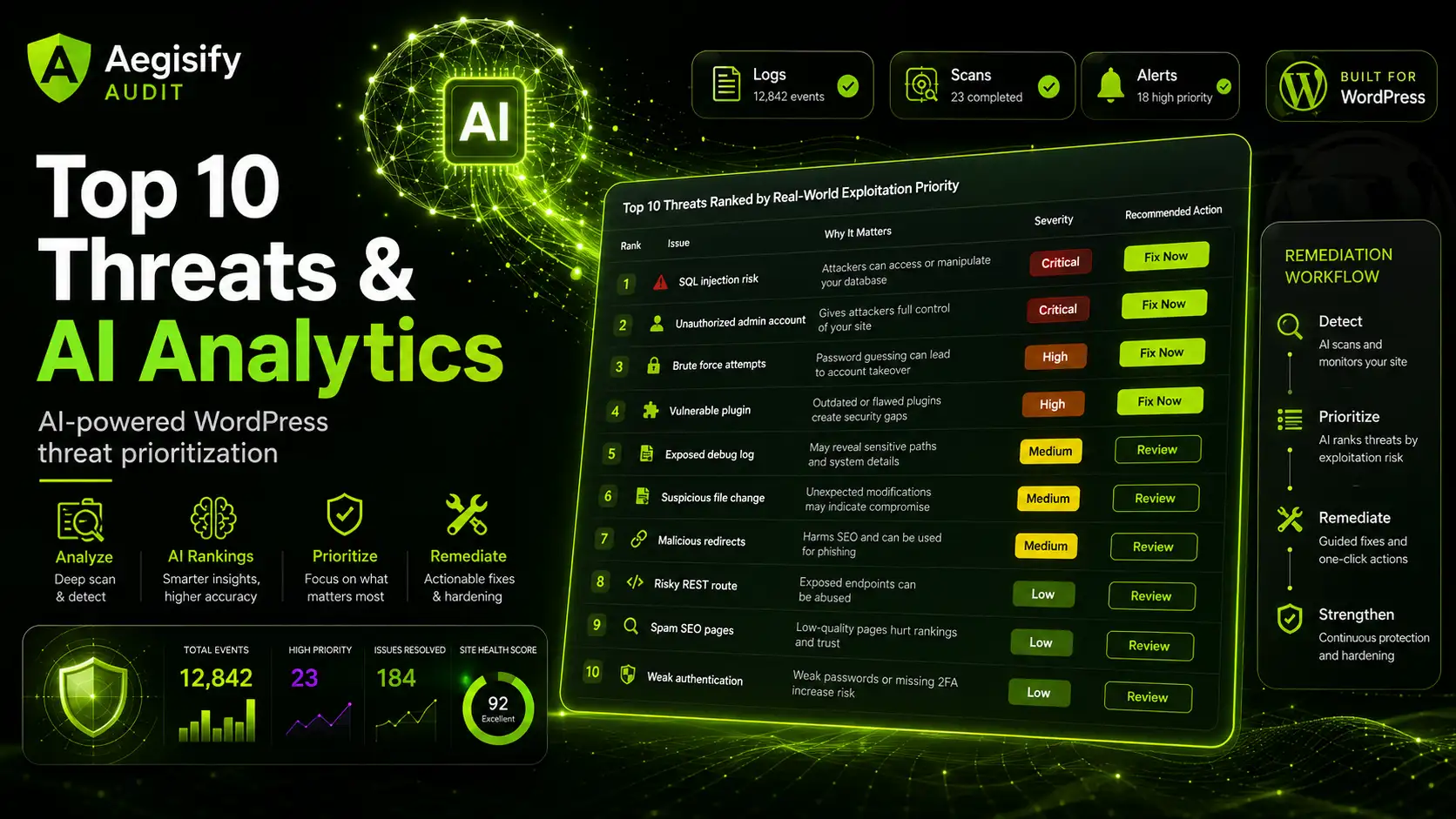
Aegisify Audit reviews malware indicators within a broader WordPress security audit. The supplied workflow connects vulnerability findings, static code analysis, activity logs, debug-log review, public exposure, reputation context, reports, and remediation guidance.
This helps teams avoid dismissing a warning supported by related evidence or treating every unusual file as confirmed malware. Aegisify helps identify what changed, where the evidence came from, and what should be reviewed next.
Aegisify Shield and Aegisify WAF can complement the audit through hardening, monitoring, request controls, and application-firewall workflows. Aegisify Backup supports investigation copies, recovery planning, and rollback preparation. Aegisify does not need to promise one-click guaranteed cleanup to provide value. Its strength is turning noisy security evidence into human-reviewable priorities and safer remediation decisions.
Why Restoring a Backup May Not Be Enough
A backup can contain the same malware, unauthorized account, vulnerable plugin, or database injection. Even a clean backup can be reinfected when the entry point remains open. Validate the backup, patch the cause, rotate credentials, and monitor the restored site.
WordPress Malware Indicators FAQ
Are malware indicators proof that my WordPress site is hacked?
Not always. They are signals that deserve investigation. Confirmation requires evidence from files, users, logs, database content, public behavior, or related security findings.
Should I delete suspicious files immediately?
Not blindly. Preserve an investigation copy, determine whether the file is legitimate, identify related persistence, and prepare a safe rollback before removal.
Should I restore from backup immediately?
Not in every case. Validate that the backup is clean and correct the original vulnerability or stolen-access path first.
Can Aegisify Audit remove all malware automatically?
No public claim should promise that. Aegisify Audit helps identify, correlate, organize, and prioritize evidence for human-reviewable remediation.
How can I verify WordPress core files?
WordPress provides official core checksums, and WP-CLI includes a core checksum verification command. Investigate any failures or unexpected files in context.
WordPress and Search Security Documentation
Editorial references include WordPress.org: My Site Was Hacked, WP-CLI Core Checksum Verification, WP-CLI Plugin Checksum Verification, Google Search Console Security Issues Report, and the OWASP Logging Cheat Sheet.