AWS Cloud Drift: See What Changed and Why It Matters
Security posture is rarely static. A small configuration edit can undo months of hardening—and a current-state dashboard may never tell you what changed.
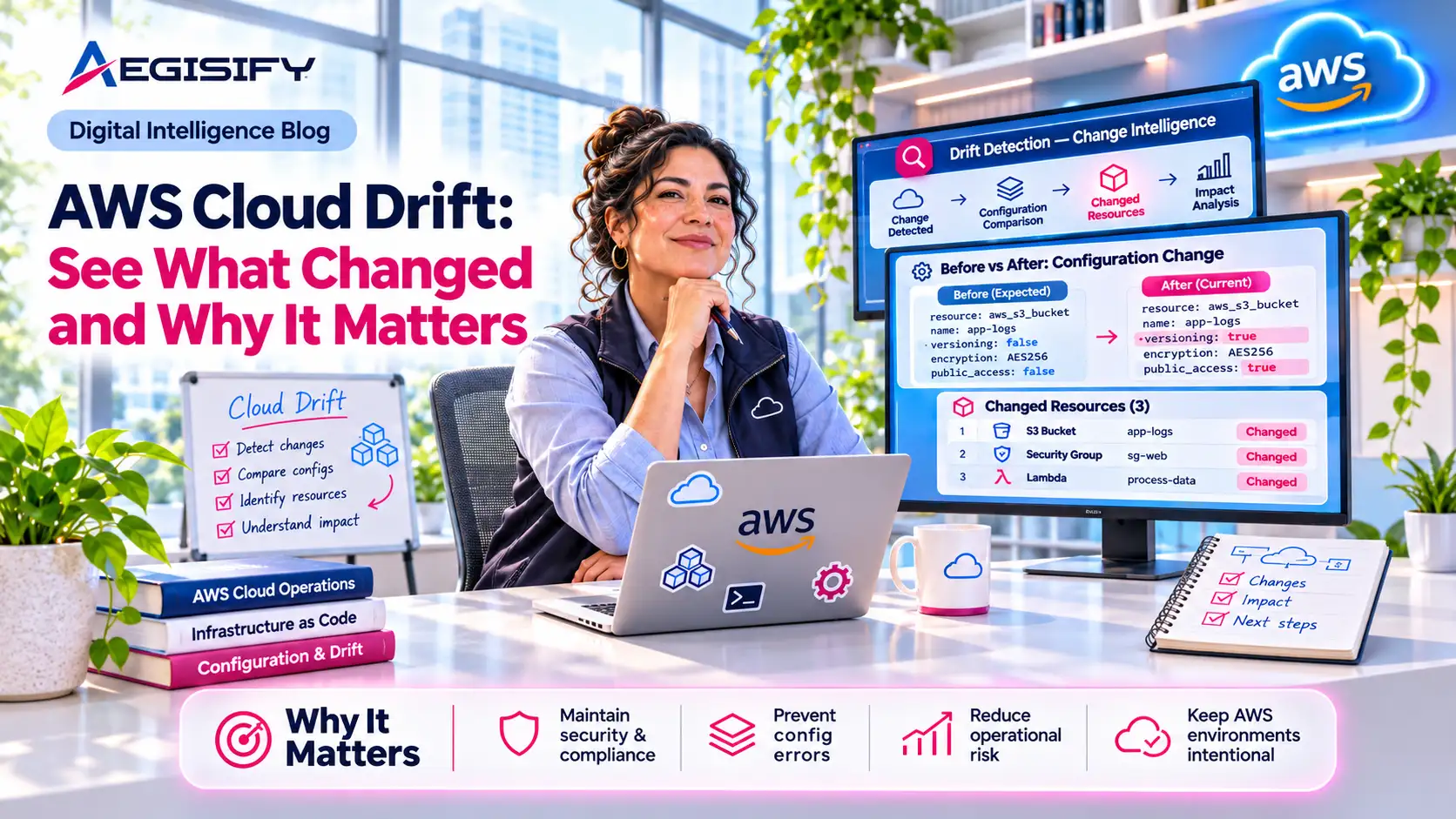
Compare actual collected snapshots and retained change observations within the same account and Region. Digital Intelligence helps distinguish added, removed and modified resources and preserves source references for follow-up.
Capture the authorized account and Region snapshot.
Compare matching resource references and supported hashes.
Review dates and retained event categories.
Run collection again after an approved correction.
Current state hides the reason for change
A permissive security group today may have been restricted yesterday. A policy modification may be intentional, accidental or suspicious. A team needs a baseline, a later observation and source context before concluding that drift occurred.
Digital Intelligence supports scoped snapshots and Cloud Drifts reporting over daily, weekly, monthly or custom time windows. If collection fails or there is no valid baseline, the product should not manufacture a change event.
Example: a production rule changes after deployment
A cloud engineer compares a dated snapshot with a subsequent successful discovery and notices a security-relevant modification. The review links the changed resource to the retained before/after evidence and any provider-attributed actor, rather than assigning blame to the latest person who edited a ticket.
Use a repeatable drift investigation loop
- Establish a trustworthy baseline
Create a snapshot from an actual successful discovery in Cloud Drifts.
- Compare meaningful changes
Review Added, Removed, Changed or Modified records and use source references to understand the affected asset.
- Resolve and validate
Investigate whether the change was authorized, recommend an AWS-side correction if needed, and take a new snapshot to verify.
Questions security teams ask
Does Digital Intelligence find changes without two snapshots?
It may show retained observed drift events, but a before/after snapshot comparison needs a valid earlier and later observation.
Can it tell which person made the change?
Only when authoritative source evidence supports an actor. Unattributed changes must remain unattributed.
Does it revert risky AWS changes automatically?
No. Reviewers can record and verify customer-approved corrective work using supported workflows.
Technical reference: AWS Config overview (AWS official documentation). Actual findings, permissions and service support are environment-dependent.