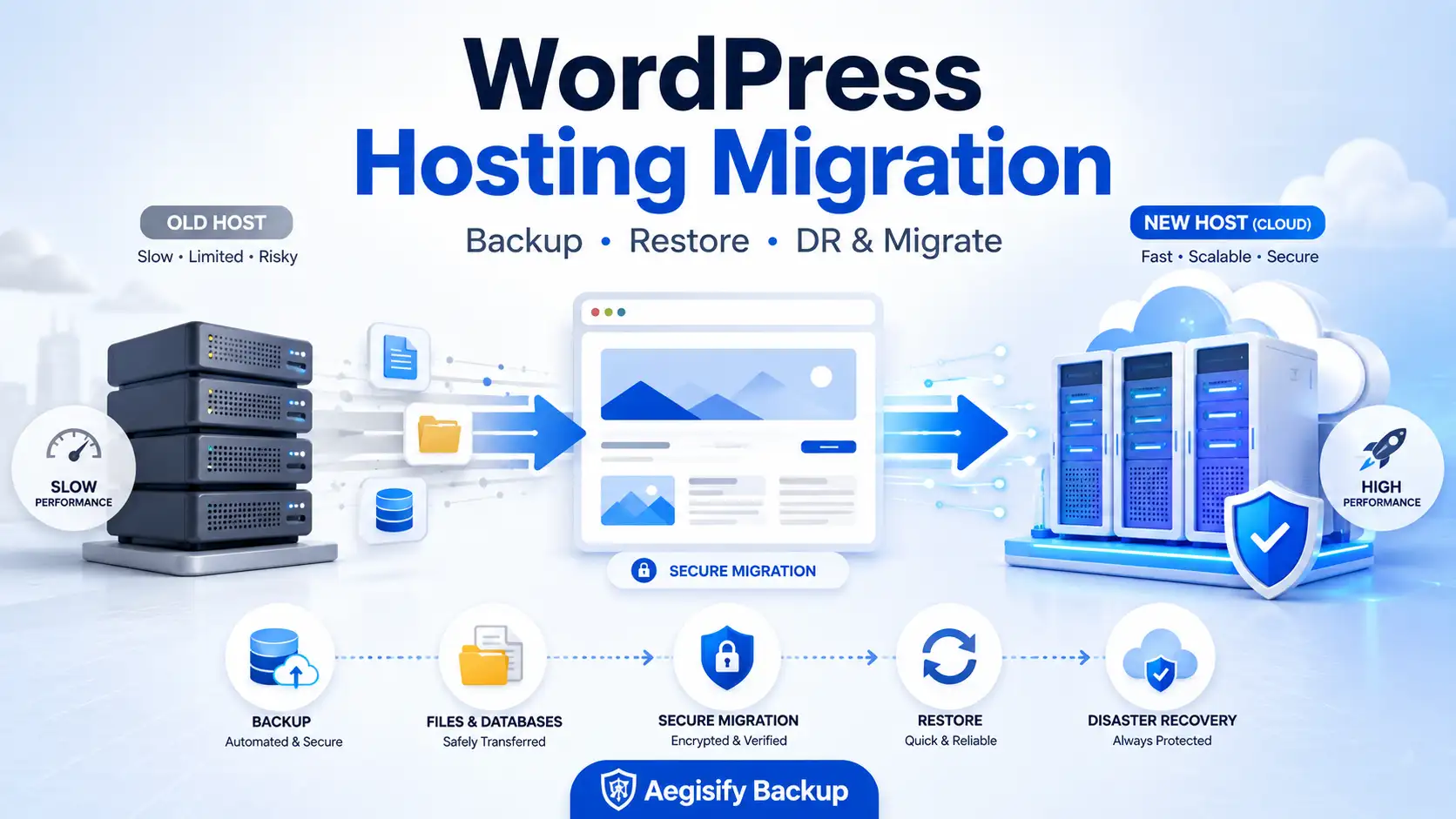
Move WordPress to a New Host Without Treating Migration Like a Guessing Game
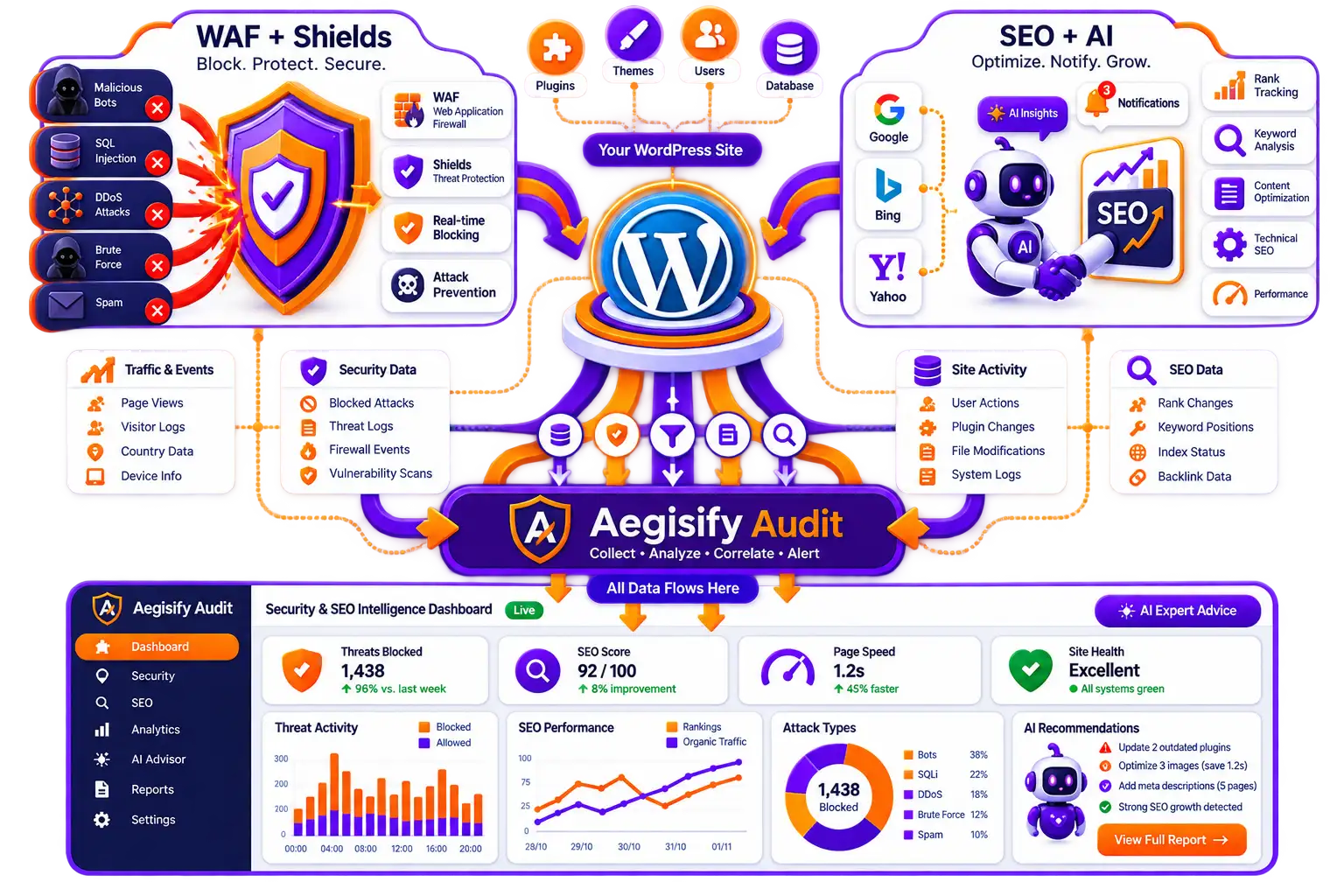
WordPress hosting migration, WordPress backup and restore, disaster recovery, host-to-host site transfer, serialized-data handling, and migration validation all belong in one controlled operating process. Aegisify Backup, DR & Migrate helps WordPress administrators create file and database recovery points, move supported packages between environments, restore selected data, protect high-risk changes, and preserve operational evidence.
John’s travel and food website outgrew shared hosting. Storage warnings, slow delivery, throttling, and downtime pushed him toward a new provider. Choosing the host was easy; moving years of content, media, configuration, plugins, and database records was not.
Why John Needed More Than a Hosting Backup
John began with inexpensive hosting that worked for a small audience. As his media library and readership grew, uploads consumed disk space, dynamic pages competed for shared resources, and traffic spikes exposed availability problems.
Provider backups did not give him complete control. He still needed to know what was protected, how current it was, how quickly it could be retrieved, and whether it would restore on another environment.
That distinction matters. A backup existing somewhere is not the same as a tested migration path.
Incomplete Recovery Sets
A WordPress site needs both files and database data. Moving only wp-content or only a database export produces an incomplete destination.
URL and Serialized Data Problems
Domain references can exist in options, widgets, page-builder data, media links, and serialized values that should not be changed with unsafe text replacement.
Hosting Resource Limits
Execution time, memory, upload limits, disk space, database permissions, proxies, and network timeouts can interrupt large packages or long restore jobs.
Unverified Cutover
A site may load while forms, login, email, cron, analytics, redirects, media, payments, or integrations remain broken.
A Complete WordPress Migration Starts With One Consistent Backup Set
WordPress separates the site into files and database data. Files include core, themes, plugins, uploads, configuration, and custom code. The database contains content, users, settings, products, orders, and plugin data.
Treat files and database exports as one recovery set. A typical process backs up the database before files, restores files before importing the database, and updates wp-config.php when credentials change.
A Safer Host-to-Host Migration Workflow
Protect the Entire Site or the Data That Matters Most
Aegisify Backup separates full-site, database, table, selected-column, and file workflows. Manual database, table, and file backup actions are listed as Free in the reviewed 1.5.6 guide. Complete table snapshots can preserve schema and rows as one recovery unit, while selected-column packages are intended for narrower updates to existing data.
Granularity reduces unnecessary overwrites, but one plugin folder may not repair its database state, and one restored table may conflict with related tables. Full migration normally requires a coordinated recovery set.
Move Supported Packages Between WordPress Environments
The Aegisify Transfer Wizard connects a source WordPress site with a destination WordPress site and moves supported backup or file packages through a controlled workflow. The reviewed guide also documents a standalone migration runner at /aegismw/ that can operate without loading the normal WordPress application during database overwrite.
Recovery interfaces, tokens, archives, and database exports are privileged assets. Use short-lived credentials, host-level restrictions, and disable temporary recovery access immediately afterward.
Handle Domain Changes Without Breaking Structured WordPress Data
A domain migration can require changes to site URLs, upload paths, plugin options, widgets, redirects, media references, caches, and environment configuration. Use migration-aware tools rather than indiscriminate replacement.
WP-CLI search-replace understands PHP serialized data and supports dry runs. Review old-domain references, preserve GUID values, refresh permalinks, purge caches, and validate the rendered site before cutover.
Create Rollback Evidence Before High-Risk Changes
Aegisify Backup’s Before Updates feature can create a rollback snapshot before supported WordPress core, plugin, or theme updates. The product guide correctly describes that snapshot as a risk reducer—not a replacement for a full recovery program.
For major releases and migrations, create a verified recovery point, confirm offsite storage, test on staging, define acceptance checks, assign rollback ownership, and retain evidence. WooCommerce stores need a cutover or transaction-reconciliation plan.
| Validation Area | What to Test Before Cutover | Failure Signal |
|---|---|---|
| Frontend and media | Homepage, articles, archives, images, downloads, navigation, search, mobile layouts, and canonical URLs. | Broken images, mixed domains, missing assets, redirect loops, incorrect canonicals, or unexpected 404 responses. |
| Administration | Login, roles, plugin screens, page editing, media upload, scheduled jobs, and update behavior. | White screens, permission failures, stalled cron, upload errors, or database connection warnings. |
| Communication | Contact forms, password reset, order email, SMTP delivery, webhooks, and third-party callbacks. | Queued or missing email, authentication failures, blocked callbacks, or old-domain endpoints. |
| SEO continuity | HTTPS, redirects, canonicals, XML sitemaps, robots.txt, analytics, Search Console, and internal links. | Protocol conflicts, accidental noindex, old-host URLs, duplicate public copies, or missing tracking. |
| Commerce and memberships | Cart, checkout, account access, payments, subscriptions, inventory, downloads, and order ownership. | Lost transactions, duplicate renewals, callback failures, stale inventory, or mismatched customer access. |
What a Successful Migration Should Prove
John’s desired outcome was not merely “the files copied.” A successful move had to prove that his content, media, database, links, email, scheduled tasks, analytics, and publishing workflow functioned on the new host.
Migration time and downtime vary with site size, connection speed, hosting limits, DNS, package validation, and application complexity. Large commerce or membership sites may require longer controlled windows.
Important Free, Pro, and Pricing Clarification
The reviewed Aegisify Backup 1.5.6 guide lists Dashboard and operational logs plus manual database, table, and file backup actions as Free. It lists Full Backup/DR packages, recurring schedules, Restore Center workflows, Transfer Wizard, remote storage, notifications, Before Updates snapshots, and advanced database tools as Pro.
Some Aegisify marketing pages also describe free host-to-host migration. Because that conflicts with the reviewed capability table, verify the License screen, subscription page, and production build before publishing “free migration,” “free disaster recovery,” or a $49.99 price.
WordPress Hosting Migration FAQ
Can a WordPress site be migrated with no downtime?
Sometimes a carefully planned cutover can produce little visible interruption, but zero downtime cannot be guaranteed. DNS, database writes, certificates, caching, and hosting behavior can affect the result.
Do I need both files and the database?
Yes for a typical full-site migration. Files contain themes, plugins, uploads, and configuration. The database contains content, users, settings, products, orders, and application data.
Can Aegisify Backup migrate without FTP or SSH?
The reviewed guide says the Transfer Wizard can move supported packages between connected WordPress sites. Site size, authentication, firewall policy, hosting limits, and network conditions still apply.
Should the standalone migration runner remain enabled?
No. The guide recommends keeping /aegismw/ disabled except during controlled maintenance and protecting it with host-level access restrictions.
Does a completed migration prove disaster recovery readiness?
No. Recovery readiness also requires independent storage, retention, tested restores, documented ownership, working credentials, infrastructure planning, and an updated runbook.
WordPress Backup and Migration References
Editorial references include the Aegisify Backup Product Guide, WordPress backup guidance, WordPress migration guidance, WP-CLI search-replace documentation, and WooCommerce backup and staging guidance.