WordPress security intelligence that helps you detect changes, protect privileged access, and act with control.
Aegisify Shield is a layered WordPress security plugin for site owners, agencies, ecommerce operators, and teams that need more than basic alerts. Monitor security activity, protect administrator access, detect file and malware changes, harden WordPress, manage browser security headers, review database risk, apply selected sensitive-data controls, and create validated configuration files from encrypted environment inventories with controlled AI assistance through Aegisify Core.
(No credit card required. Keep the free features or activate PRO through Aegisify Core.)

How can Aegisify AI help?
Ask about Aegisify or WordPress: errors, plugins, security, SEO, compatibility, troubleshooting, comparisons, or launch a free website scan.
WordPress security intelligence that helps you detect changes, protect privileged access, and act with control.
Aegisify Shield is a layered WordPress security plugin for site owners, agencies, ecommerce operators, and teams that need more than basic alerts. Monitor security activity, protect administrator access, detect file and malware changes, harden WordPress, manage browser security headers, review database risk, apply selected sensitive-data controls, and create validated configuration files from encrypted environment inventories—with controlled AI assistance through Aegisify Core.
(No credit card required. Keep the free features or activate PRO through Aegisify Core.)
Aegisify WordPress Suite: Aegisify Shield | Aegisify WAF | Aegisify SEO | Aegisify Spam | Aegisify Links | Aegisify SiteMaps | Aegisify Backup
12 Protection Modules Plus Configuration Intelligence
See activity, control privileged access, detect risky change, harden WordPress, protect browser and data paths, and keep security configuration reviewable. Each module has a focused job so teams can investigate and strengthen the part of the site that actually needs attention.
Monitor first where appropriate, increase enforcement deliberately, preserve evidence, and keep recovery available before high-impact changes.
Smart Security Dashboard
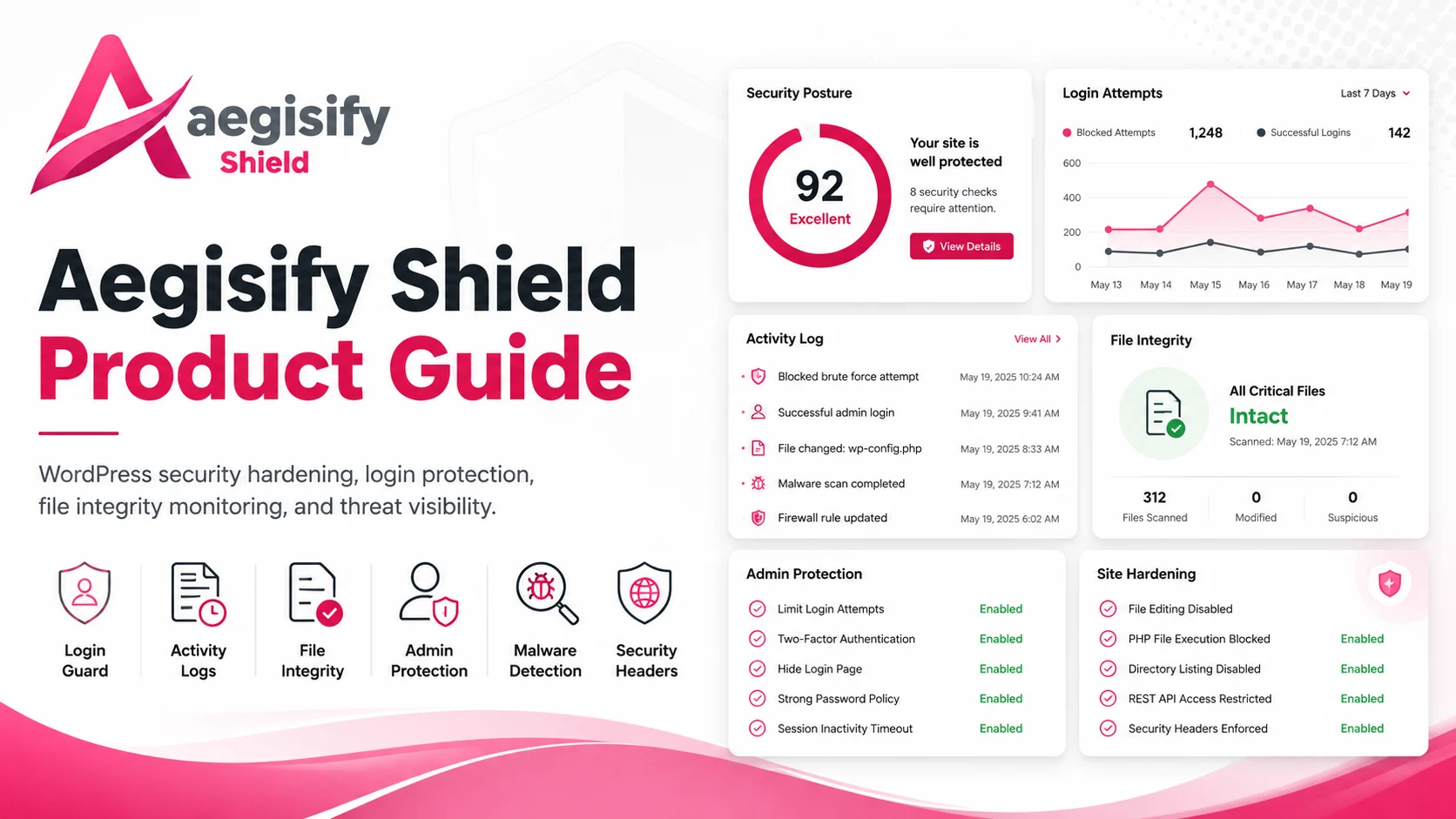
Bring security posture, WordPress and PHP health, authentication pressure, scan summaries, alerts, threat activity, file changes, and database context into one operational starting point.
Activity Log & Alerts
Record security-relevant WordPress activity with severity, filtering, search, visual trends, Saved Views, alert rules, CSV export, retention, and scheduled archive controls.
File Integrity & Critical Files
Detect new, modified, or deleted files, compare reviewed baselines, use WordPress checksum context, inspect protected critical files, review differences, and track investigation state.
Malware Scan & Attack Story
Run context-correlated malware analysis, scheduled scans, changed-file quick scans, WordPress core checksum review, evidence-based findings, controlled quarantine, and incident correlation.
Security Headers & CSP
Manage browser security headers, optional HSTS, CSP directives, Report-Only and Enforce modes, frontend/admin/custom-path profiles, violation analysis, health scoring, and policy visibility.
Data Compliance Controls
Select supported PII, PCI, PHI, and CUI patterns for public-text masking and optionally store selected WordPress profile values encrypted with masked routine display and authorized reveal.
Database Tools & Change Safeguards
Review table size and growth, export database summaries, use conservative optimization, and perform guided prefix changes with preview, SQL snapshot safeguards, validation, and post-change verification.
Configuration Control Center
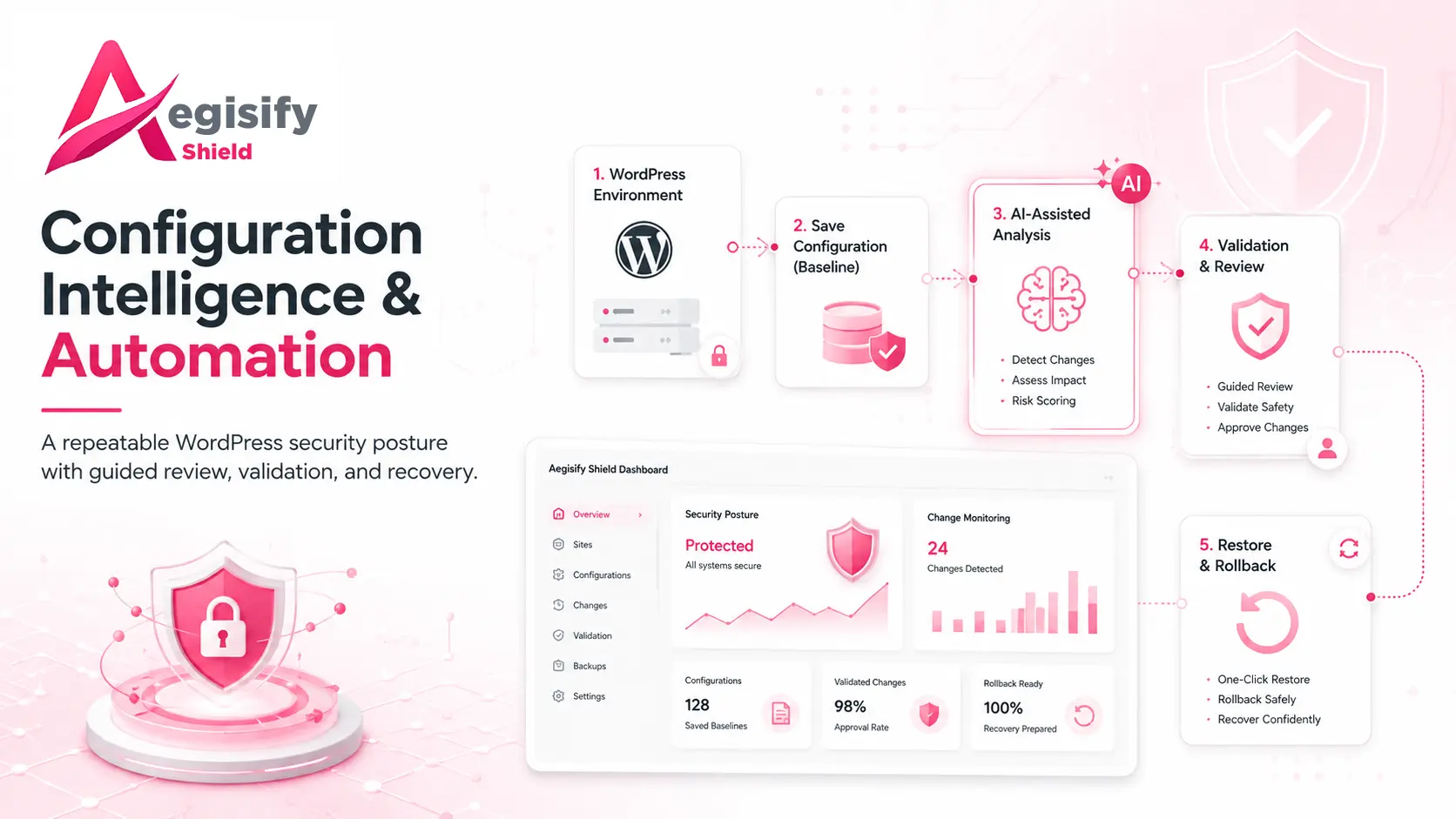
Create versioned Shield JSON configurations, validate restores, preserve encrypted server-side rollback snapshots, retain controlled history, and apply supported recommendations through bounded change workflows.
WordPress Hardening
Control file editing, XML-RPC policy, user enumeration, anonymous REST behavior, password requirements, Admin Toolbar exposure, protected account forms, vulnerability review, and role risk.
Privileged AJAX & Registration Guard
Protect selected authenticated AJAX actions and evaluate suspicious registration behavior with monitoring or blocking controls before risky account creation is allowed to proceed.
Login Guard & Administrator Protection
Apply separate login thresholds, progressive lockouts, unknown-username controls, temporary and permanent block management, wp-admin access restrictions, and Account Owner approval for administrator-level changes.
Inventory & AI-Assisted Configs
Run local configuration scans, collect encrypted baseline and incremental inventories, then explicitly authorize redacted AI analysis through Aegisify Core to create reviewable configuration guidance or artifacts.
Use Shield with timely WordPress maintenance, least privilege, tested backups, secure hosting, a WAF where appropriate, and an incident-response process. The modules improve visibility and control; they do not guarantee that a WordPress site cannot be compromised.
Visible – Controlled – Reviewable
Ready to Build a Stronger WordPress Security Baseline?
Start with core protection, then use PRO for advanced monitoring, alerting, scheduled scans, privileged-access intelligence, and configuration automation managed through Aegisify Core.

What Makes Aegisify Shield Different
Security Visibility Connected to Enforceable Controls
Security work becomes harder when login events, privilege changes, file findings, malware results, hardening controls, and configuration history live in separate workflows. Aegisify Shield connects those signals inside WordPress so administrators can review evidence, enforce high-impact controls, and make changes through clear, reversible processes.