Local WordPress Evidence, AI SaaS Analysis, Live Comparison, and Clearer Cost Visibility
A WooCommerce store is more than a website. It is a live revenue environment supporting checkout activity, customer accounts, orders, payment integrations, plugins, APIs, webhooks, background jobs, and sensitive business operations. A meaningful security audit must therefore extend beyond basic malware scanning and outdated-plugin alerts.
| Why WooCommerce Requires More Than a Standard WordPress Scan | |
|---|---|
| Revenue-Critical Workflows | Cart, checkout, pricing, shipping, taxes, coupons, subscriptions, refunds, inventory, and order processing can directly affect revenue and customer experience. |
| Customer Accounts | Authentication, account recovery, personal information, order history, saved addresses, and customer access introduce identity and privacy concerns. |
| Payment Integrations | Payment gateways, callback routes, browser-facing scripts, gateway configuration, and token-handling behavior expand the commerce attack surface. |
| APIs and Webhooks | WooCommerce REST APIs, Store API routes, external integrations, API credentials, and webhooks may create authorization, authentication, and data-exposure risks. |
| Background Processing | Action Scheduler and other queued processes support subscriptions, emails, payments, stock updates, synchronization, and fulfillment. Failed or delayed jobs can create operational disruption. |
| Compatibility and Storage | HPOS configuration, plugin compatibility, synchronization state, custom code, and theme template overrides can introduce failures after updates or platform changes. |
| Business Impact | A weakness may affect more than technical security. It can affect revenue, customer trust, payment processing, fulfillment, refunds, privacy, availability, and the organization’s ability to operate. |
What a WooCommerce Audit Must Understand
The audit scope should reflect how the store actually operates—not treat WooCommerce as an ordinary collection of public pages.
Start With an External View of Your Store
Run a free website scan to review publicly visible WordPress and WooCommerce security indicators before beginning a deeper audit.
| A Local WordPress Agent Adds Evidence an External Scan Cannot See | |
|---|---|
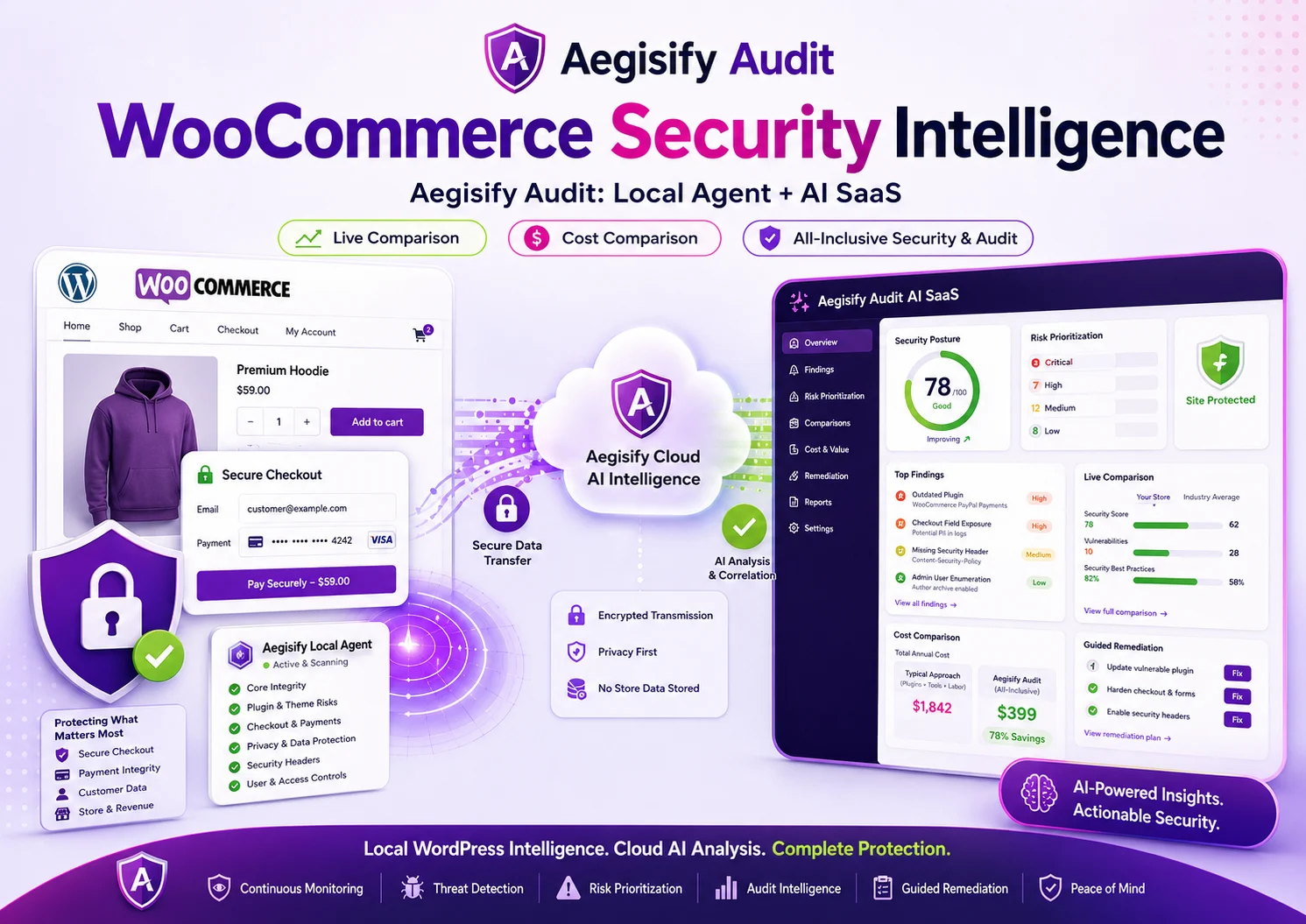
| Authorized Local Installation | The Aegisify Audit Agent is installed by an authorized administrator and adds structured WordPress-side evidence to the SaaS audit workflow. |
| WooCommerce Posture | Review WooCommerce version information, update posture, configuration signals, checkout model, and related application conditions. |
| Software Inventory | Identify installed and active plugins, themes, supporting dependencies, extensions, and software that may affect checkout, payments, pricing, customers, or orders. |
| Payment Gateways | Review enabled gateways, test-mode indicators, logging posture, configuration signals, and relevant operational conditions without treating the Agent as a payment-data export tool. |
| Webhooks | Review configured webhook presence, delivery posture, authentication indicators, HTTPS usage, and secret-presence signals. |
| REST API Credentials | Review API key counts and permission levels to help identify excessive access or credentials requiring administrative review. |
| HPOS | Review storage configuration, synchronization state, compatibility indicators, and conditions that may affect order processing. |
| Action Scheduler | Identify failed, overdue, delayed, or repeatedly retried actions that could affect payment, email, subscription, stock, or fulfillment workflows. |
| Template Overrides | Identify WooCommerce template overrides that may require review after WooCommerce, theme, or extension updates. |
| Access Posture | Review administrator and shop-manager access conditions, privileged-user exposure, and accounts that may require governance or access reduction. |
| Context-Aware Activation | Commerce reporting should activate when WooCommerce is detected. Standard WordPress websites should not receive irrelevant checkout, payment, or order-processing findings. |
| The AI SaaS Layer Turns Findings Into a Usable Security Workflow | |
|---|---|
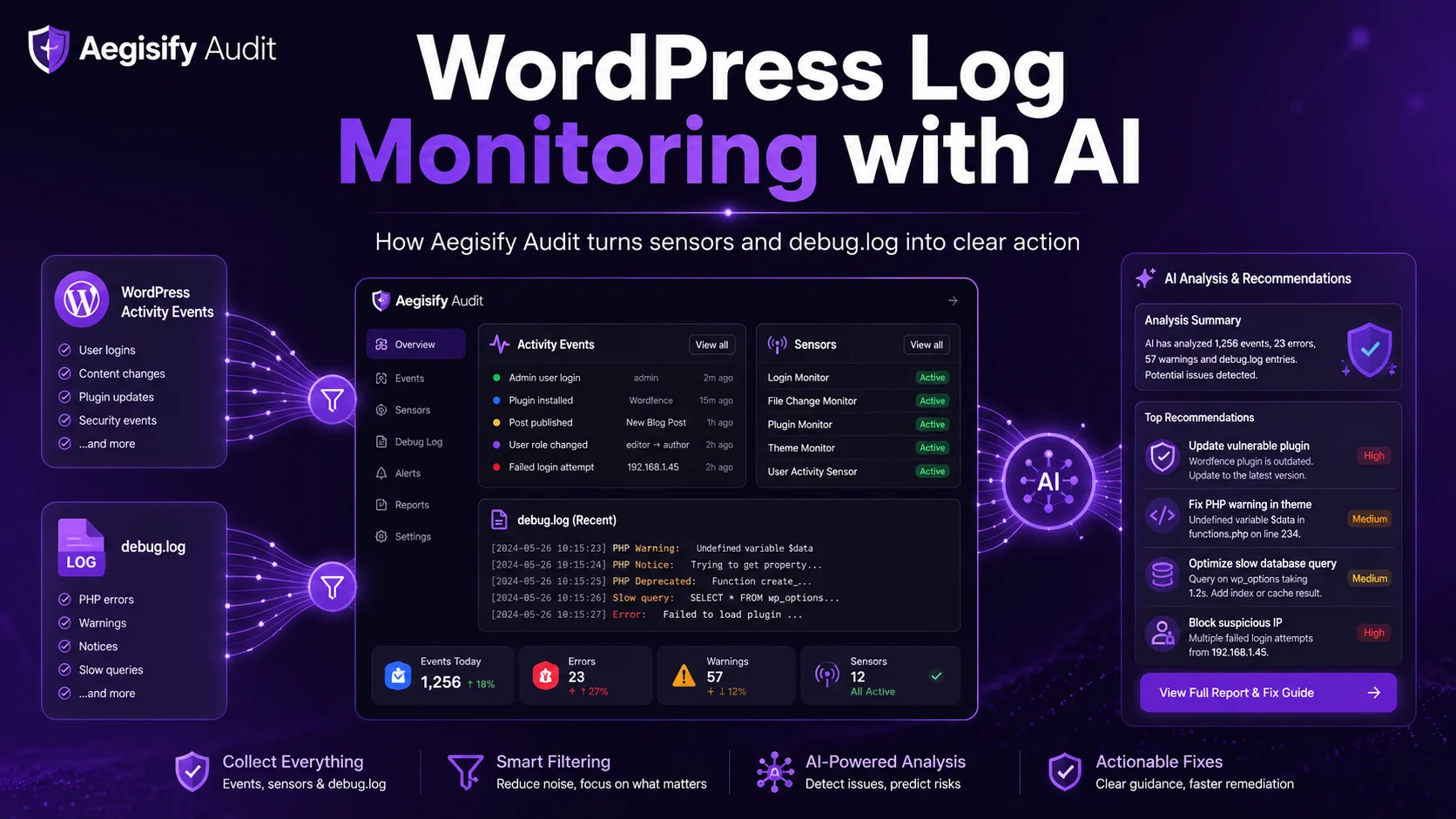
| Structured Evidence | The SaaS platform receives approved structured evidence from the Agent and combines it with external scanning, dynamic testing, vulnerability intelligence, API discovery, configuration findings, and audit reporting. |
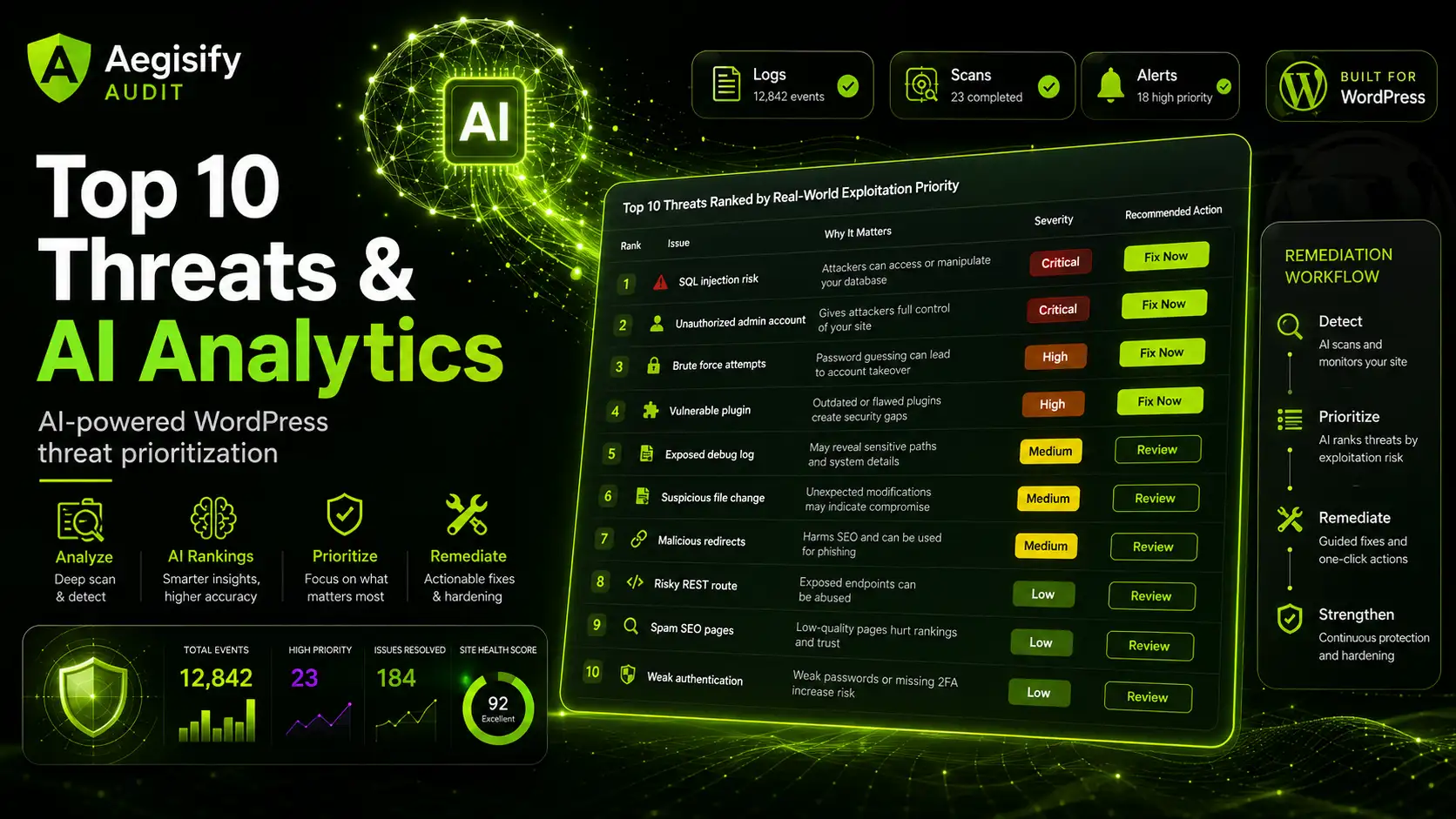
| Clearer Summaries | Aegisify AI can translate complex technical findings into clearer language for store owners, developers, agencies, and security reviewers. |
| Evidence Correlation | Connect Agent data, plugin findings, DAST observations, API exposure, configuration issues, and approved log evidence to identify relationships that may not be visible in isolation. |
| Business Impact | Explain how a technical issue may affect checkout, payments, orders, customer accounts, privacy, fulfillment, availability, or revenue. |
| Confidence and Review | Separate confirmed evidence from observations, assumptions, or conditions that require additional human validation. |
| Remediation Guidance | Recommend safer next steps that can include staging, backup, rollback, controlled changes, compatibility testing, and post-remediation verification. |
| Human Accountability | AI supports analysis. It does not silently modify a production store or replace the store owner, developer, payment provider, agency, or security professional. |
See How Local Evidence and SaaS Analysis Work Together
Request a demonstration of the Agent, audit workflow, findings, reporting, AI-assisted prioritization, and WooCommerce review capabilities.
| Commerce Area | What the Audit Reviews | Why It Matters |
|---|---|---|
| Checkout | HTTPS posture, browser-facing assets, checkout model, form behavior, configuration signals, and customer interaction points. | Checkout is where revenue, customer confidence, transaction integrity, and privacy requirements intersect. |
| Payments | Gateway posture, environment mode, logging, payment-related scripts, callback behavior, and token-related indicators. | Weak payment handling can introduce fraud, privacy, operational, availability, or customer-trust concerns. |
| Webhooks | HTTPS usage, authentication indicators, signatures, replay concerns, delivery status, and response behavior. | Webhooks can trigger order, payment, inventory, subscription, or fulfillment changes in connected systems. |
| Orders and APIs | Store API, REST routes, API keys, permission levels, authorization controls, and order-ownership boundaries. | Authorization failures may expose, alter, or disclose another customer’s order or account information. |
| Background Processing | Action Scheduler failures, delayed jobs, overdue actions, repeated retries, and queue-health indicators. | Failed jobs can disrupt email, payments, stock, subscriptions, renewals, order processing, and integrations. |
| Compatibility | HPOS state, synchronization, plugin compatibility, template overrides, and supporting extension conditions. | Compatibility failures can create silent operational problems after updates, migrations, or configuration changes. |
| Privacy and Logs | Approved indicators of customer, order, token, or payment-related information appearing in authorized log sources. | Debugging and operational logs should not become an uncontrolled source of sensitive business or customer information. |
Live Comparison Helps Show What Changed
A single scan provides a snapshot. Security operations become more useful when completed scans can be compared across time.
Measure Whether Your WooCommerce Security Posture Is Improving
Use recurring audits and completed-scan comparison to understand what changed, what remains open, and whether remediation produced the intended result.
| Product or Service | Public Starting Price | Primary Public Buying Focus |
|---|---|---|
| Wordfence Premium | $149 per site, per year | WordPress firewall, malware scanning, threat intelligence, and login-security capabilities. |
| Sucuri Basic Platform | $229 per site, per year | Website monitoring, firewall services, malware response, and cleanup capabilities. |
| Jetpack Security | $19.95 per month at the listed standard rate, billed yearly | Backup, scanning, firewall, activity history, and spam-protection capabilities. |
| Anti-Fraud for WooCommerce | $139 per year | Fraud scoring, suspicious-order review, and card-attack controls. |
| Illustrative Four-Product Subtotal | Approximately $756.40 per year | Does not include setup, integration, investigation, reporting, specialist review, tool administration, or remediation labor. |
| Aegisify Audit Starter | $79 per month, or $948 over 12 months | One verified target, AI-assisted analysis, local Agent evidence, DAST, API discovery, findings, reporting, remediation workflow, and selected WooCommerce review capabilities. Exact coverage depends on the subscription and scan profile. |
The Relevant Cost Is More Than the License Price
Security products should be evaluated according to their operating model, audit depth, evidence, reporting, remediation process, and the specialist time required to manage them.
Compare More Than Feature Checkboxes
See how Aegisify combines local evidence, external testing, WooCommerce intelligence, reporting, and remediation planning in one audit environment.
What Is Included in the Aegisify Audit Workflow?
Depending on the selected subscription and scan profile, Aegisify Audit can combine capabilities that might otherwise require multiple tools, dashboards, reports, and manual processes.
The Aegisify Audit Agent is designed to provide approved structured security signals rather than function as a complete customer-data export mechanism.
Normal WooCommerce security intelligence is not designed to transmit complete order records, customer databases, full card numbers, security codes, payment gateway credentials, webhook secrets, REST API secrets, or raw matched sensitive values.
Optional logs still require careful handling because WordPress plugins, payment extensions, or debugging systems may write sensitive information into log files. Customers should review enabled telemetry, limit collection to authorized sources, and avoid leaving unnecessary production debugging active.
Built for WooCommerce Owners, Agencies, and Security Teams
Get a Closer Look at Your WooCommerce Environment
Begin with a free public scan, then move to a verified local and SaaS audit workflow when deeper evidence and reporting are required.
From Noisy Findings to Clearer Commerce Security Decisions
WooCommerce security is the relationship between WordPress, plugins, checkout, APIs, payment gateways, webhooks, orders, customer data, administrators, logs, background jobs, and external services.
Protect the Path From Cart to Revenue
Bring together local WordPress evidence, external testing, WooCommerce business-flow intelligence, AI-assisted prioritization, reporting, and human-reviewable remediation in one audit workflow.
Start with an external scan. Review the deeper evidence. Address what matters first. Retest and measure the result.