Connect Aegisify Audit to WordPress in Five Guided Steps
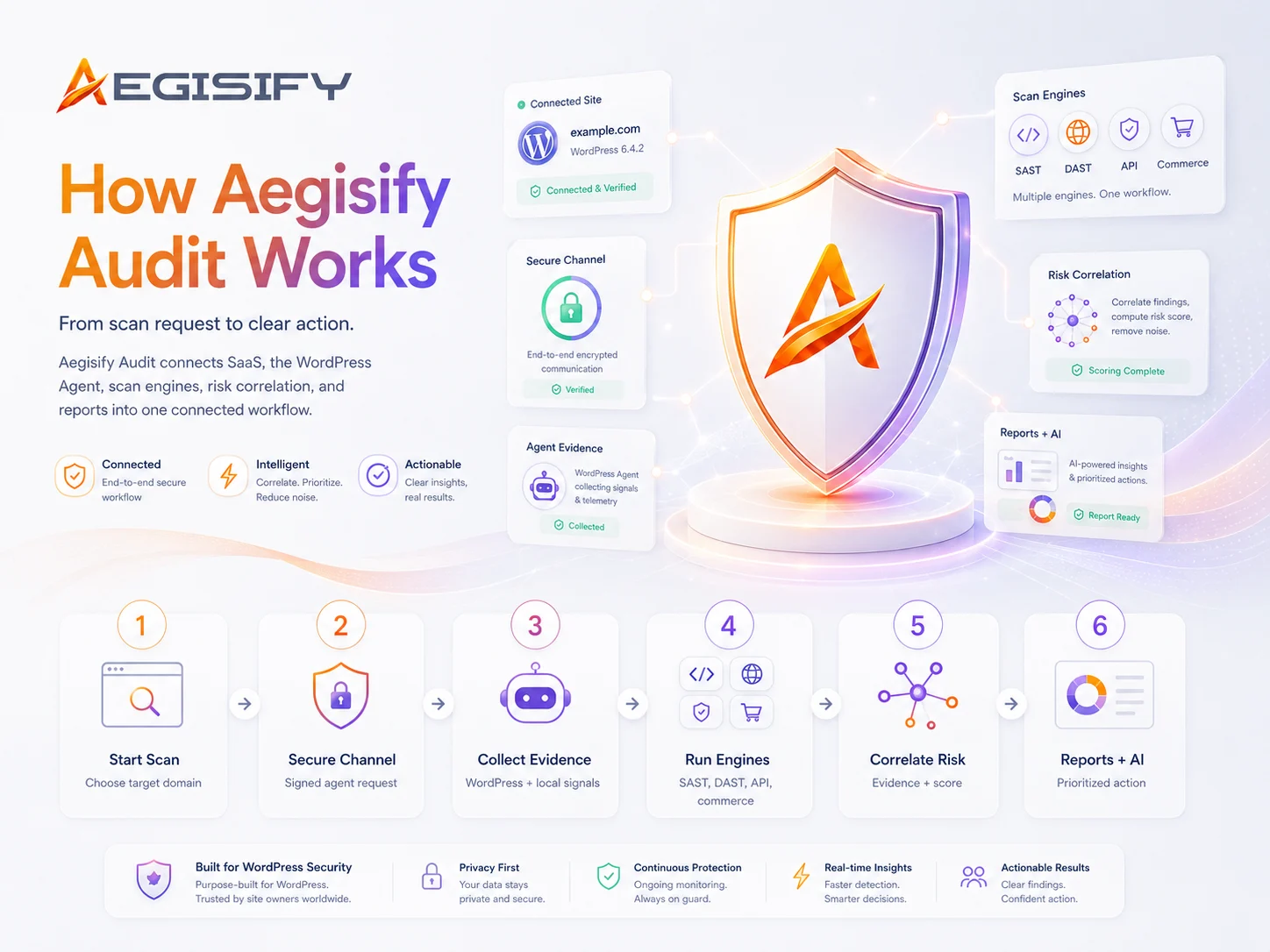
Use this Aegisify Audit WordPress setup guide to register your account, add and verify your domain, install the Aegisify Audit Agent, connect the SaaS platform with an encryption key, and run your first WordPress security scan.
The connected workflow gives Aegisify Audit authorized, Agent-assisted visibility into your WordPress environment so findings can be reviewed with clearer site context and evidence.
Aegisify Audit
Add the domain
Security Key
Authorize the connection
WordPress Agent
Verify and scan
Quick Start: Register, Add the Domain, and Connect
Install the Aegisify Audit Agent
Sign in, open Target Domain Settings, and prepare the WordPress Agent.
- Download the Aegisify Audit Agent.
- In WordPress, go to Plugins › Add Plugin › Upload Plugin.
- Select the downloaded Agent, then install and activate it.
Add and Verify Your Domain
Add the WordPress site you are authorized to manage.
- Enter the domain and click Add Domain.
- For optional secondary verification, create the displayed DNS TXT record.
- Return to Aegisify Audit and click Verify Record.
Connect with the Security Key
Use the generated key to authorize the WordPress Agent connection.
- Expand Agent Details and copy the Encryption / Security Key.
- Open Aegisify Audit Agent in WordPress and paste the key.
- Back in Agent Details, click Connect Over SSL and review the connection log for a successful Agent verification.
Agent Setup: Allow Access and Run Your First Scan
Confirm the Key and Telemetry Access
Finish the Agent-side authorization inside WordPress.
- Open Aegisify Audit Agent from the WordPress admin menu.
- Confirm that the Encryption / Security Key is saved.
- Open Telemetry Access Control and allow access to the Aegisify SaaS application.
Run “Scan Now”
Scanning becomes available after the Agent successfully connects to Aegisify Audit.
- Select the WordPress plugins you want to include.
- Click Scan Now; the scan will continue in the background.
- Return to the Aegisify Audit dashboard to review scan activity, findings, and available reports.

How can Aegisify AI help?
Ask about Aegisify or WordPress: errors, plugins, security, SEO, compatibility, troubleshooting, comparisons, or launch a free website scan.
14 days Risk Free!
Doesn’t hurt to get a free WordPress Audit and Security Scan. Follow this link