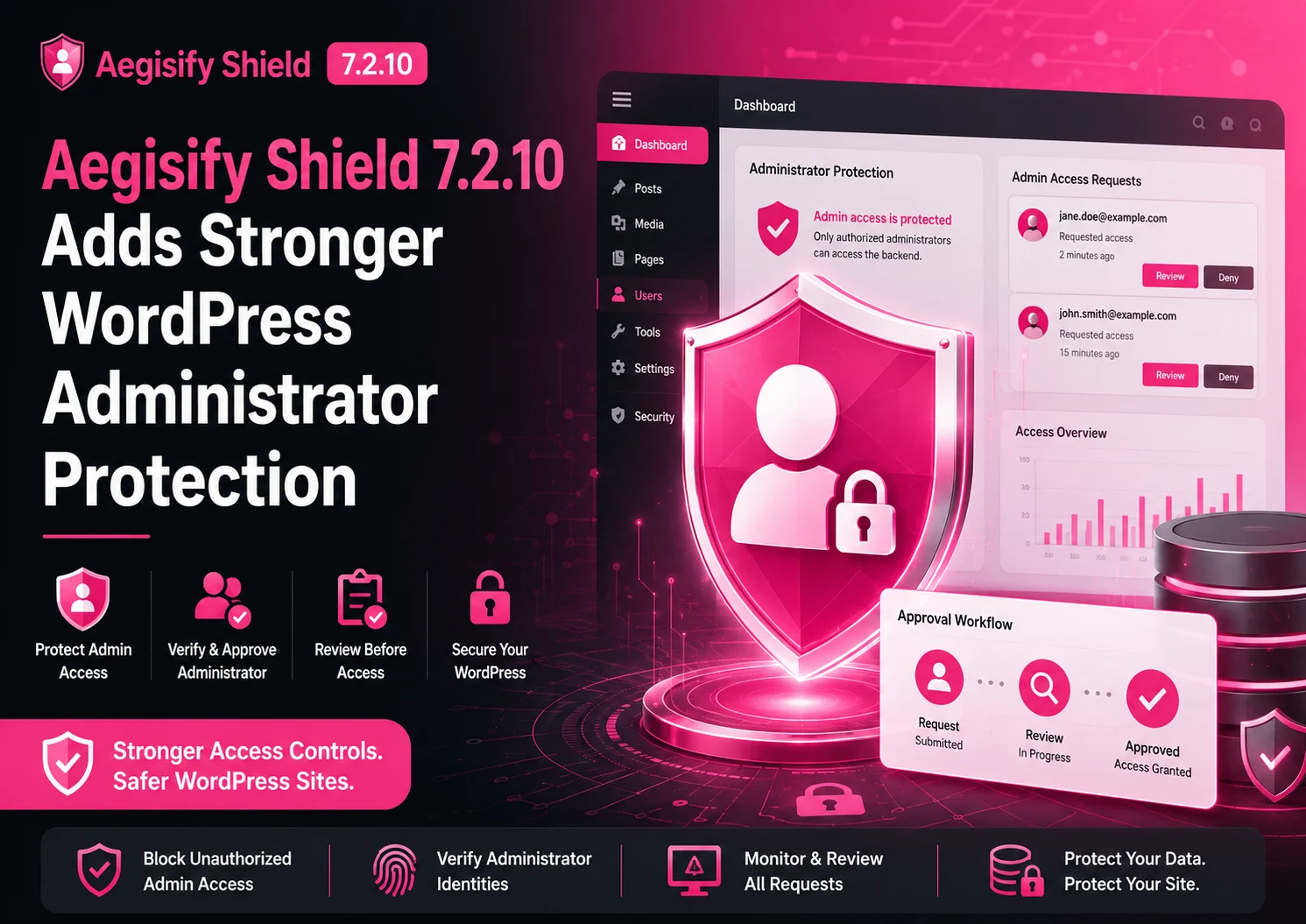
Aegisify Shield Adds Stronger WordPress Administrator Protection
An attacker does not always need to defeat the WordPress login page to take control of a website. If an existing account is compromised, a vulnerable component is abused, or WordPress user records are changed through another path, the attacker may try to create a new administrator, promote a lower-level user, assign dangerous capabilities, or keep an unauthorized privileged session active.
That is why recording a role change after it happens is not enough.
Aegisify Shield 7.2.10 expands Login Guard with a layered administrator-protection workflow designed to identify, block, contain, and review unauthorized attempts to gain administrator-equivalent access.
Why Unauthorized Administrator Accounts Are So Dangerous
On a standard single-site WordPress installation, an Administrator can typically change important settings, install or modify plugins and themes, create or promote users, and reach sensitive operational areas of the website. That makes administrator access one of the most consequential control points in WordPress.
On a business, WooCommerce, agency, membership, or mission-critical site, unauthorized privileged access can affect far more than page content.
Customer and Member Data
Privileged access may expose user records, account details, form submissions, or private membership information.
Revenue Operations
WooCommerce settings, products, payment integrations, order workflows, and customer experiences may be disrupted.
SEO and Visibility
Attackers may alter content, canonical behavior, redirects, metadata, structured data, or outbound links.
Plugins and Themes
Administrative control may permit installation, replacement, activation, deactivation, or modification of executable code.
Credentials and Sessions
New accounts, password changes, persistent sessions, and privilege escalation can extend attacker access.
Security Controls
Logging, alerts, hardening, backups, firewall settings, and protective plugins may be weakened or disabled.
Website Integrity
Pages, menus, settings, scheduled tasks, integrations, and database records can be changed without authorization.
Organizational Trust
Defacement, malicious redirects, data exposure, or prolonged compromise can damage customer and stakeholder confidence.
From Passive Evidence to Active Enforcement
A security plugin that reports “a user role changed” may provide valuable evidence, but the notification can arrive after the attacker already has privileged access. Aegisify Shield 7.2.10 moves the workflow from passive detection toward active enforcement, Account Owner approval, containment, and continued integrity checking.
The objective is not simply to document the event. It is to interrupt unauthorized privilege, preserve evidence, require a decision, and reduce the chance that the account remains useful to an attacker.
The Administrator Role Name Is Only Part of the Problem
WordPress authorization is based on roles and capabilities. A role represents a set of capabilities, but WordPress can also merge capabilities inherited from roles with capabilities assigned directly to an individual user. Custom plugins may create their own roles, and a custom role can become administrator-equivalent without ever using the label “Administrator.”
A protection system therefore cannot safely look only for one role name.
01Standard Administrator Role
The familiar built-in role remains a primary protected path, but it is not the only path to high-impact permissions.
02Privileged Custom Roles
Membership, ecommerce, LMS, agency, portal, and workflow plugins may define roles containing sensitive capabilities.
03Direct User Capabilities
A capability can be granted to an individual user outside the normal permissions inherited from an assigned role.
04Site-Specific Metadata
WordPress stores site-level role and capability information through user metadata associated with the active site.
05Legacy Privilege Records
Older administrator-level metadata can remain security-relevant even when it is not presented as a modern role assignment.
06Duplicate or Hidden Records
Unexpected metadata rows may create ambiguity, conceal privilege, or interfere with a trustworthy baseline.
Why WordPress-Level Enforcement Requires Multiple Checks
WordPress provides role methods such as WP_User::set_role() and WP_User::add_role(), stores user capability data through metadata, merges role and individual capabilities, and allows effective capability results to be filtered dynamically. It also provides a metadata filter that can short-circuit an update before the normal database operation continues.
Security implication: protecting privileged access requires evaluating the requested role, the requested capabilities, the stored metadata, and the permissions the account can actually exercise at runtime.
01
Centralized Privileged-Access Review
A New Login Guard Users Tab
Aegisify Shield now includes a dedicated Users tab under:
WordPress Admin → Aegisify Shield → Login Guard → Users
The page gives the Account Owner a focused view of administrator and administrator-equivalent access instead of scattering the workflow across unrelated user screens and activity records.
Protection StateAdministrator Lock
Shows whether protected privileged-user enforcement is operating as expected.
Database EnforcementDatabase Role Guard
Reports whether direct database-level protection is Active or operating in a Degraded state.
Approval AuthoritySigned Account Owner
Displays the Account Owner identity and email associated with privileged-access decisions.
- Pending administrator and administrator-equivalent approval requests
- Approve and Reject controls for the Account Owner
- Inventory of administrator and privileged accounts
- Approved and unapproved status indicators
- Warnings when protected records fail signature validation
- Visibility into direct capabilities and privileged custom roles
- Protection status for role, metadata, runtime, and database controls
02
Default Protections
Administrator Lock and Database Role Guard
Two core controls are enabled by default in this release:
- Lock Administrator Users: evaluates protected WordPress role and capability changes and requires authorization before supported promotions are accepted.
- Lock Administrator Database Fields: adds database-level monitoring and prevention when the hosting environment permits the required trigger operations.
These controls are designed to work together. WordPress-level protection covers supported application paths, while Database Role Guard extends the boundary toward direct user-metadata changes that may bypass ordinary administration workflows.
Account Owner Approval Before Privileged Access
When Shield detects an attempt to assign protected access through a supported WordPress path, it creates an approval request instead of silently accepting the promotion. The Account Owner receives an email notification and can review the request inside Login Guard → Users.
1Detect
Shield identifies a protected role, capability, or metadata change.
2Block
The unapproved privilege write is prevented through the supported enforcement path.
3Record
A signed request captures the requested and previous permission state.
4Notify
The Account Owner receives an email that privileged access requires review.
5Validate
Shield confirms identity, state, signature, status, and expiration.
6Decide
The Account Owner approves or rejects the current request.
7Enforce
The approved state is applied—or unauthorized access remains contained.
| Protected Request Detail | Why It Is Bound to the Approval Record |
|---|---|
| Target User | Identifies the exact account receiving the requested privileged access. |
| Username and Email | Helps detect identity changes between request creation and the final decision. |
| Requested State | Records the requested roles and direct capabilities rather than treating every promotion as interchangeable. |
| Previous State | Preserves the account’s prior permissions so validation can detect stale or changed requests. |
| Request Source | Provides context about where the protected change originated. |
| Requesting User | Records the actor associated with the attempted privilege change when that identity is available. |
| Timing | Includes creation and expiration data so old requests do not remain reusable indefinitely. |
| Decision State | Protects pending, approved, rejected, and expired status against unauthorized reopening or alteration. |
Approval Applies Only to the Current Account State
Before access is granted, Shield verifies that the target account and its previous permission state still match the signed request. If the username, email address, current permissions, request status, expiration, or protected signature no longer matches, the approval is not applied.
The Account Owner must review a new request based on the account’s current identity and permission state. This reduces the risk of approving an old request after the target account has materially changed.
Protection Beyond the Administrator Role Name
Version 7.2.10 expands the protected policy to cover direct capabilities and custom roles that can provide administrator-equivalent control. The policy evaluates the effective permission represented by the change—not only the text label attached to the role.
Manage Options
High-impact control over important WordPress configuration and operational settings.
Create or Promote Users
Ability to add accounts or elevate the permissions of existing users.
Install or Edit Plugins
Capability to introduce, activate, replace, or modify executable plugin code.
Install or Edit Themes
Capability to add or alter theme code and presentation-layer execution paths.
Update WordPress Core
Authority over core software changes with broad operational impact.
This matters for sites that use membership, ecommerce, learning-management, agency, portal, or custom workflow plugins. A role can be highly privileged even when it has a business-specific name that does not appear dangerous at first glance.
03
Layered WordPress Enforcement
Pre-Write Blocking and Final Capability Control
WordPress role and metadata changes can pass through multiple hooks and filters. A security decision made only at an early priority could potentially be changed later by another component. Aegisify Shield therefore applies critical metadata and runtime capability enforcement at both an early stage and the final filter priority.
Early Evaluation
Identify the Request
Shield evaluates the attempted protected change early enough to create the approval workflow and prevent the expected metadata operation from proceeding normally.
Final Filter Priority
Recheck the Decision
The policy is evaluated again at the end of the relevant filter chain so a later callback cannot quietly restore the unauthorized write.
Runtime Authorization
Remove Effective Privilege
Capability enforcement can deny protected permissions during the active request even when a user object temporarily contains changed permission data.
04
Direct Metadata Protection
Database Role Guard
Some attacks and compromised components do not use the normal WordPress user-management workflow. They may attempt to alter protected user metadata directly. When the hosting database account permits trigger creation, Aegisify Shield installs MySQL or MariaDB triggers for protected user-metadata operations.
What the Trigger Policy Evaluates
- Protected capability records
- Administrator-level legacy records
- Approved privileged-user IDs
- Privileged role markers
- Protected capability markers
- Account Owner protections
- The expected trigger definition and policy fingerprint
Shield validates more than the trigger name. A same-name trigger that has been replaced with a weaker or ineffective definition can be detected and rebuilt when the environment supports the required operation.
Active
The expected database-trigger protection is installed and passes the available definition and behavior checks.
Degraded
The host did not provide all permissions or conditions needed for immediate trigger enforcement or complete validation.
A Degraded status does not mean every protection is disabled. WordPress-level blocking, runtime capability checks, integrity monitoring, session revocation, approval controls, and rollback remain available. It does mean direct database prevention may not be immediate, and the hosting configuration should be reviewed.
Automatic Containment and Session Revocation
When Shield identifies unapproved privileged access, it does more than write an activity-log entry. Depending on the detected path and the controls available in the environment, Shield can take multiple containment actions.
1Block the Write
Prevent the supported role, capability, or user-metadata change from completing.
2Deny Runtime Privilege
Remove unauthorized protected capabilities from the account’s effective permissions.
3Quarantine the Account
Place the user into a known Subscriber-level state rather than preserving attacker-supplied permissions.
4Repair Metadata
Remove duplicate or hidden protected records and restore the expected user-level state.
5Revoke Sessions
Invalidate the affected user’s active WordPress sessions to reduce continued unauthorized access.
6Record and Notify
Create security evidence and alert the Account Owner that privileged access was attempted or detected.
Quarantine intentionally uses a known low-privilege state. When an unauthorized permission record cannot be trusted, attempting to preserve parts of that record may preserve the attacker’s access as well.
05
Tamper-Evident Security State
Signed Approval Records and Administrator Baselines
A protection system should not trust an approval record merely because the row exists in the database. Aegisify Shield signs security-sensitive records so unauthorized changes can be detected before the record is accepted.
Account Owner Identity
Protects the identity and email authorized to make privileged-access decisions.
Privileged-User Baseline
Protects the approved inventory used to distinguish expected access from unapproved privilege.
Approval Requests
Protects the target, identity, previous state, requested state, source, timing, and request status.
Final Decisions
Protects approval and rejection outcomes against unauthorized reopening or modification.
These signatures help detect attempts to change the target user, alter requested capabilities, reopen a rejected request, redirect approval authority, or modify the protected baseline.
Version 7.2.10 also strengthens continuity during normal secret rotation. At least one supported signing secret must remain unchanged during a single rotation step so Shield can validate and refresh protected records instead of losing the ability to distinguish authentic state from tampered state.
Handling Expired, Replayed, and Changed Requests
Approval workflows become unsafe when an old request can be reused after the account changes. Shield binds request deduplication and approval validation to the requested permission state, the previous permission state, the username, and the user email address.
Expired requests are closed and re-signed rather than remaining indefinitely available as inactive pending records. A later attempt must create a current request that reflects the user’s present identity and permissions.
Audit and Sanity-Check Results
The administrator-protection update was reviewed through code inspection, package comparison, PHP syntax validation, and targeted security testing. Release validation for the completed 7.2.10 package included:
64PHP Syntax Checks
Modified and relevant PHP files were checked for syntax validity.
31Targeted Security Tests
Administrator-role, capability, request, signature, trigger, and compatibility paths were exercised.
ZIPPackage Validation
The release archive structure and package integrity were reviewed.
7.2.9Modified-File Comparison
Changed files were compared against the prior package to identify release scope.
The targeted tests covered standard Administrator roles, direct protected capabilities, privileged custom roles, runtime capability denial, signed records, stale requests, trigger policy validation, hidden administrator-level records, and backward compatibility with the prior signed-record format.
These results verify the implemented code paths in the test environment. They are not a promise that a WordPress site cannot be compromised.
Important Deployment and Security Limits
No WordPress plugin can guarantee protection when an attacker has unrestricted hosting, filesystem, database-administration, or server-level control. Privileged-access enforcement should be deployed as one layer in a broader security and incident-readiness program.
Validate in Staging
- Confirm the Account Owner receives approval emails
- Verify Database Role Guard reports the expected status
- Confirm the database account permits required trigger operations
- Test that protected raw SQL changes are rejected when the guard is Active
- Verify REST API and WP-CLI user changes follow the intended policy
Confirm Operational Compatibility
- Test membership and user-management plugins
- Verify database-prefix changes rebuild required protections
- Run integrity checks through a real server cron on low-traffic sites
- Review email delivery and Account Owner identity before production use
- Document the recovery procedure before testing enforcement
This feature protects site-level WordPress roles and capabilities. WordPress Multisite Super Administrator protection is a separate scope.
Existing Administrators Still Require Human Review
To reduce the risk of locking legitimate teams out during an upgrade, existing administrator accounts may be added to the initial approved baseline. Shield cannot automatically know whether an administrator created before the protection was enabled is legitimate or attacker-controlled.
After installation or upgrade, the Account Owner should immediately review every privileged account and remove, demote, or investigate anything unexpected.
For a site that may already be compromised, administrator locking is only one part of incident response. The owner should also consider rotating credentials and WordPress salts, revoking sessions, reviewing scheduled tasks, checking plugins and themes, examining database changes, scanning files, and restoring from a known-clean backup when appropriate.
From Role-Change Alerts to Enforced Administrator Control
The main change in Aegisify Shield 7.2.10 is not another alert. It is a move toward a controlled security workflow that treats administrator-equivalent access as an authorization event.
Step 1Detect
Identify a request or state that would create protected WordPress access.
Step 2Block or Contain
Prevent the supported change or remove its effective privilege.
Step 3Notify
Tell the Account Owner that a privileged-access decision is required.
Step 4Validate
Verify the signature, target identity, current permissions, timing, and request status.
Step 5Approve or Reject
Require a deliberate Account Owner decision for the current request.
Step 6Repair
Revoke sessions, quarantine accounts, and restore protected records when needed.
Step 7Continue Monitoring
Check the user and database state for future unauthorized changes.
OutcomeOwner-Controlled Access
Make privileged WordPress access a controlled workflow rather than an unnoticed database fact.
Aegisify Shield Administrator Protection FAQ
Does Aegisify Shield prevent every WordPress compromise?
No. Aegisify Shield adds controls for supported WordPress and database-level paths, but no plugin can promise complete protection against every application, credential, hosting, server, supply-chain, or administrative attack.
What happens when a user is promoted to Administrator?
When the attempt passes through a protected WordPress workflow, Shield can block the privilege change, create a signed approval request, notify the Account Owner, and keep the target account in a low-privilege state until the current request is approved.
Does the protection cover custom WordPress roles?
Yes. Shield evaluates custom roles for protected capabilities. A role that provides administrator-equivalent control is treated as privileged access even when it is not named Administrator.
What does a Degraded Database Role Guard status mean?
It means the hosting environment did not provide all permissions or conditions needed for immediate database-trigger enforcement or complete validation. WordPress-level controls and integrity checks can remain active, but the hosting configuration should be reviewed.
Does this remove malware already present on a site?
No. Administrator protection can help block or contain future privilege changes. It does not prove that existing files, database records, scheduled tasks, plugins, themes, credentials, or integrations are clean.
Why are existing administrators not automatically removed?
Shield cannot reliably determine whether every pre-existing administrator is legitimate. Automatically removing all existing privileged accounts could lock out valid teams, so the Account Owner must review the initial baseline.
Does this protect the WordPress Multisite Super Administrator?
This release focuses on site-level WordPress roles and capabilities. Multisite Super Administrator protection is a separate security scope.
Technical References
Supporting references include WordPress Roles and Capabilities, WP_User::set_role(), WP_User::add_role(), WP_User::add_cap(), WP_User::get_role_caps(), the update metadata short-circuit filter, the user_has_cap filter, and WP_Session_Tokens::destroy_all().