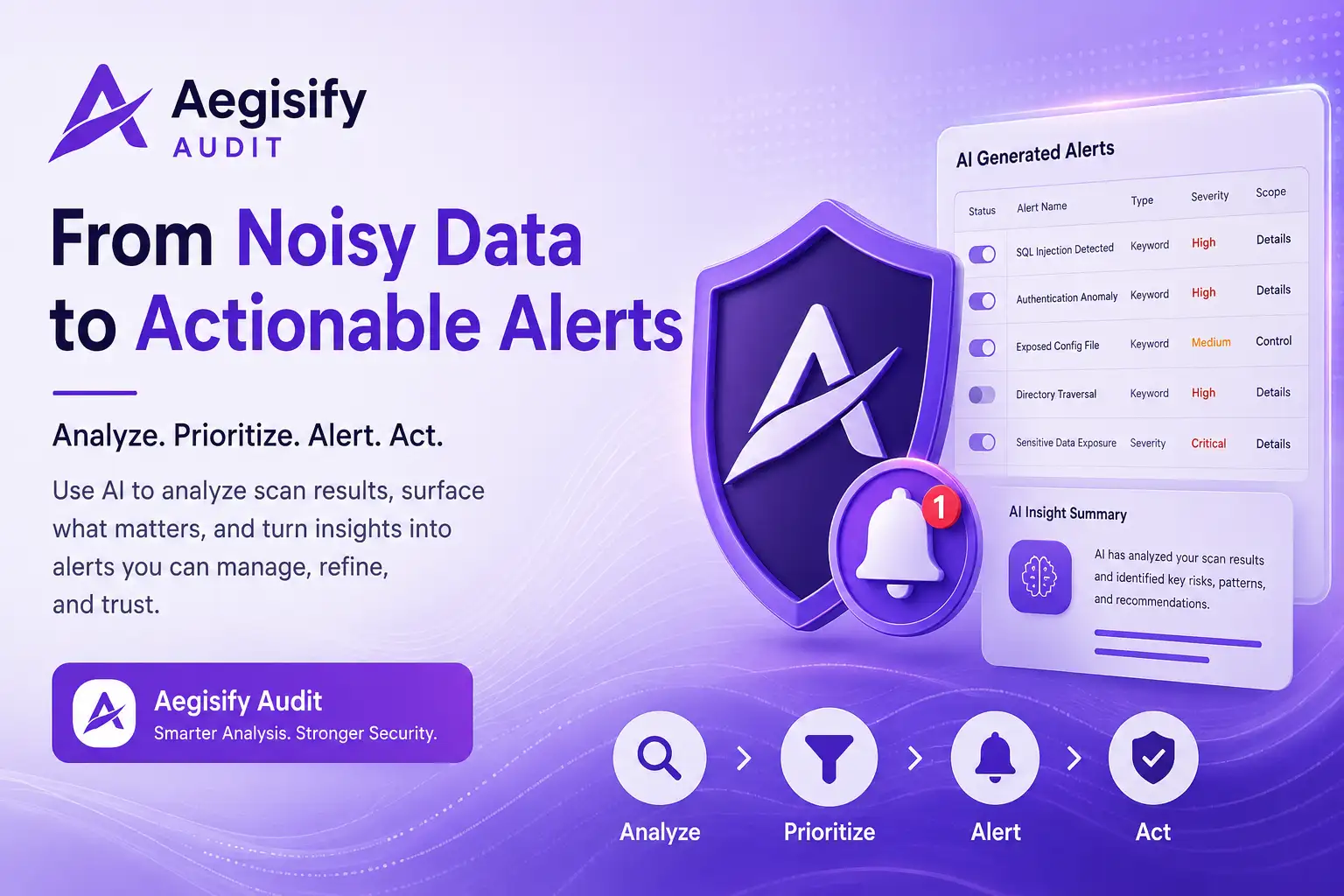
AI Security Alert Prioritization: Turn Noisy WordPress Scan Data Into Clear Action
AI security alert prioritization helps WordPress security teams move from overwhelming scan output to focused, reviewable action. Aegisify Audit combines WordPress security audit data, AI-assisted analysis, vulnerability prioritization, and AI-generated security alerts so users can identify meaningful patterns and build alerts that remain useful after the original scan.
Security teams rarely suffer from a lack of visibility. The harder problem is deciding what deserves attention first. A scan may uncover configuration weaknesses, exposed paths, dependency concerns, authentication anomalies, attack language, and informational findings at the same time. Without a practical way to organize that evidence, important issues can become buried in dense results.
The Real Security Problem Is Prioritization
A modern WordPress security scan can generate a large amount of useful evidence. Yet severity labels alone do not always explain business risk. A high-severity issue on an unreachable component may require a different response than a medium-severity issue connected to an exposed login flow, payment path, customer portal, or actively abused plugin.
Mature risk management therefore focuses on context: exposure, affected assets, exploit evidence, business impact, confidence, and remediation sequence. NIST guidance emphasizes understanding, assessing, prioritizing, and communicating risk. CISA also recommends using known exploitation evidence as an input to vulnerability prioritization.
From Raw Findings to Managed Security Alerts
This workflow illustration shows how dense scan data can be progressively organized without pretending that AI replaces expert review.
Repeated Findings
The same underlying weakness may appear across multiple routes, files, plugins, or requests. Without correlation, one problem can look like dozens of unrelated issues.
Mixed Severity
Critical, high, medium, low, and informational results may share the same report. Important evidence can disappear inside a long list sorted only by scanner output.
Missing Business Context
A technically valid finding does not automatically explain whether it affects revenue, customer data, administrative access, availability, or a public-facing workflow.
Temporary Analysis
Insights often disappear into reports, notes, or spreadsheets. Teams need a way to turn important observations into persistent alert logic they can reuse.
Analyze Complex WordPress Security Evidence Faster
Aegisify Audit can bring supported scan findings and security evidence into an AI-assisted analysis workflow. The purpose is not to create dramatic conclusions from limited data. The purpose is to help users summarize dense output, identify relationships, recognize repeated patterns, and decide what deserves closer review.
For an agency, that may mean separating a recurring plugin issue across managed sites from a one-time informational result. For a WooCommerce operator, it may mean highlighting findings connected to authentication, checkout, payment integrations, or administrative access. For a consultant, it may mean translating technical scan language for a client without losing the evidence.
Convert Useful Security Insights Into Persistent Alerts
A useful insight should not disappear when a scan ends. Aegisify Audit’s AI Generated Alerts workflow gives users a place to create, review, and maintain alert logic for important patterns.
| Capability | Operational Value |
|---|---|
| AI-assisted alert creation | Describe the desired condition in plain language and use AI to help translate the request into a structured alert. |
| Manual creation and refinement | Create or adjust alert criteria directly when exact control is required. |
| Keyword matching | Watch for terms associated with SQL injection, authentication anomalies, exploit language, suspicious behavior, or recurring findings. |
| Severity thresholds | Limit alerts to selected risk levels, such as high or critical, to reduce low-value notifications. |
| Match scope | Search within Control, Details, or Provider fields so the rule examines the most relevant part of the finding. |
| Lifecycle controls | Edit, enable, disable, or delete alerts as the environment and security priorities change. |
What Strong Security Prioritization Should Consider
AI-generated summaries are more useful when grounded in practical risk factors. Users should evaluate findings through several lenses rather than one score.
Create a Focused SQL Injection Alert From Scan Evidence
Imagine a security expert notices repeated injection-related language across several WordPress scan findings. Instead of copying the findings into a spreadsheet and building a separate monitoring process, the user can ask Aegisify AI to draft an alert.
The proposed alert can be reviewed before use. The user can confirm the keyword, change the minimum severity, narrow the match scope, edit the alert description, enable it, disable it temporarily, or delete it when it is no longer relevant.
This preserves expert control, reduces repetitive setup work, and turns a one-time observation into a reusable monitoring condition.
A Practical Five-Step AI Security Workflow
Collect supported external and WordPress-side security evidence.
Use AI-assisted review to summarize patterns and reduce repetitive noise.
Evaluate severity, exposure, exploit evidence, impact, repetition, and confidence.
Convert important patterns into structured, manageable alert logic.
Validate evidence, assign action, remediate safely, and review the result.
Why This Matters for WordPress Teams
Responsible AI Use Still Requires Human Judgment
AI can summarize evidence, draft alert logic, and identify relationships. It can also misunderstand context or recommend actions that do not fit a specific WordPress environment. Users should confirm findings, test changes, maintain backups and rollback options, and keep approval authority with qualified people.
Aegisify’s strongest value is not “AI makes every decision.” It is that AI can help experts reach better-organized decisions faster while the evidence, alert settings, and operational controls remain visible and manageable.
AI Security Alert Prioritization FAQ
What is AI security alert prioritization?
AI security alert prioritization uses artificial intelligence to help organize, summarize, correlate, and rank security findings for human review. It should improve focus and consistency, not replace validation or professional judgment.
Can Aegisify AI create security alerts from plain-language instructions?
Based on the Aegisify workflow described here, users can describe the condition they want to monitor and use AI to help translate it into a structured alert that can be reviewed and refined.
Can alerts be edited after AI creates them?
Yes. Alerts can be manually refined, enabled, disabled, edited, or deleted so users retain control as security priorities and site conditions change.
Does a high-severity finding always require the first response?
Not necessarily. Severity is important, but teams should also consider exposure, exploit evidence, business impact, affected assets, repetition, and confidence before deciding the safest order of action.
Does Aegisify AI guarantee that security incidents will be prevented?
No security or AI tool can guarantee prevention. Aegisify Audit is designed to improve visibility, analysis, prioritization, alert management, and response workflows while users remain responsible for validation and remediation decisions.
Security and AI Risk References
This article’s risk-prioritization and human-review principles are informed by NIST Cybersecurity Framework 2.0, the NIST AI Risk Management Framework, the NIST Generative AI Profile, and the CISA Known Exploited Vulnerabilities Catalog. Aegisify workflow references are based on current Aegisify product materials and the feature description supplied for this article.